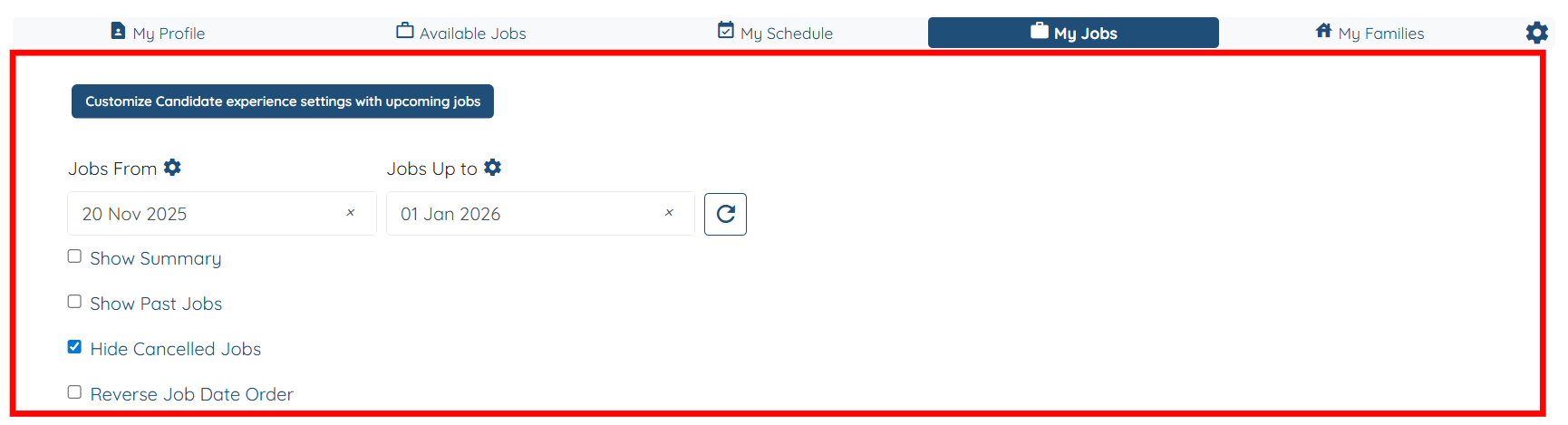
Let’s get started 🚀
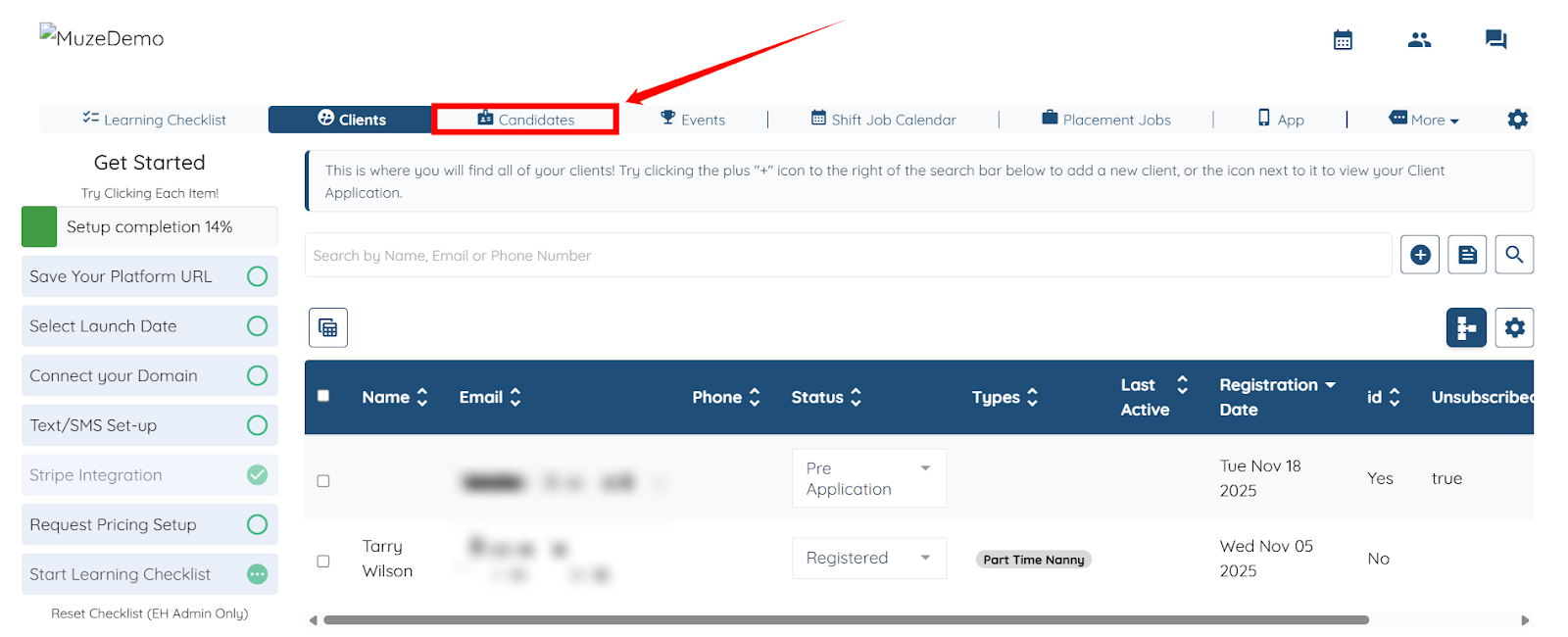
Step 1: Log in to your agent dashboard and click Candidates in the top navigation bar.
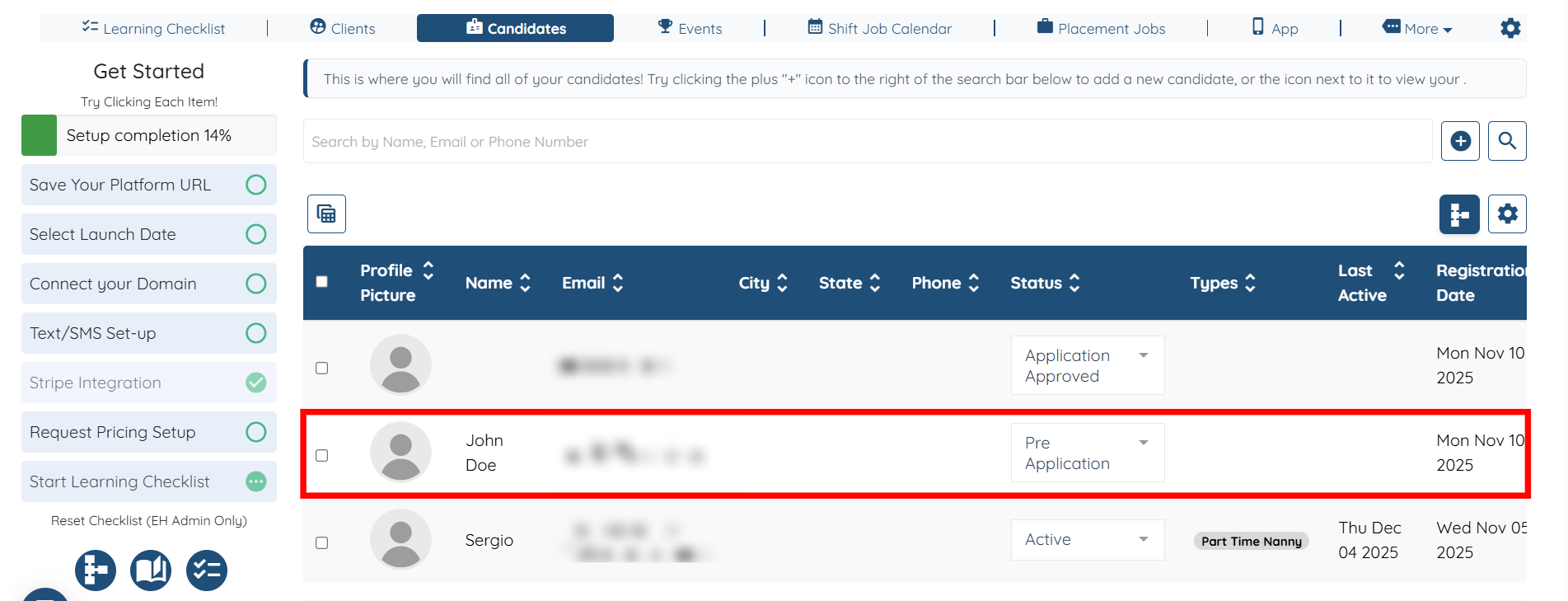
Step 2: Click any candidate in the list to open its details.
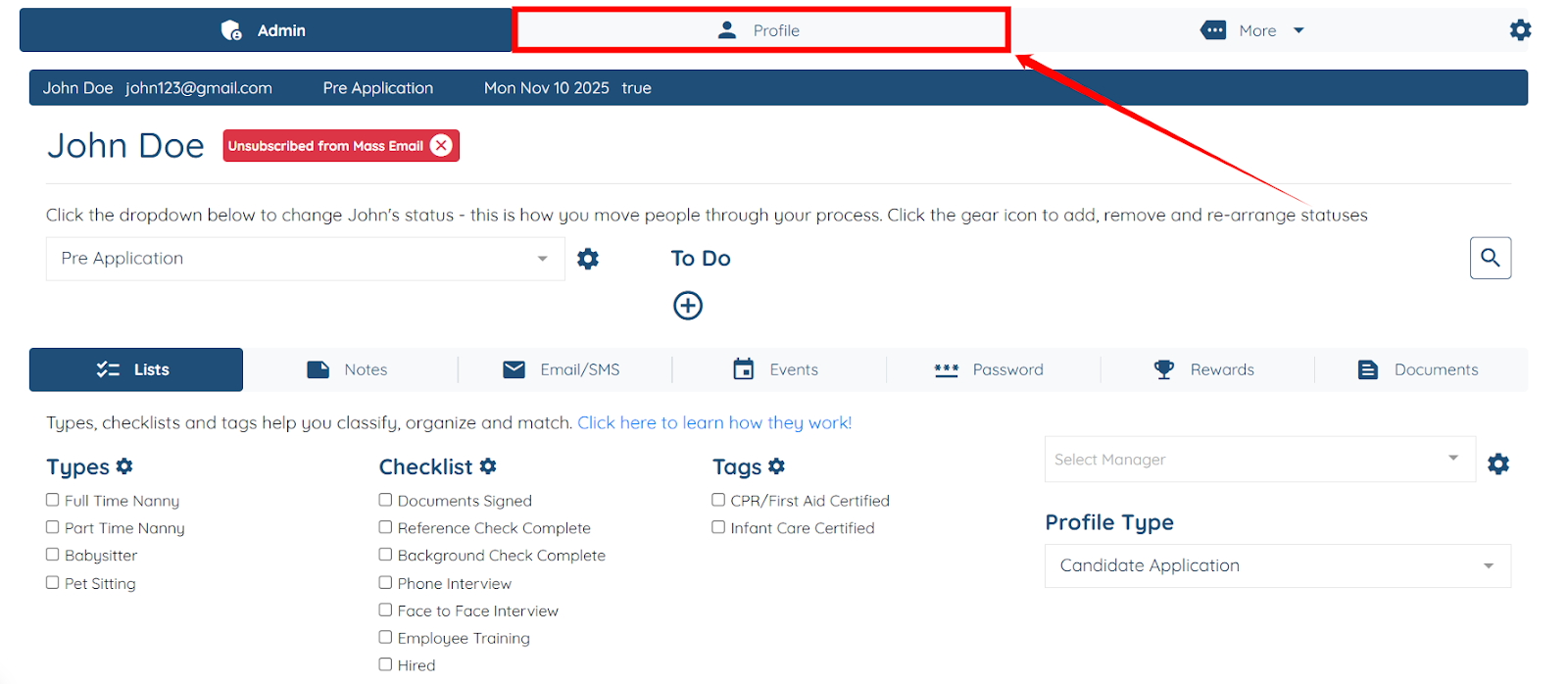
Step 3: Click on the Profile tab.
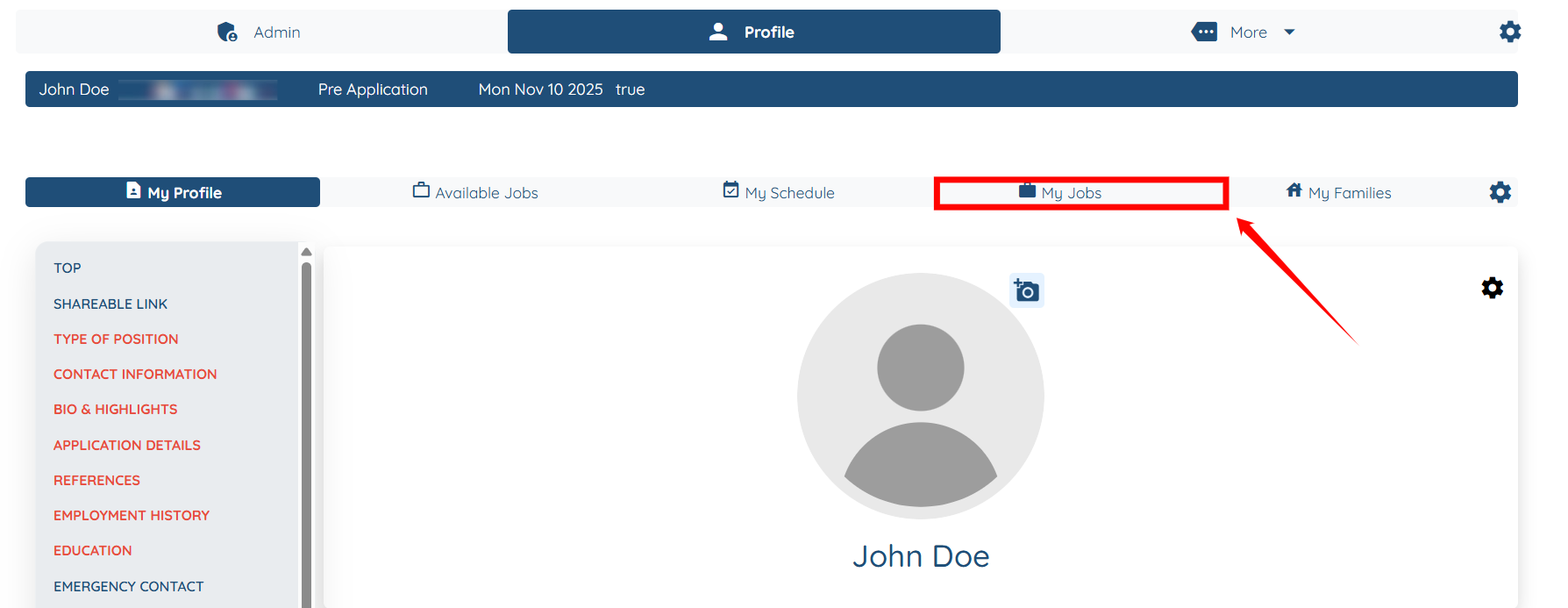
Step 4: Click on the My Jobs tab.
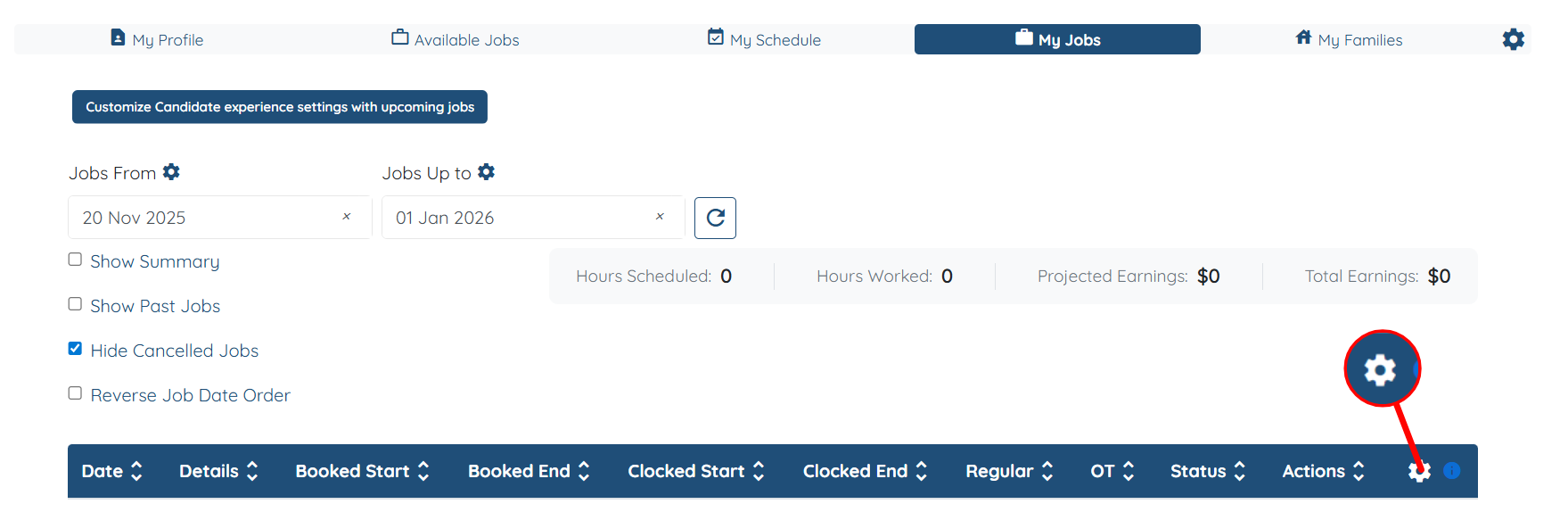
Step 5: Click the Gear icon as shown in the screenshot below.
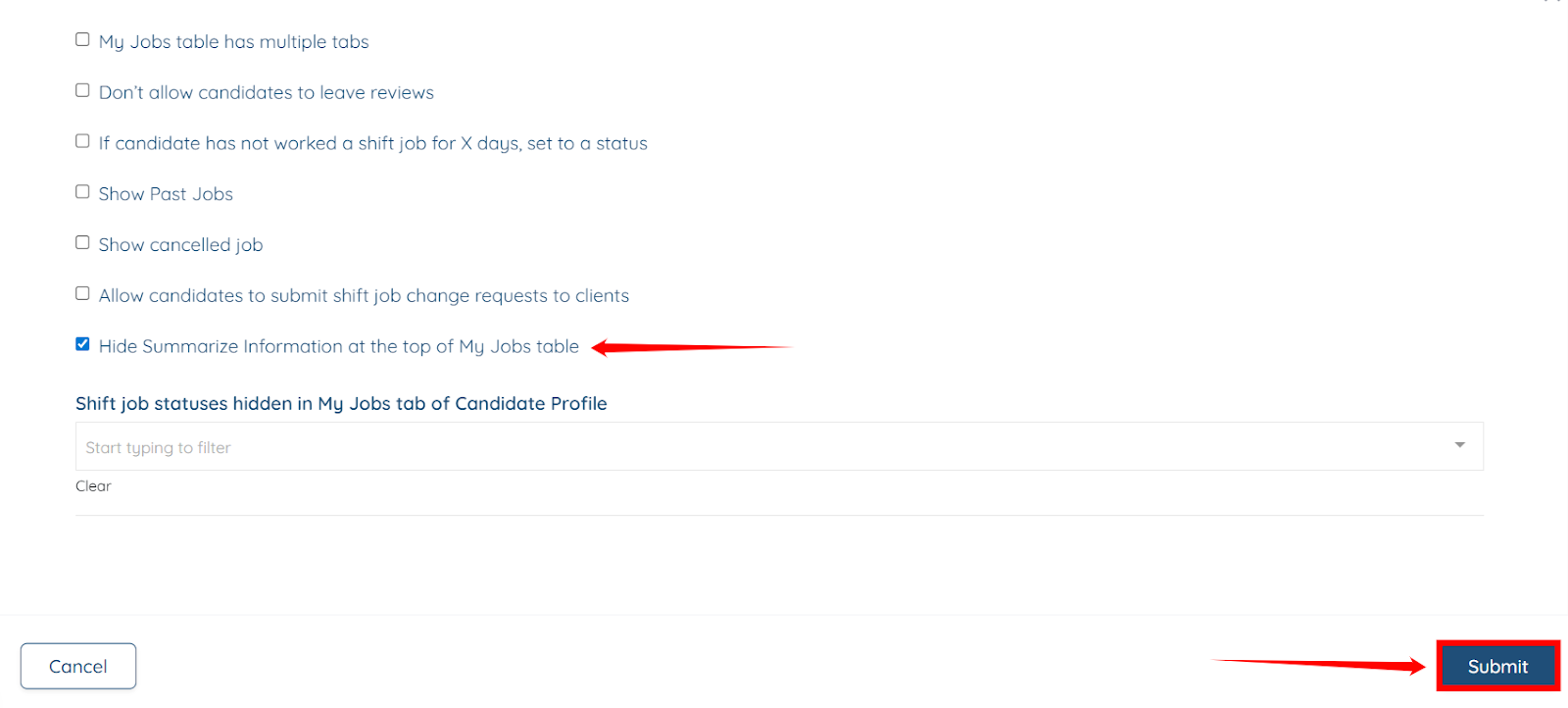
Step 6: Check the Hide Summarize Information at the top of the My Jobs table checkbox and click the Submit button to save the changes.
The Summarize Information will be successfully hidden from the My Jobs section.