
Let’s get started 🚀
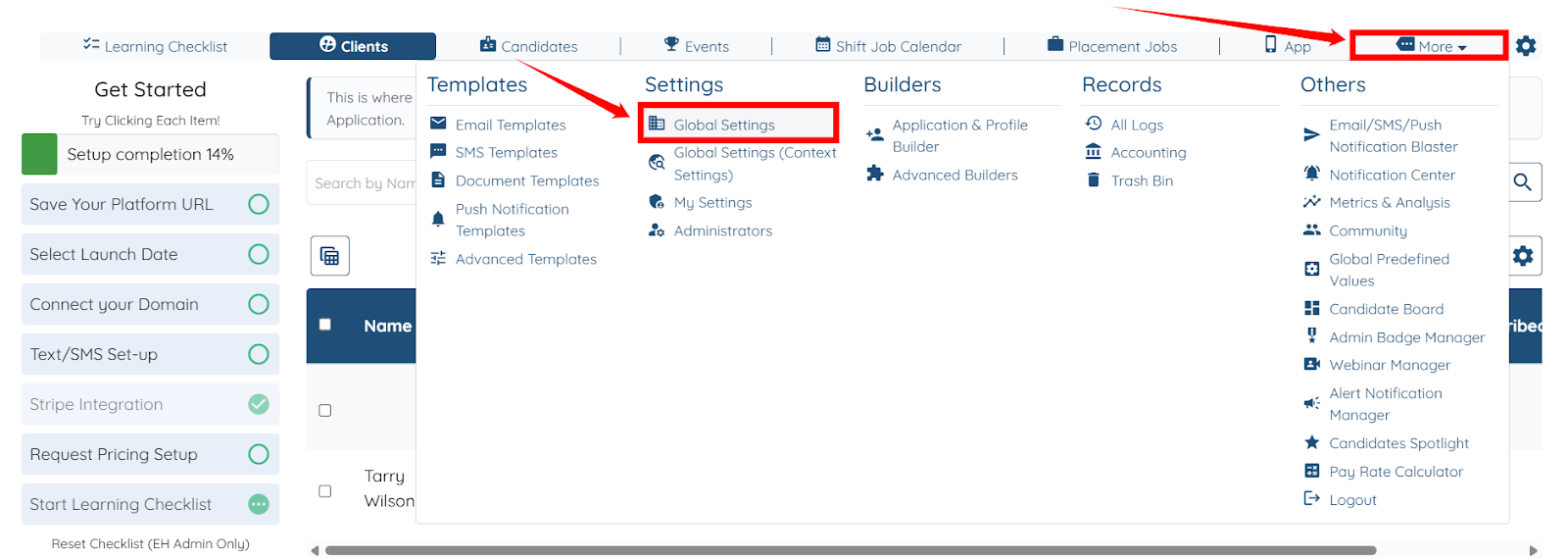
Step 1: Log in to your agent dashboard, click More > Global Settings as shown in the screenshot below.
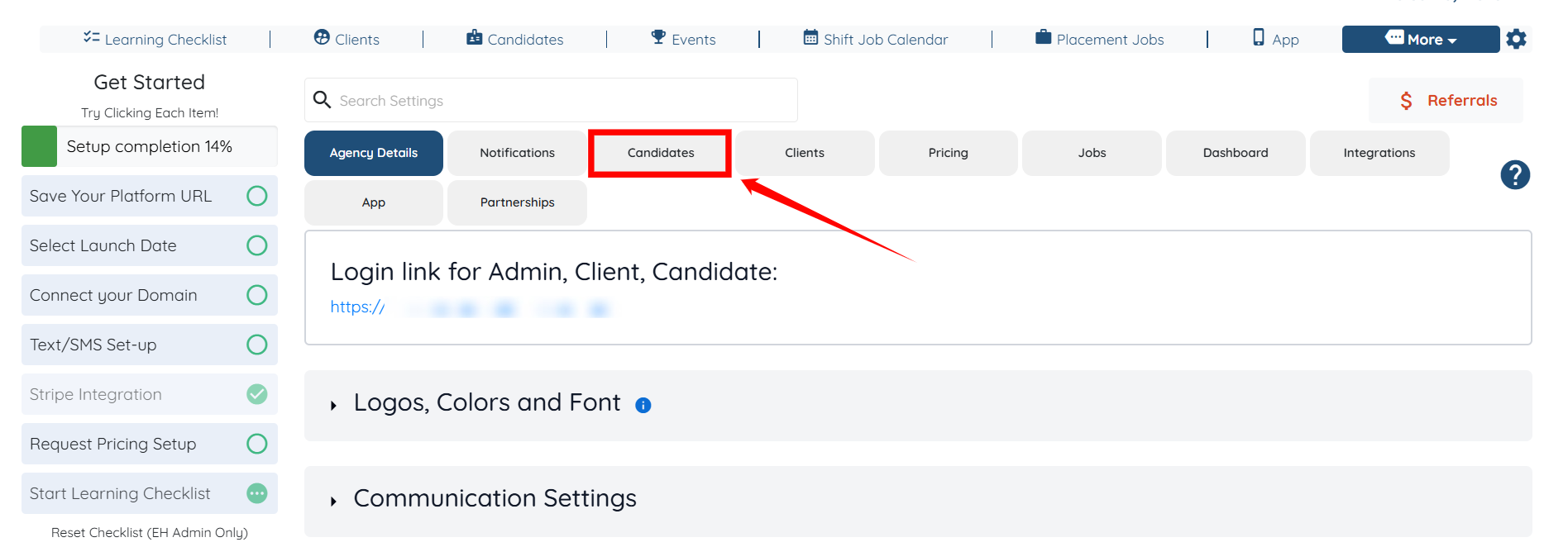
Step 2: Click the Candidates tab from the list of all available tabs.
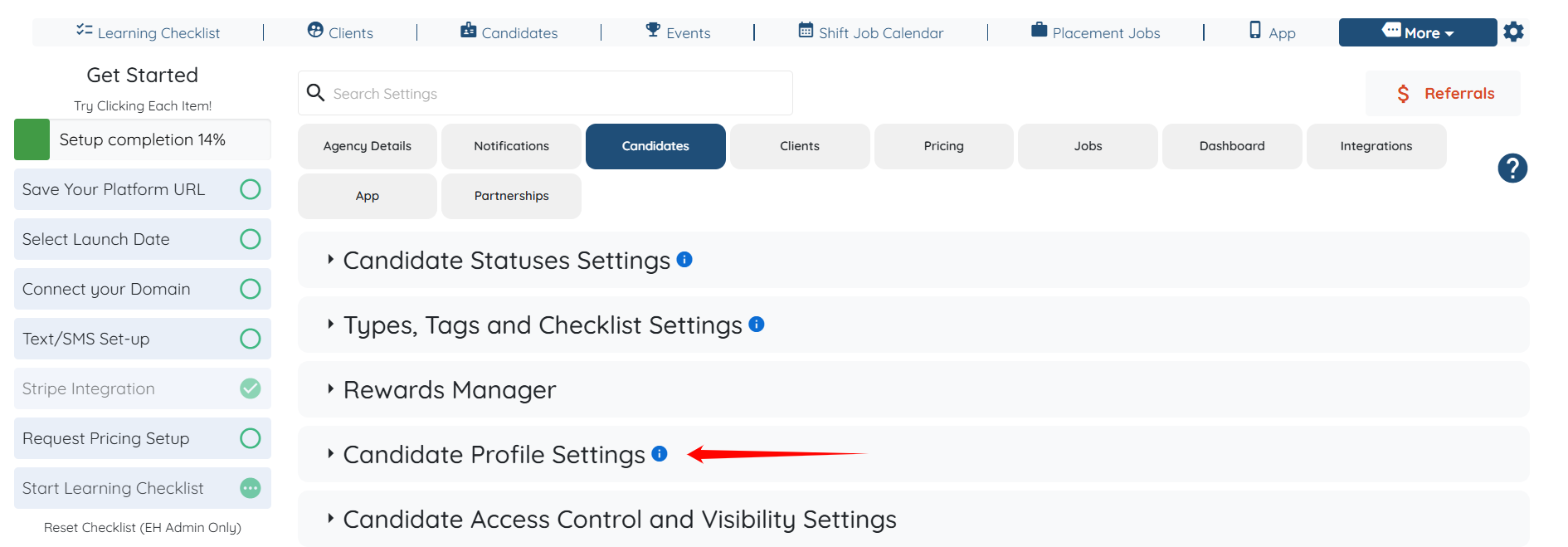
Step 3: Click the Candidate Profile Settings option to expand its details.
Step 4: Scroll down and locate the Select Fields of Shift Job Profile field.
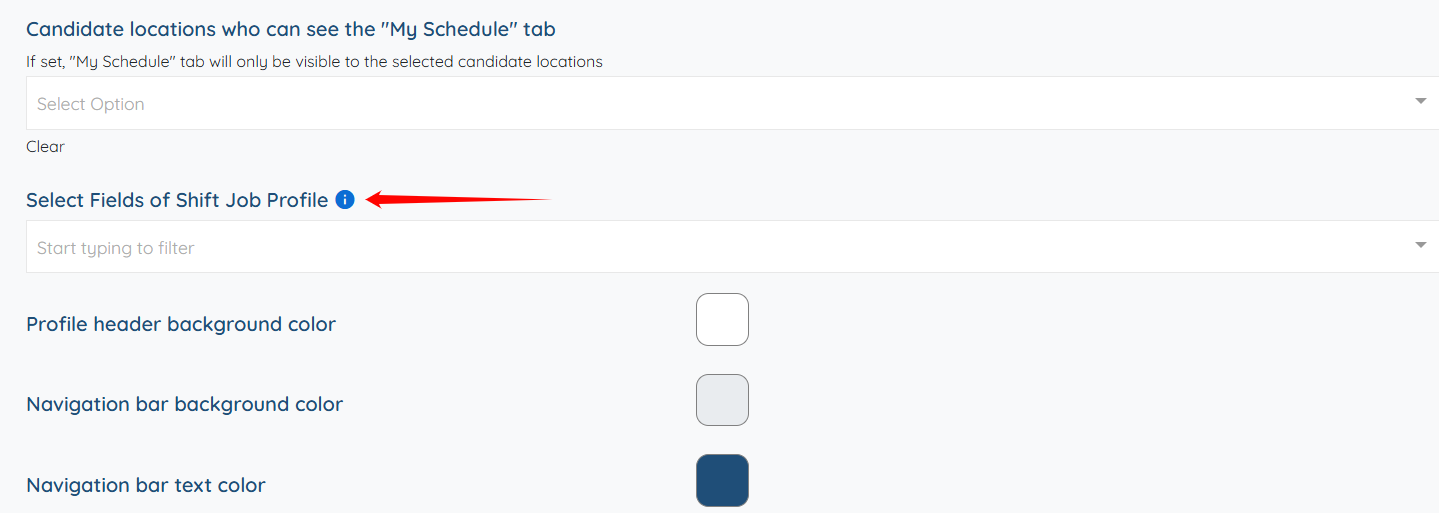
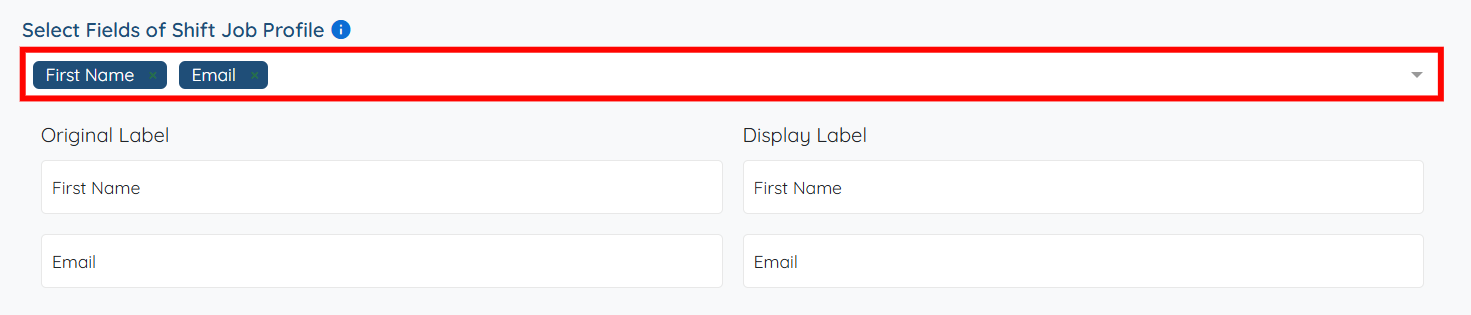
Step 5: Click to open the dropdown, and then select the fields you want to add to the Candidate’s Shift Jobs Profile. For example, First Name.
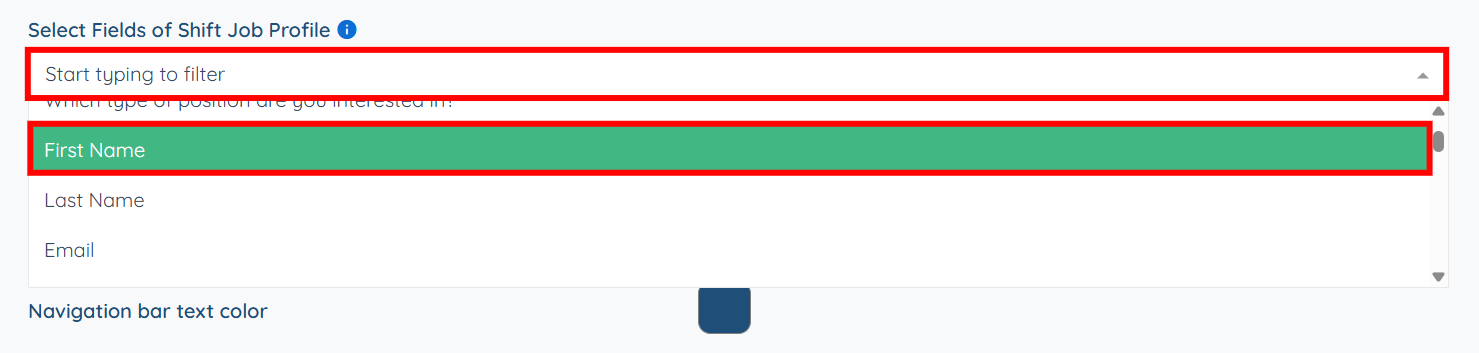
You may also add multiple fields as required.
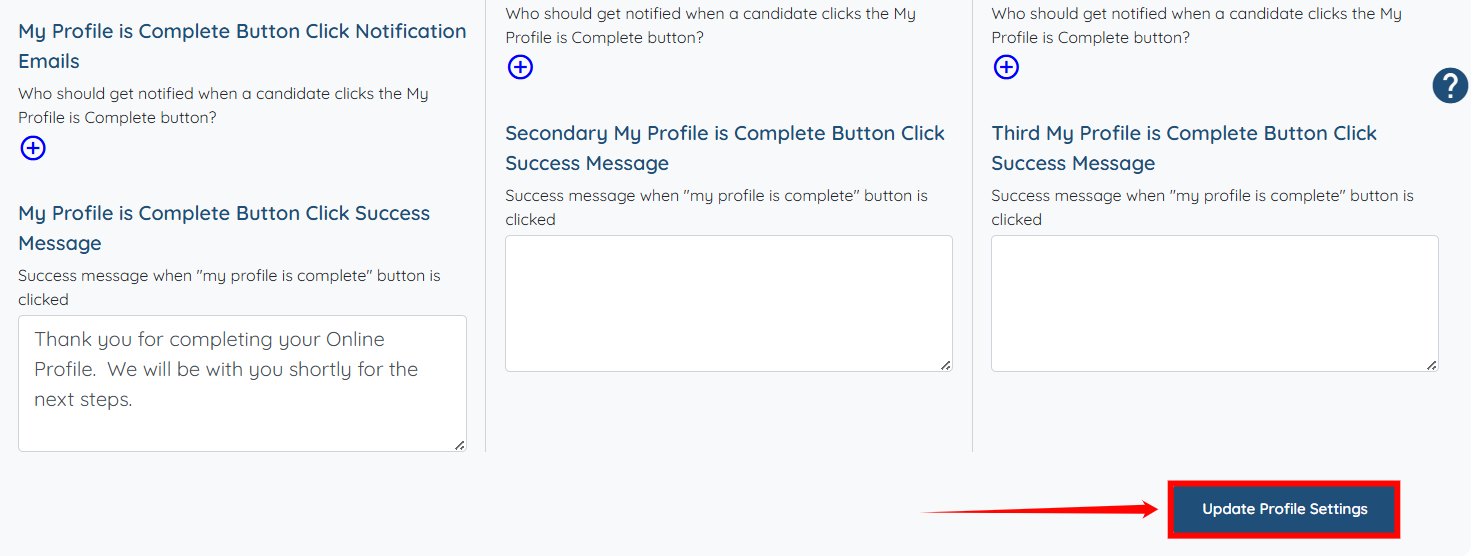
Step 6: Scroll down and click the "Update Profile Settings" button to save your changes.
The added fields will appear on the client side when they view the shift job
