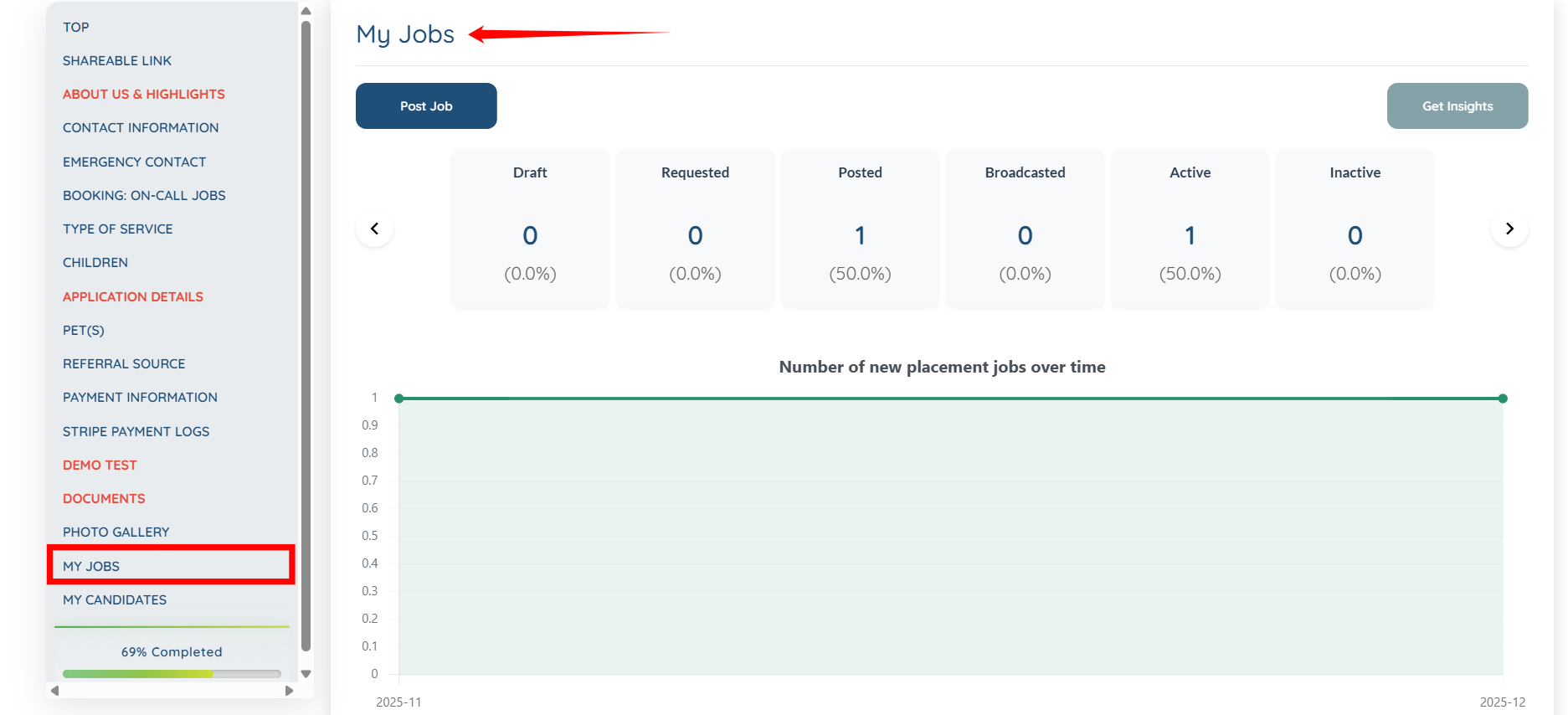
Let’s get started 🚀
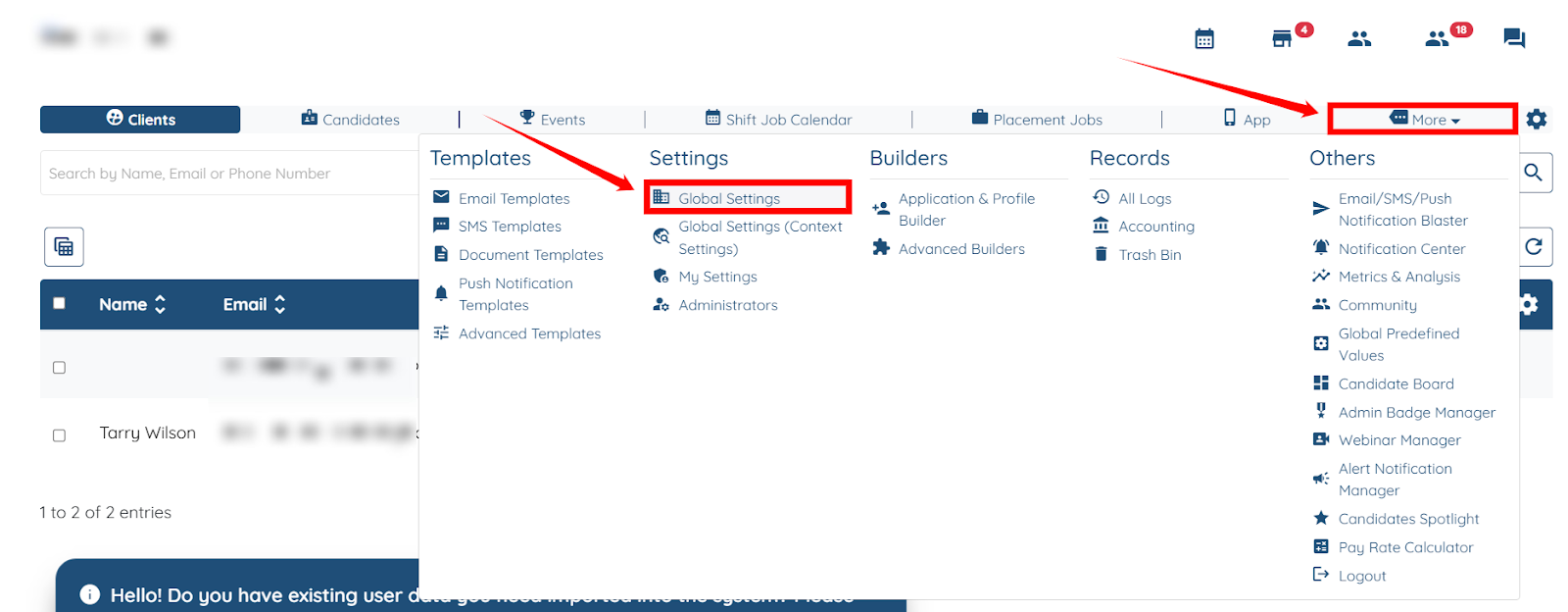
Step 1: Log in to your agent dashboard, then navigate to More > Global Settings, as shown in the screenshot below.
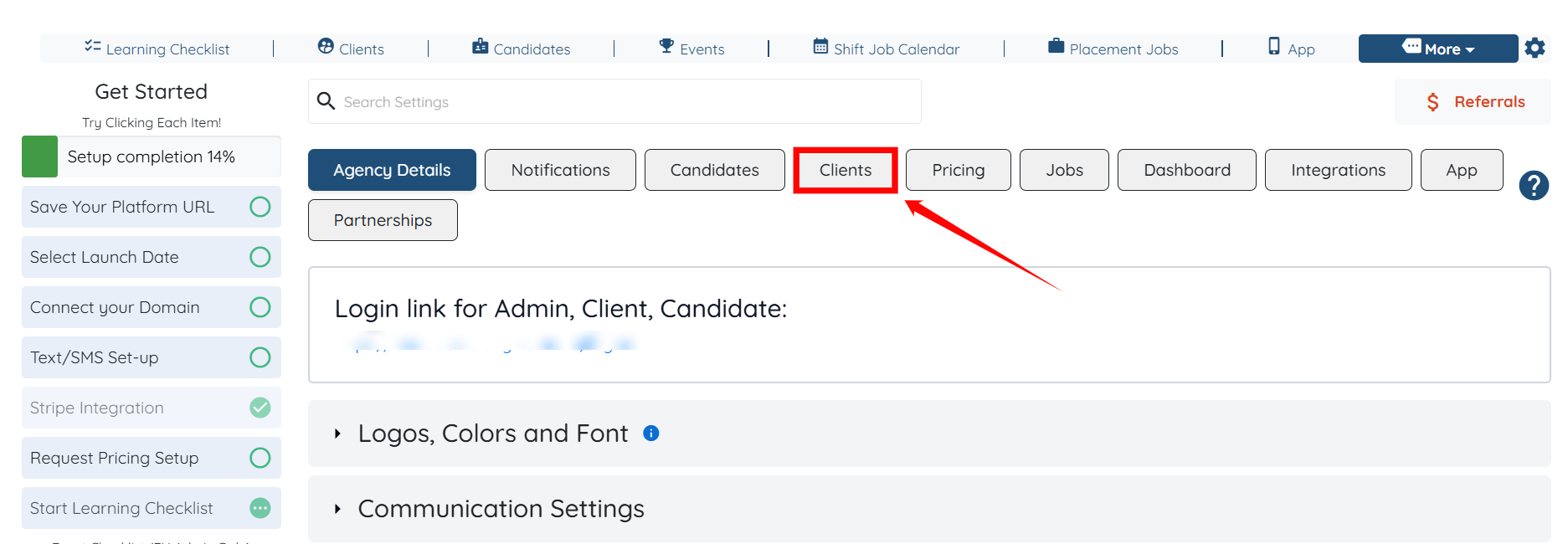
Step 2: Click the Clients tab in the list of all available tabs.
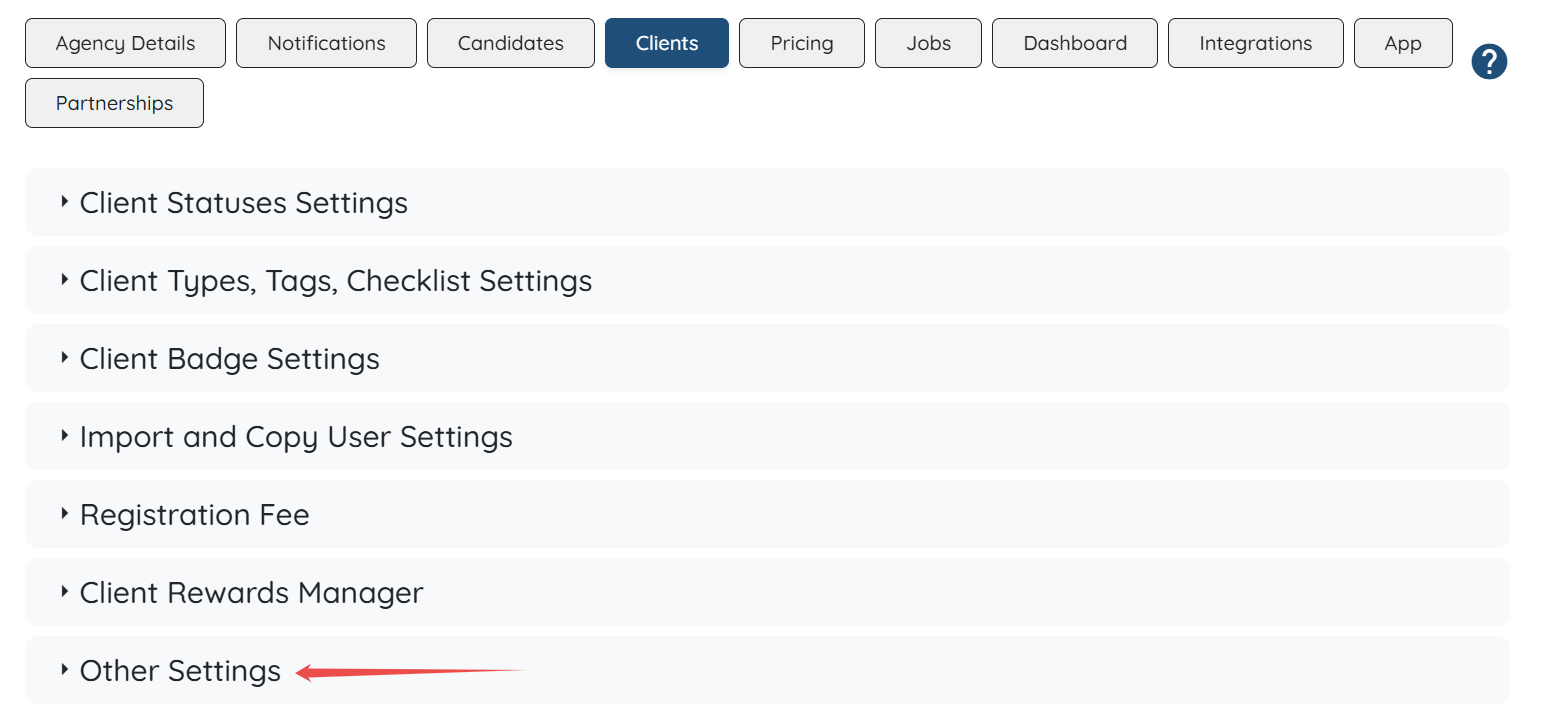
Step 3: Click the Other Settings option to expand its details.
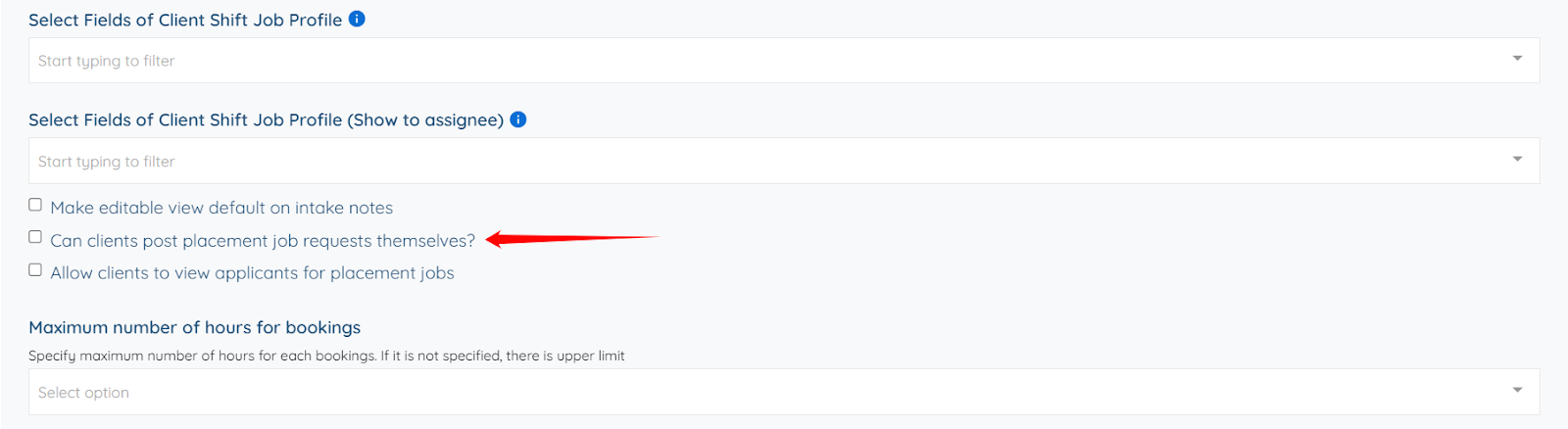
Step 4: Scroll down and check the Can clients post placement job requests themselves? checkbox.
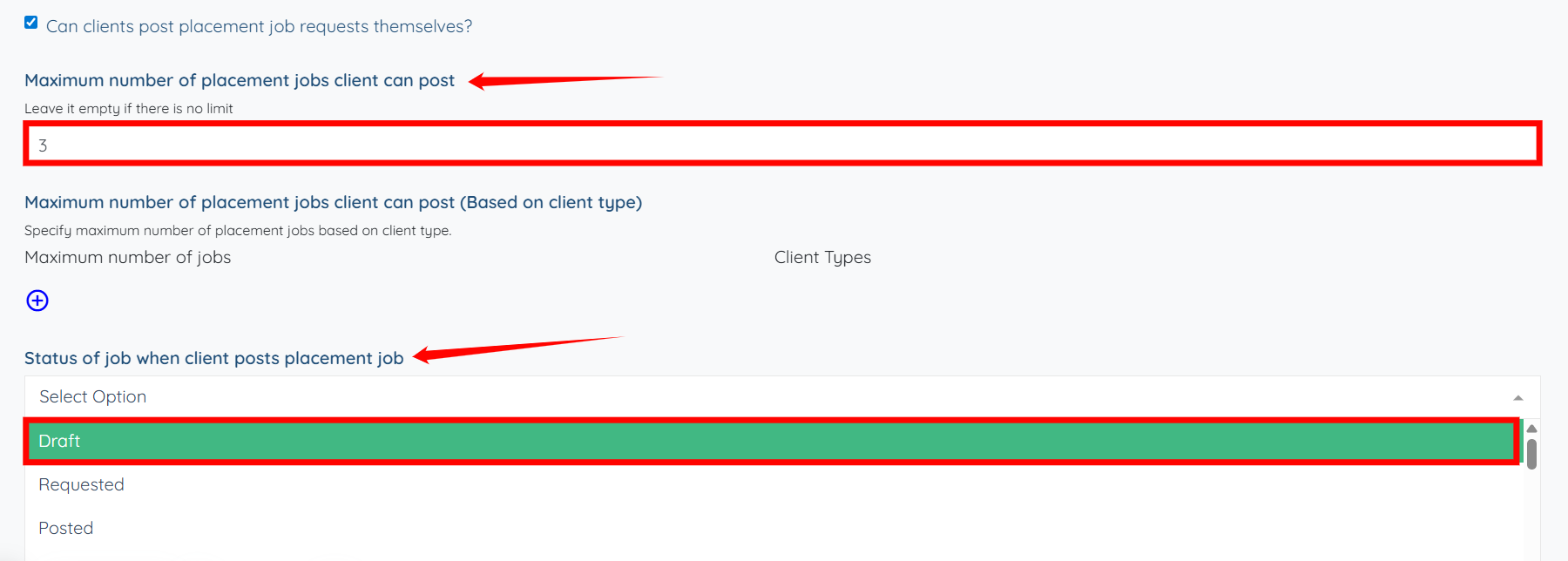
Step 5: Enter the Maximum number of placement jobs client can post and then select the Status of job when client posts placement job from the dropdown.
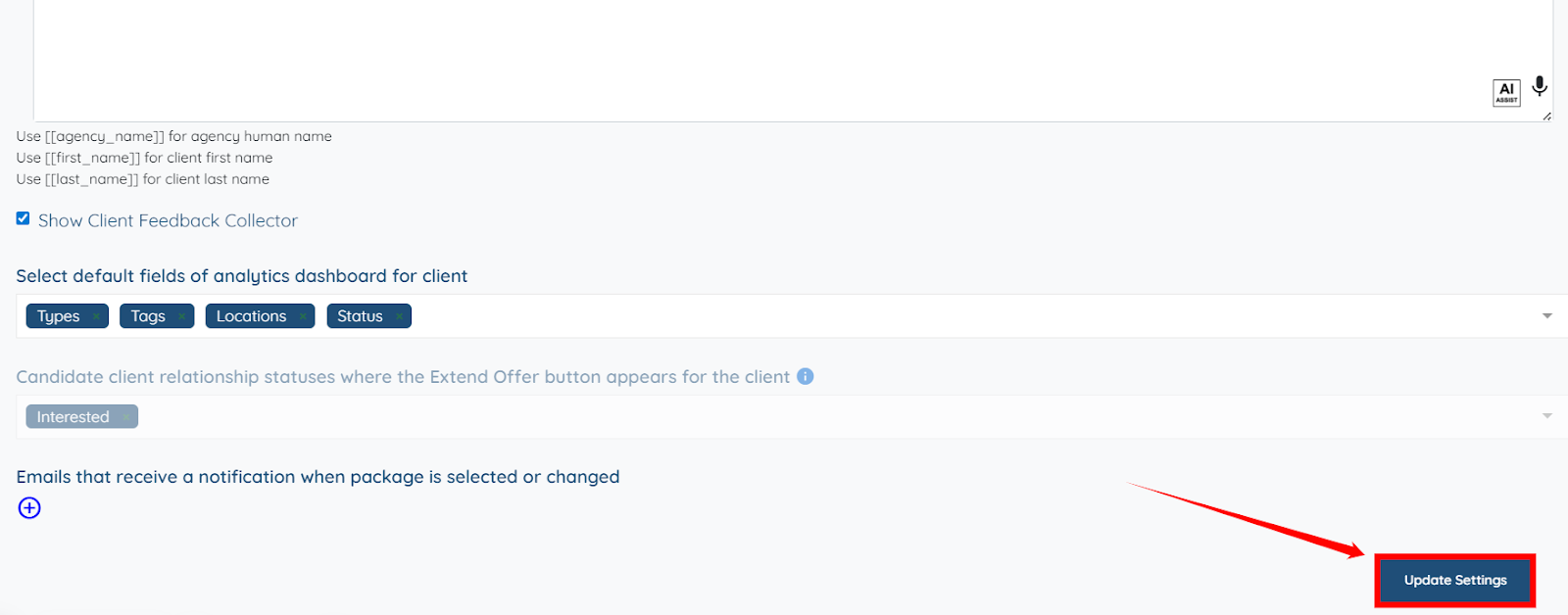
Step 6: Click the Update Settings button to save the changes.
The My Jobs section will be successfully added to the client profile, enabling the client to post jobs directly and successfully from their profile.