Let’s get started 🚀
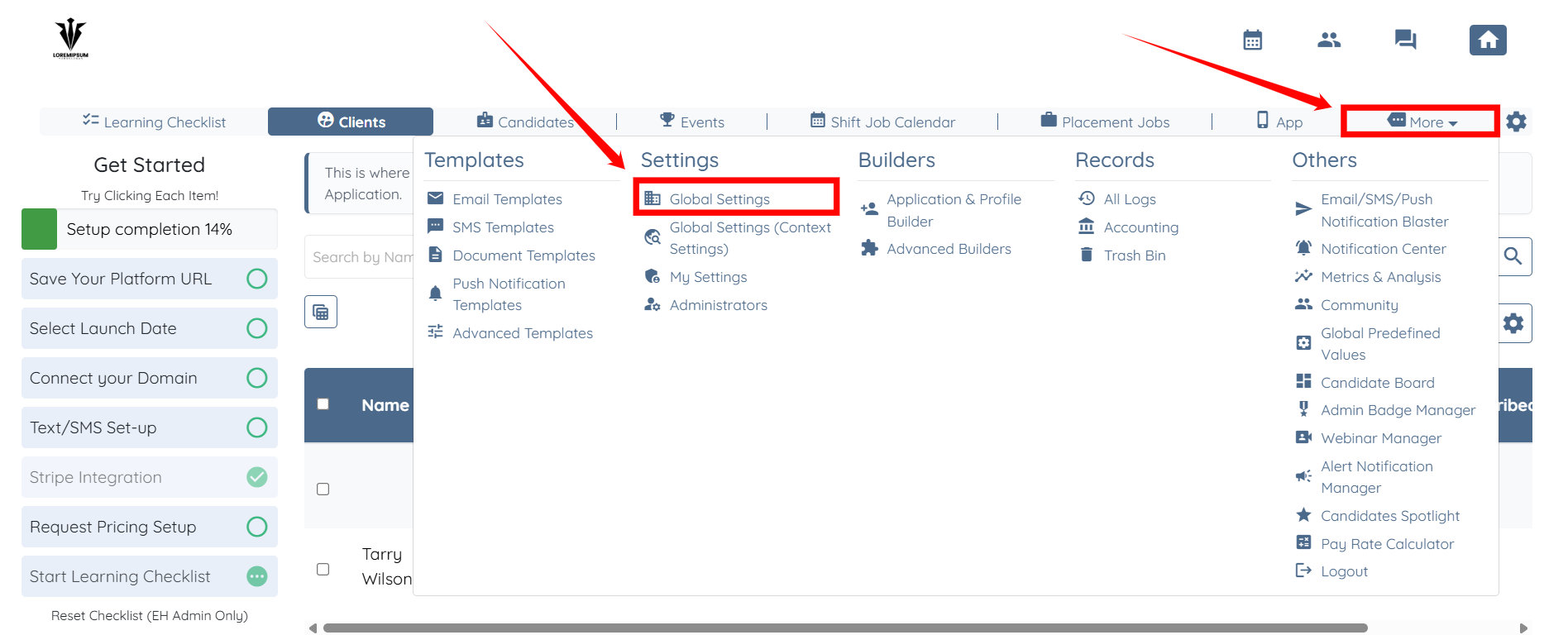
Step 1: Log in to your agent dashboard and click More > Global Settings, as shown in the screenshot below.
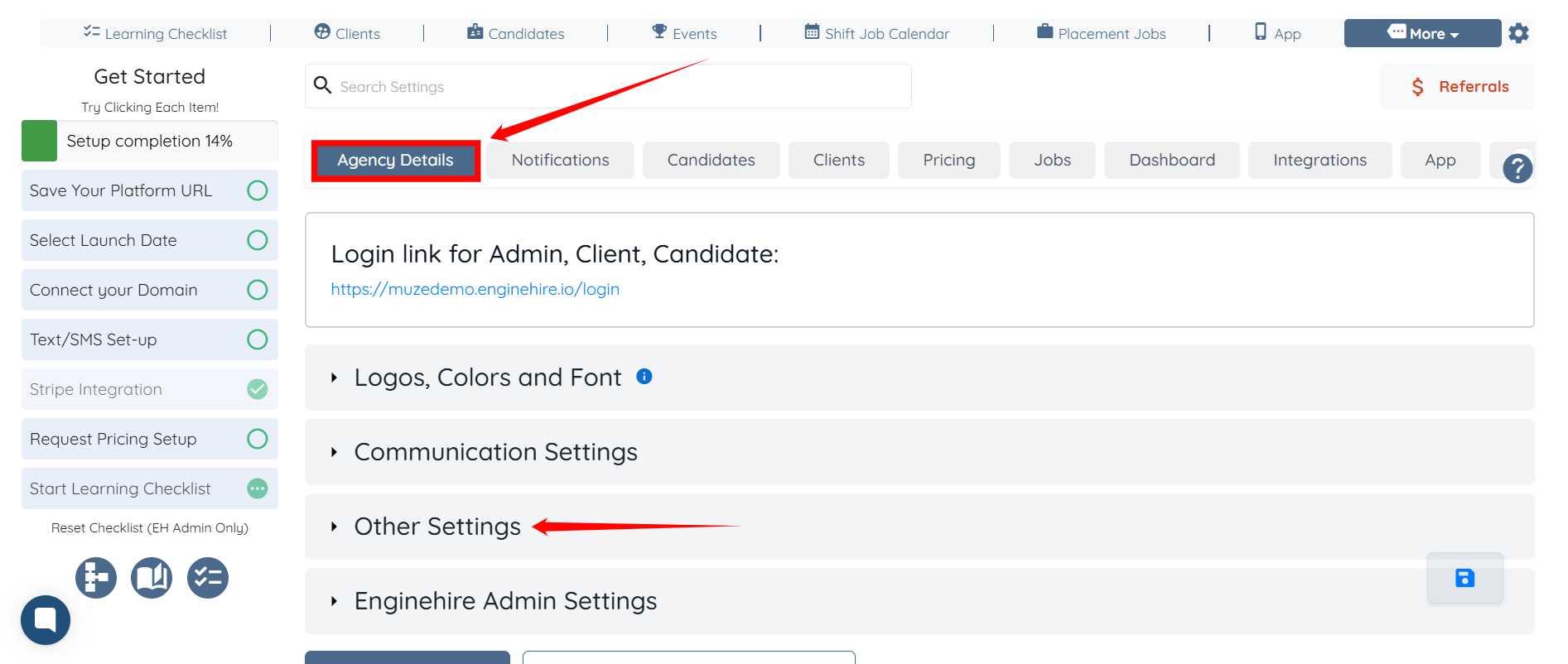
Step 2: Under Agency Details, click Other Settings to expand it and view the details.
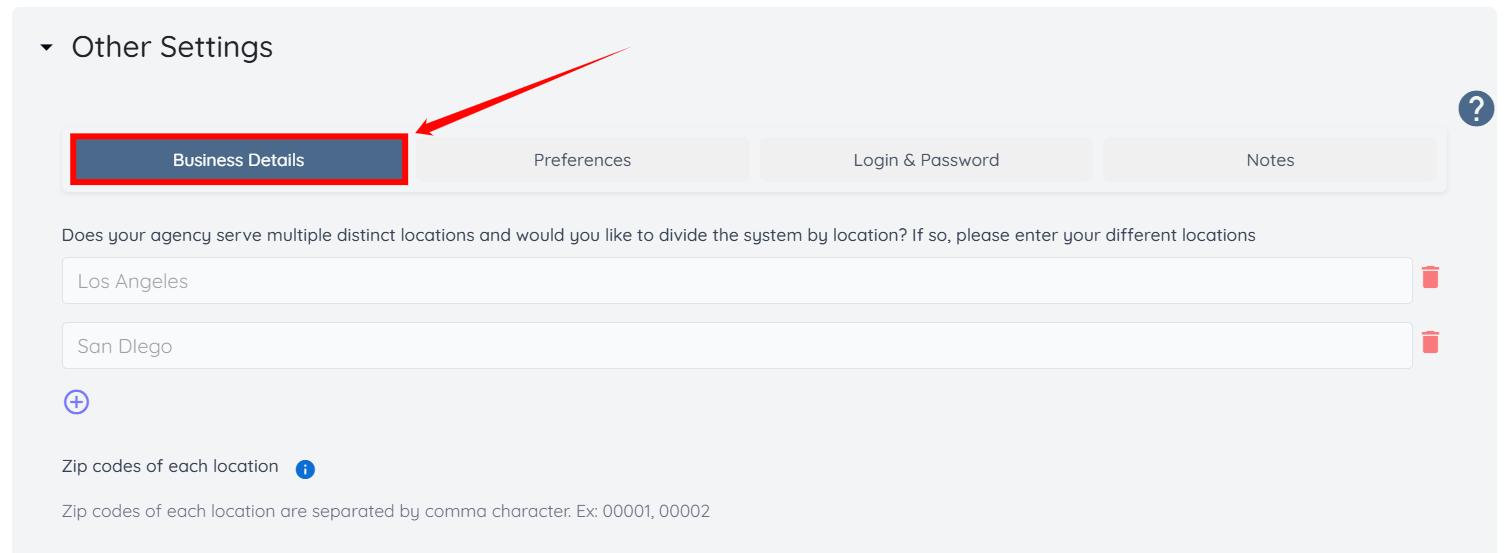
Step 3: Ensure you are in the Business Details tab.
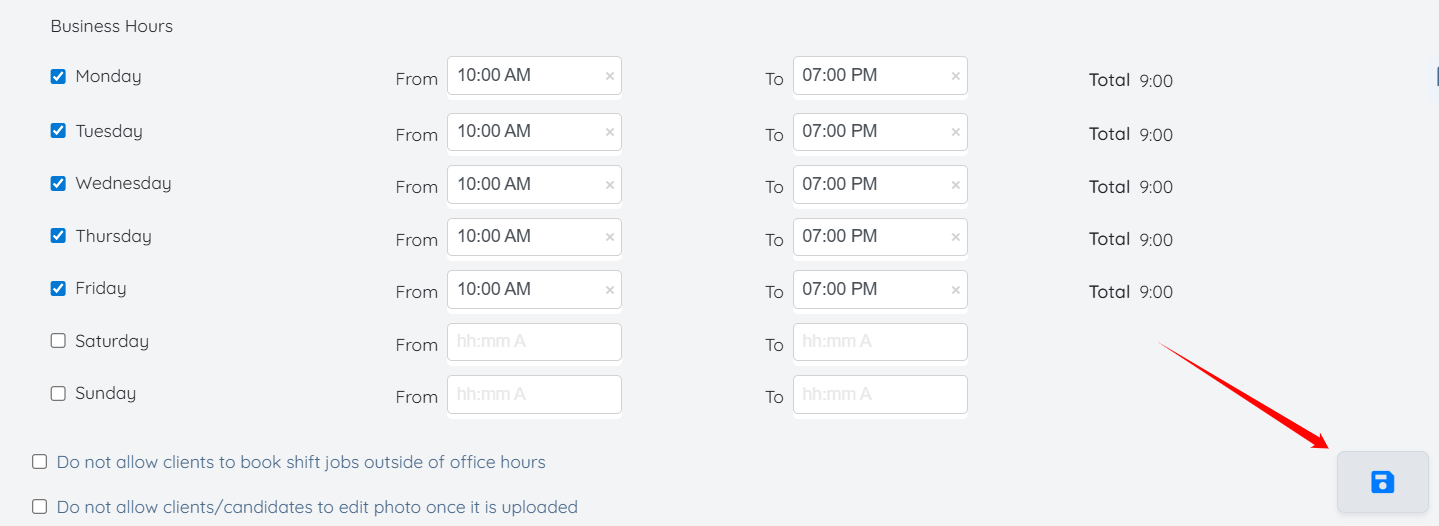
Step 4: Scroll down and add the business hours by checking the checkbox and entering the hours for each working day.
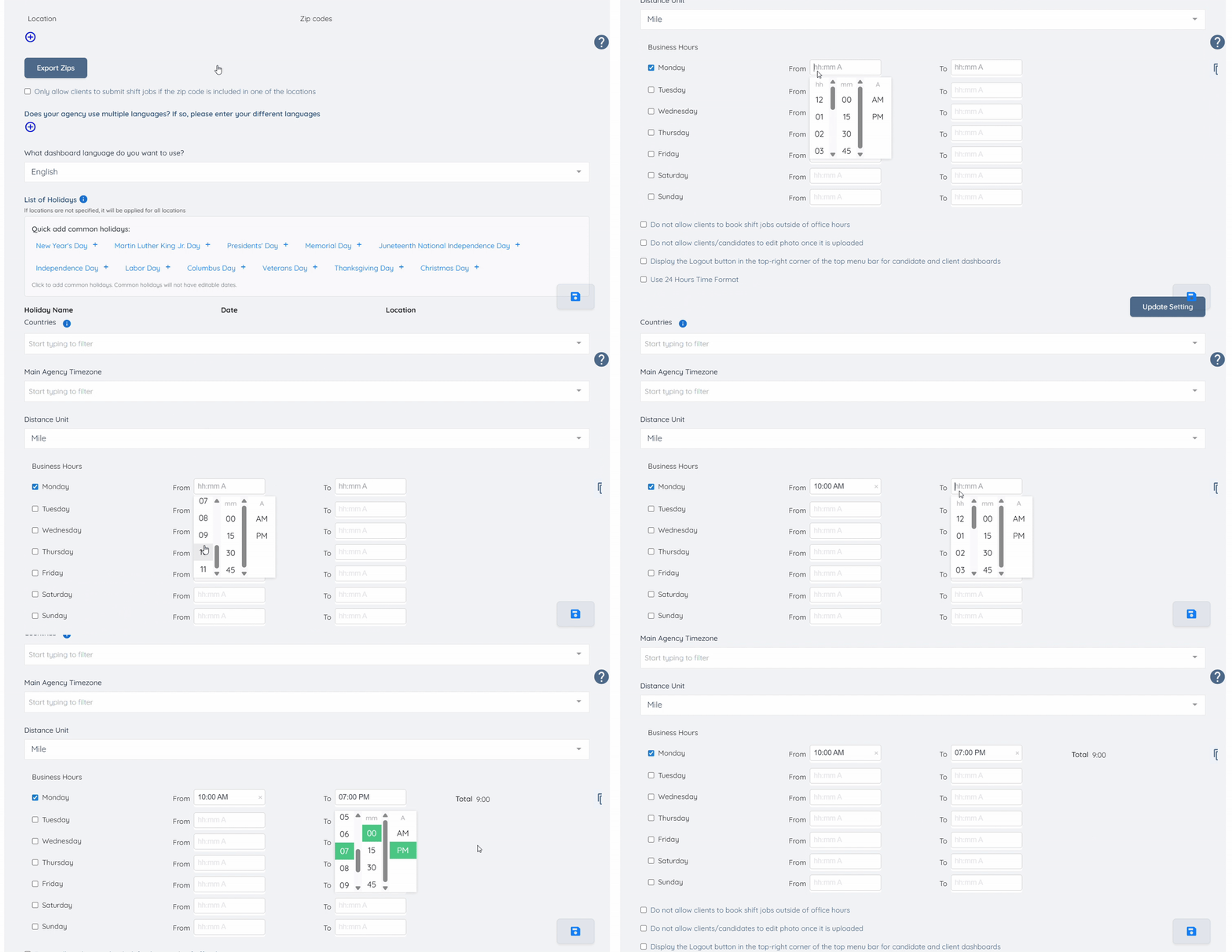
Step 5: After you add the business hours for all working days of your agency, click the Save icon to proceed.