Let’s get started 🚀
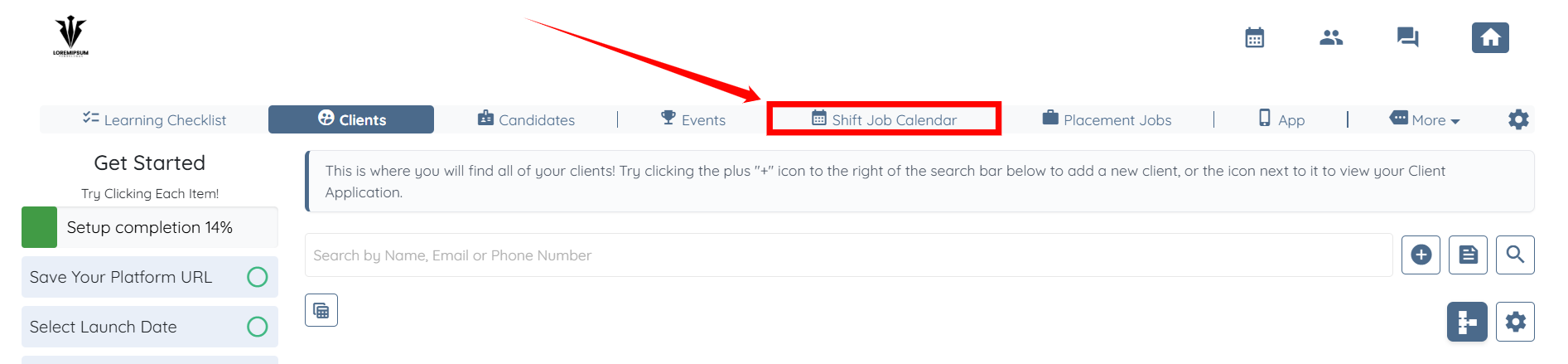
Step 1: Log in to your agent dashboard and click Shift Job Calendar in the navigation bar.
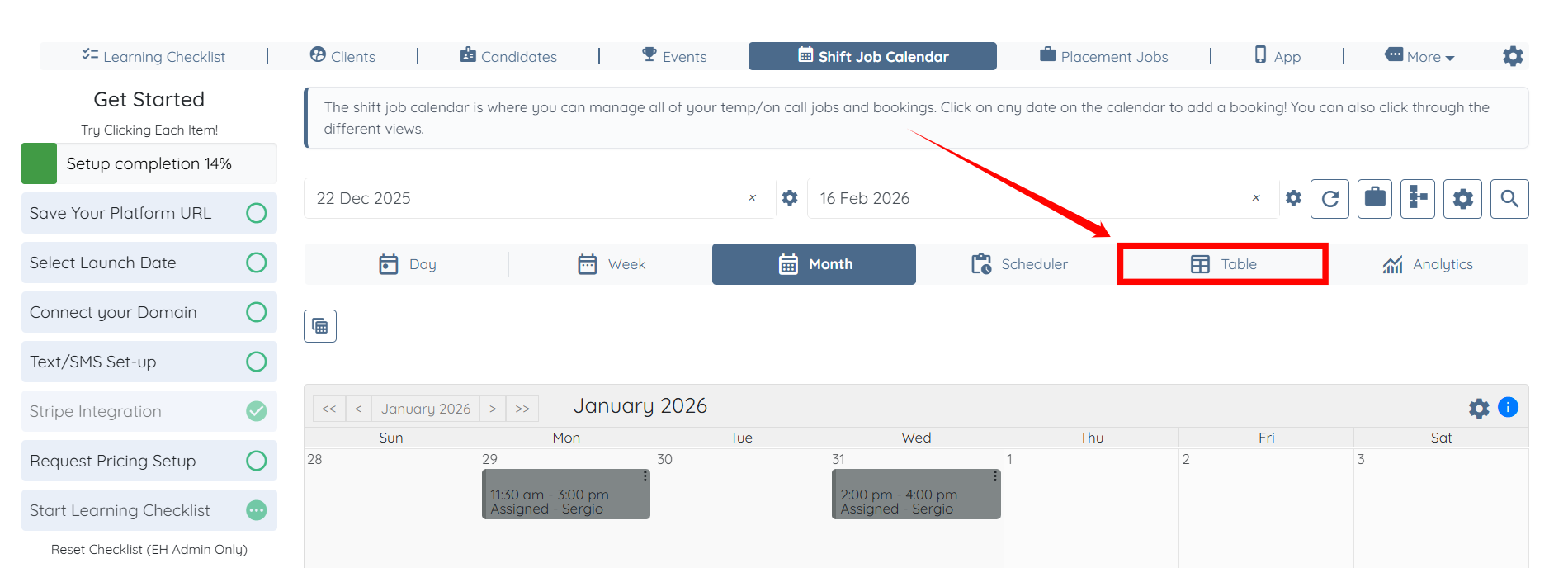
Step 2: Click the Table button to access the table view.
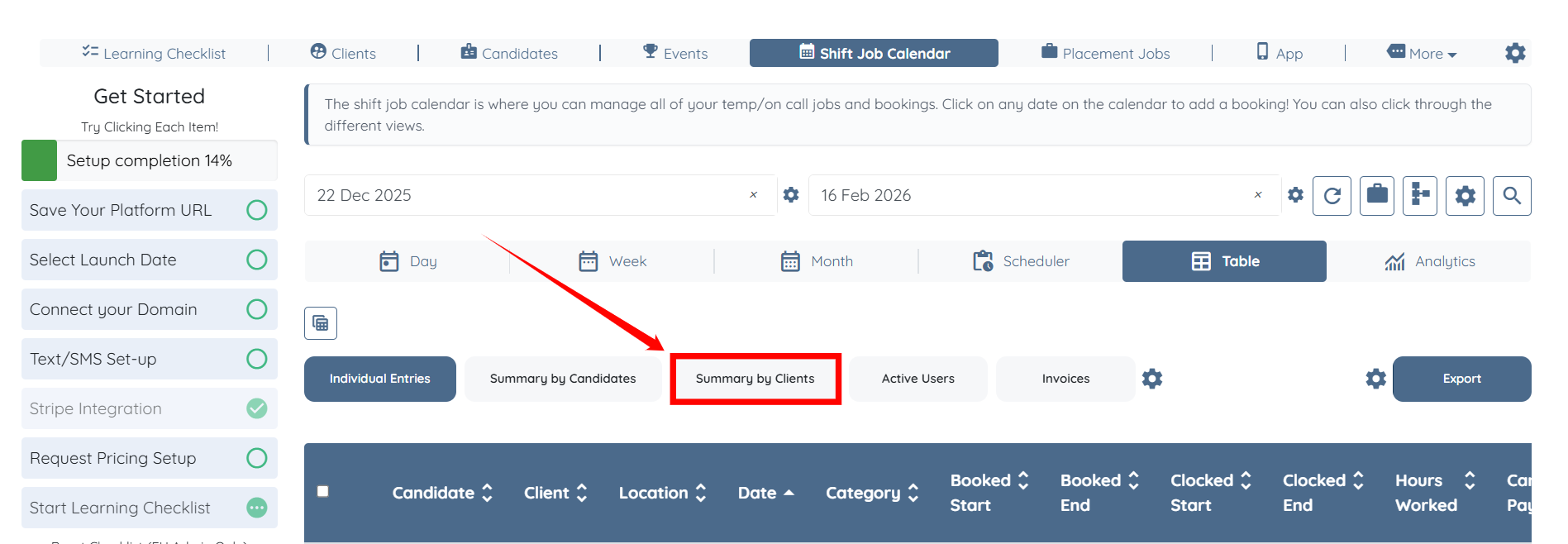
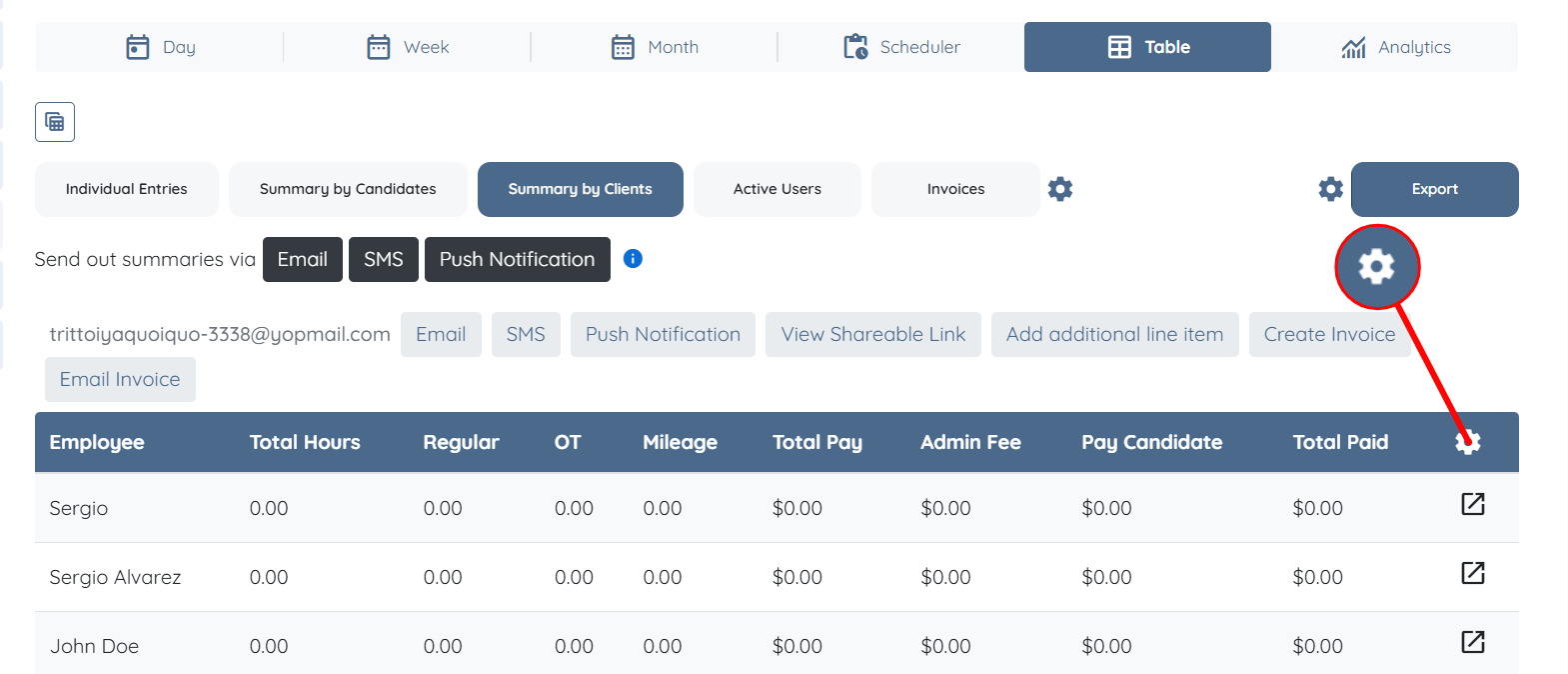
Step 3: Click the Summary by Clients button as shown in the screenshot below.
Step 4: Click the Gear icon on the right-hand side of the table.
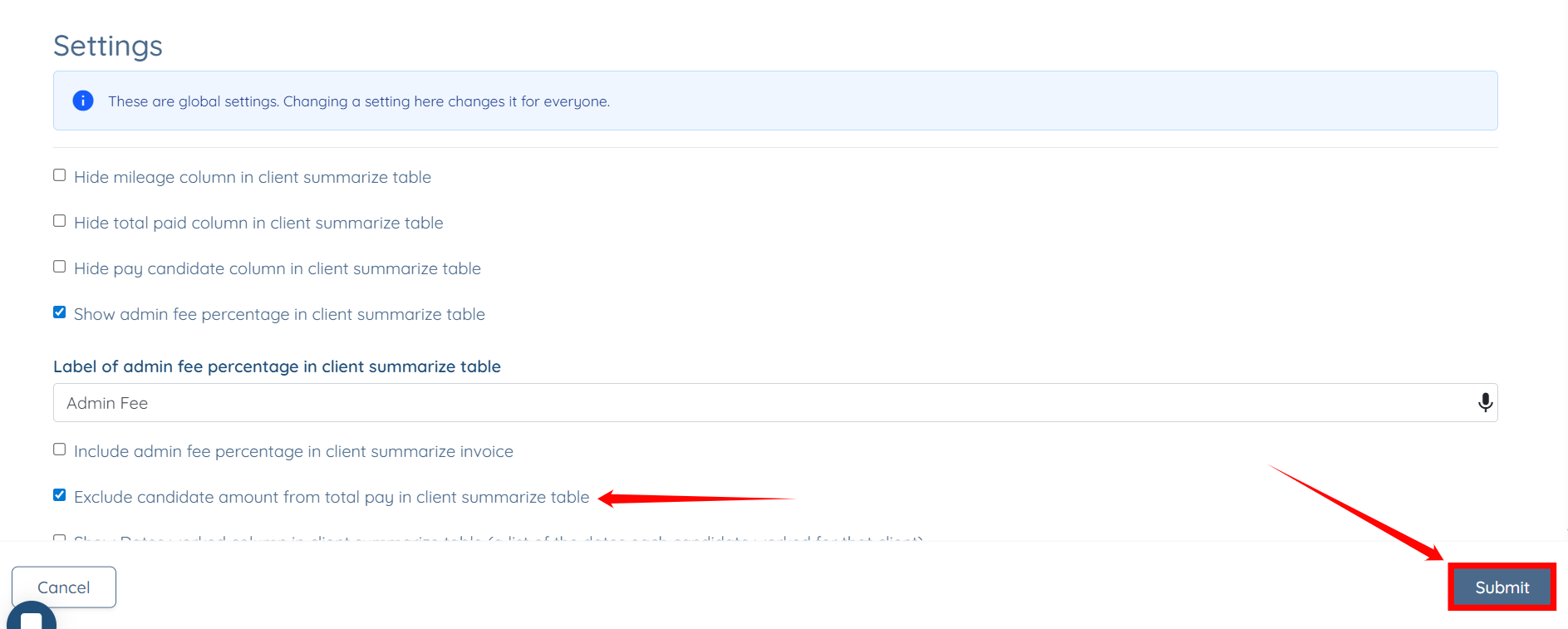
Step 5: Check the Exclude candidate amount from total pay in client summarize table checkbox, then click the Submit button to proceed.