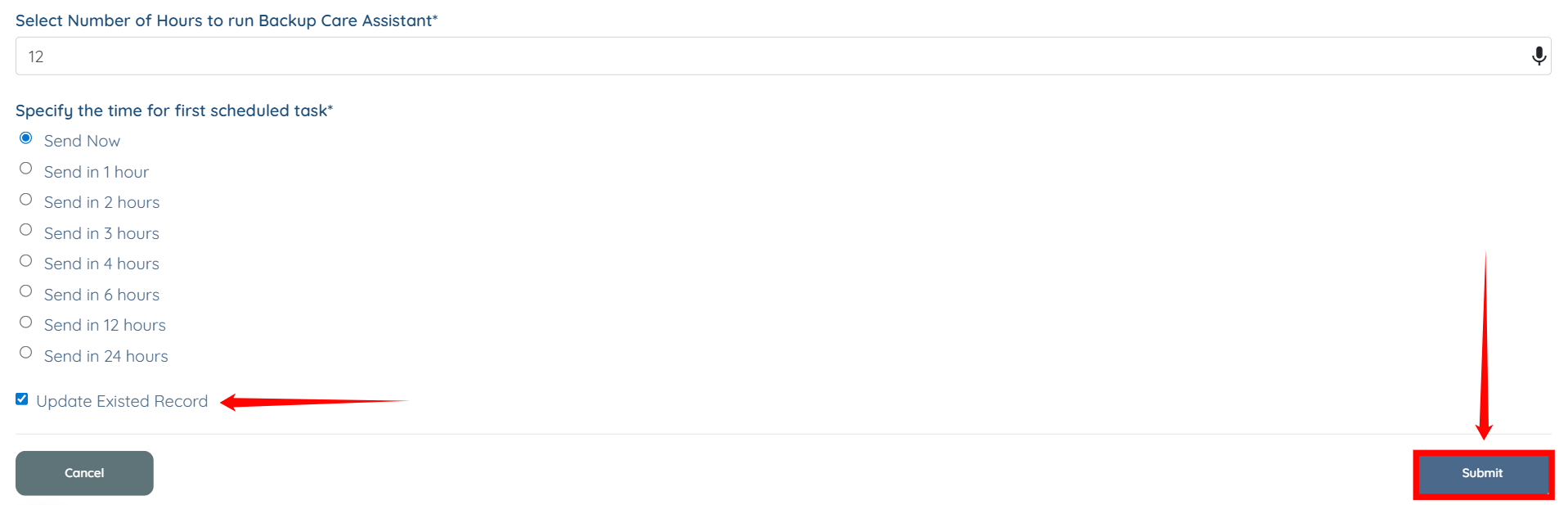
Let’s get started 🚀
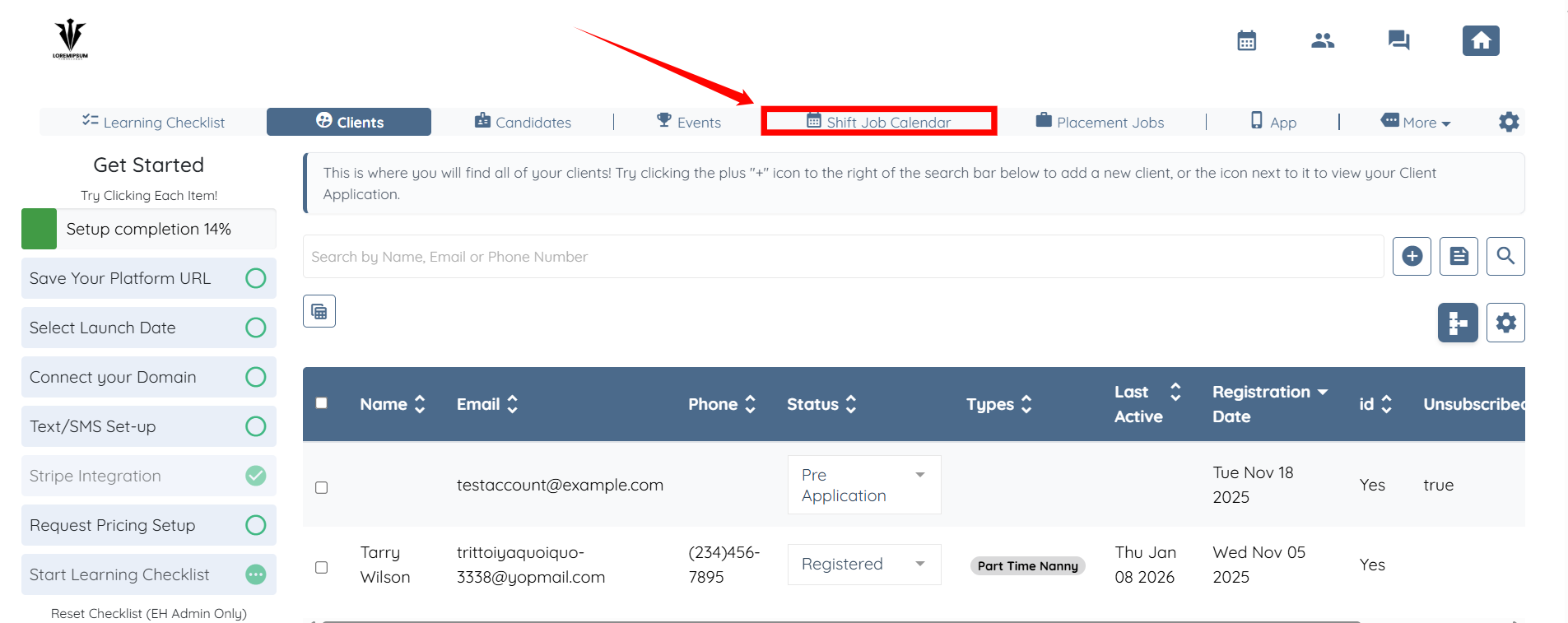
Step 1: Log in to your agent dashboard, then click Shift Job Calendar from the top navigation bar.
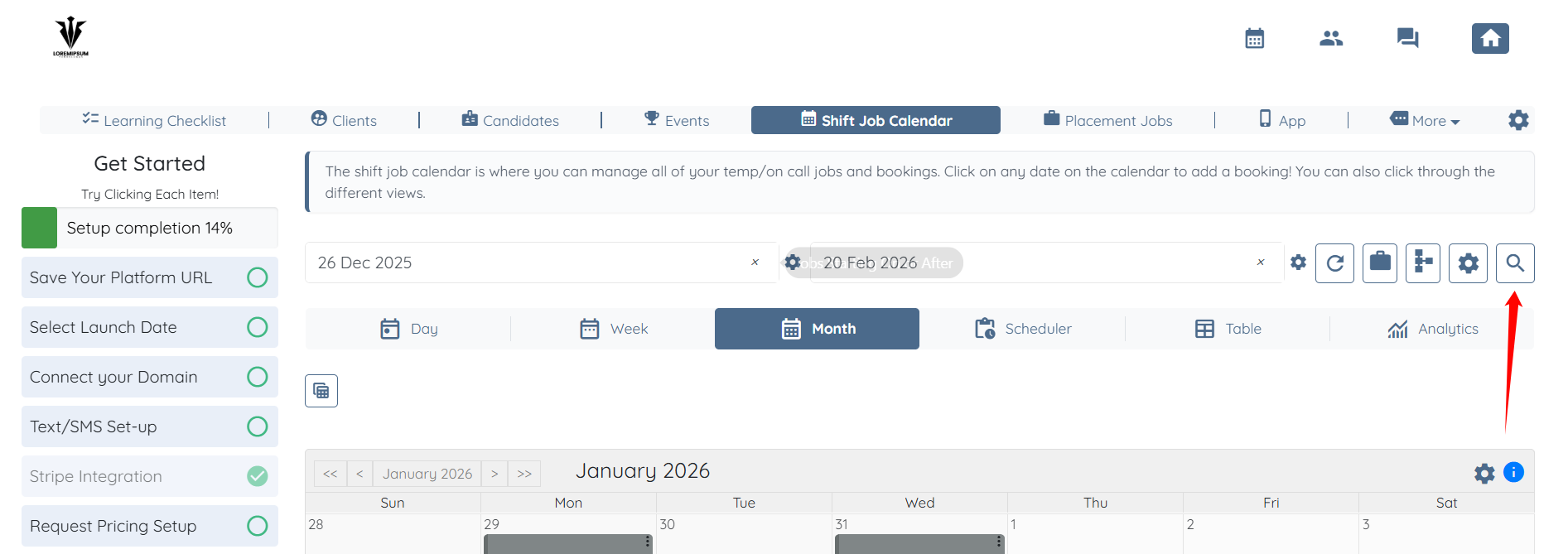
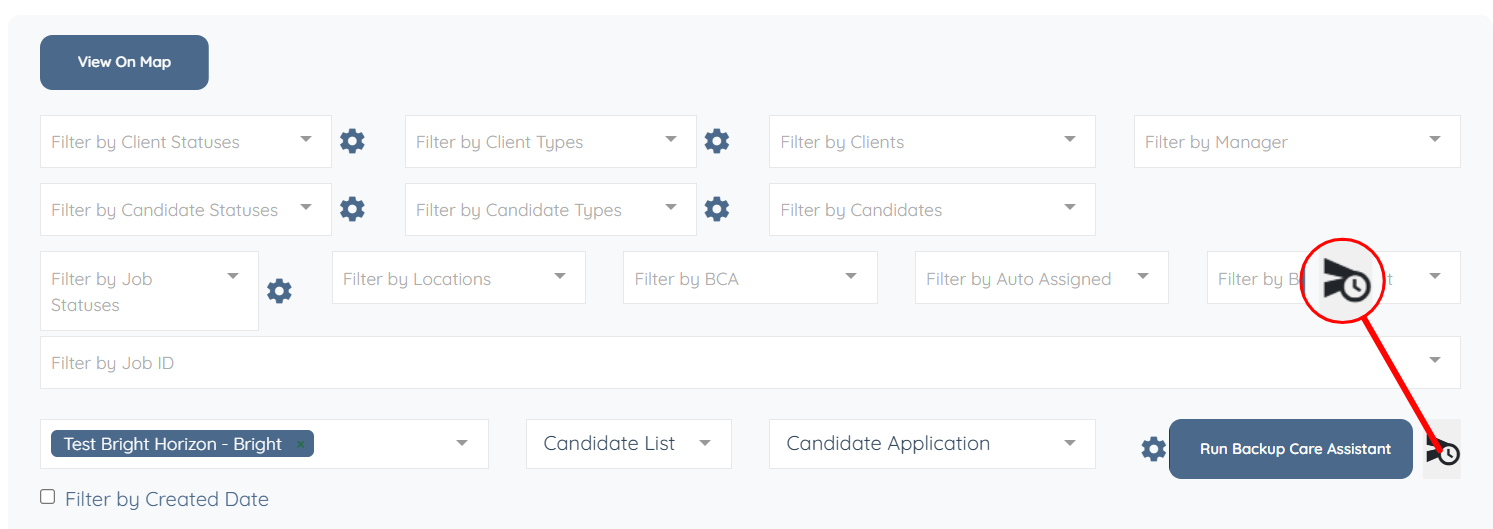
Step 2: Click the icon shown in the screenshot below to open the Search and Filter tools
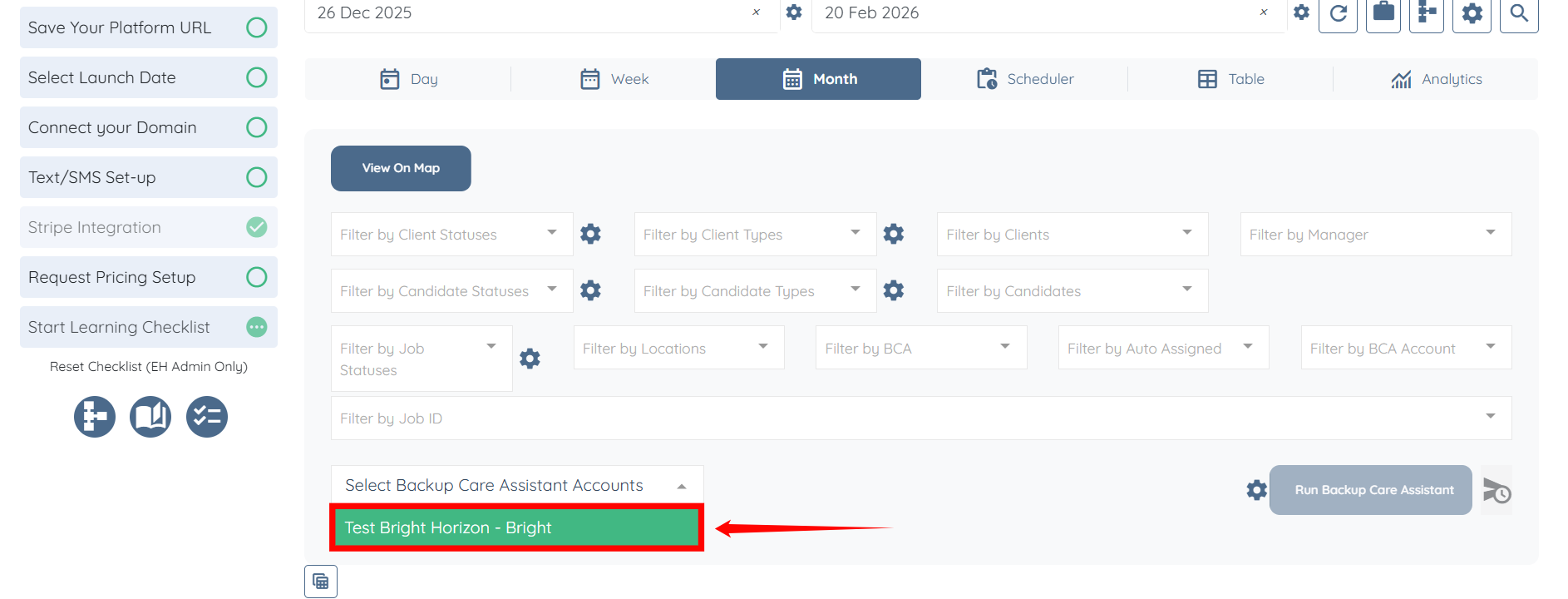
Step 3: Click the box highlighted in the screenshot below to open the list of Backup Care Assistant Accounts.
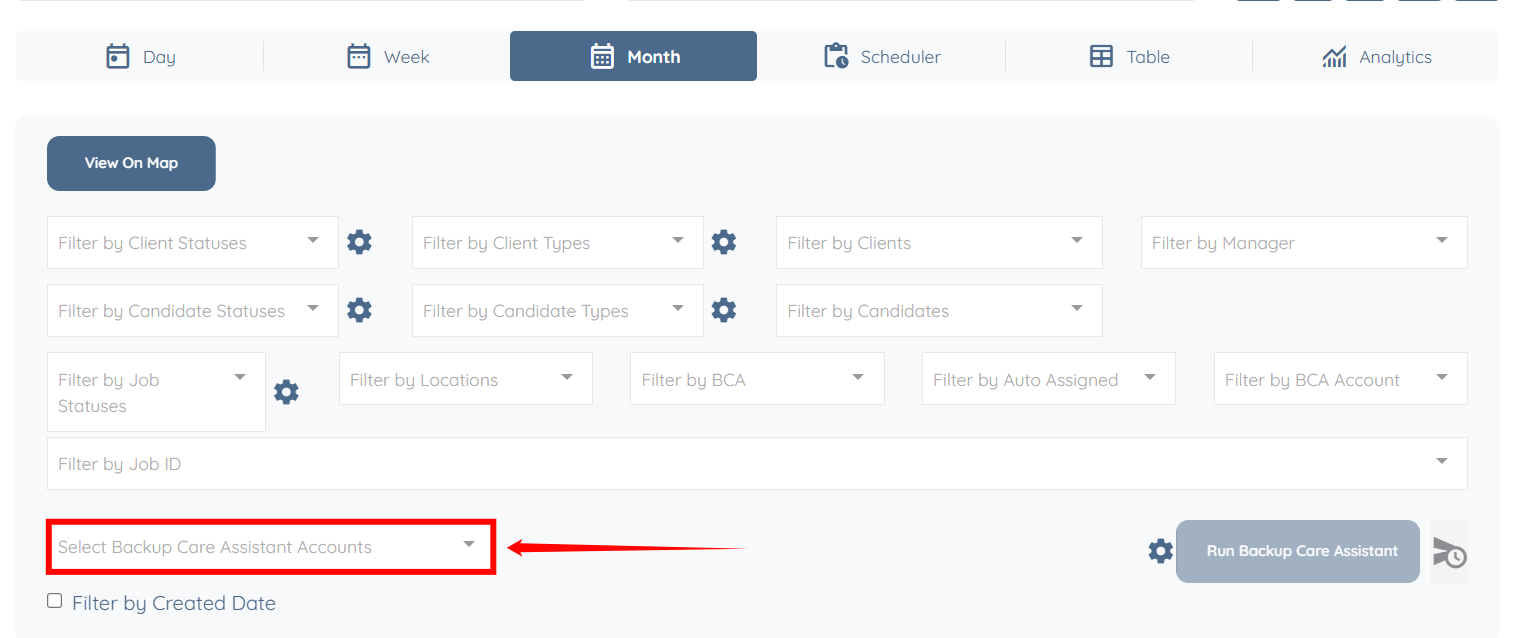
Step 4: Select the backup care assistant account you want to use to pull the ID from.
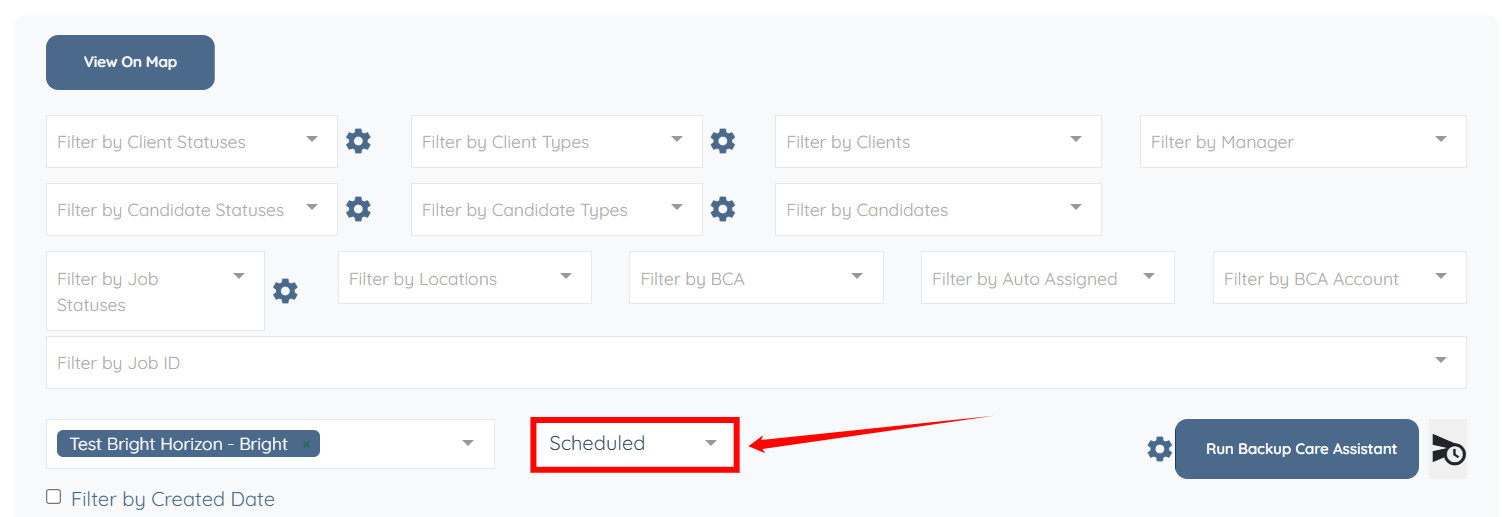
Step 5: A new box appears next to the selected Backup Care Assistant account. Click this box to open the dropdown list.
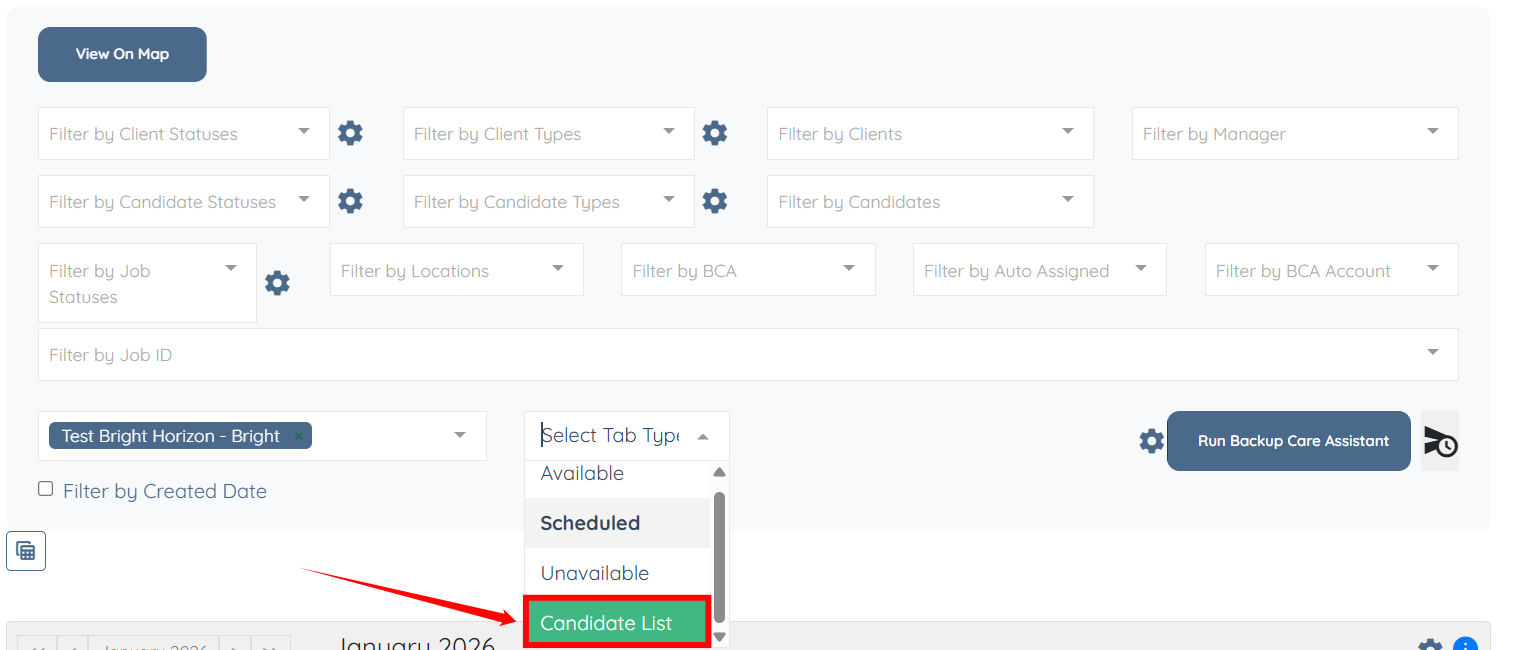
Step 6: From the available options, select the Candidate List option.
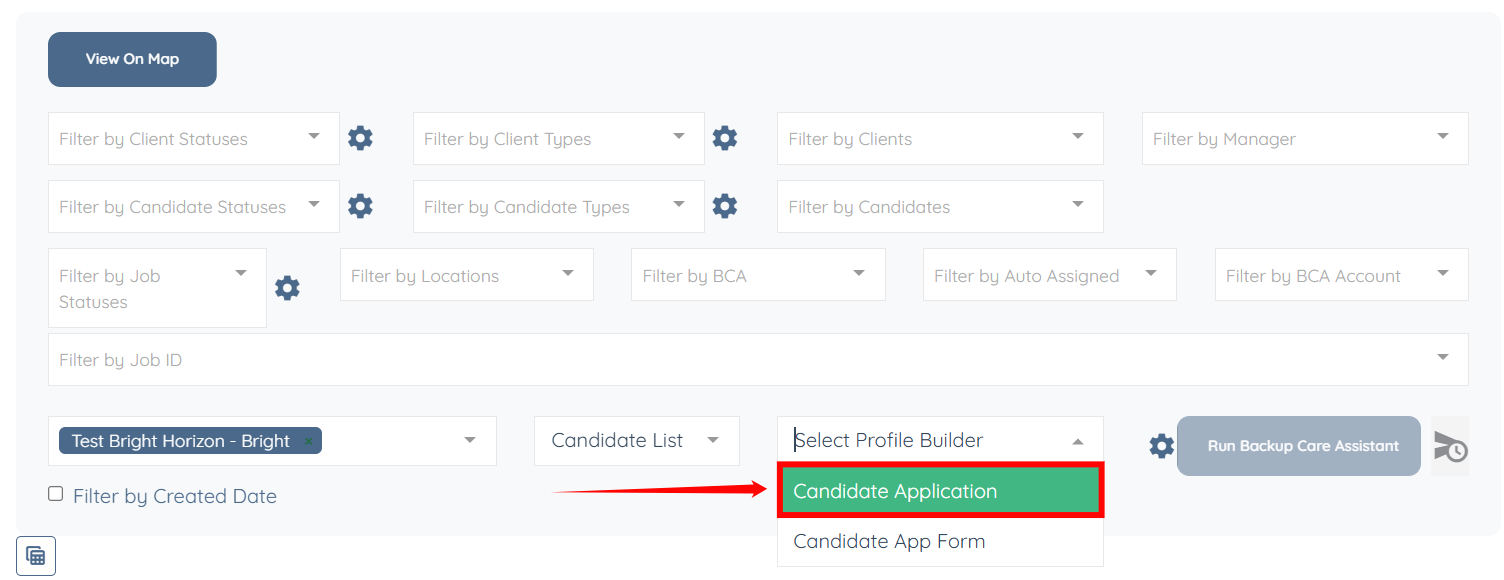
Step 7: Select the relevant profile builder from the list.
Step 8: Click the icon shown in the screenshot below to periodically schedule the system to collect and extract information from the selected backup care assistant account in Step 4.
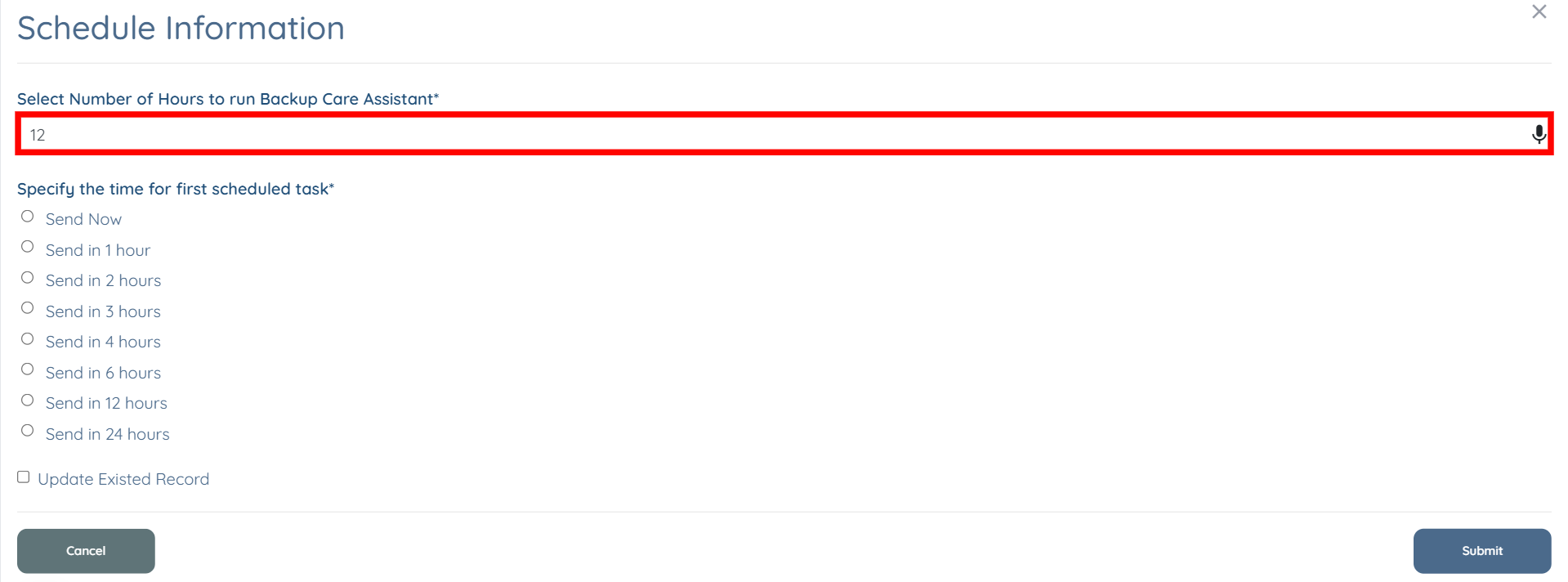
Step 9: Enter the number of hours to specify how frequently the Backup Care Assistant runs.
Step 10: Select the option to set the start time for the first scheduled run.
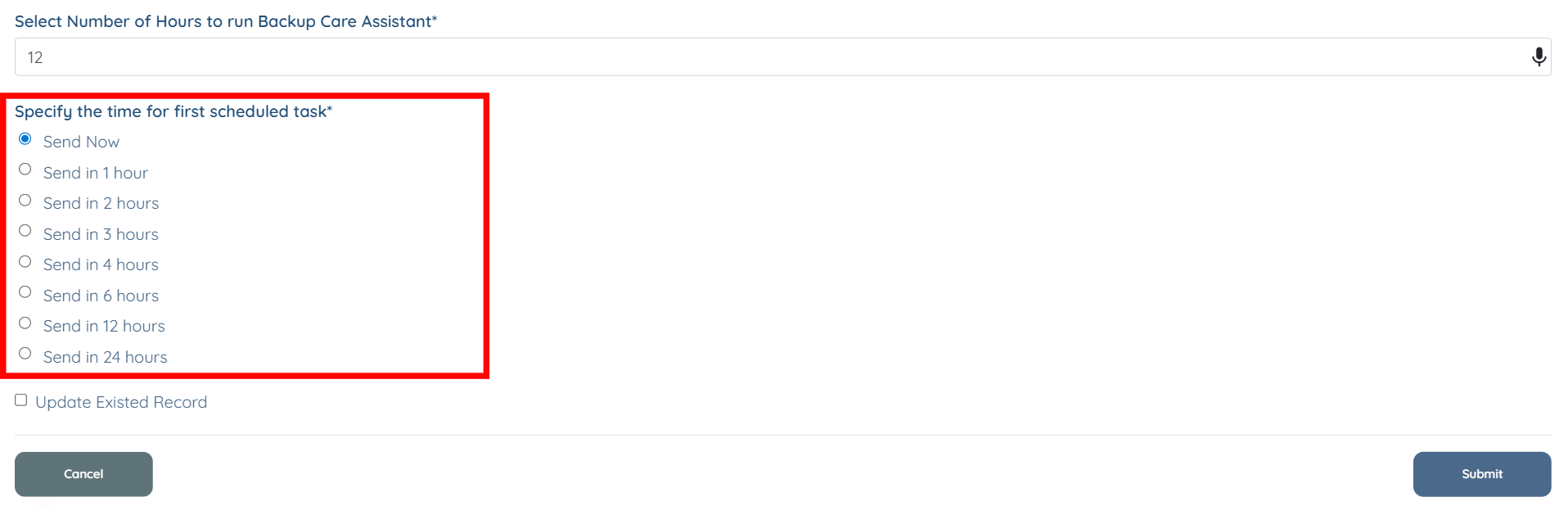
Step 11: Check the Update Existed Record checkbox to overwrite existing data and keep the information up to date. Then, click Submit to save the changes.