Let’s get started 🚀
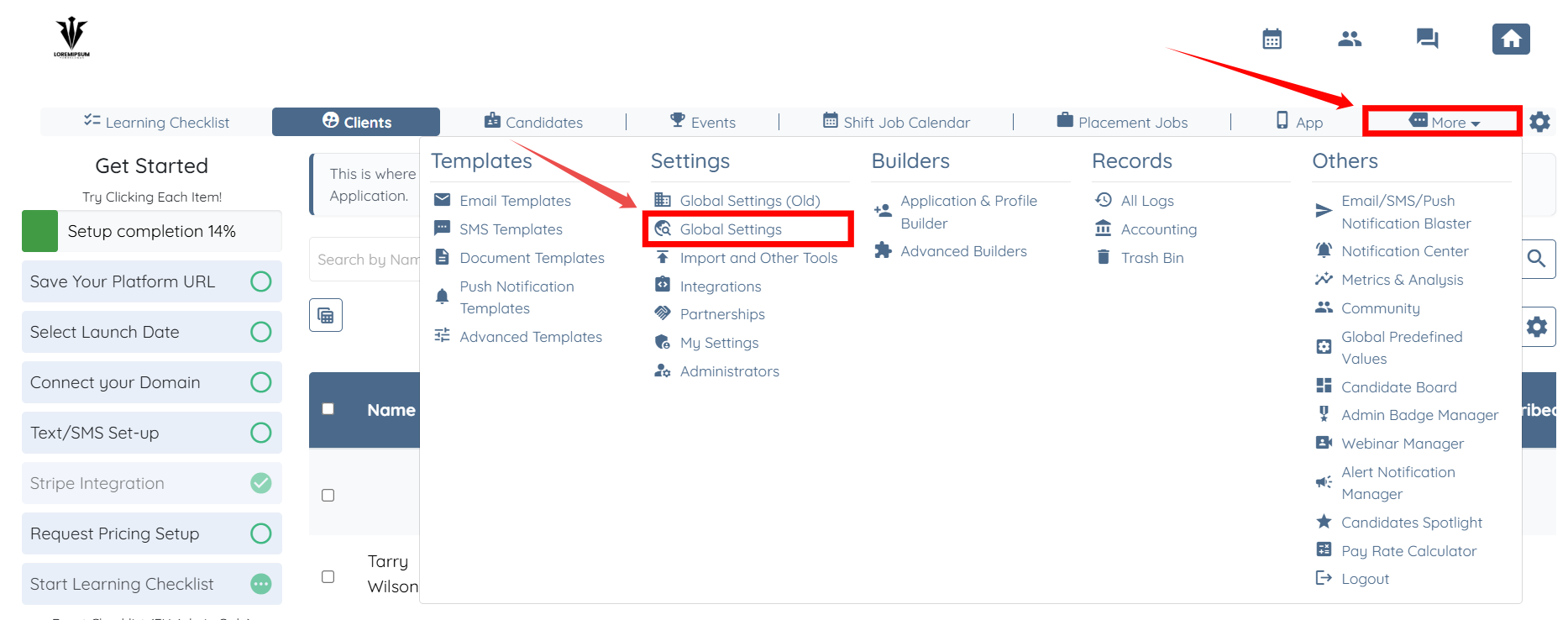
Step 1: Log in to your agent dashboard, and then navigate to More > Global Settings, as shown in the screenshot below.
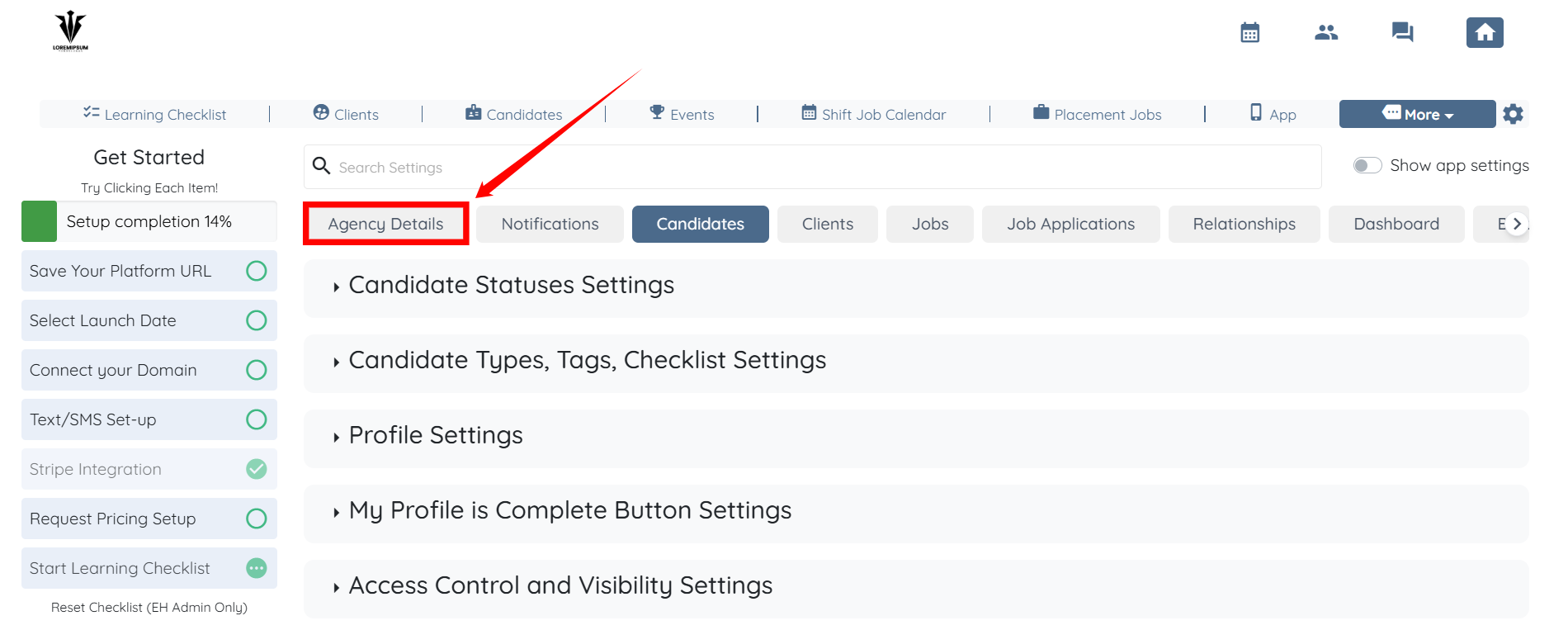
Step 2: Click the Agency Details tab from the list of available tabs.
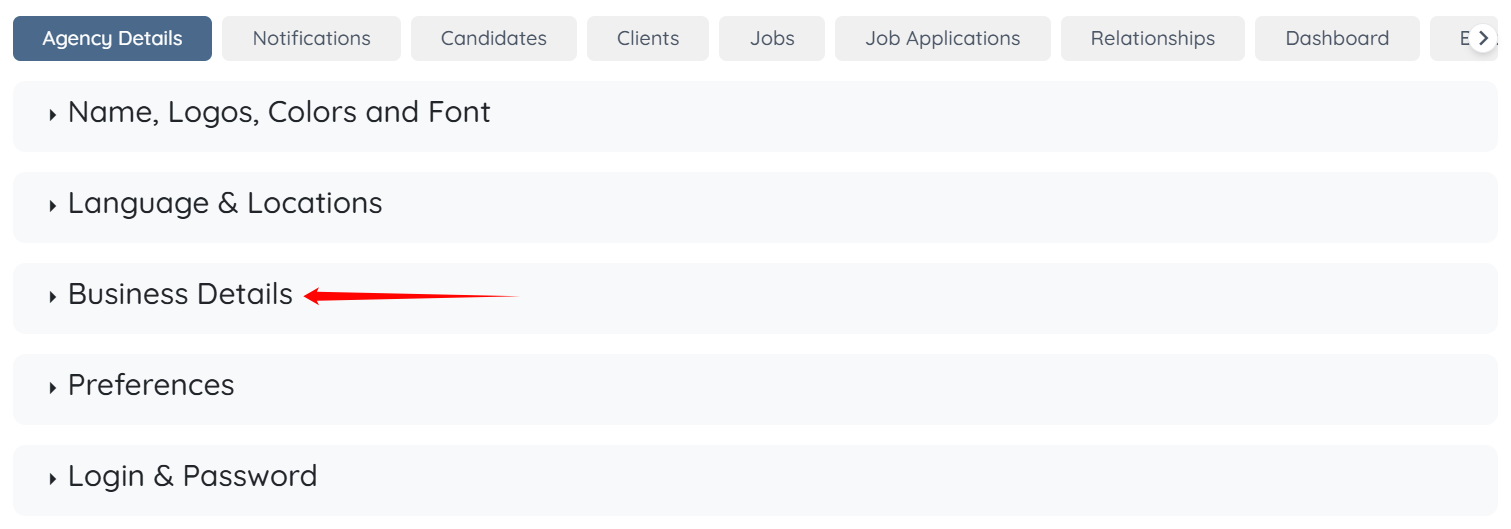
Step 3: Click the Business Details option to expand it and view the associated details.
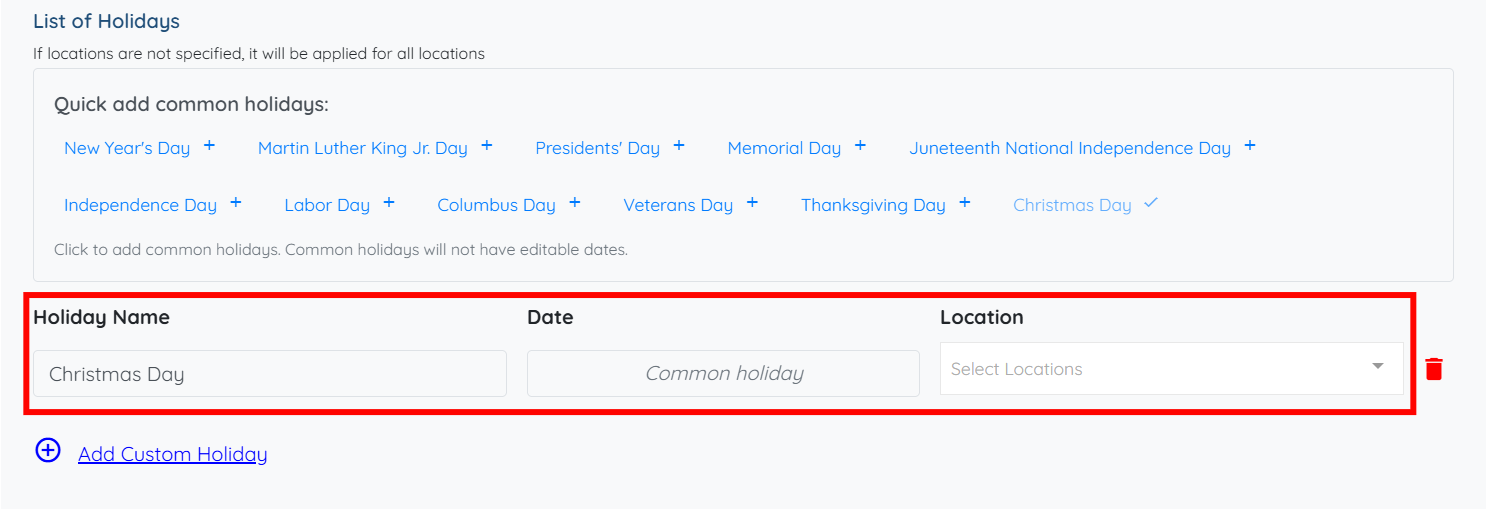
Step 4: From here, you can quickly add any holiday(s) from the available list by simply clicking on the desired option.
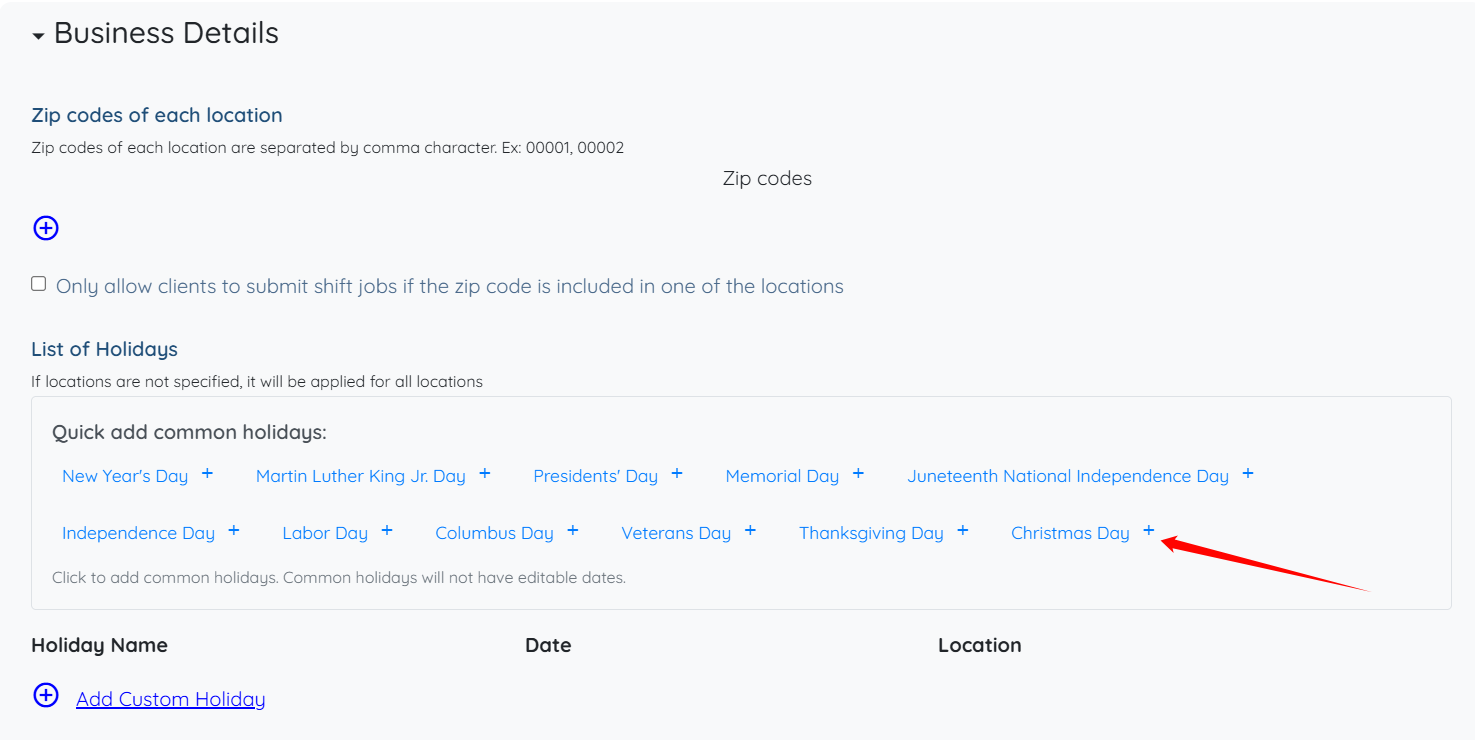
The selected holiday(s) will be added successfully.