Let’s get started 🚀
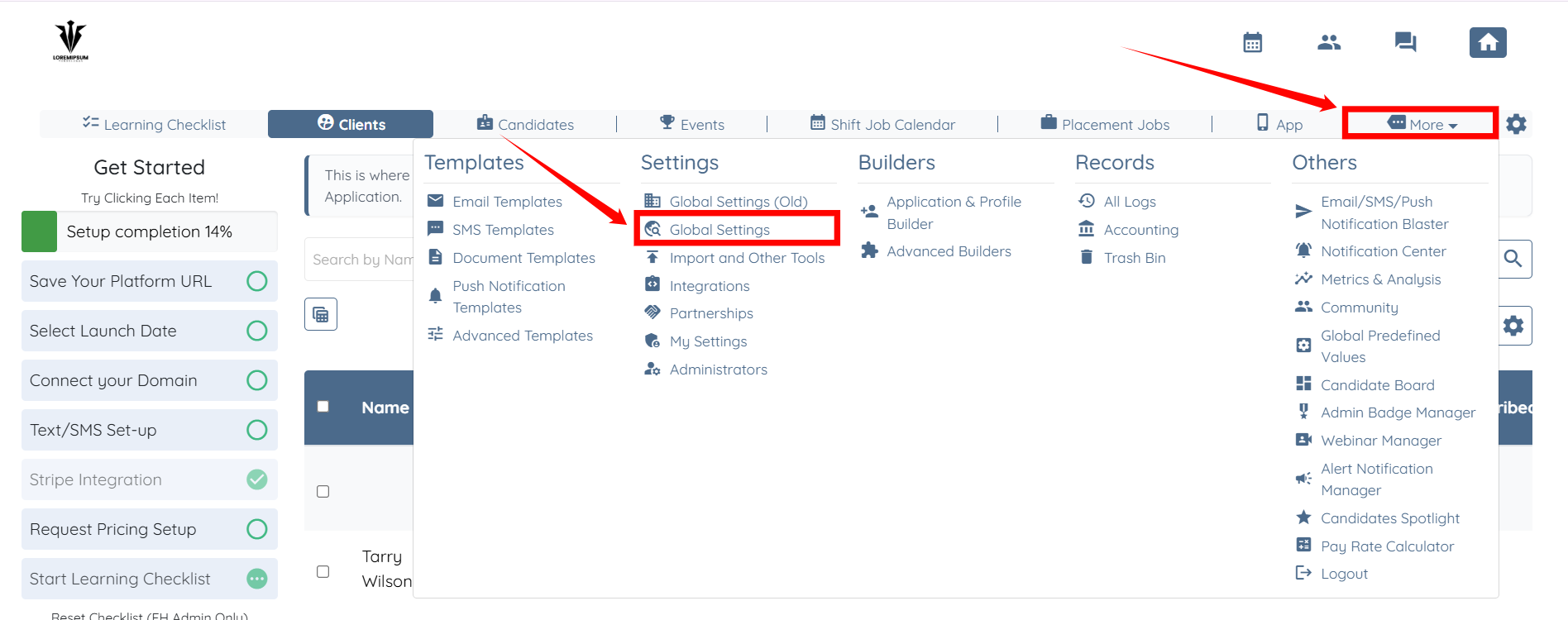
Step 1: Log in to your agent dashboard, then click More > Global Settings, as shown in the screenshot below.
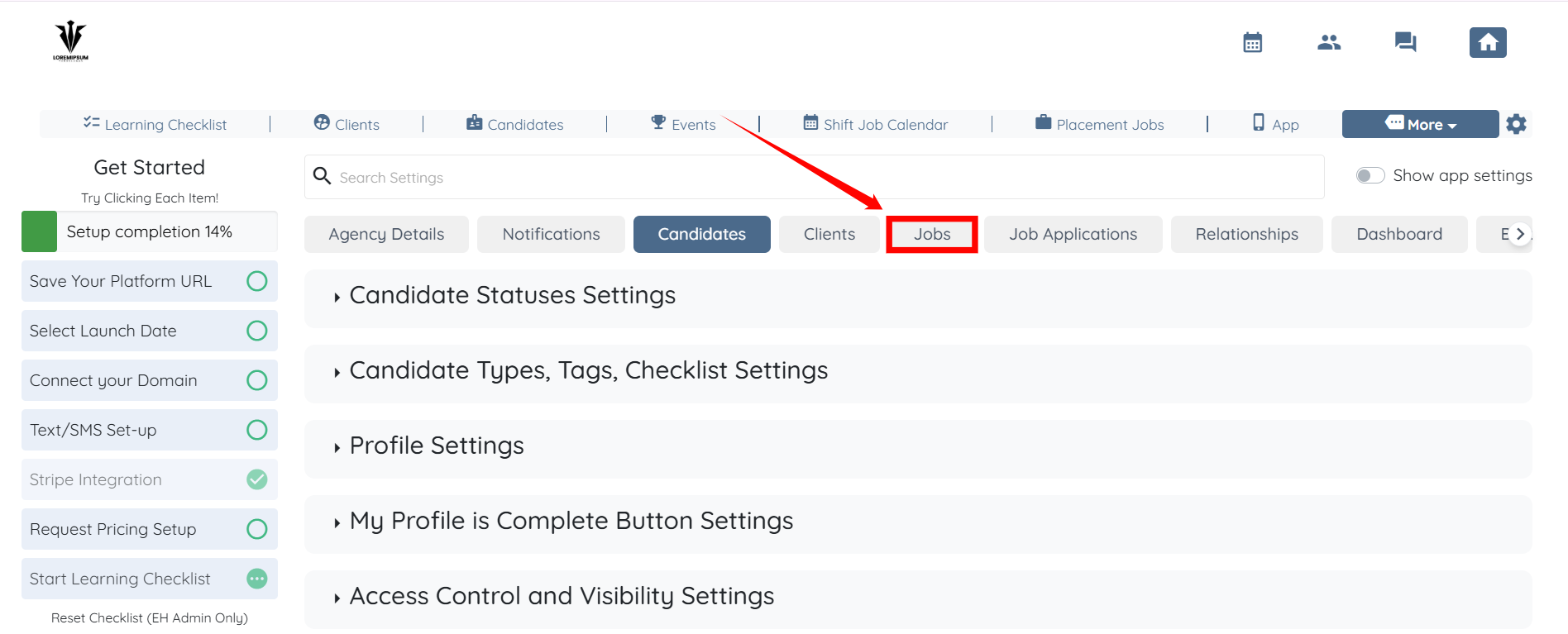
Step 2: From the list of available tabs, select the Jobs tab.
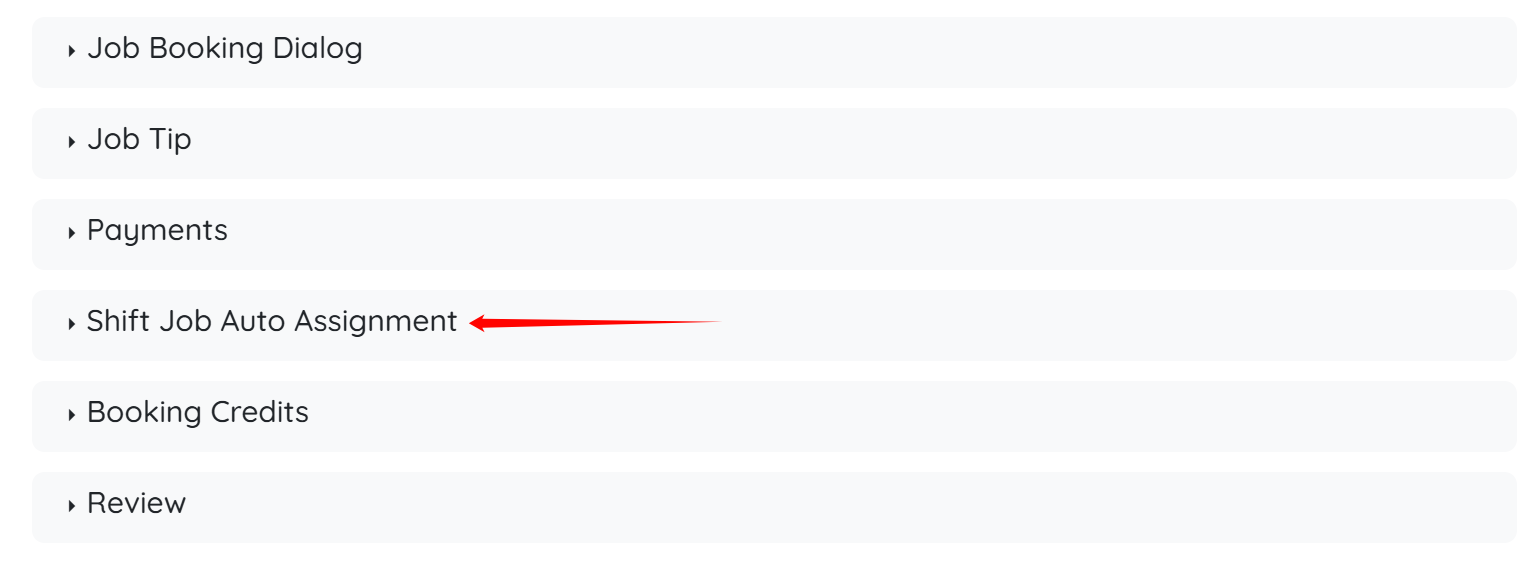
Step 3: Scroll down and click the Shift Job Auto Assignment option to expand it and view the details.
Step 4: Check the Automatically assign an available candidate when the client books a shift job checkbox.
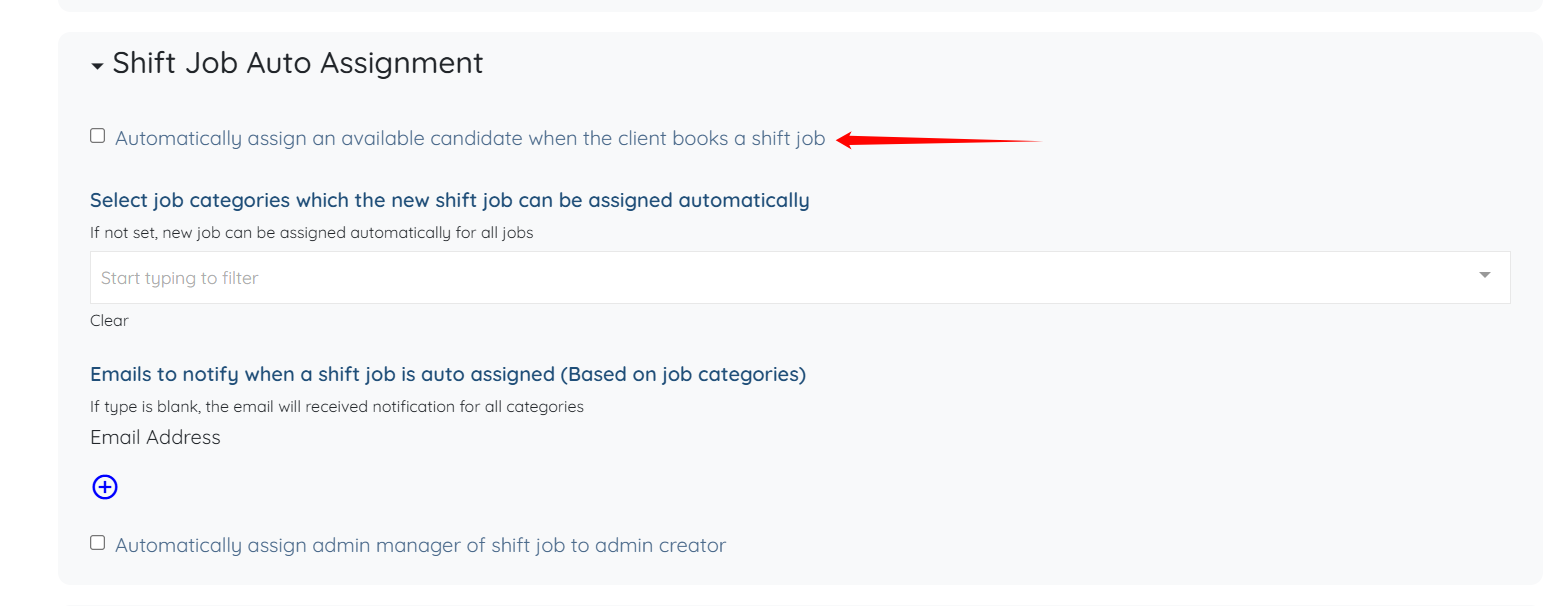
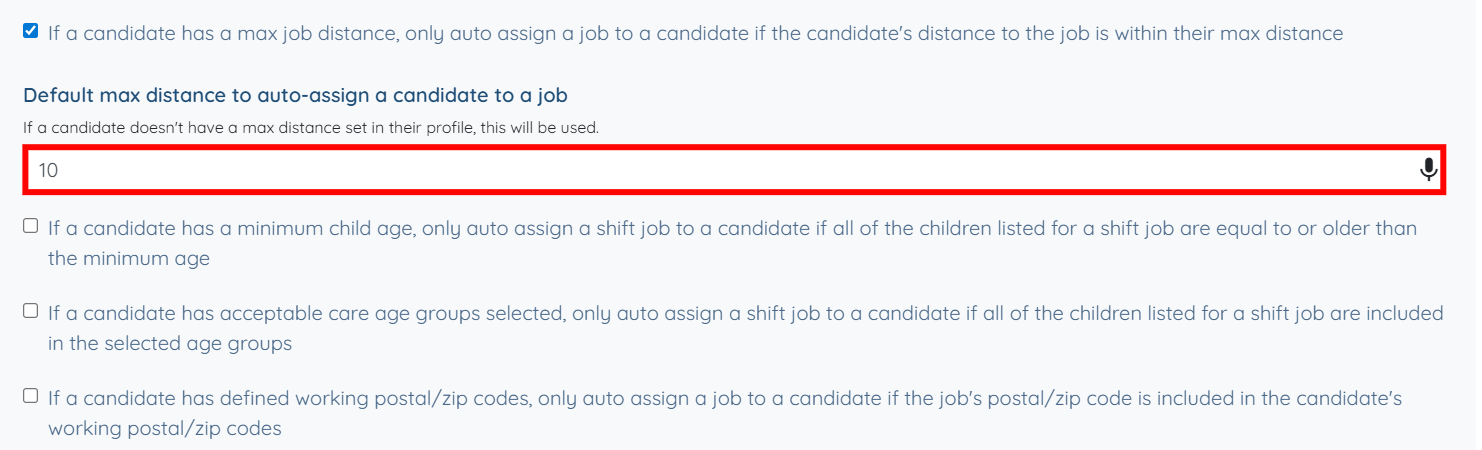
Step 5: Scroll down and check the If a candidate has a max job distance, only auto assign a job to a candidate if the candidate's distance to the job is within their max distance checkbox.
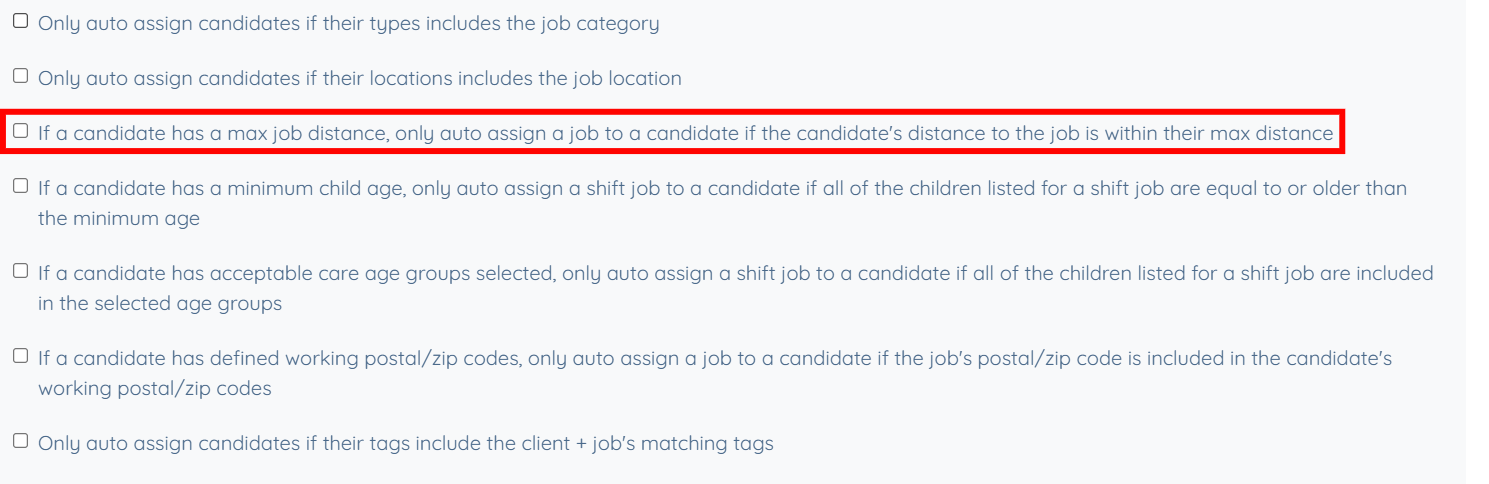
Step 6: Enter a value in the Default max distance to auto-assign a candidate to a job field. The system saves this setting automatically.

This value is used when a candidate does not have a maximum job distance defined in their profile. If a candidate later sets a maximum distance in their profile, the profile-level value takes precedence over this default.