Let’s get started. 🚀
Before candidate profiles can be shared, the receiving agency must be configured to accept candidates from other agencies. This setup allows the receiving agency to display shared candidate profiles using its own profile and application builders. This step must be completed first so the source agency can select the receiving agency as a sharing destination.
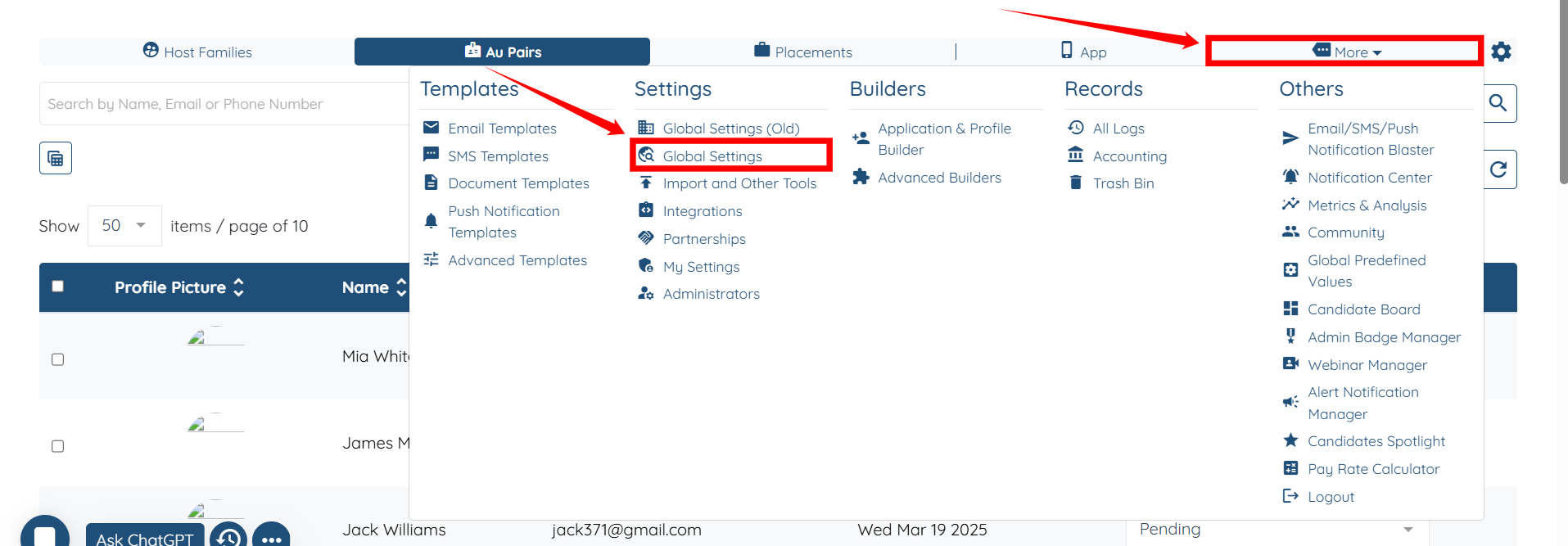
Step 1: Log in to your agent dashboard and click More > Global Settings, as shown in the screenshot below.
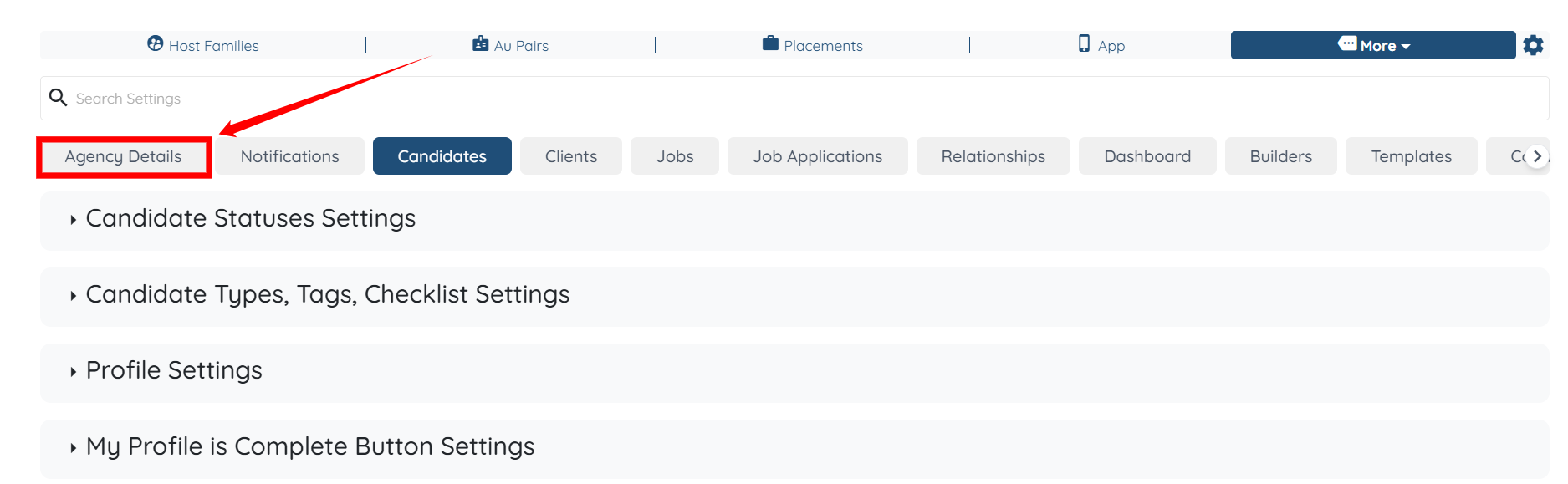
Step 2: From the available tabs, click on the Agency Details tab.
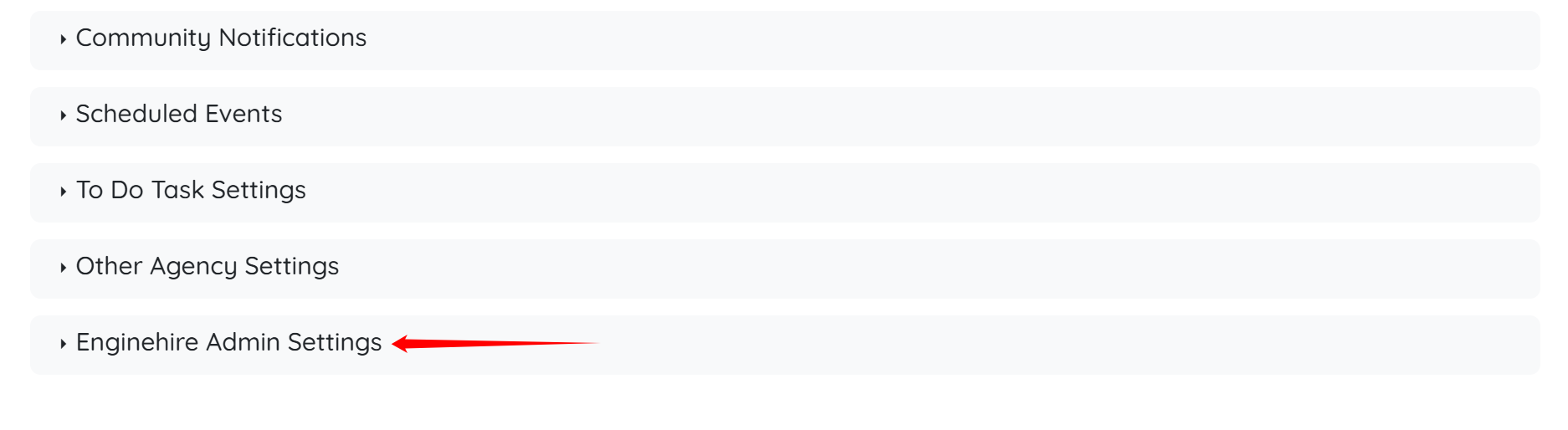
Step 3: Scroll down and click Enginehire Admin Settings to expand it and view the details.
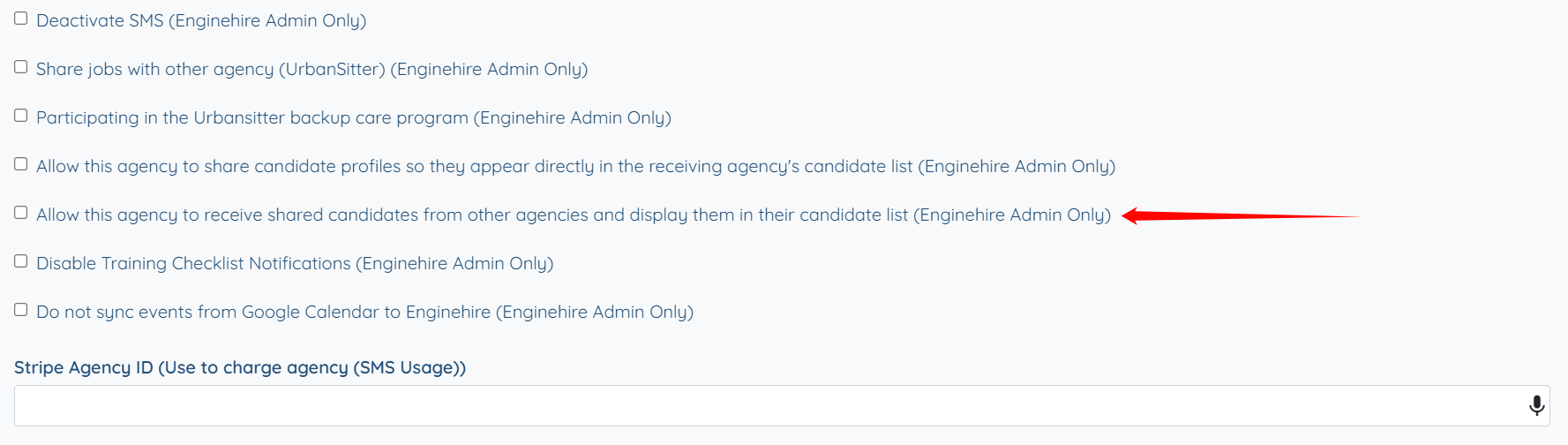
Step 4: Scroll down, then check the Allow this agency to receive shared candidates from other agencies and display them in their candidate list (Enginehire Admin Only) checkbox.
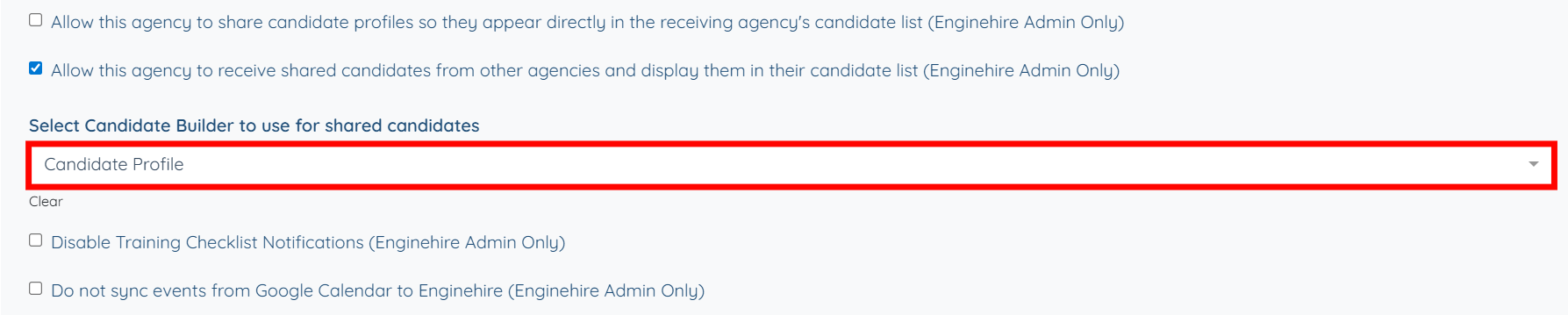
Step 5: Select the candidate builder that you want to use for shared candidates. In this case, it is the Candidate Profile.
After the receiving agency is configured to accept shared candidates, the source agency must be enabled to share candidate profiles. This setup allows the source agency to control which agencies can receive candidates and makes those agencies available for selection when sharing individual candidate profiles.
Step 1: Follow the same steps (1–3) outlined in the Enable Candidate Sharing for the Receiving Agency section.
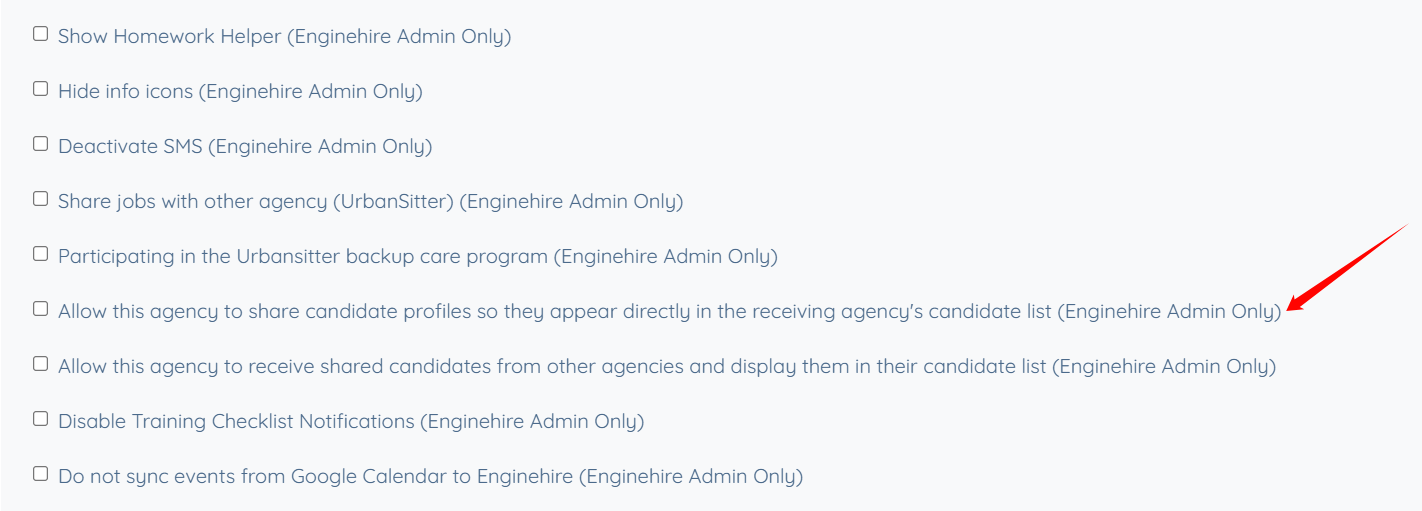
Step 2: Scroll down and then check the Allow this agency to share candidate profiles so they appear directly in the receiving agency's candidate list (Enginehire Admin Only) checkbox.
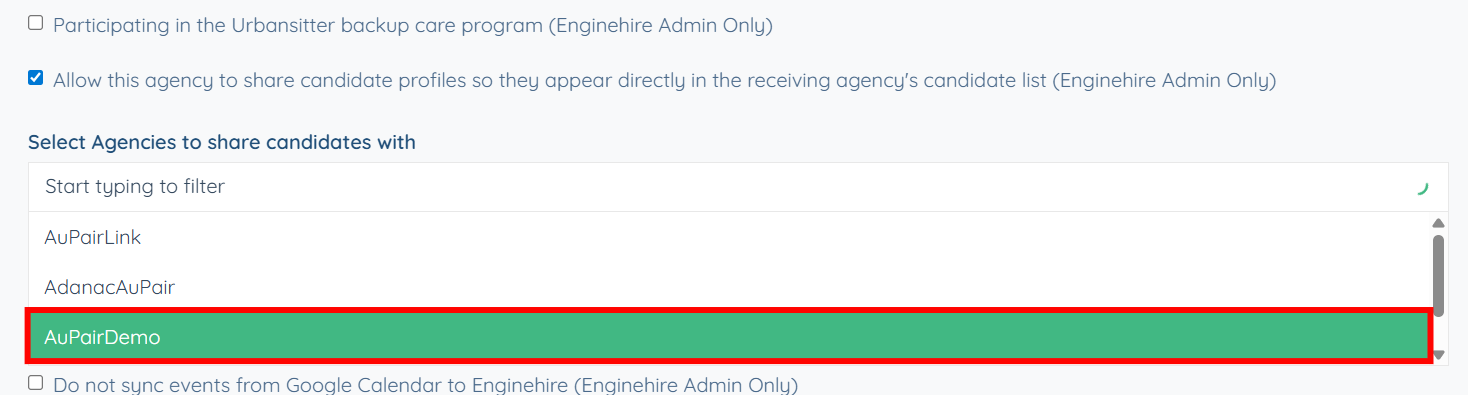
Step 3: Select the agencies you want to share the candidates with. In this case, the selected agency is AuPairDemo.
After candidate sharing is enabled for both the receiving and source agencies, individual candidate profiles can be shared. Candidate sharing is performed at the profile level, allowing the source agency to control exactly which candidates are shared and with which agencies.
Step 1: Under the Candidate section, select the candidate profile that you want to share with the agency you have selected.
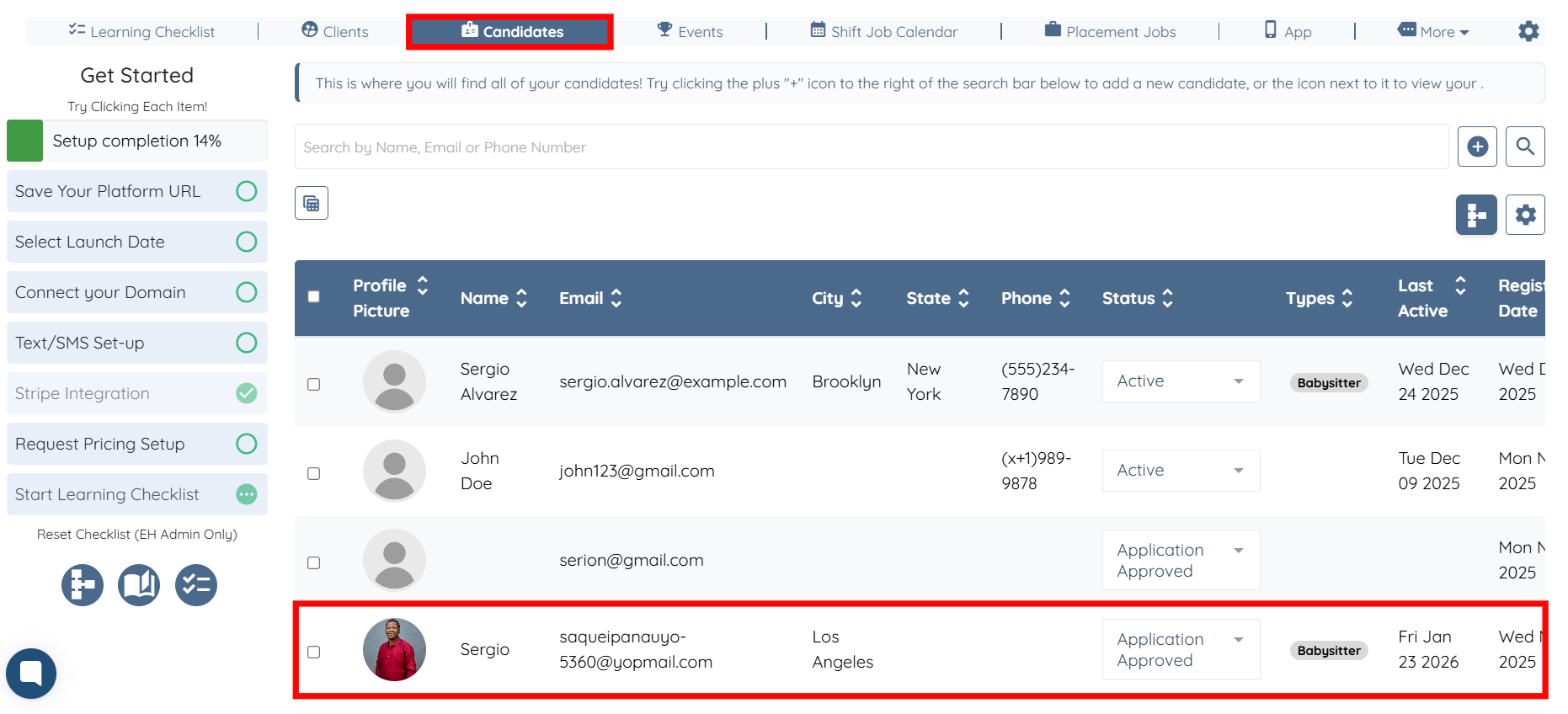
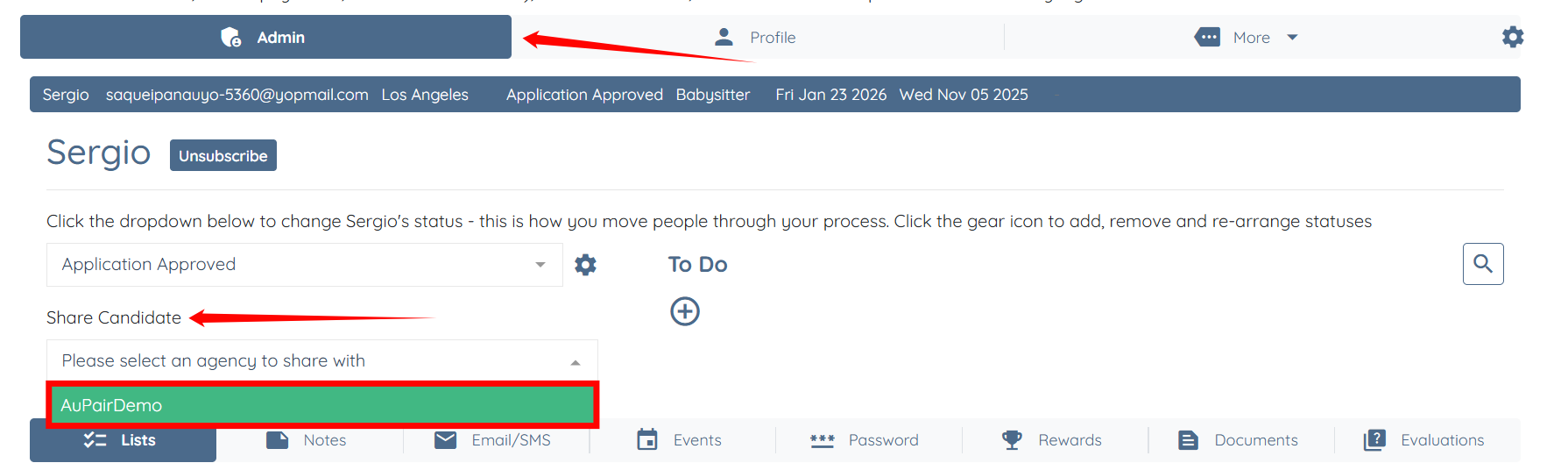
Step 2: Under the Admin tab, select the agency with which you want to share the candidate. In this case, it is AuPairDemo.
Once a candidate profile is shared, the receiving agency can view the candidate directly within its Enginehire dashboard. Shared candidates appear in the candidate list alongside locally managed candidates and are clearly identified as being shared from another agency.
When opening the profile, the receiving agency can see the source agency and the application status assigned by that agency. The receiving agency can also manage the candidate within its own workflow by updating the application status, tags, checklist items, and types without affecting the source agency’s records.
Step 1: Under the AuPairs section, the shared profile appears in the candidates list. Click the profile to open it.
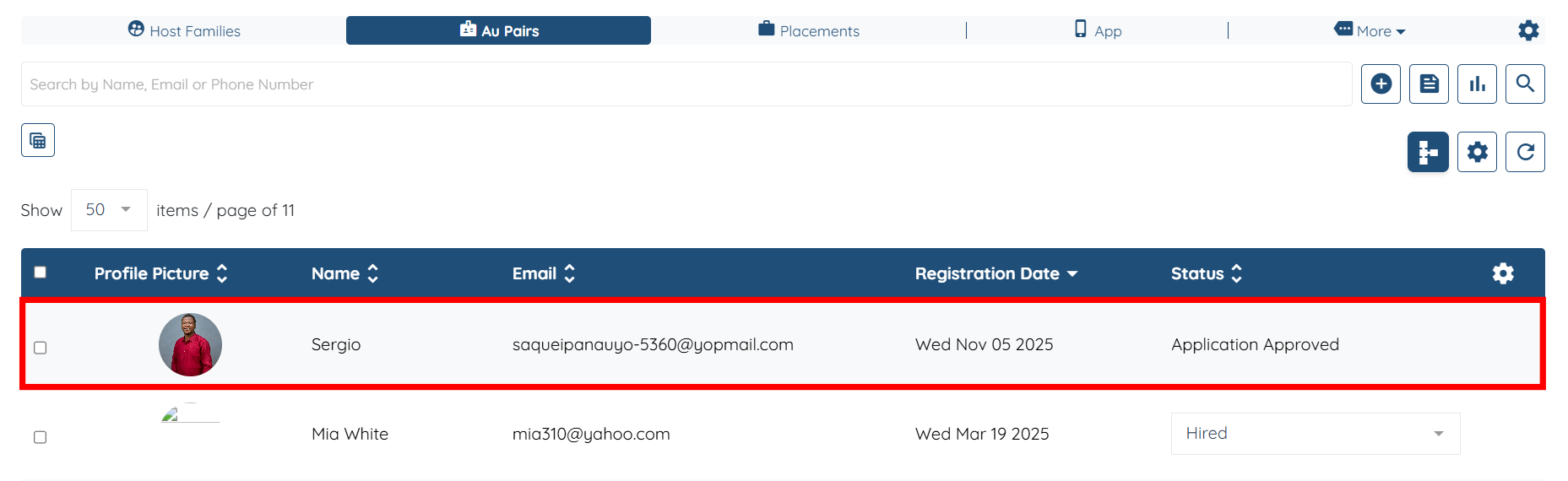
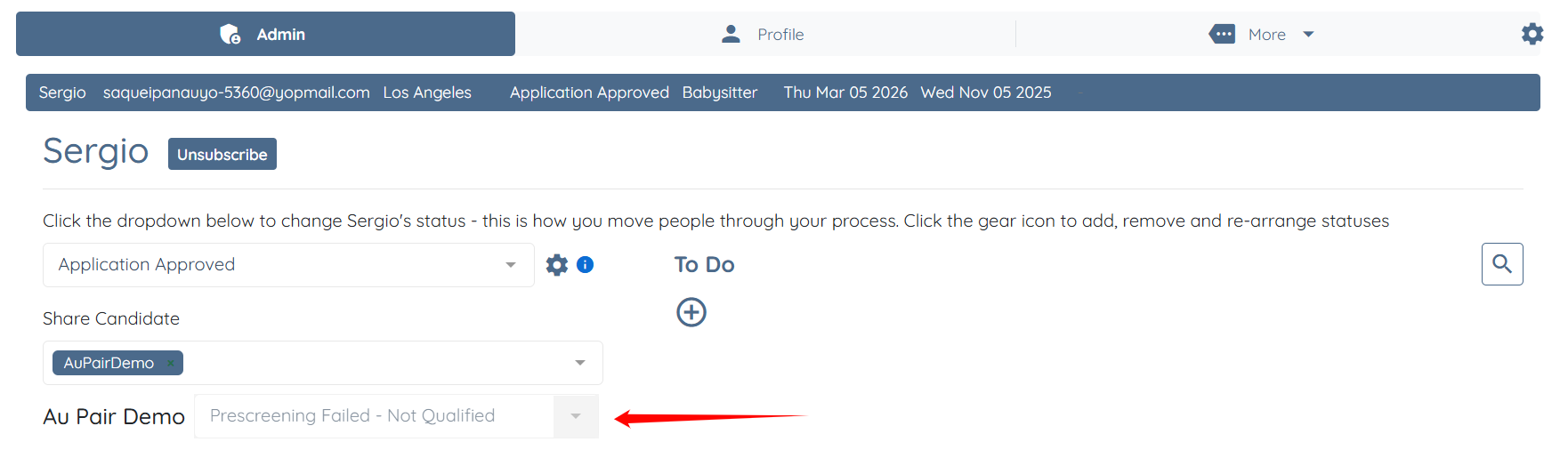
You will be able to see the source agency that shared the profile, along with the application status assigned by that agency.
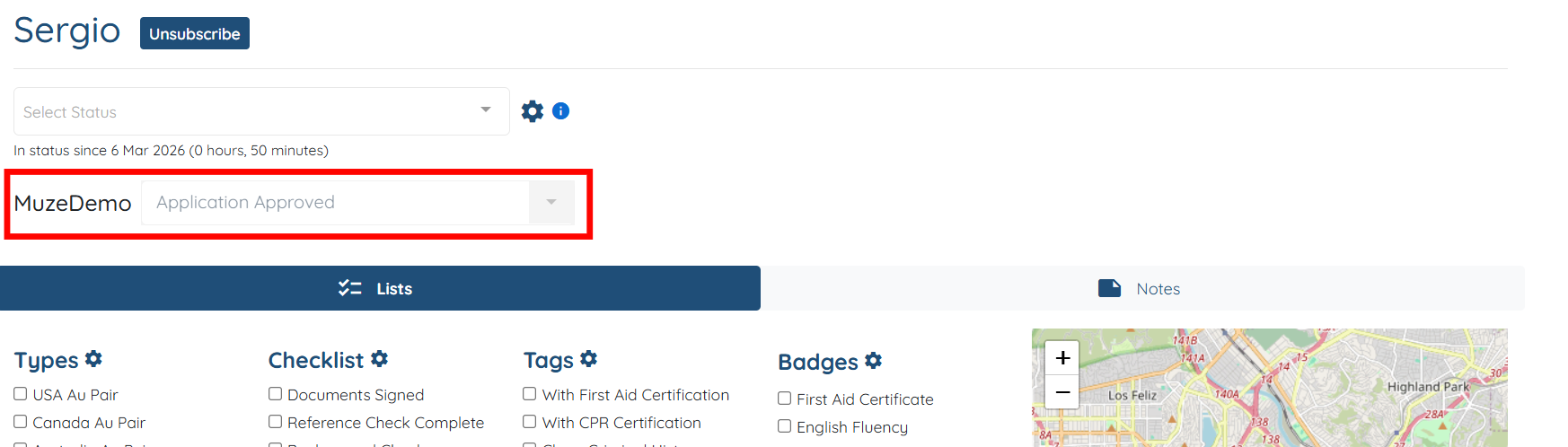
Step 2: You can update the application status for the shared candidate within your agency as required.
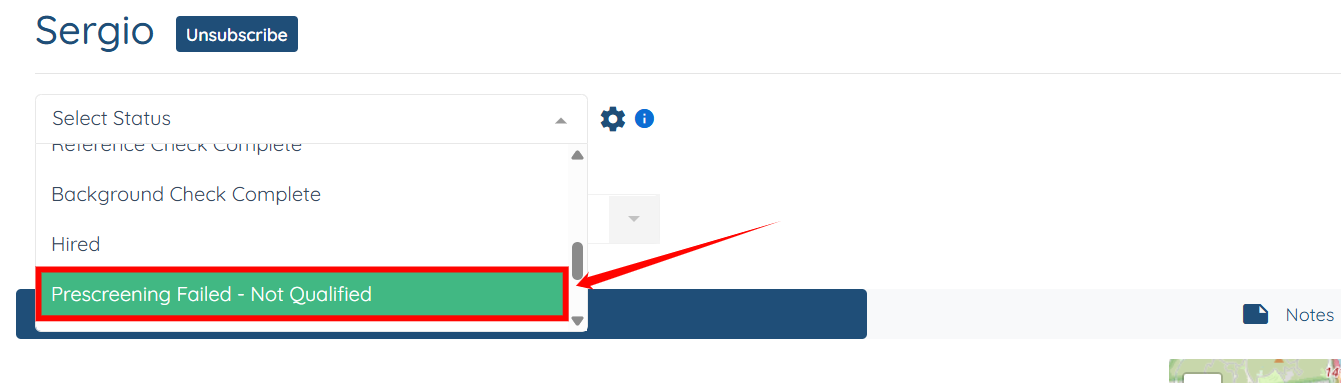
The updated status will also be visible to the source agency.
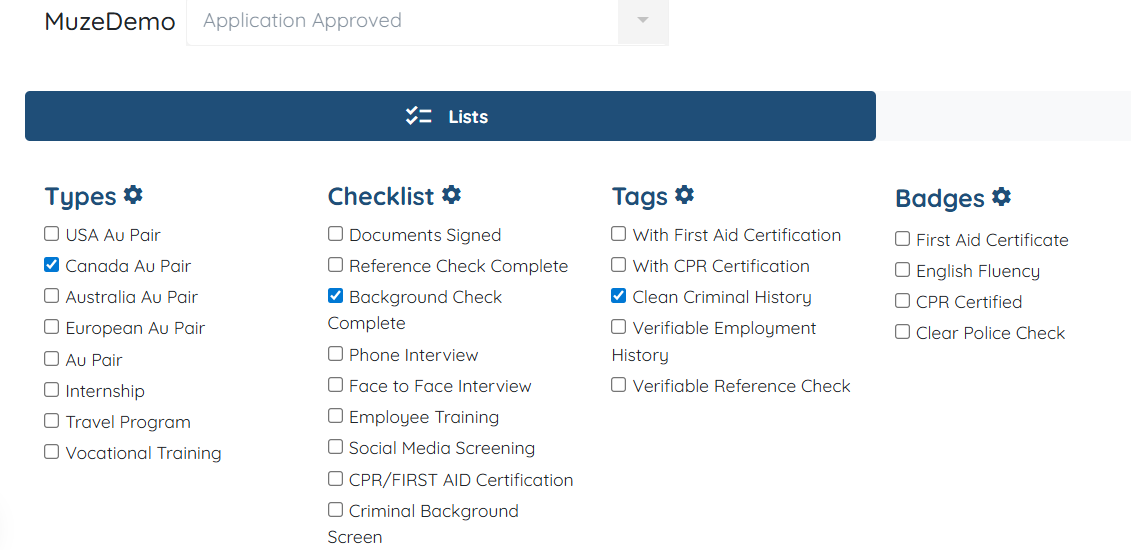
Step 3: You can add the Types, Checklist, and Tags to the shared candidate profile as required.
Step 4: Click the Profile tab to navigate to the candidate’s profile.
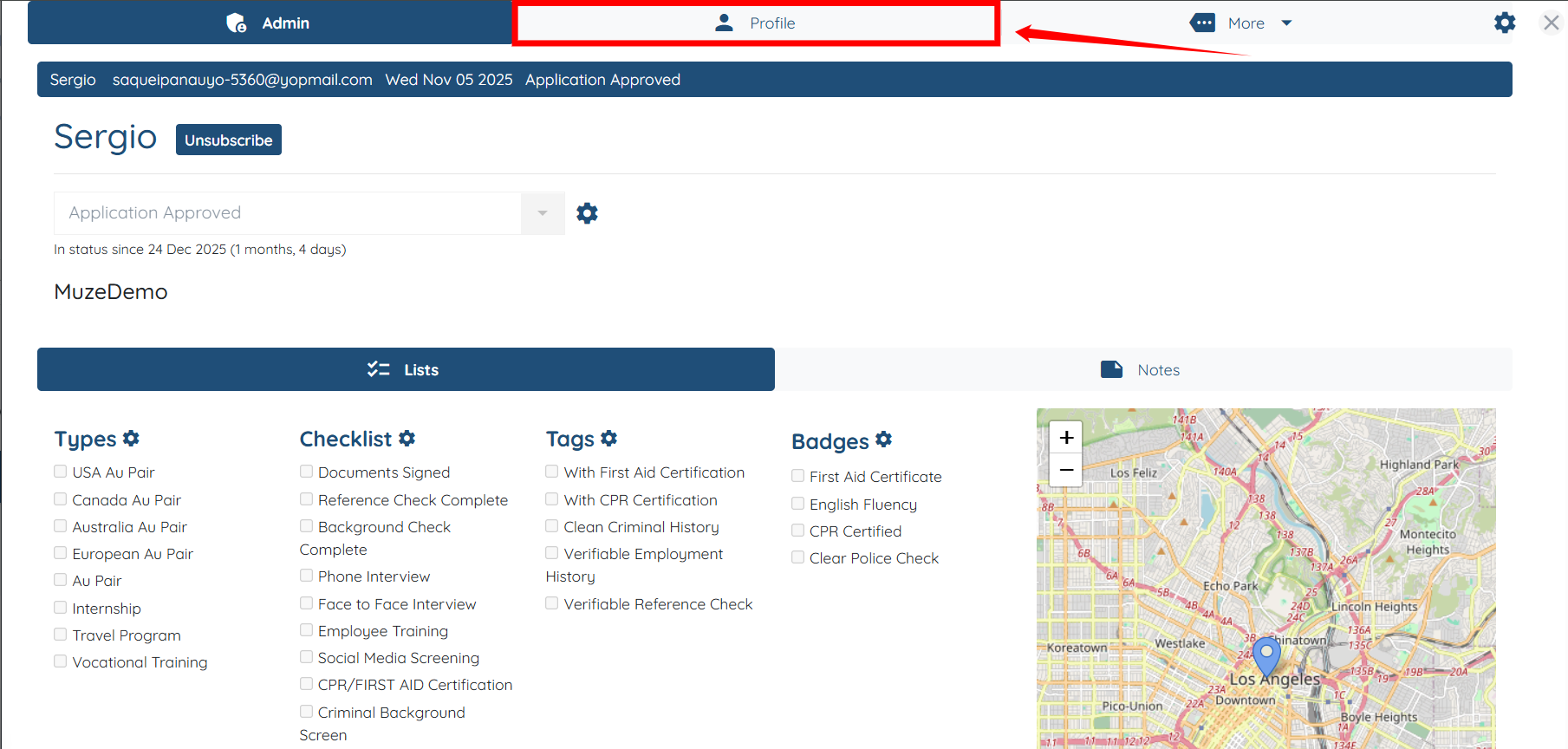
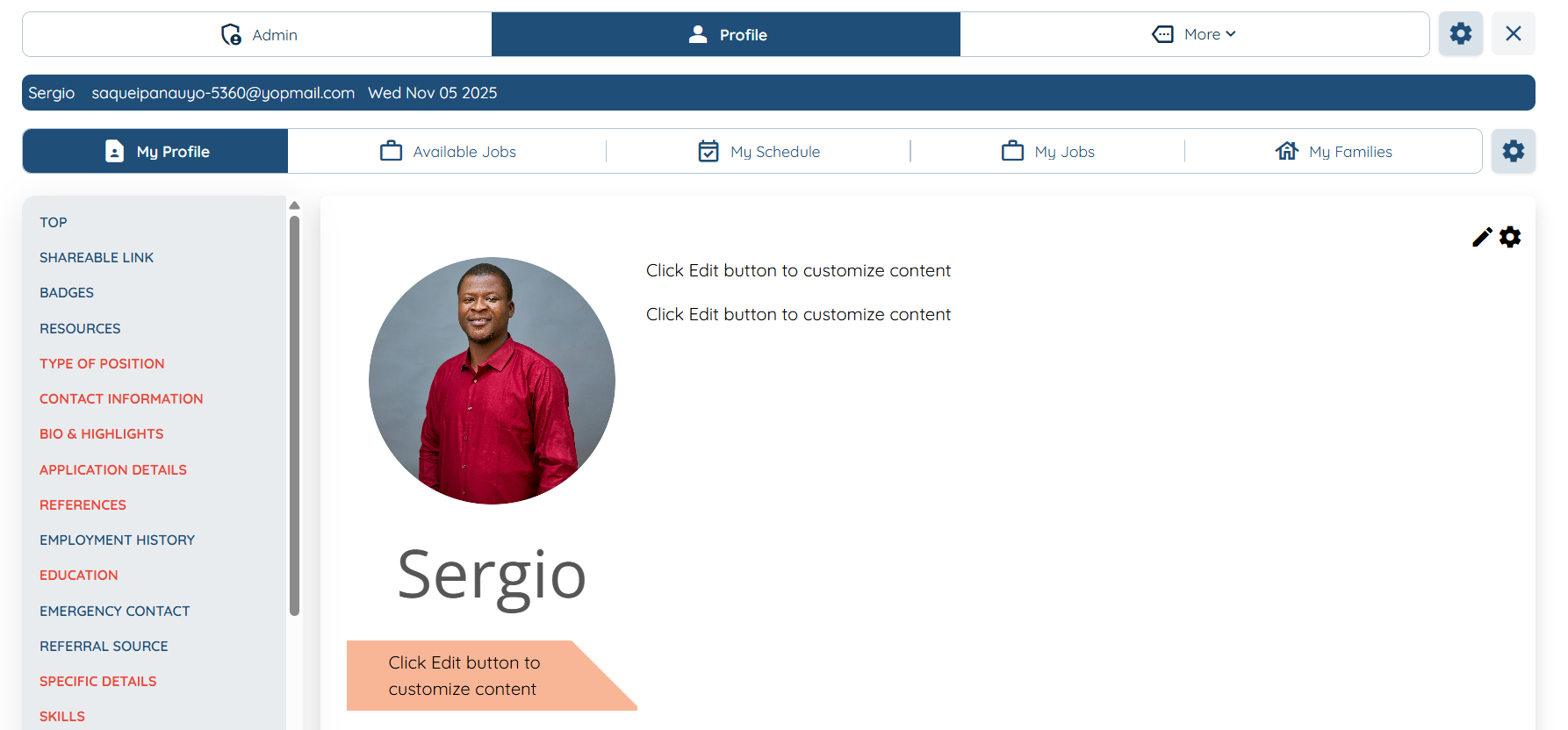
You can view all shared profile details as configured, using your agency’s profile layout and template design.