Let’s get started 🚀
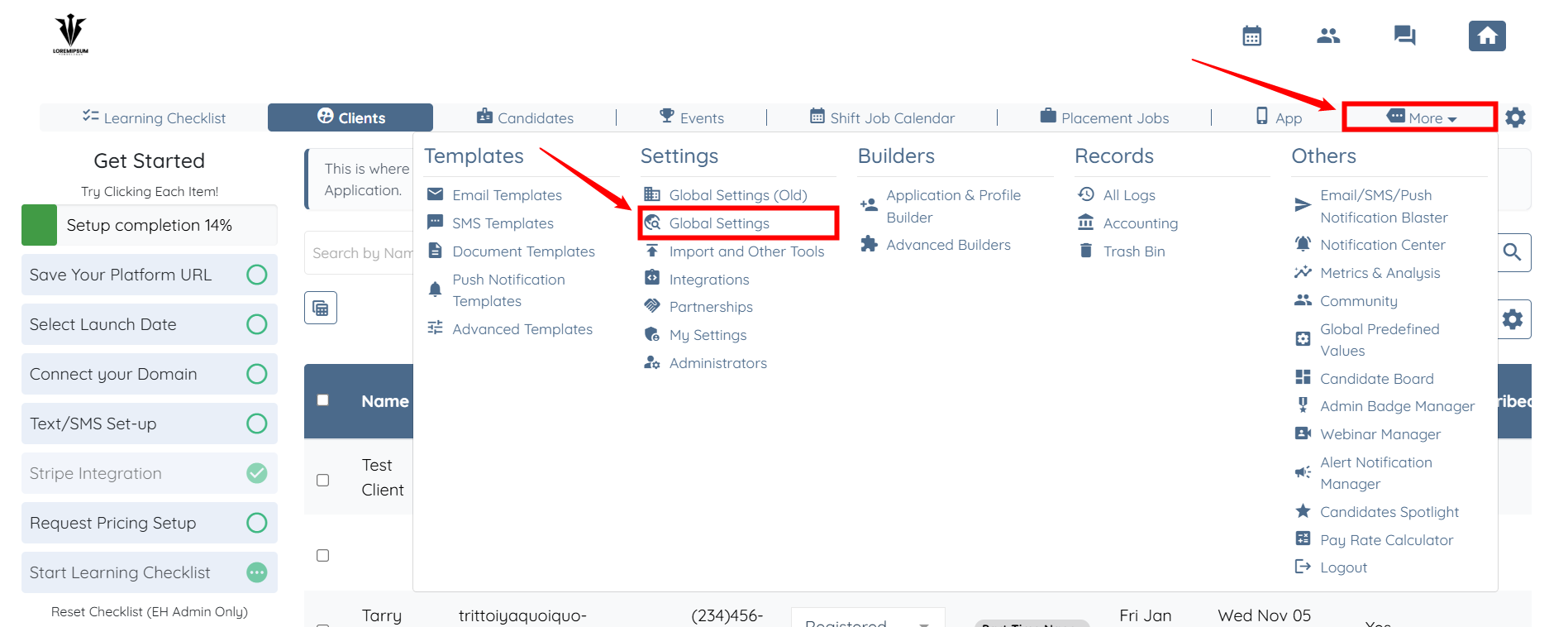
Step 1: Log in to your agent dashboard, then click More > Global Settings, as shown in the screenshot below.
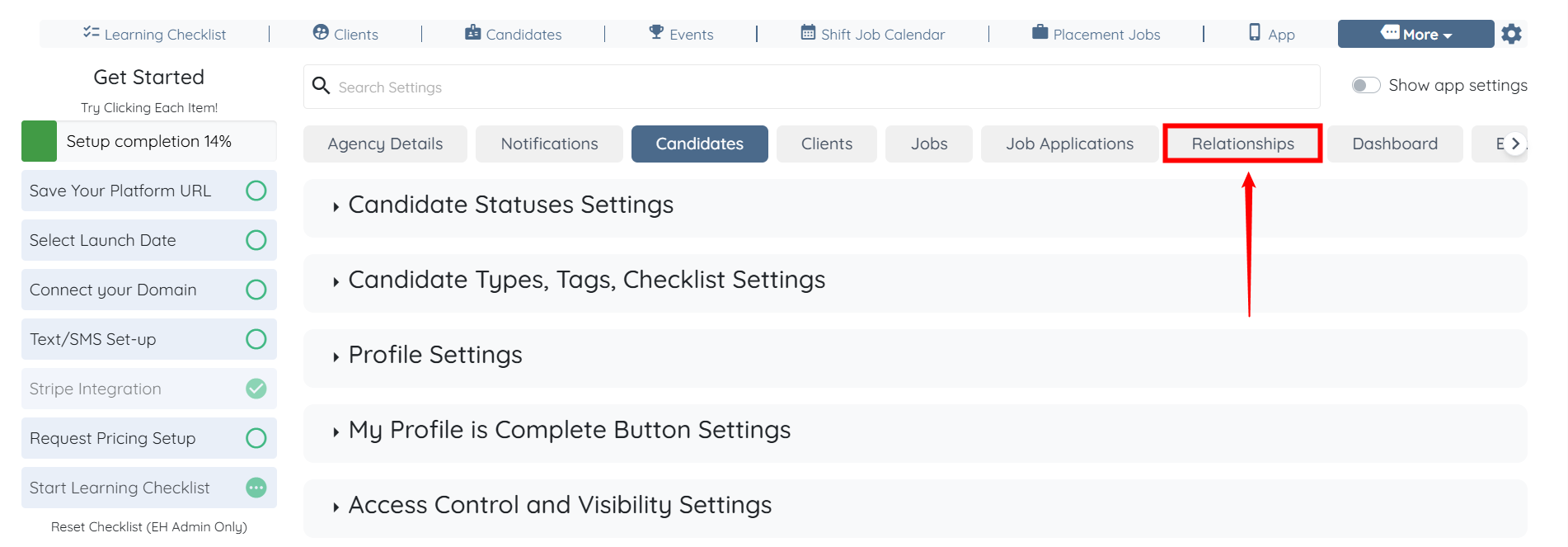
Step 2: From the available tabs, click the Relationships tab.
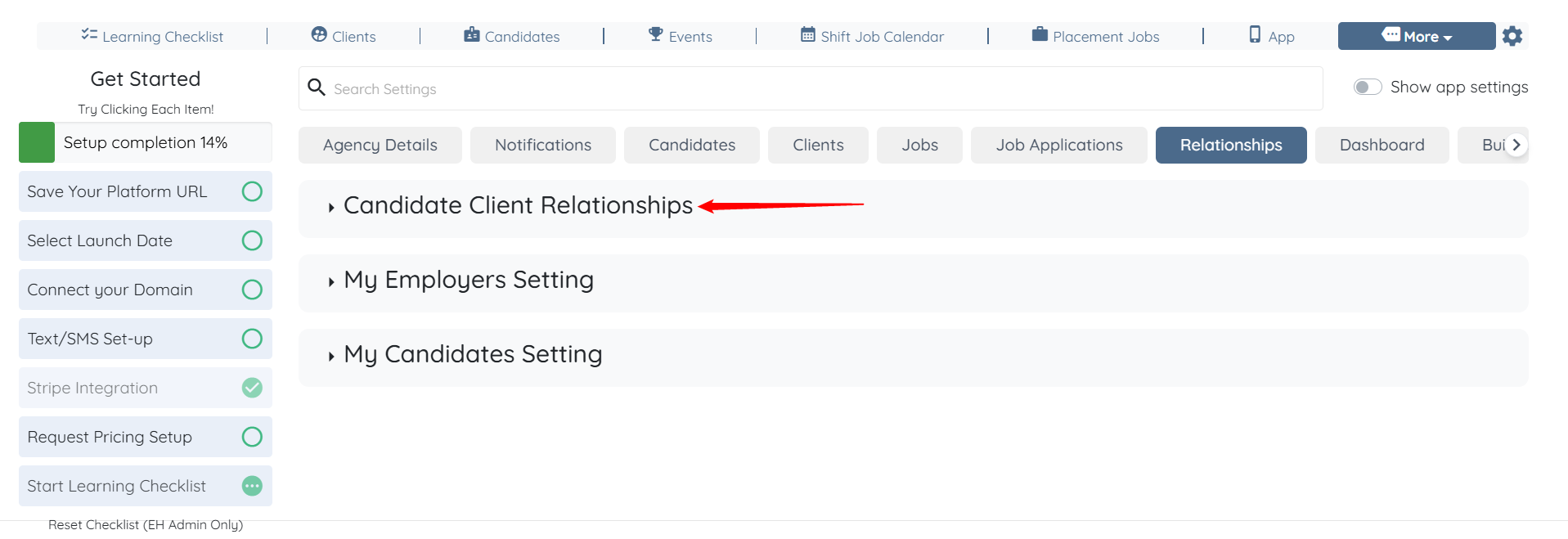
Step 3: Click the Candidate Client Relationships option to expand it and view its details.
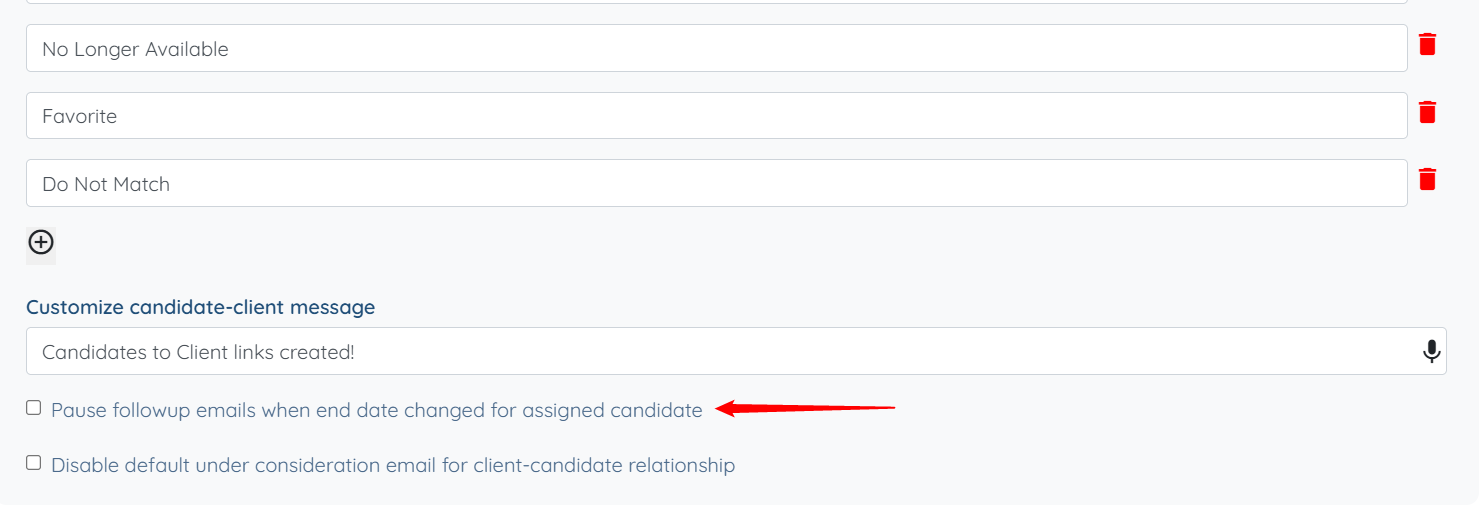
Step 4: Scroll down and check the Pause followup emails when end date changed for assigned candidate checkbox. The settings will be saved automatically.