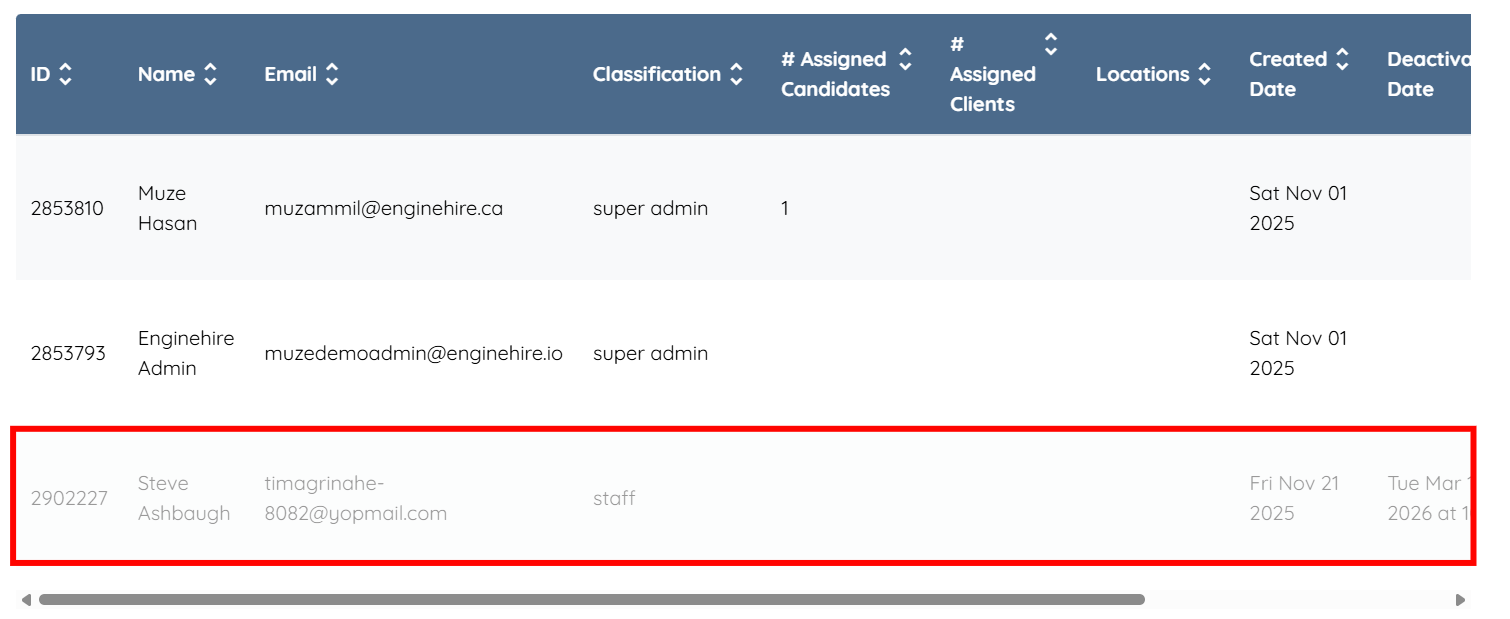
Let’s get started 🚀
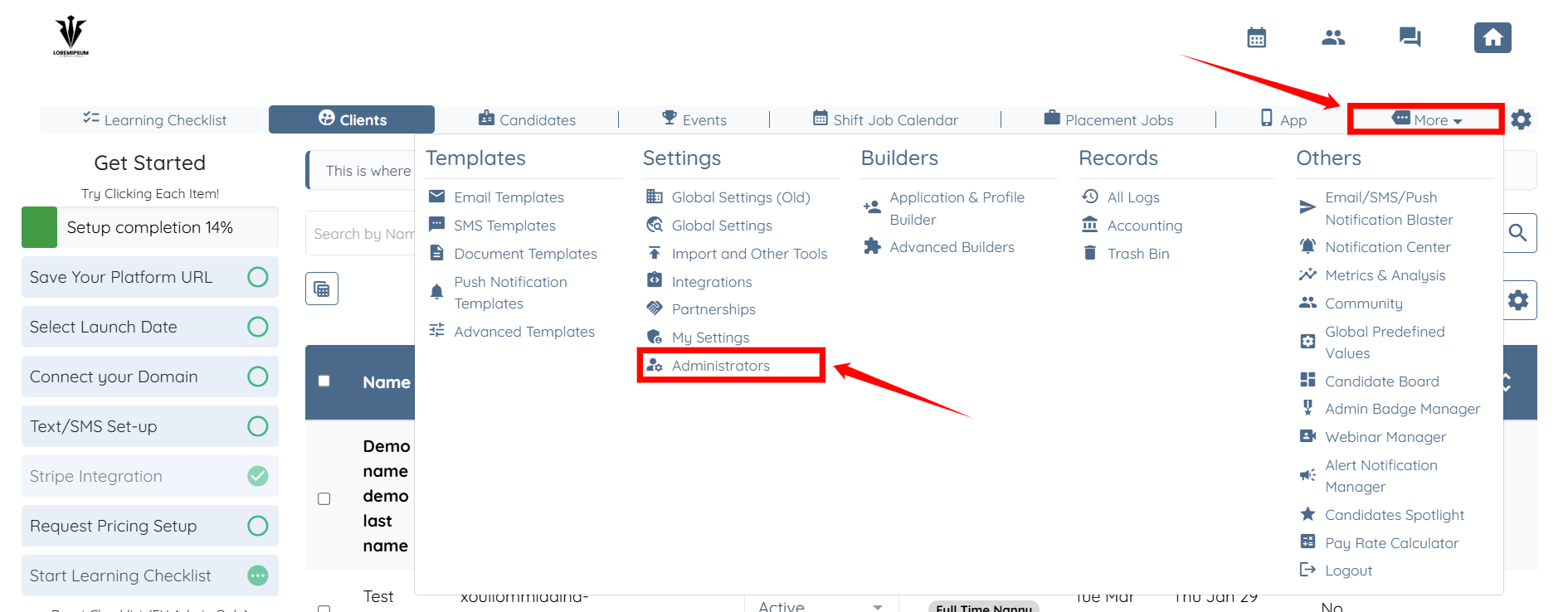
Step 1: Log in to your agent dashboard and click on More > Administrators as shown in the screenshot below.
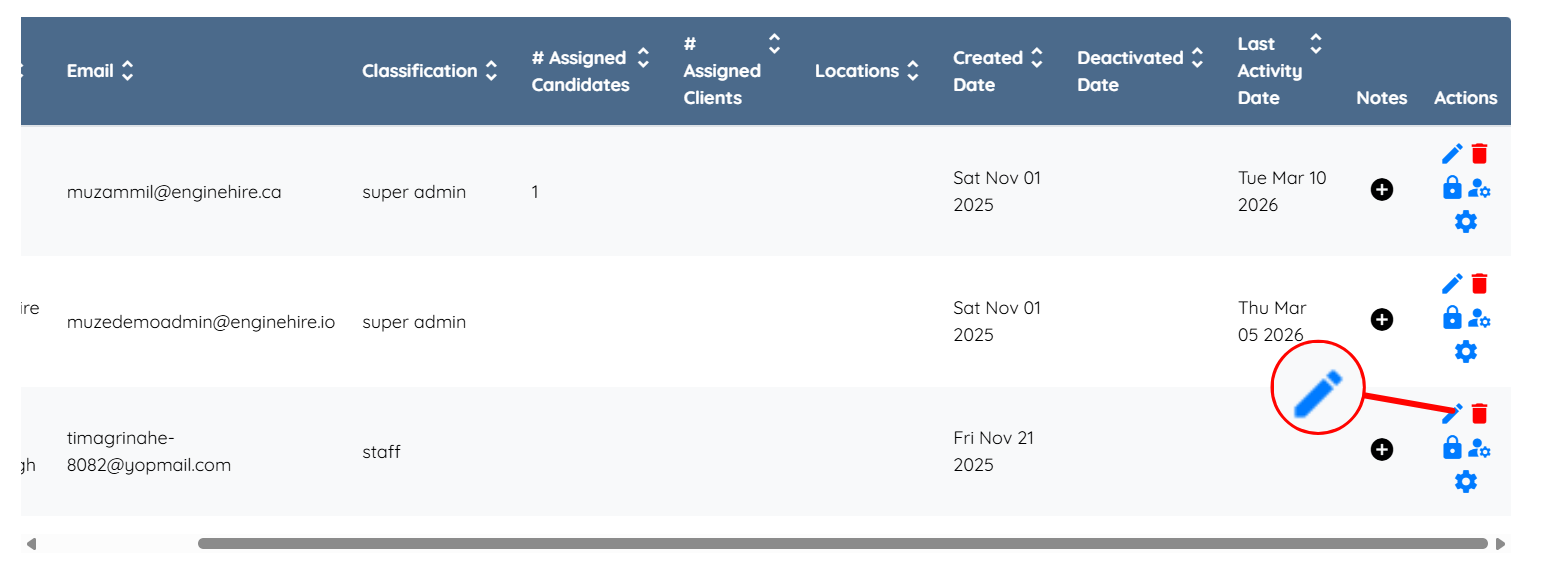
Step 2: Scroll down and click the corresponding pencil icon for the admin you want to deactivate.
Step 3: Check the Deactivate admin checkbox.
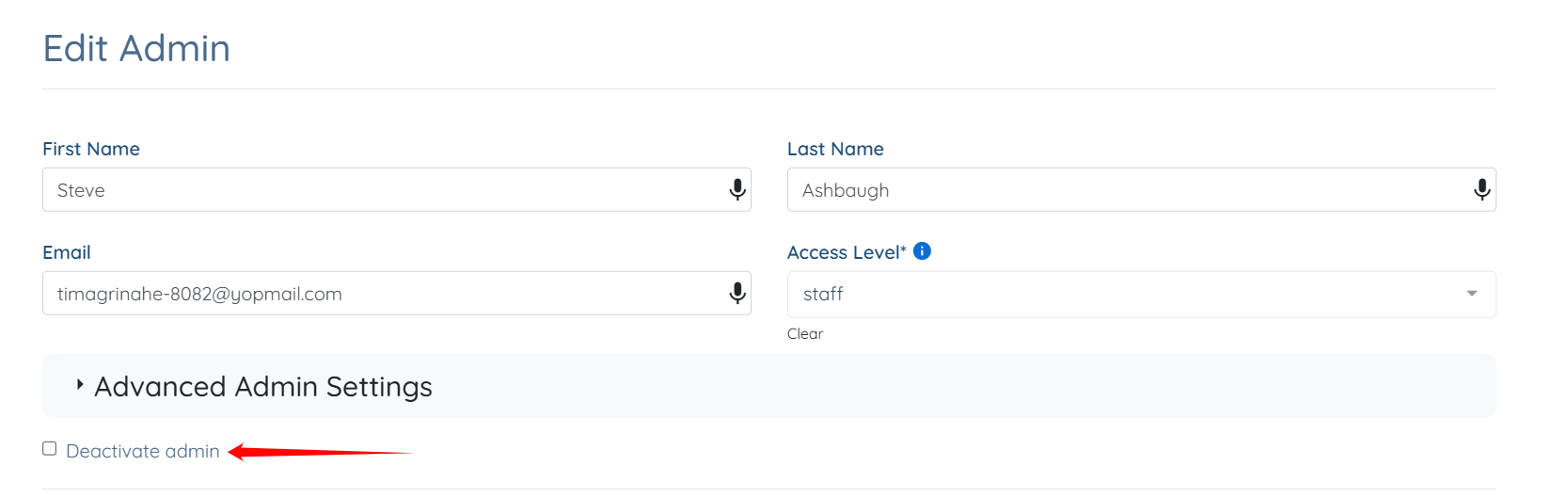
Step 4: Click the Save button.
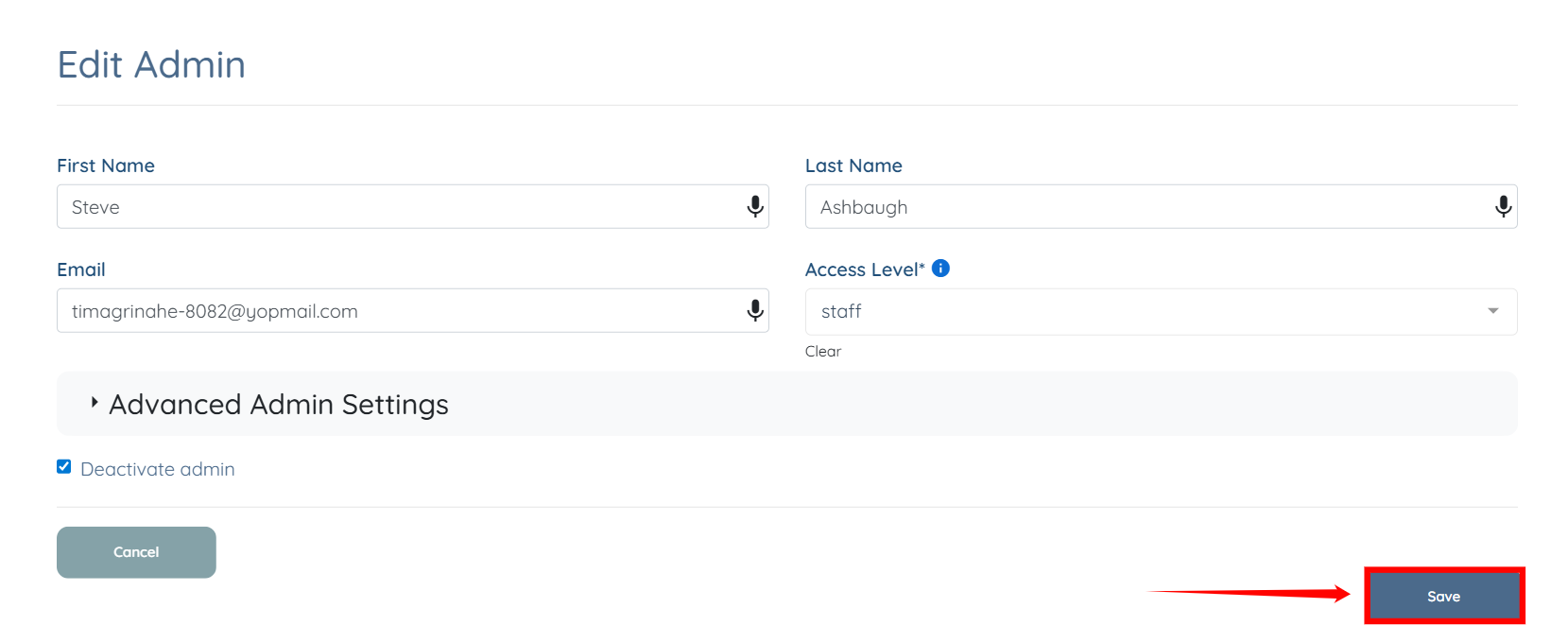
The selected admin will be successfully deactivated.