Let’s get started 🚀
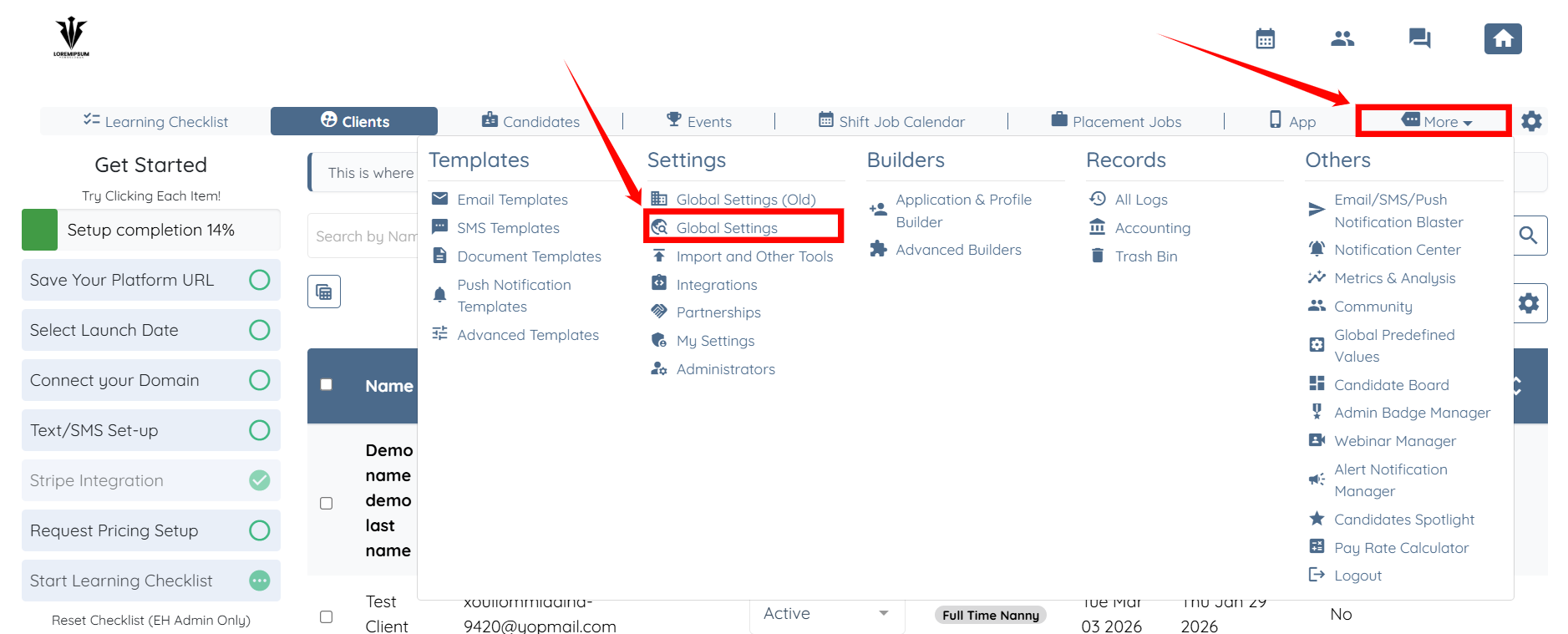
Step 1: Log in to your agent dashboard and click More > Global Settings as shown in the screenshot below.
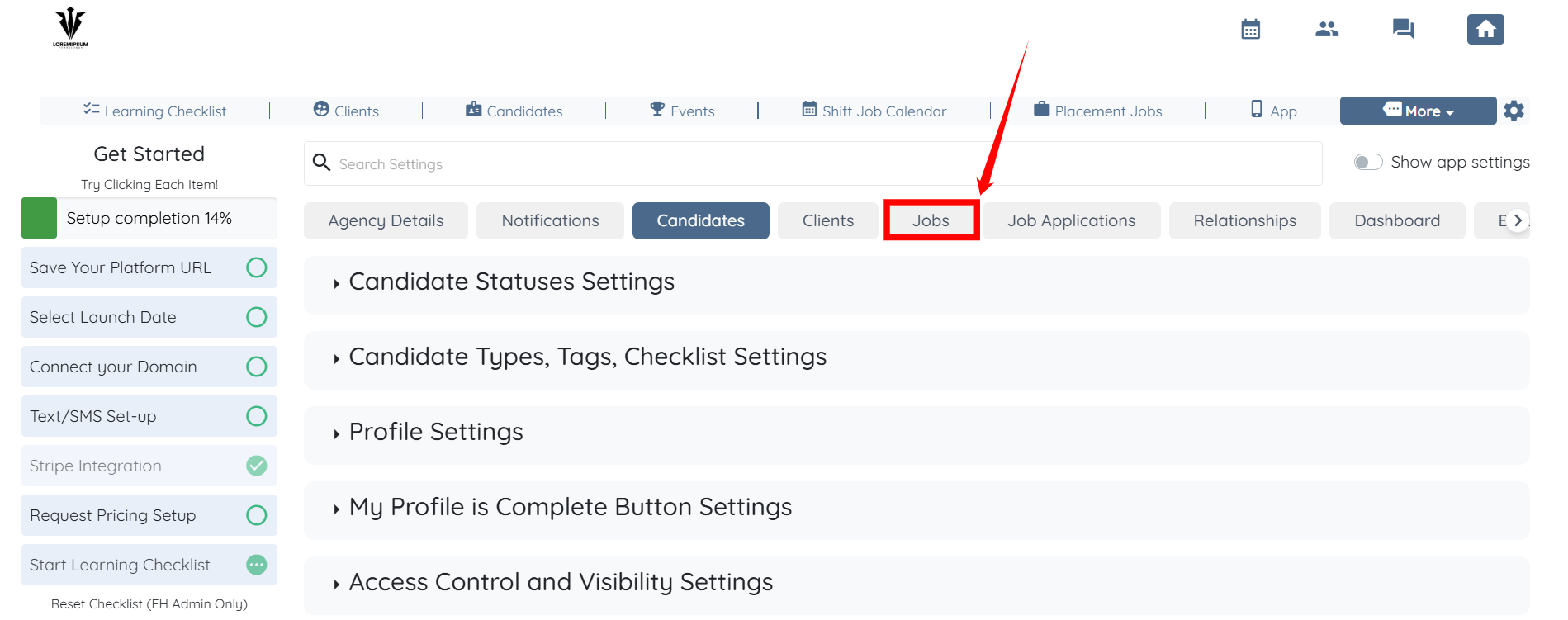
Step 2: Click the Jobs tab from the available tabs.
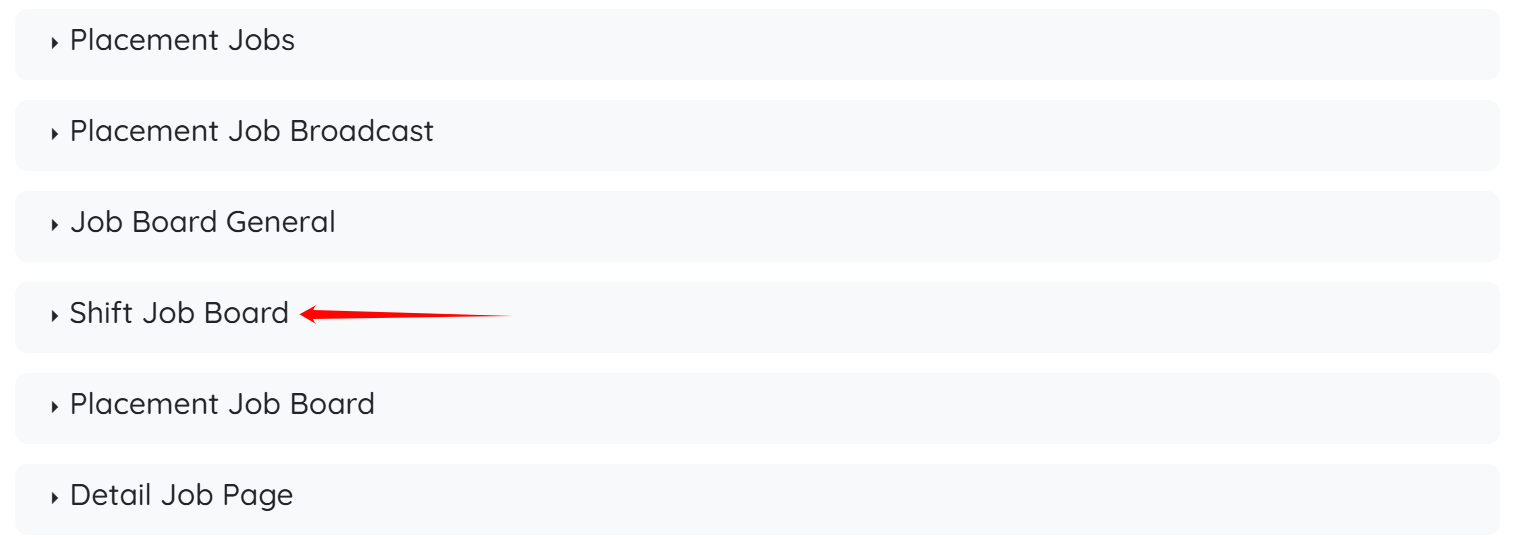
Step 3: Scroll down to the Shift Job Board option and click it to expand its details.
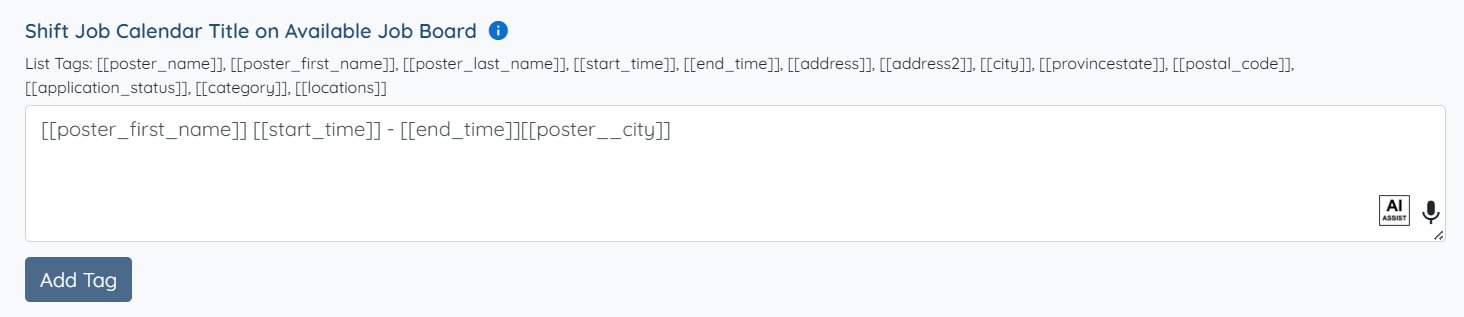
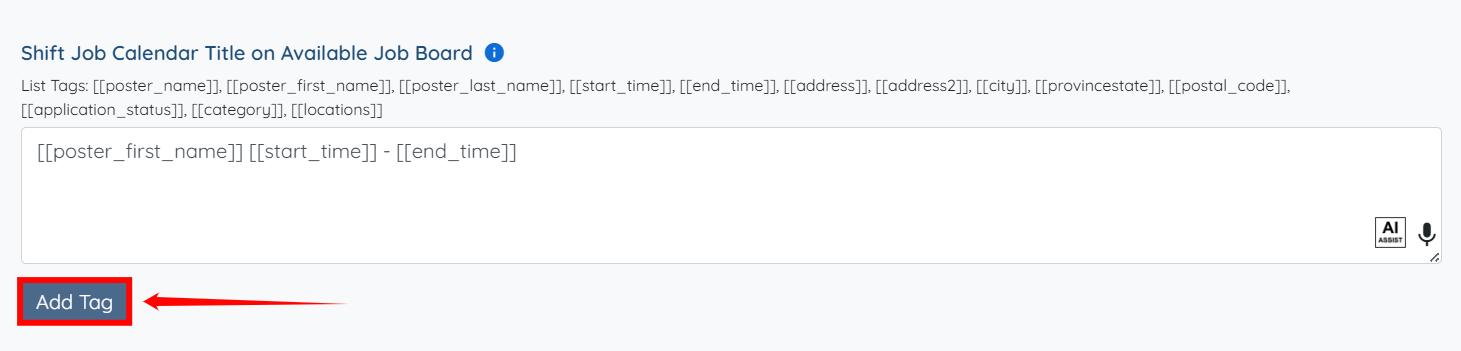
Step 4: Click the Add Tag button under the Shift Job Calendar Title on Available Job Board heading.
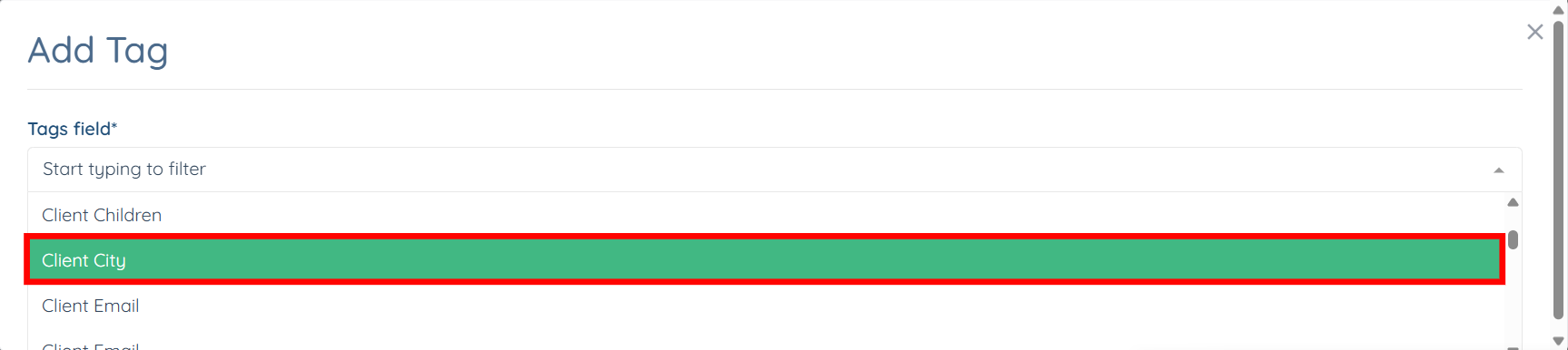
Step 5: Select the required field from the dropdown list.

You can select more than one field if you want to.
Step 6: Click the Submit button to save the field you added.
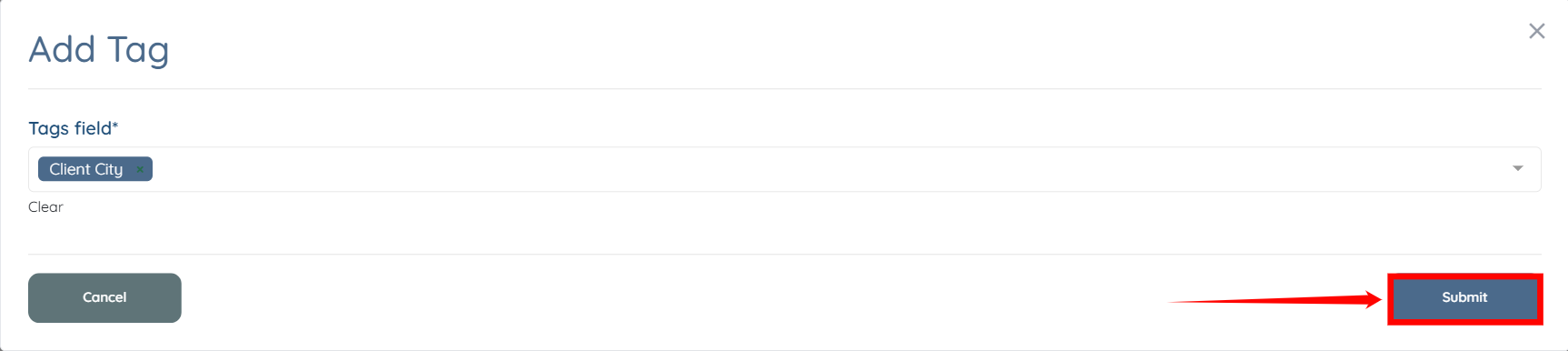
The added fields will be saved automatically.