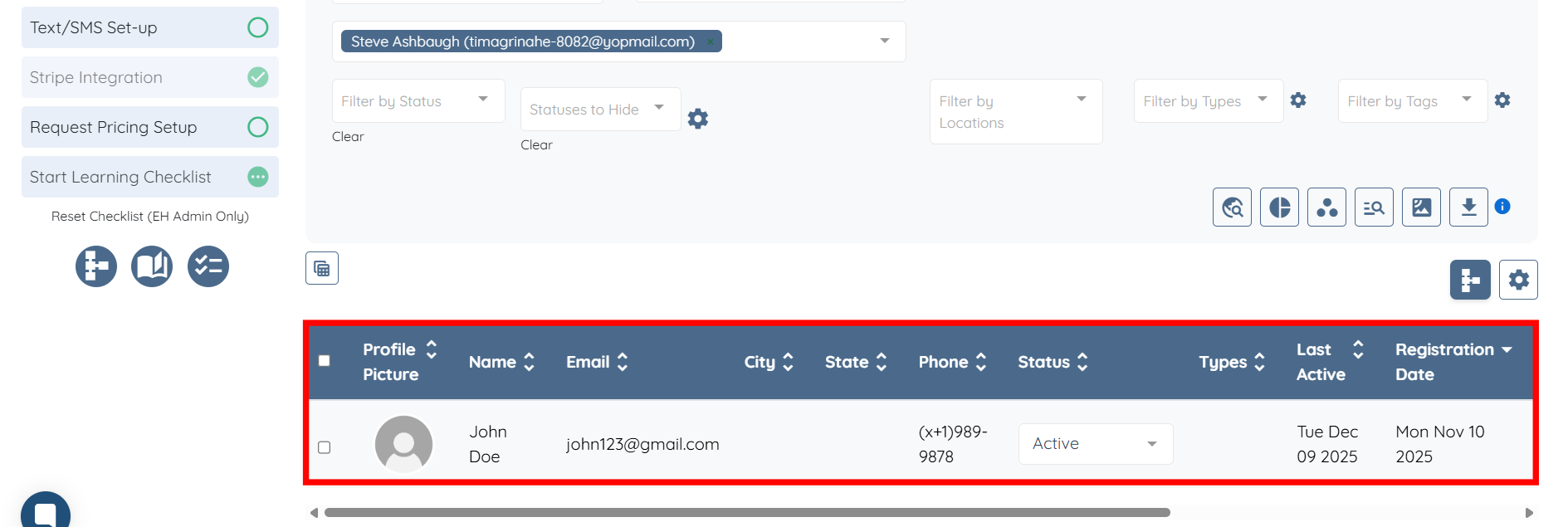
For demonstration purposes, this article uses candidates as an example. However, the same steps can be followed to filter clients.
Let’s get started🚀
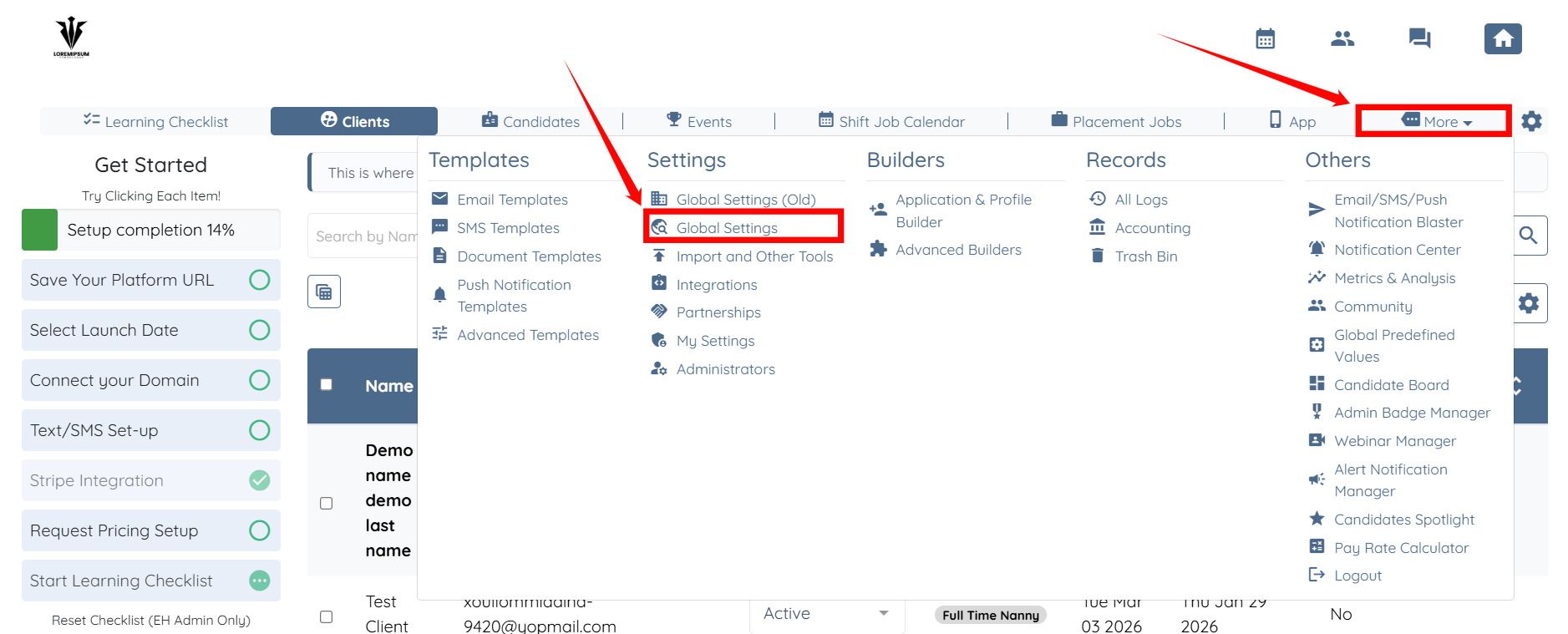
Step 1: Log in to your agent dashboard and click More > Global Settings as shown in the screenshot below.
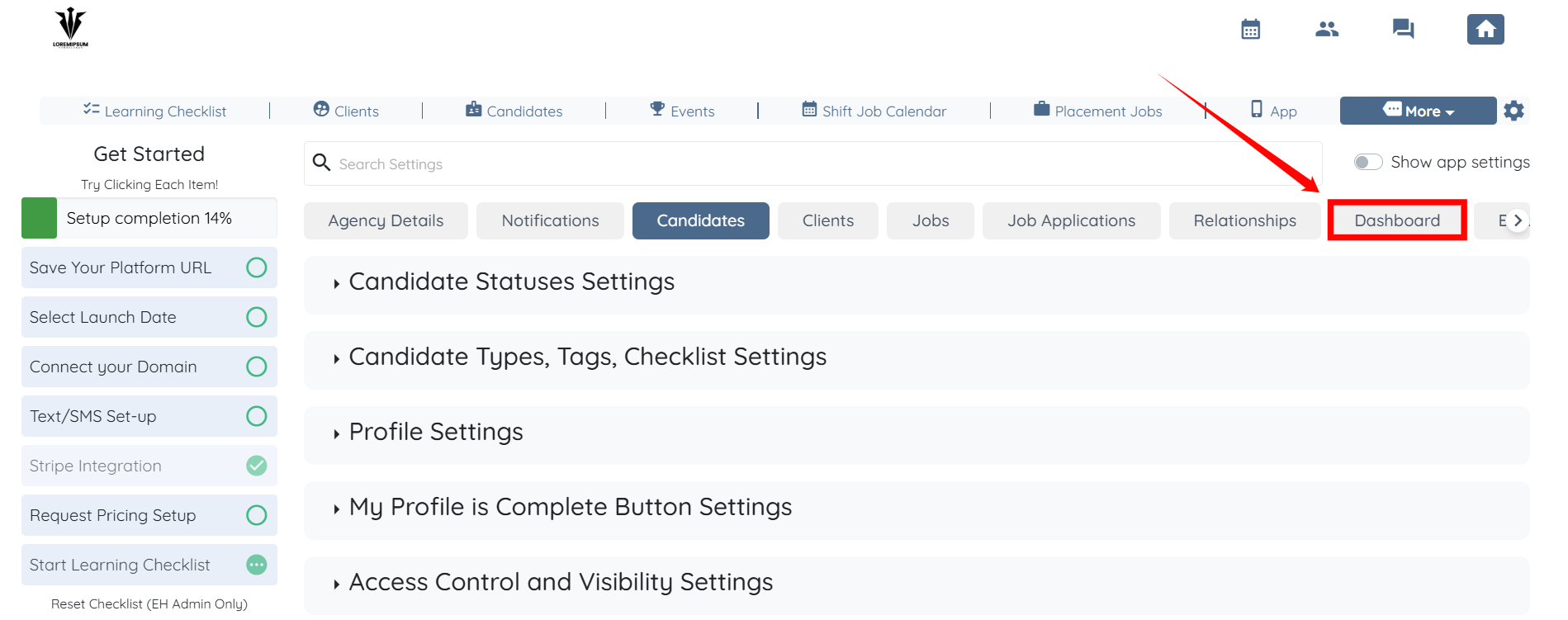
Step 2: Click the Dashboard tab from the available tabs.
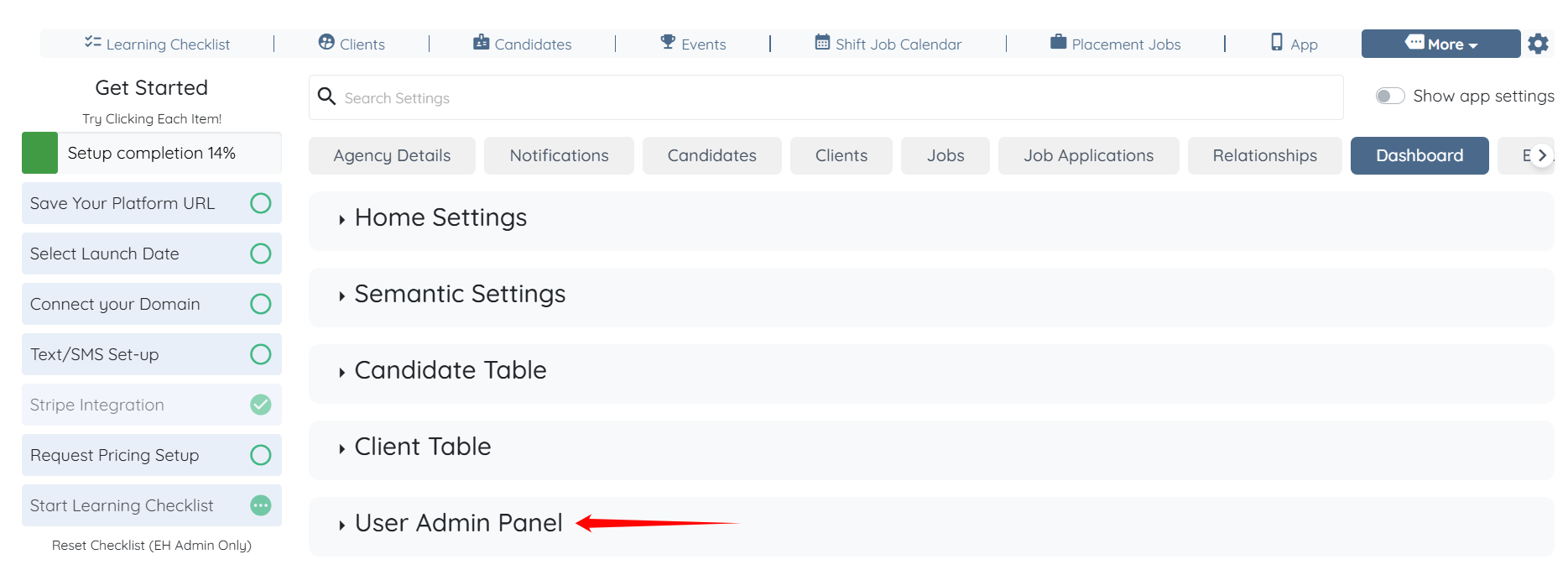
Step 3: Click the User Admin Panel option to expand its details.
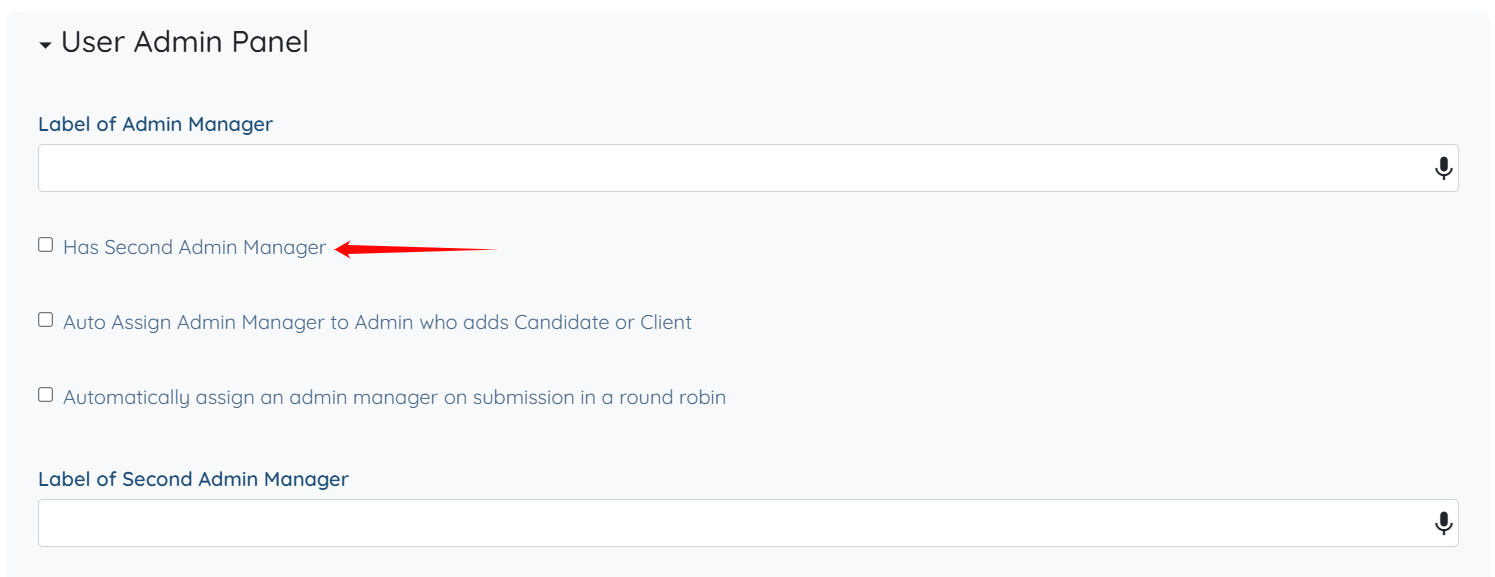
Step 4: Check the Has Second Admin Manager checkbox.
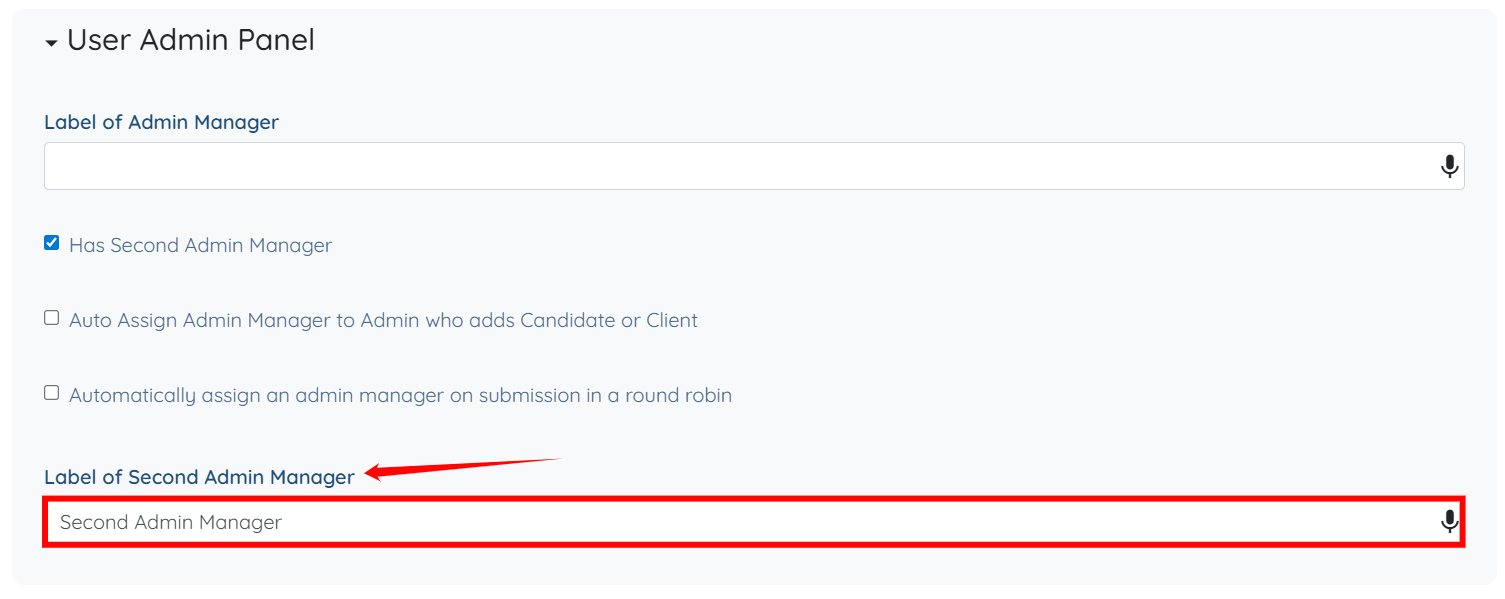
Step 5: Enter the label for the secondary admin manager. The system saves the settings automatically.
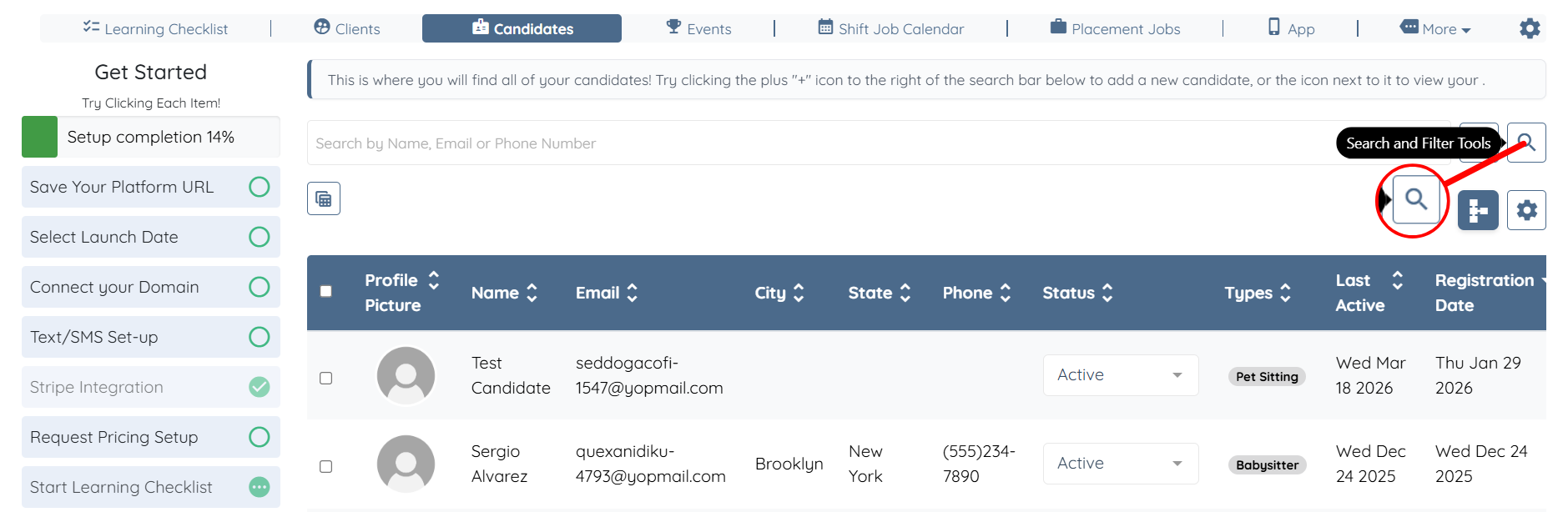
Step 6: In the Candidates section, click the Search and Filter Tools icon.
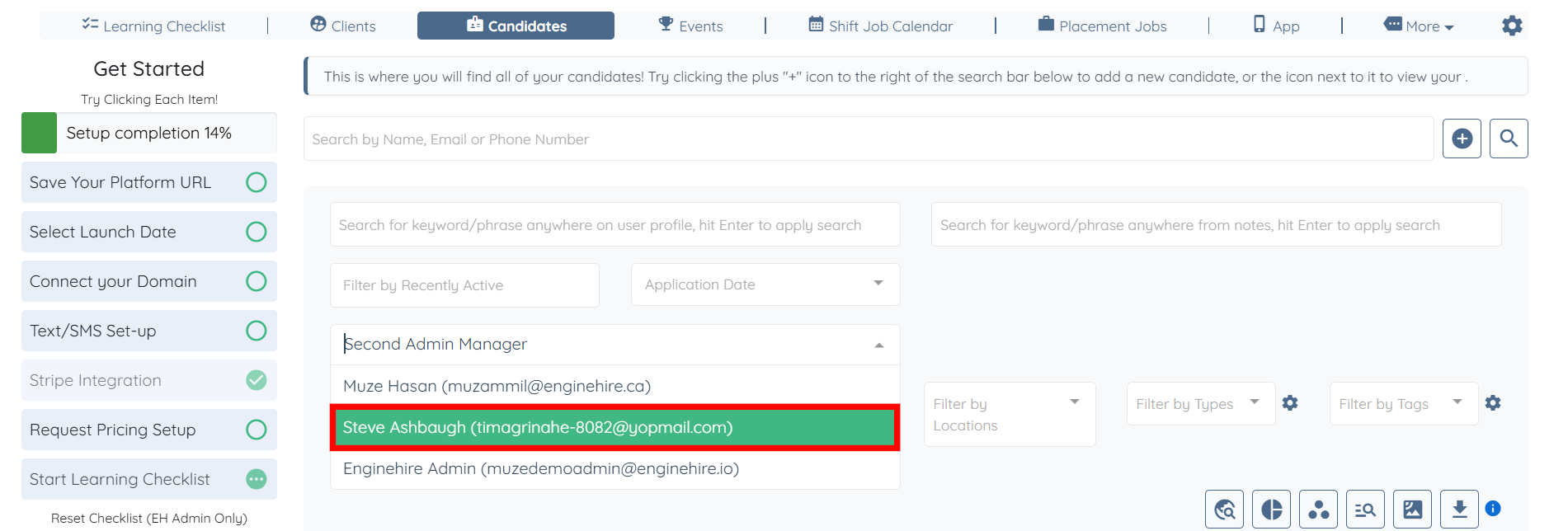
Step 7: Click the Second Admin Manager box to open the dropdown list.
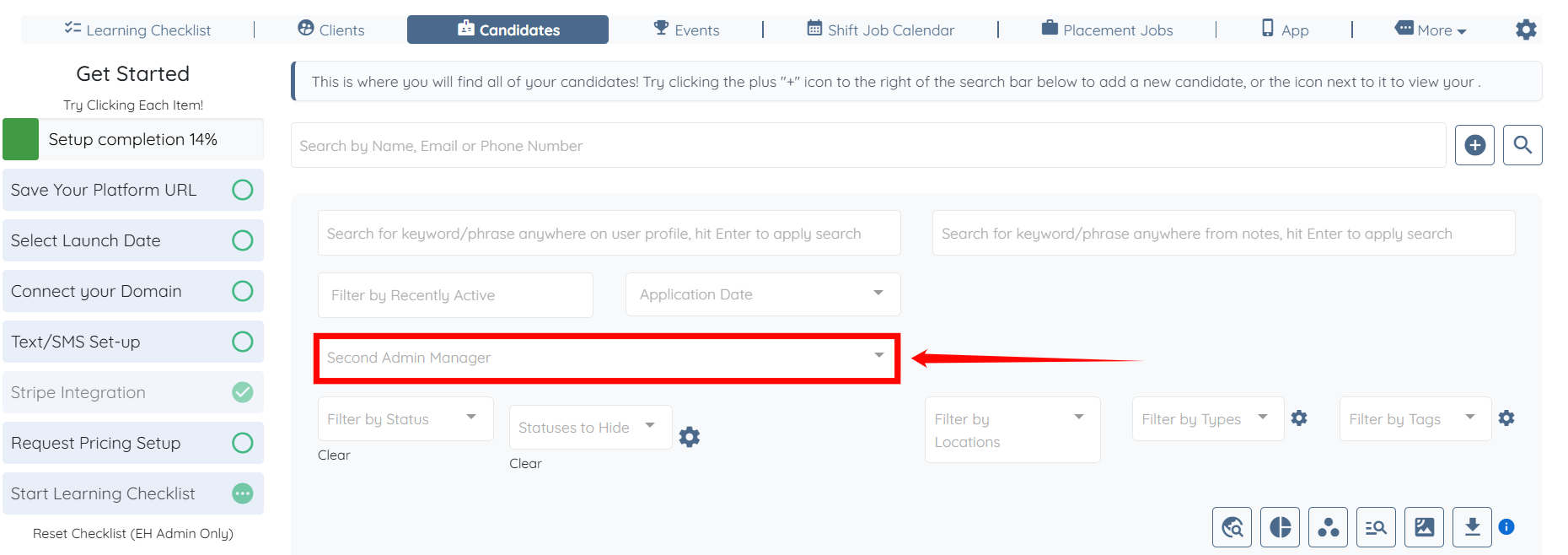
Step 8: Select the admin manager from the list for whom you want to filter the candidates.
Step 9: The candidates will be filtered based on the admin manager selected in the previous step.