Auto-assignment considers only eligible candidates. Candidates who exceed configured weekly working hour limits are excluded from assignment.
For details on configuring weekly working hour limits, see Prevent Candidates from Exceeding Weekly Working Hours.
For details on configuring weekly working hour limits, see Prevent Candidates from Exceeding Weekly Working Hours.
Let’s get started 🚀
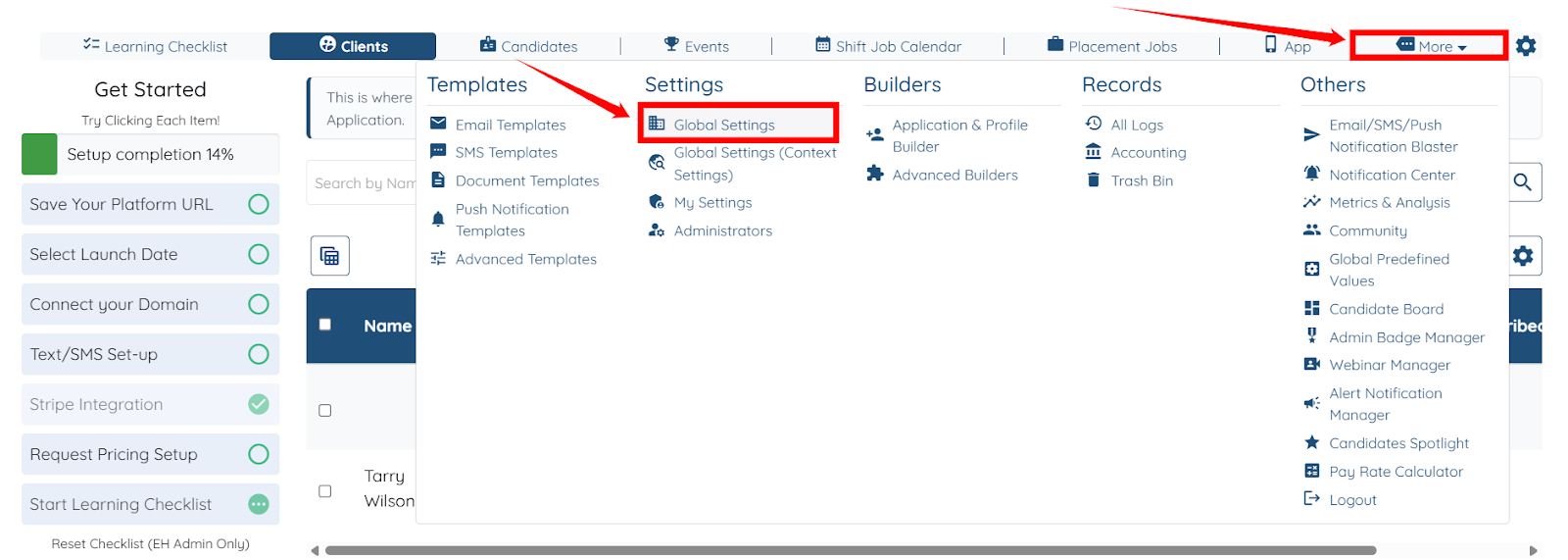
Step 1: Log in to your agent dashboard, click More > Global Settings as shown in the screenshot below.
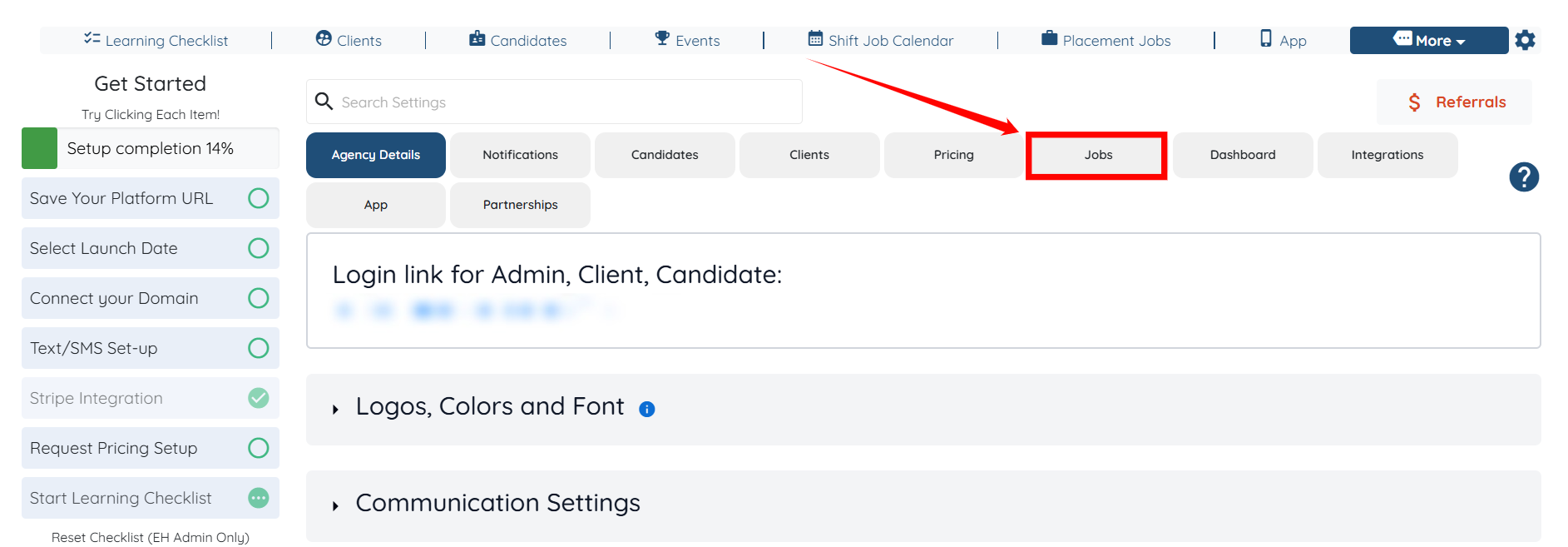
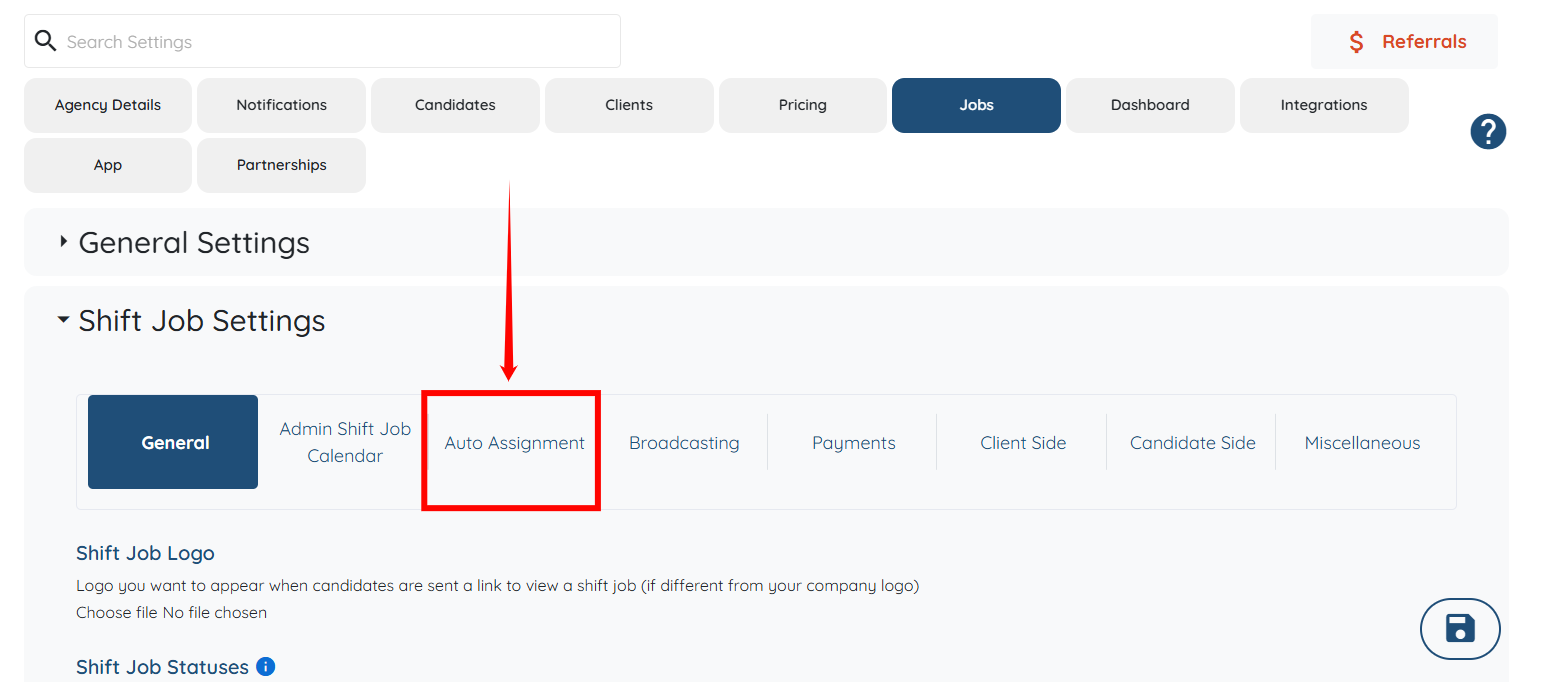
Step 2: Click the Jobs tab from the list of all the available tabs.
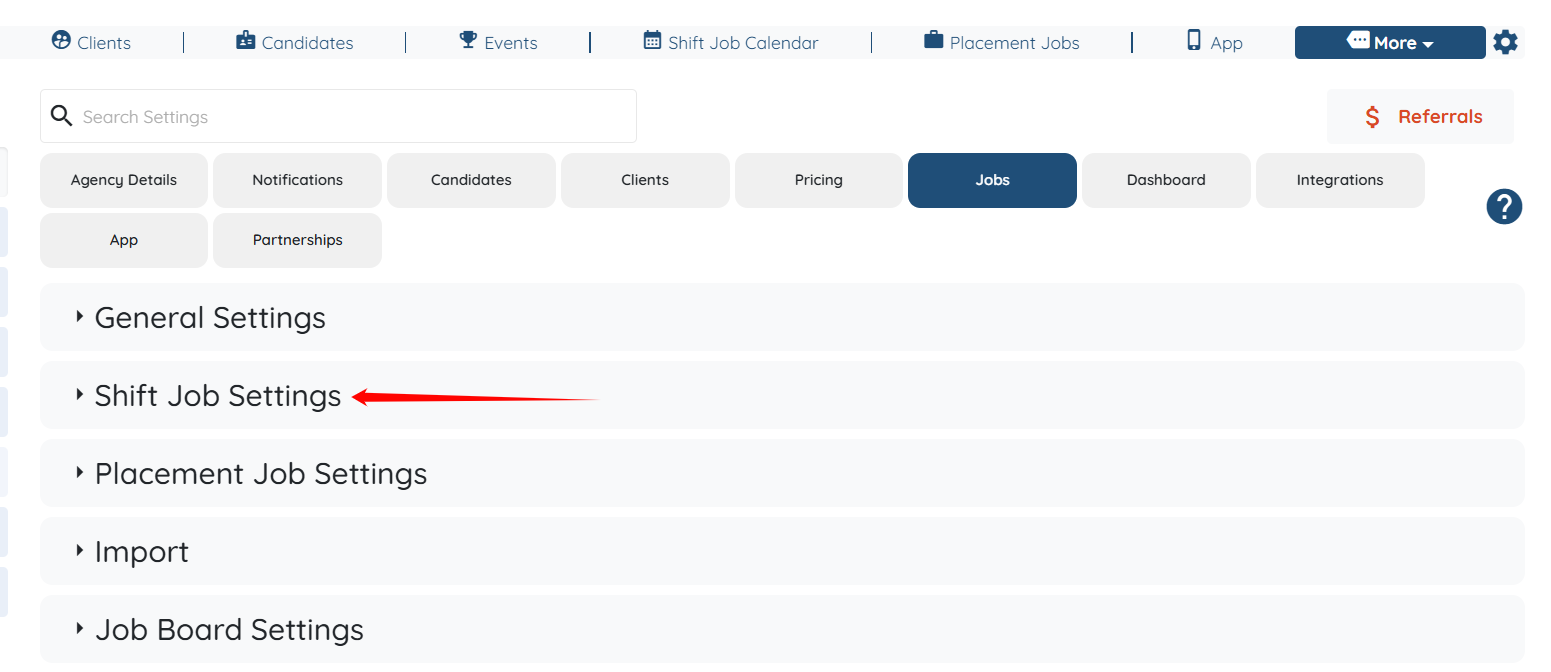
Step 3: Click the Shift Job Settings option to expand its details.
Step 4: Click on the Auto Assignment option under the Shift Job Settings.
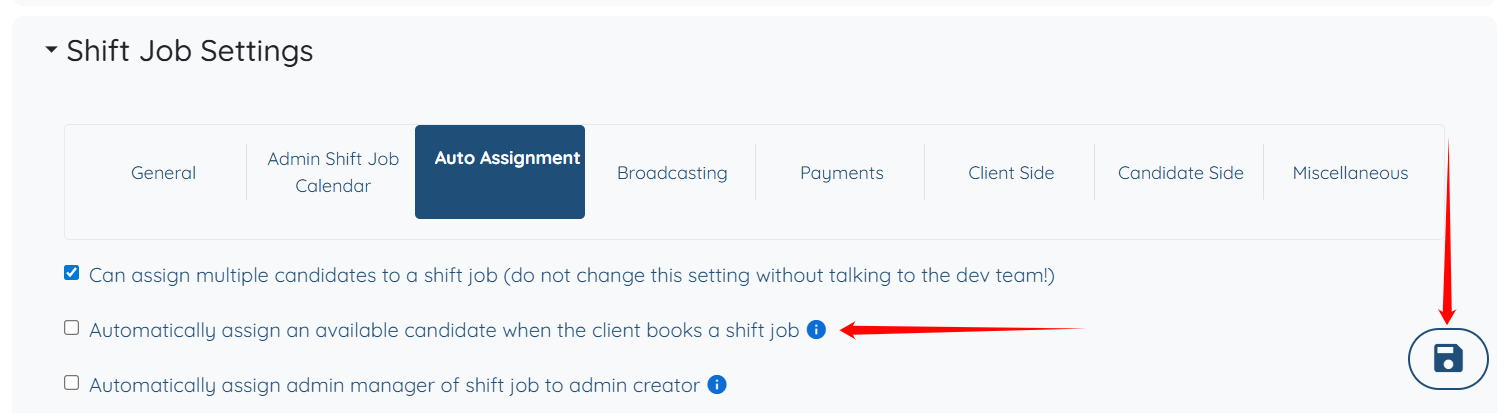
Step 5: Check the “Automatically assign an available candidate when the client books a shift job” checkbox as shown in the screenshot below. Then click the Save icon to proceed.