Let’s get started 🚀
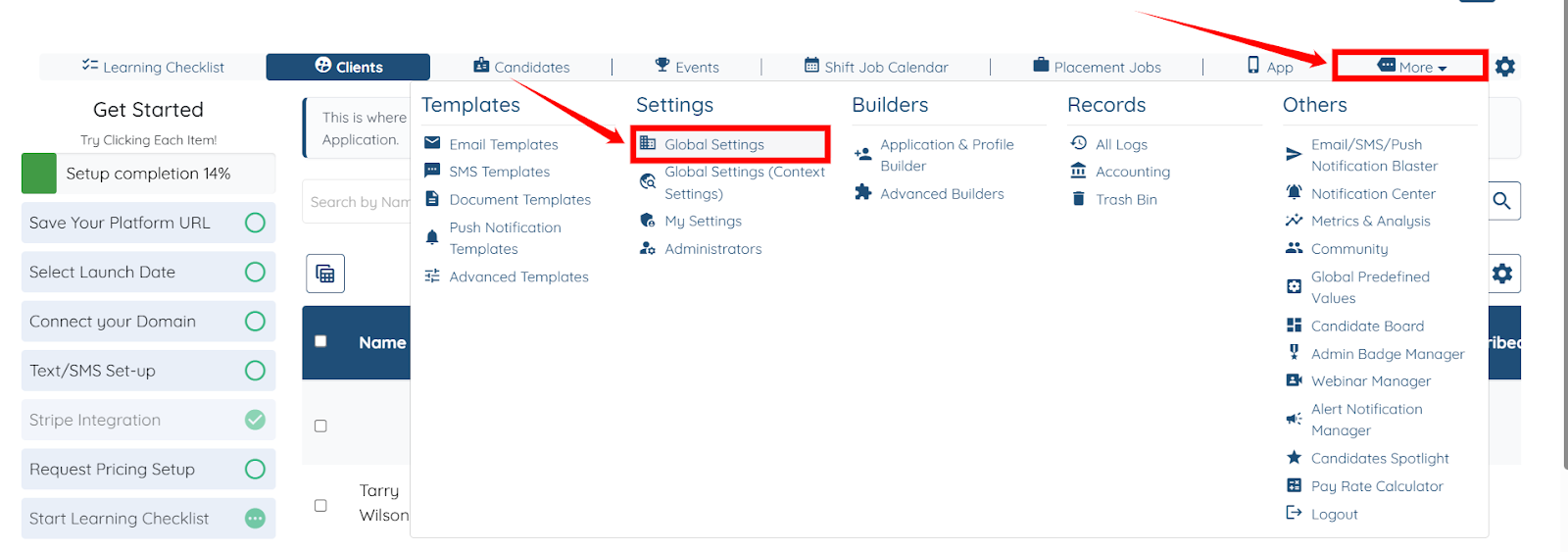
Step 1: Log in to your agent dashboard, then click More > Global Settings, as shown in the screenshot below.
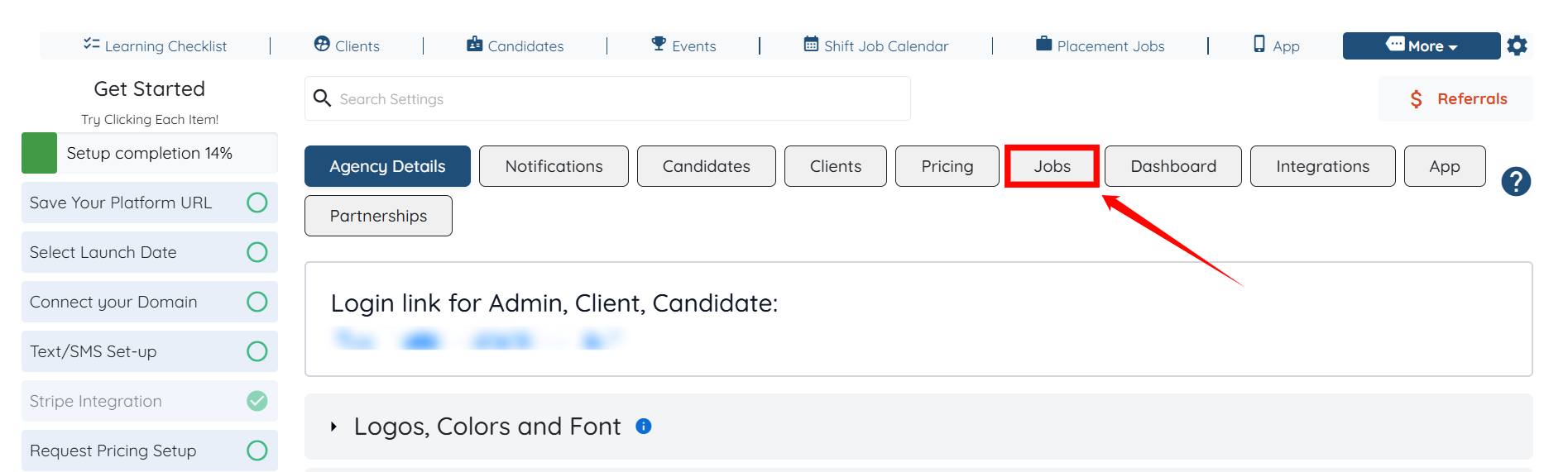
Step 2: Click the Jobs tab from the list of available tabs.
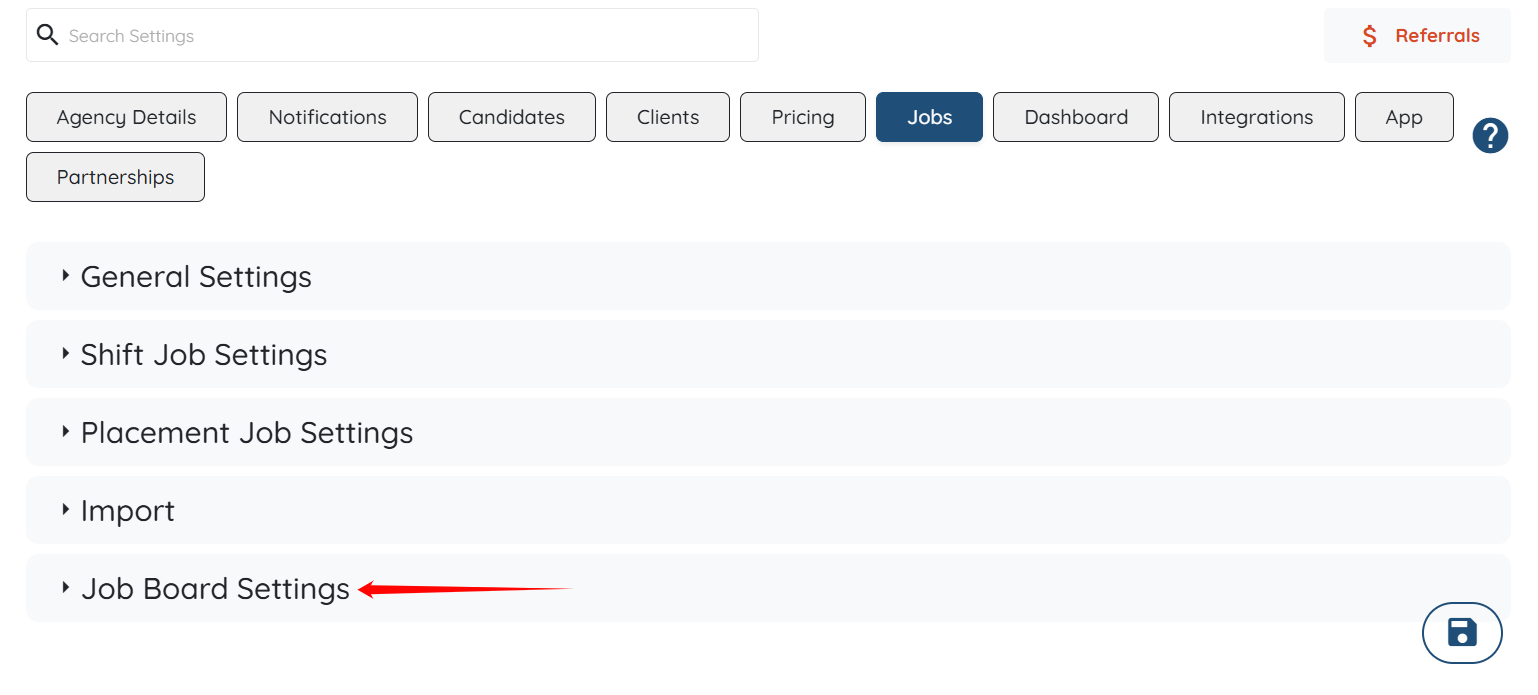
Step 3: Click the Job Board Settings option to expand its details.
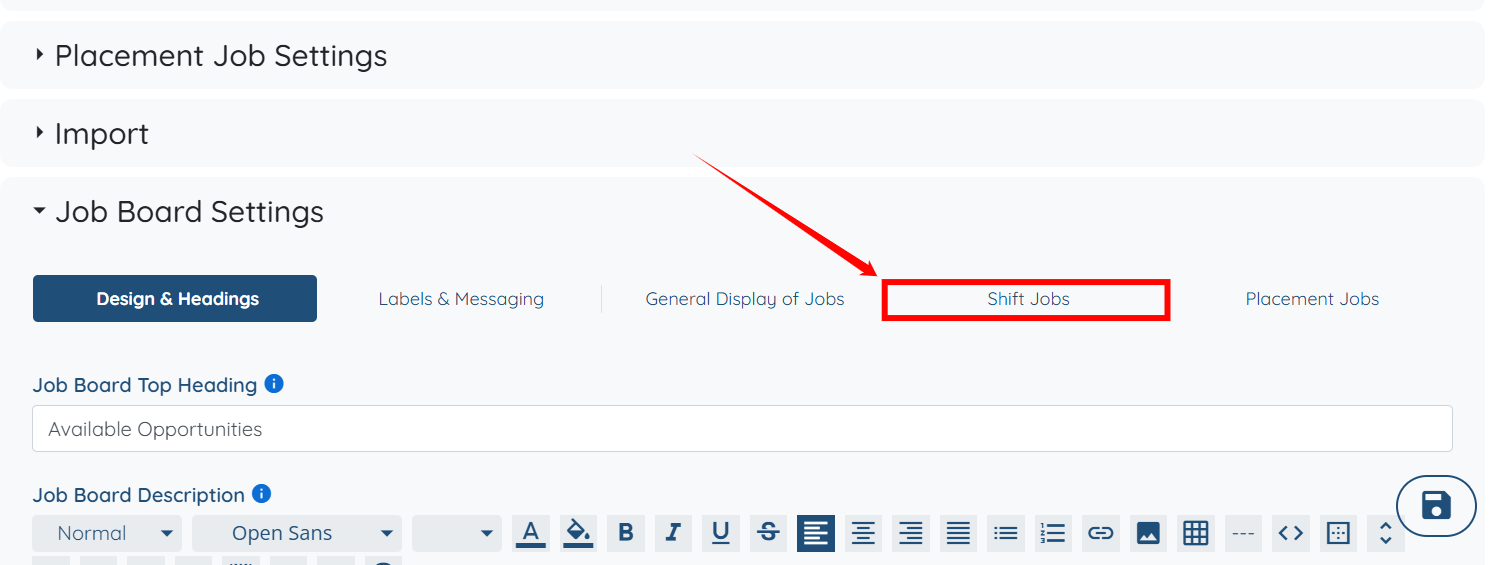
Step 4: Click the Shift Jobs option.
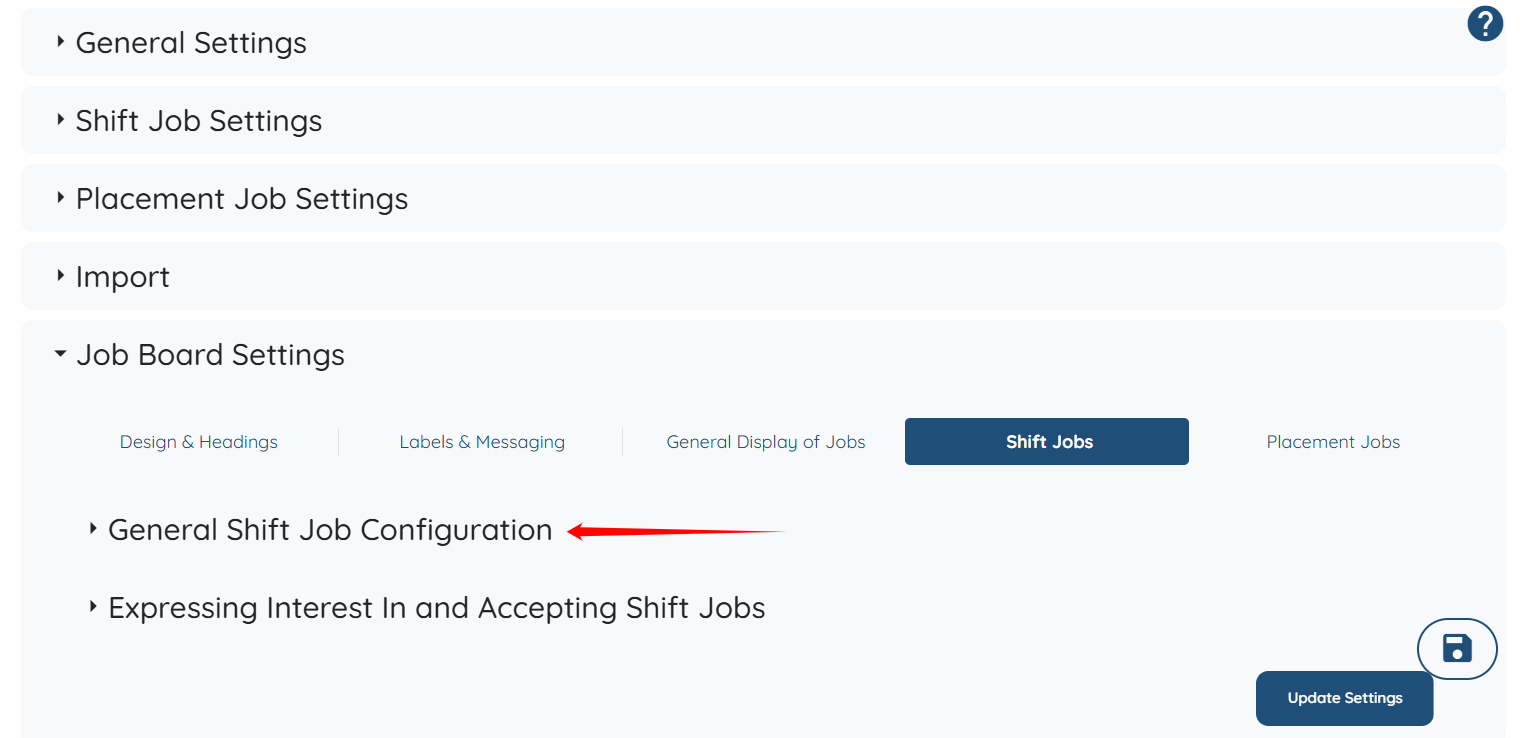
Step 5: Click the General Shift Job Configuration option to expand its details.
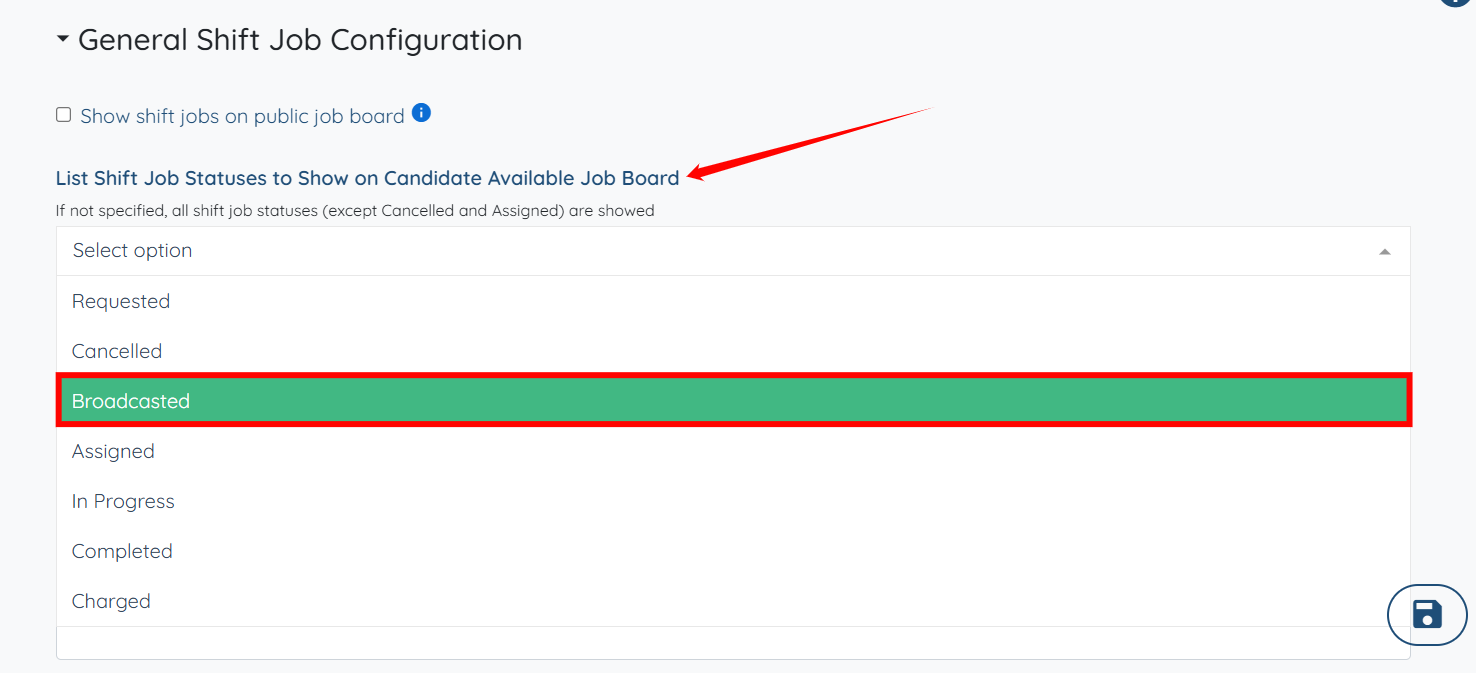
Step 6: Under the List Shift Job Statuses to Show on Candidate Available Job Board option, select the shift job status you want to display on the job board. For example, you can select Broadcasted.

If no specific shift job statuses are selected, all shift job statuses except Cancelled and Assigned are shown.
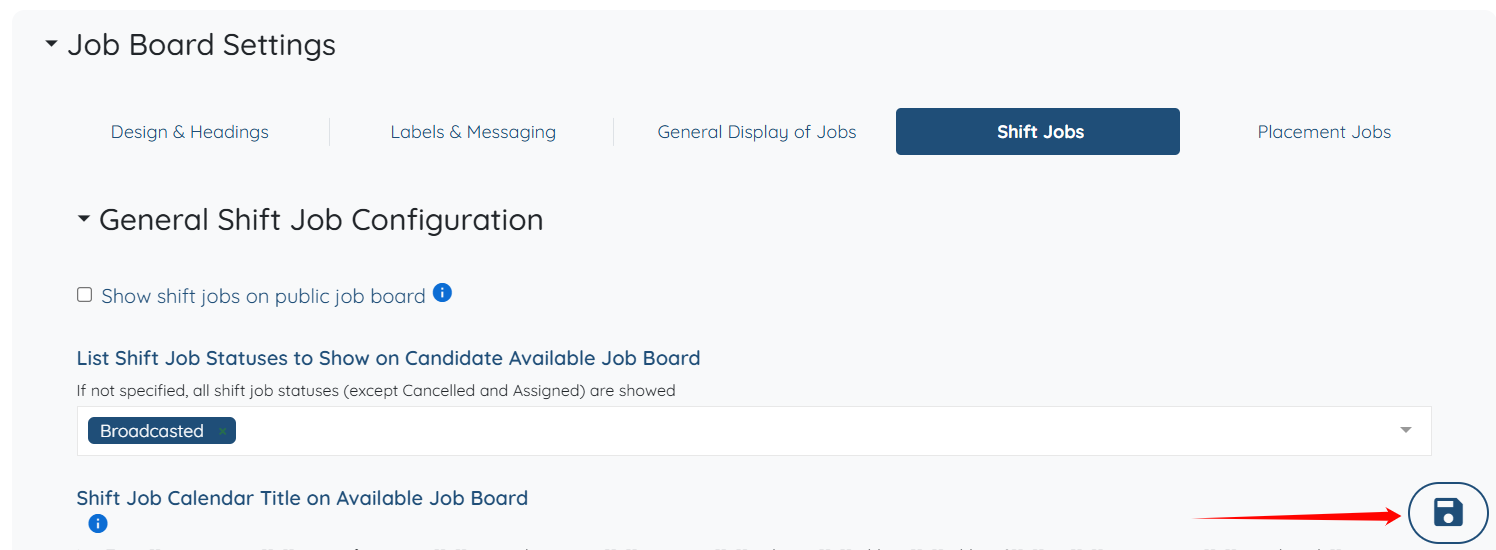
Step 7: Click the Save icon to confirm the changes.
The shift jobs will be displayed successfully on the candidate job board based on the selected shift job statuses.