
Let’s get started 🚀
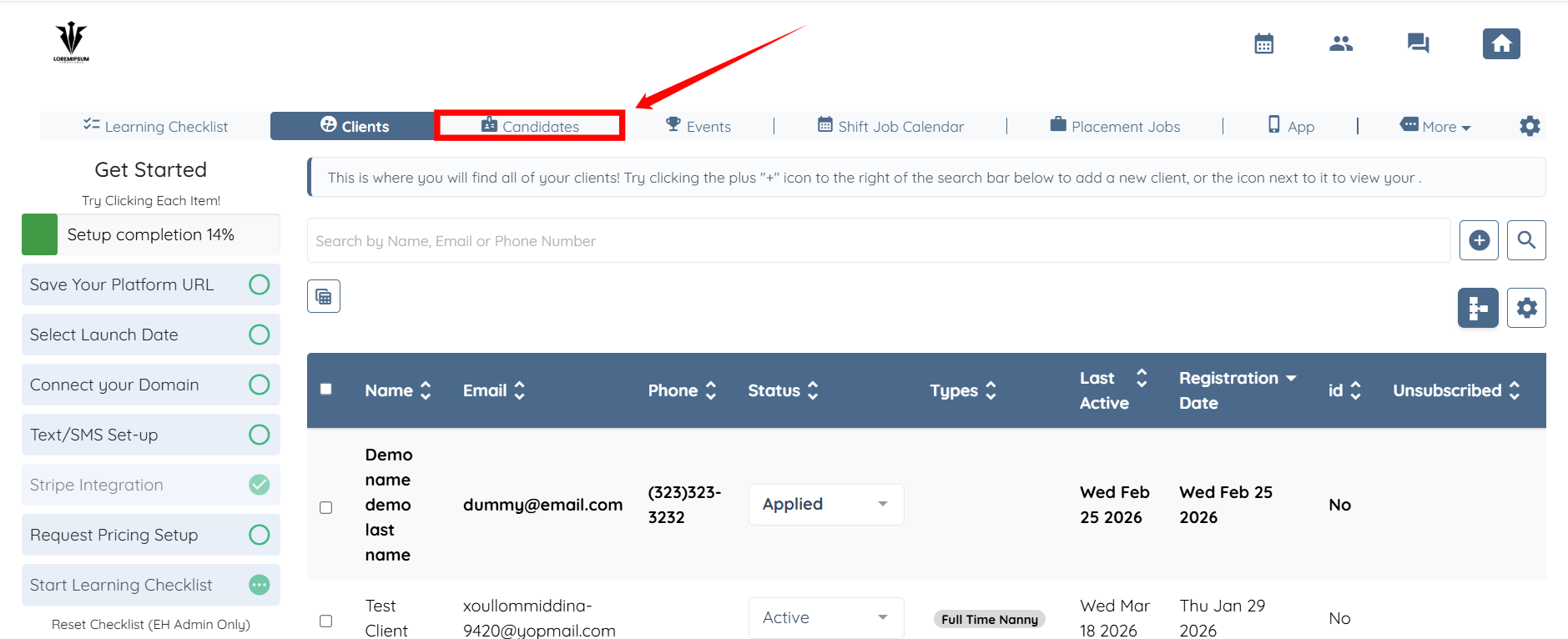
Step 1: Log in to your agent dashboard and click Candidates in the navigation bar.
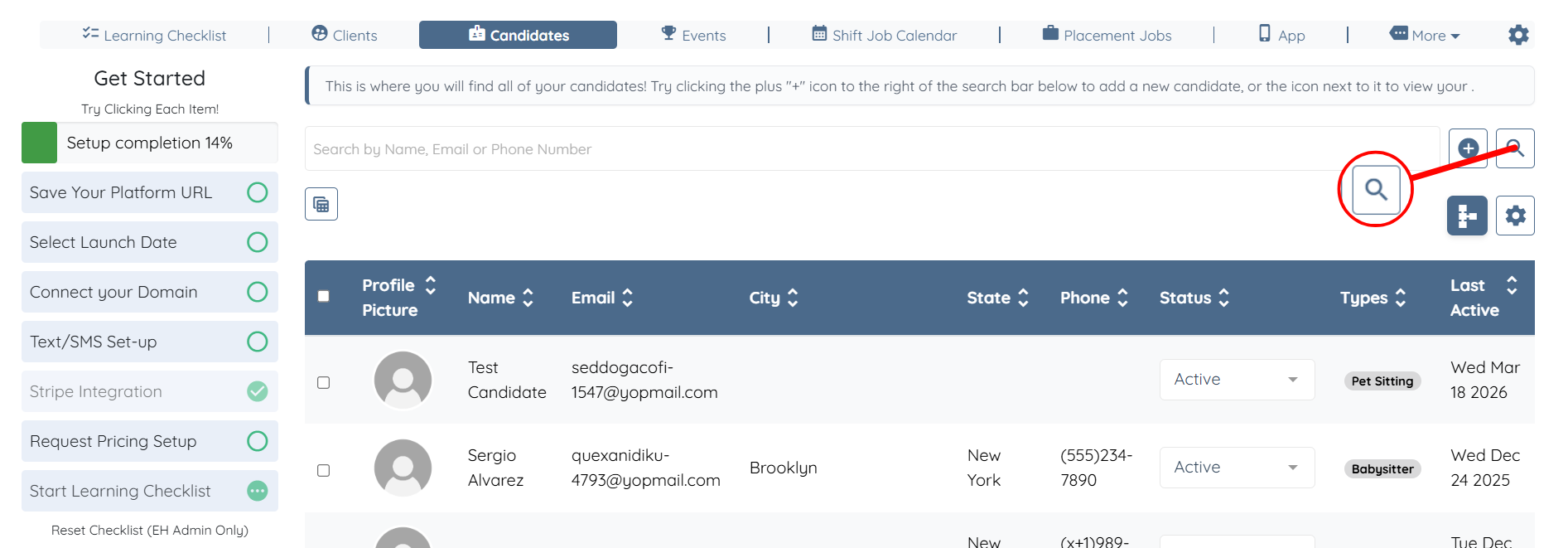
Step 2: Click the Search and Filter Tools icon.
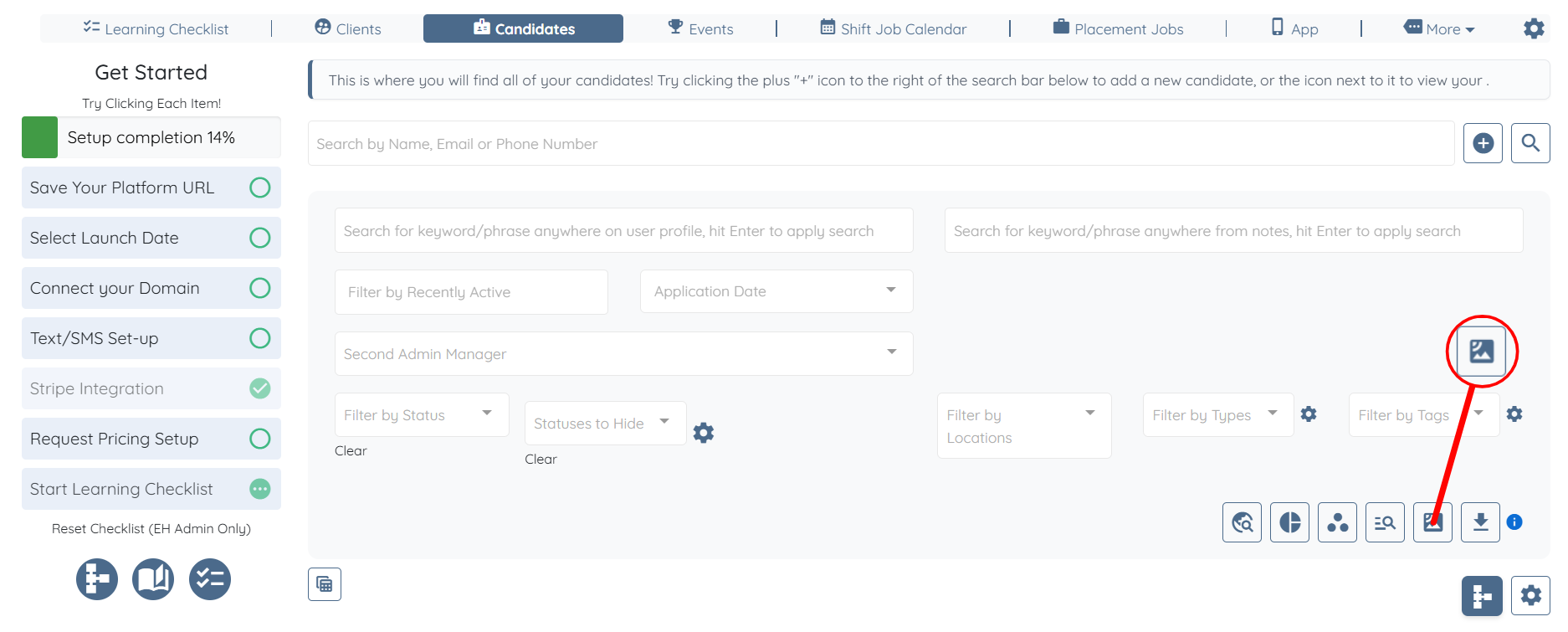
Step 3: Click the View on Map icon.
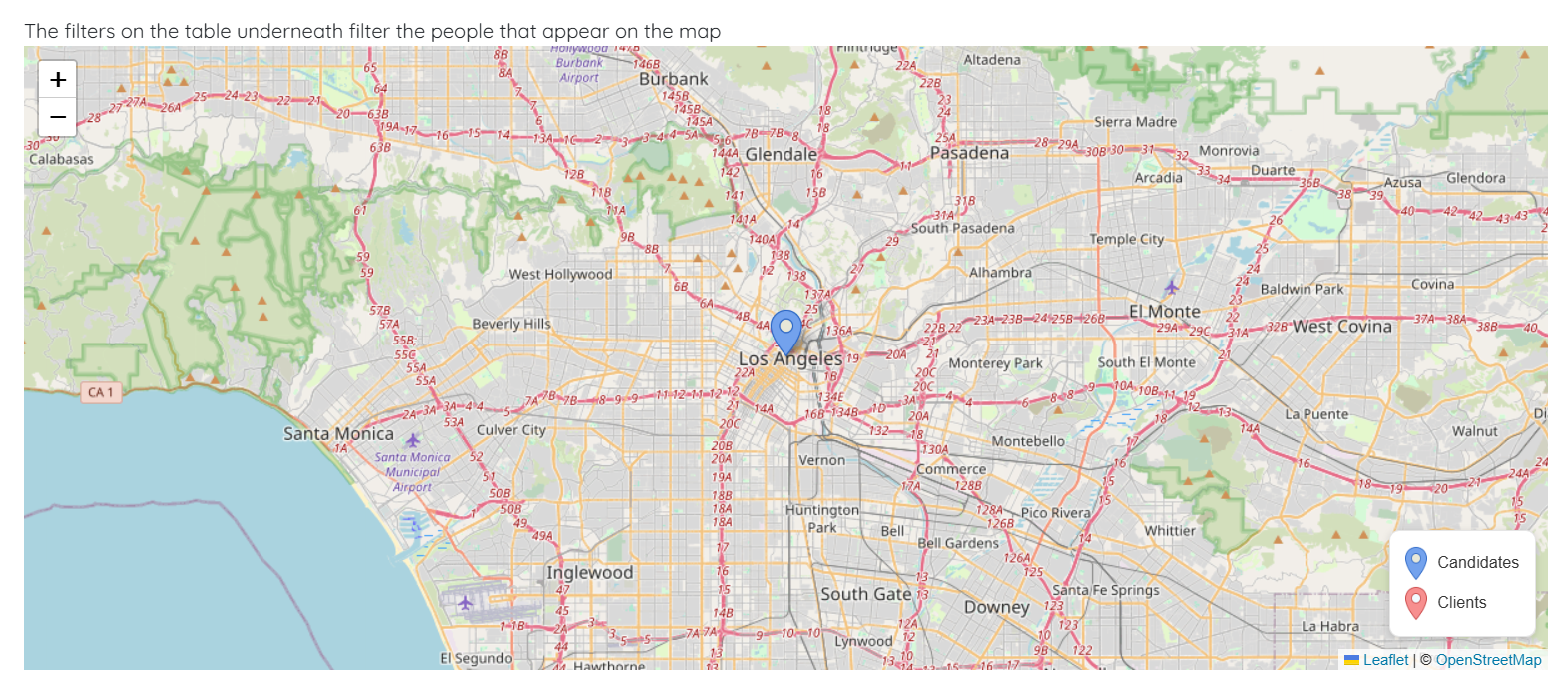
You can now view all the available candidates on map.
Let’s get started 🚀
Step 1: Log in to your agent dashboard and click Candidates in the navigation bar.
Step 2: Click the Search and Filter Tools icon.
Step 3: Click the View on Map icon.
You can now view all the available candidates on map.