
For Agencies: Please enable the setting below first so the candidate can see the option to connect to Stripe.
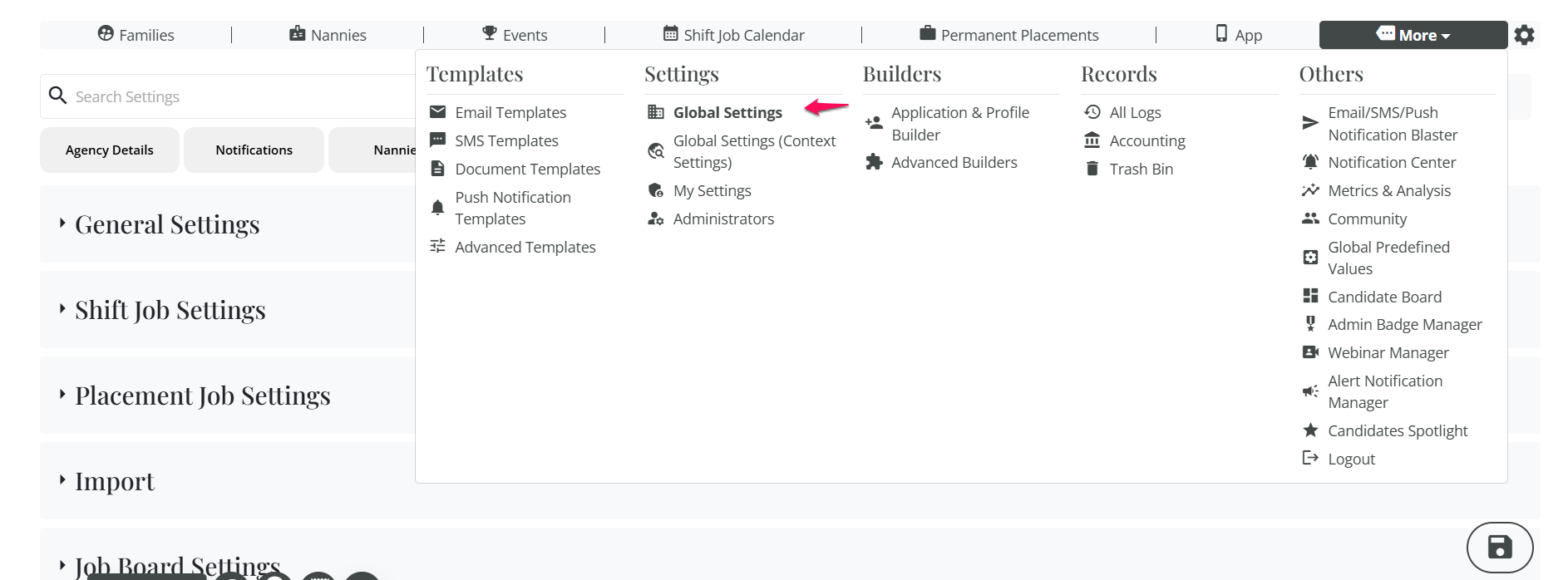
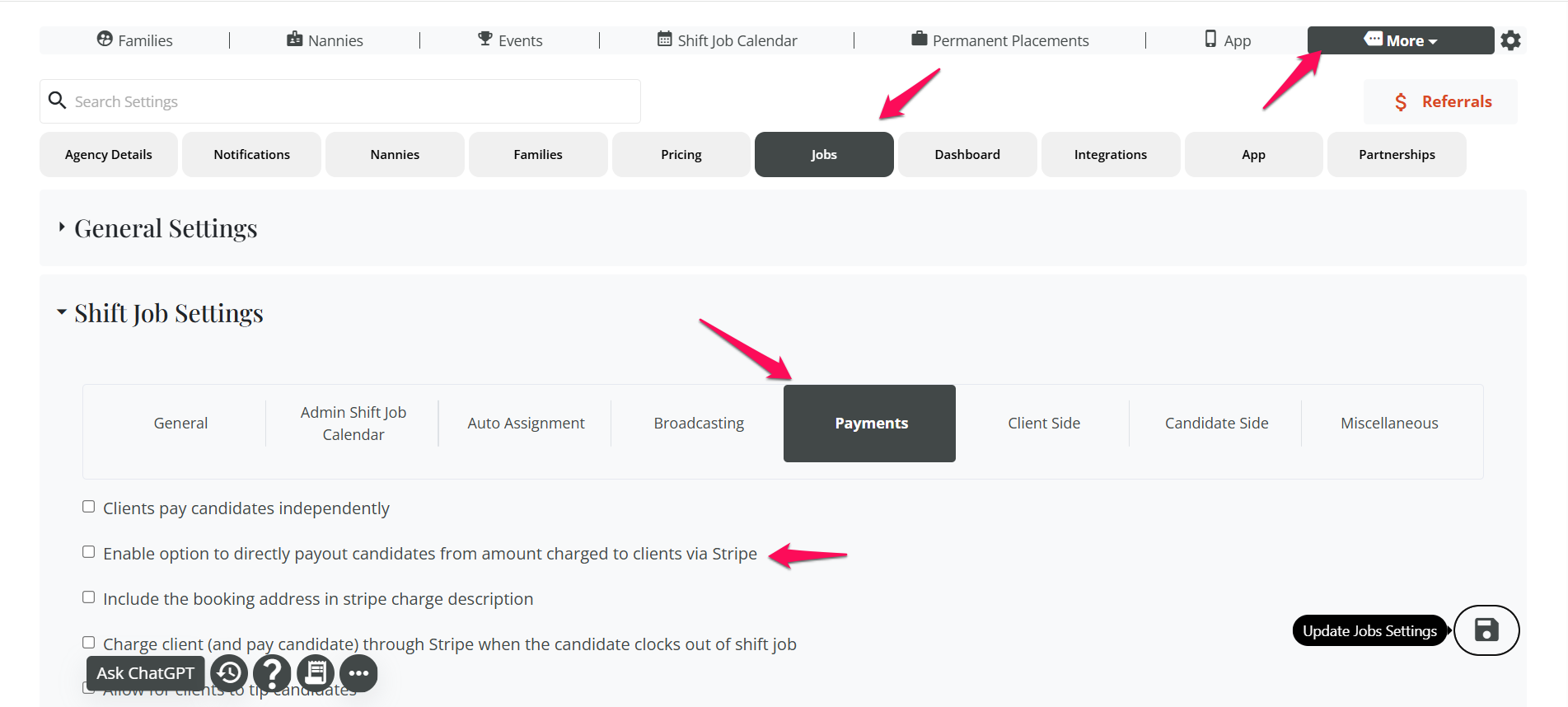
Go to more→Global Settinsg→Jobs→Shift Jobs Settings→Payments→Checked the box
Enable option to directly payout candidates from amount charged to clients via Stripe, and click on update settings.

For the correct steps, please refer to the “How to Set Up Candidate Payouts on Stripe” document.
Important Note: All stripe accounts are considered a type of business account. The first question they stripe will ask when creating your account is "What type of business are you" for this question you will want to select "Individual" as the type of business and "Sole Proprietorship" as the ownership type. It is generally easier to consider yourself as a business of one.
If this video doesn't answer your questions you can always contact us by clicking here