
Let’s get started 🚀
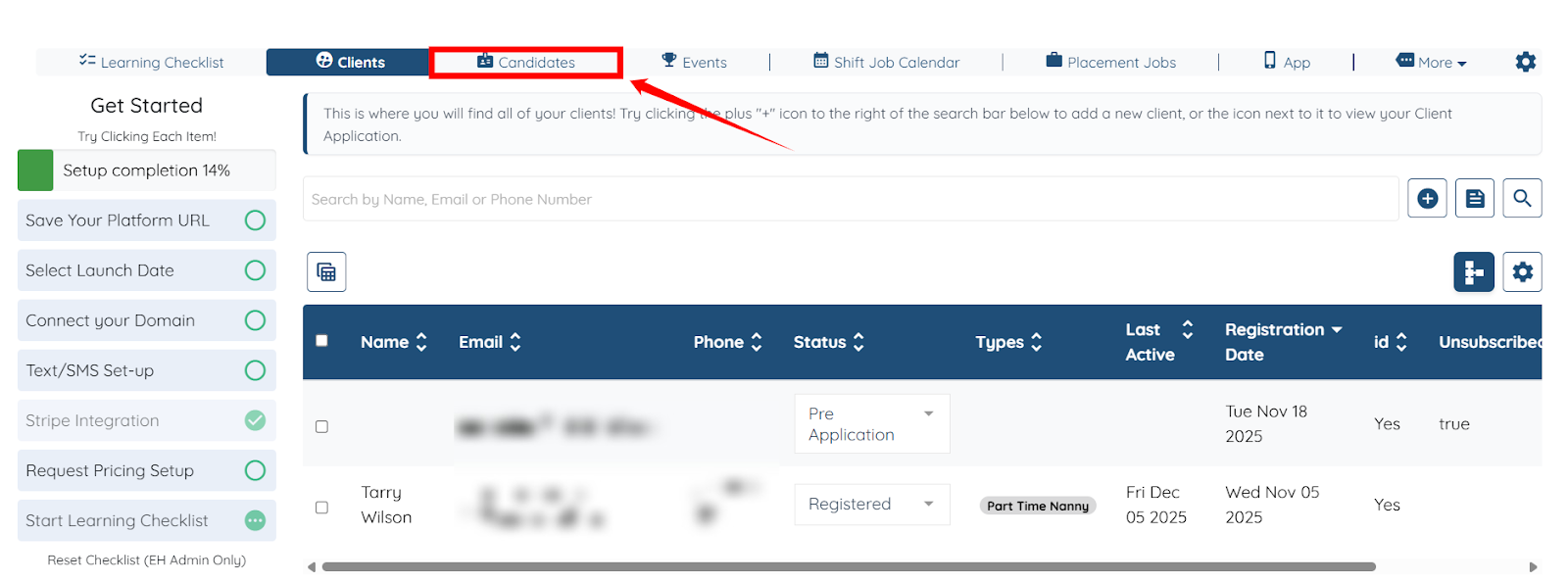
Step 1: Log in to your dashboard and click Candidates in the top navigation bar.
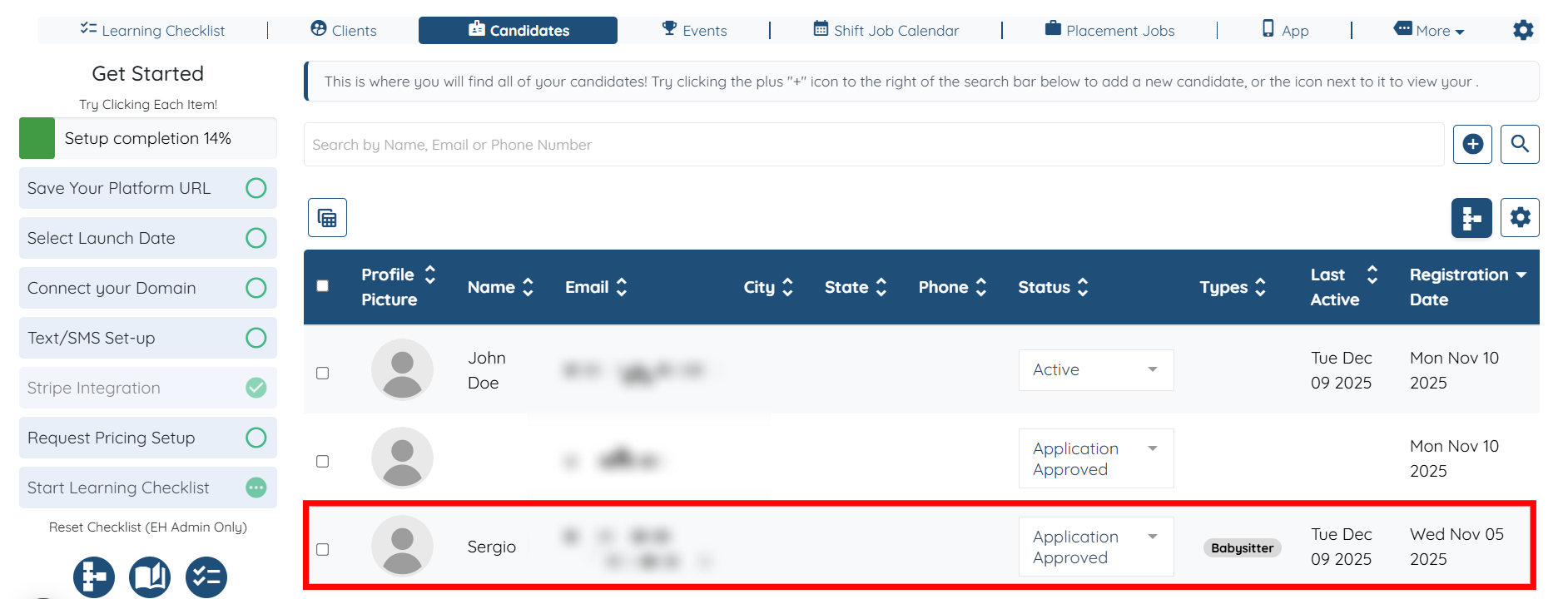
Step 2: Click any of the candidates from the list for whom you want to add a note to their profile.
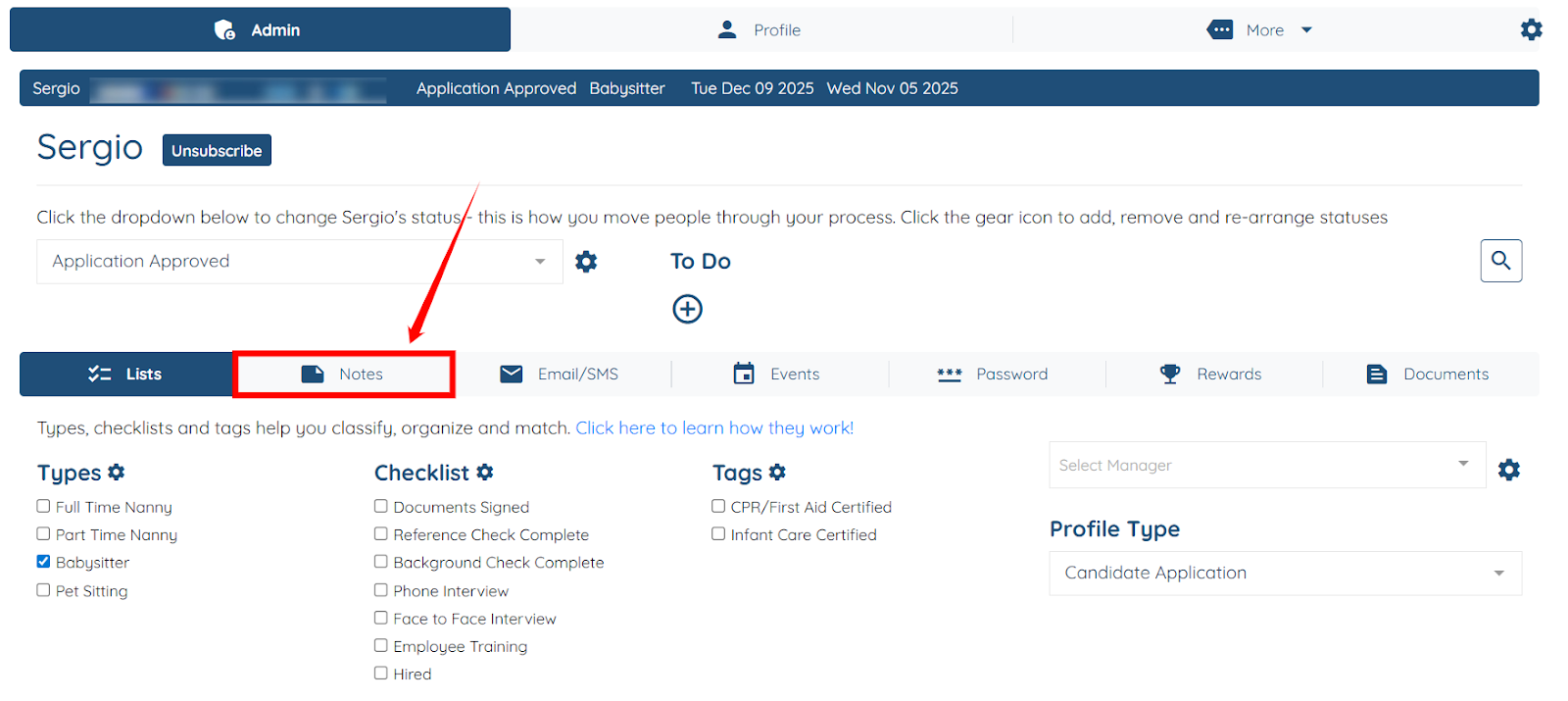
Step 3: Click the Notes tab from the list of available tabs.
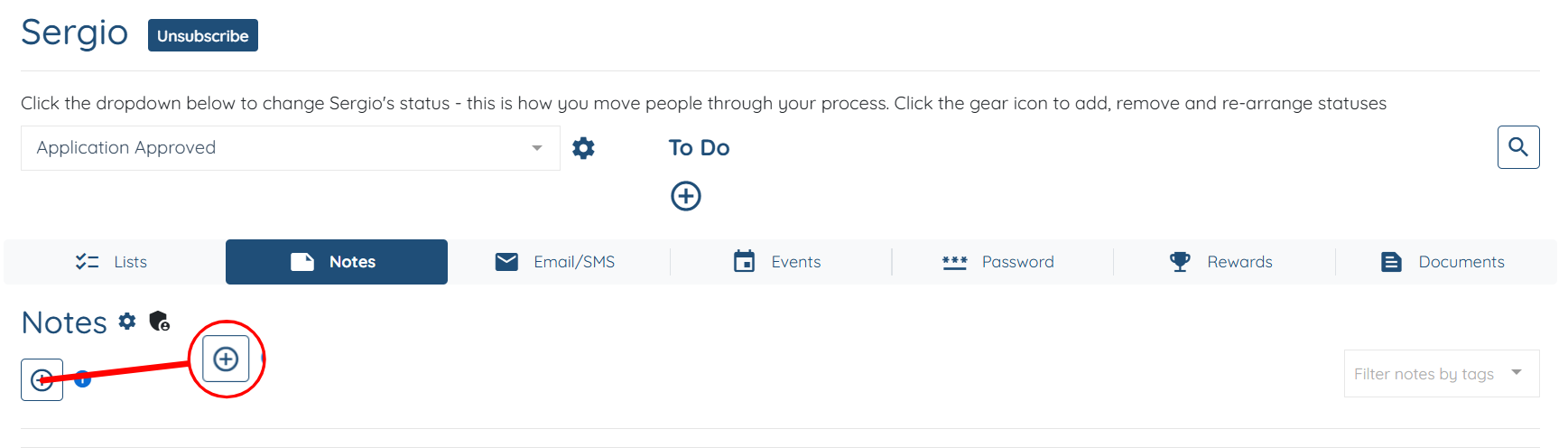
Step 4: Click the + button to start adding a note.
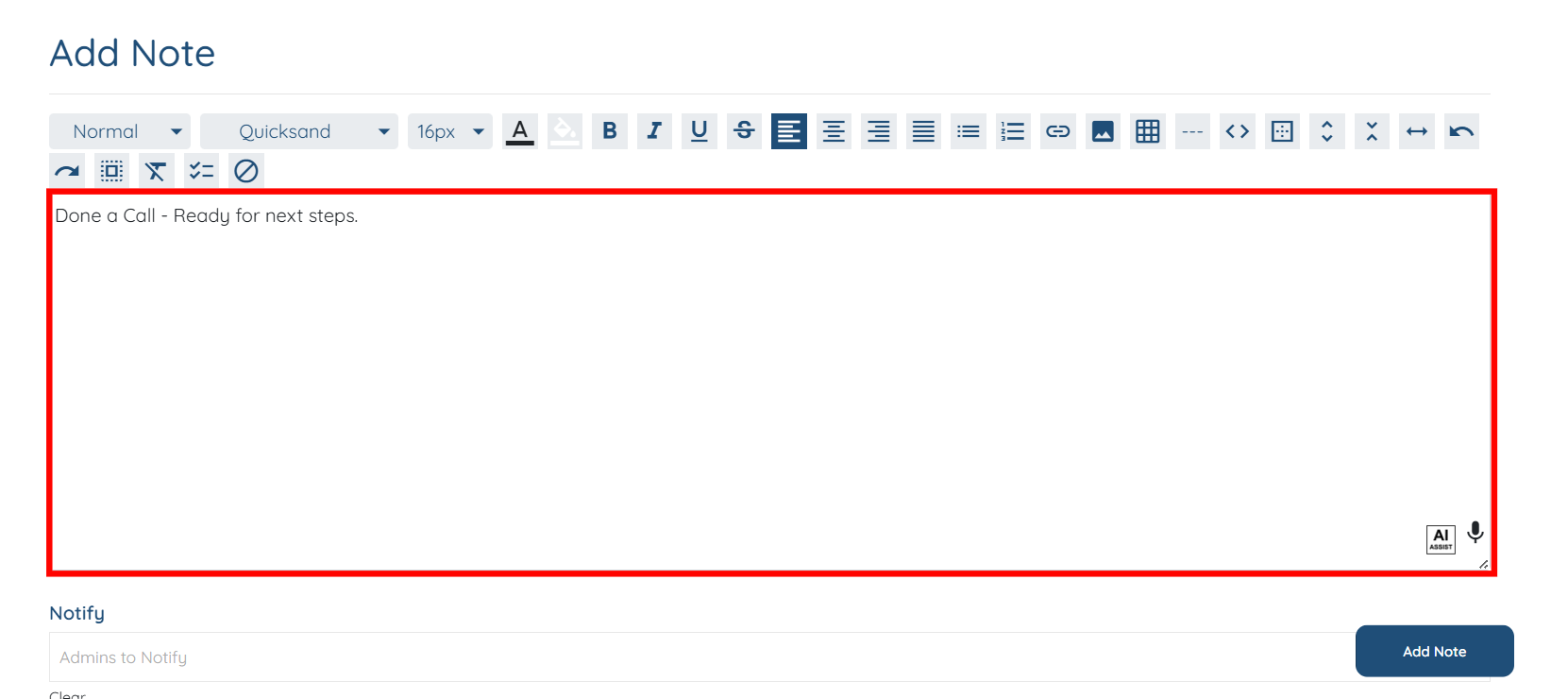
Step 5: Add the required note using the text editor.
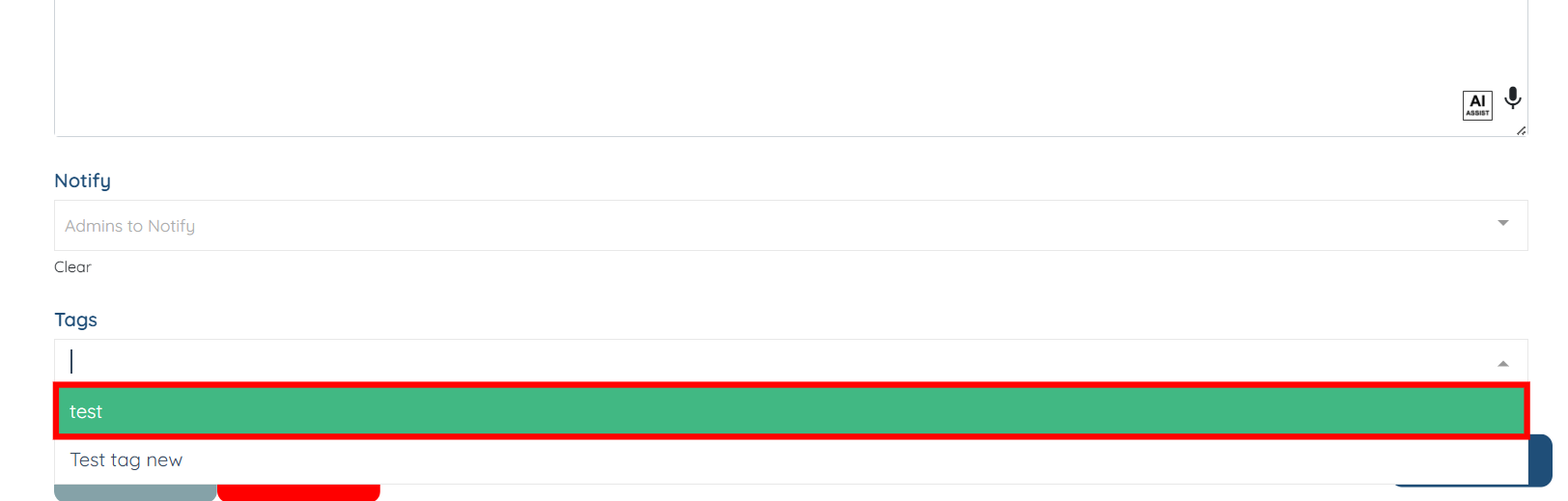
Step 6: Scroll down and select the appropriate tag for your note from the dropdown menu.
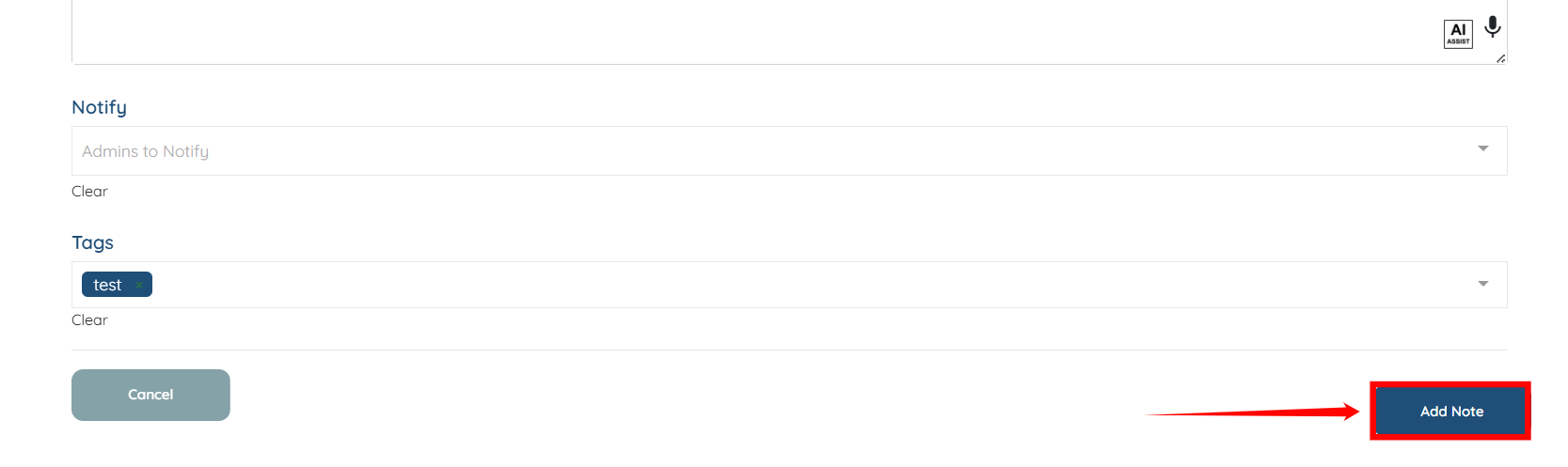
Step 7: Click the Add Note button to proceed.
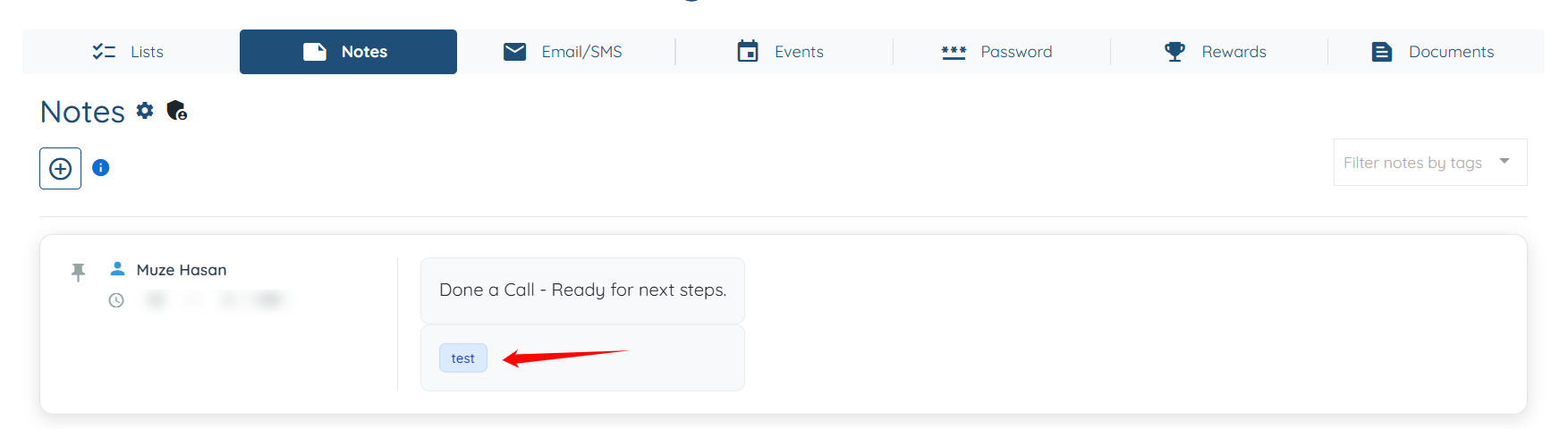
The note with the selected tag will be added successfully.
If this doesn't answer your questions you can always contact us by clicking here
