
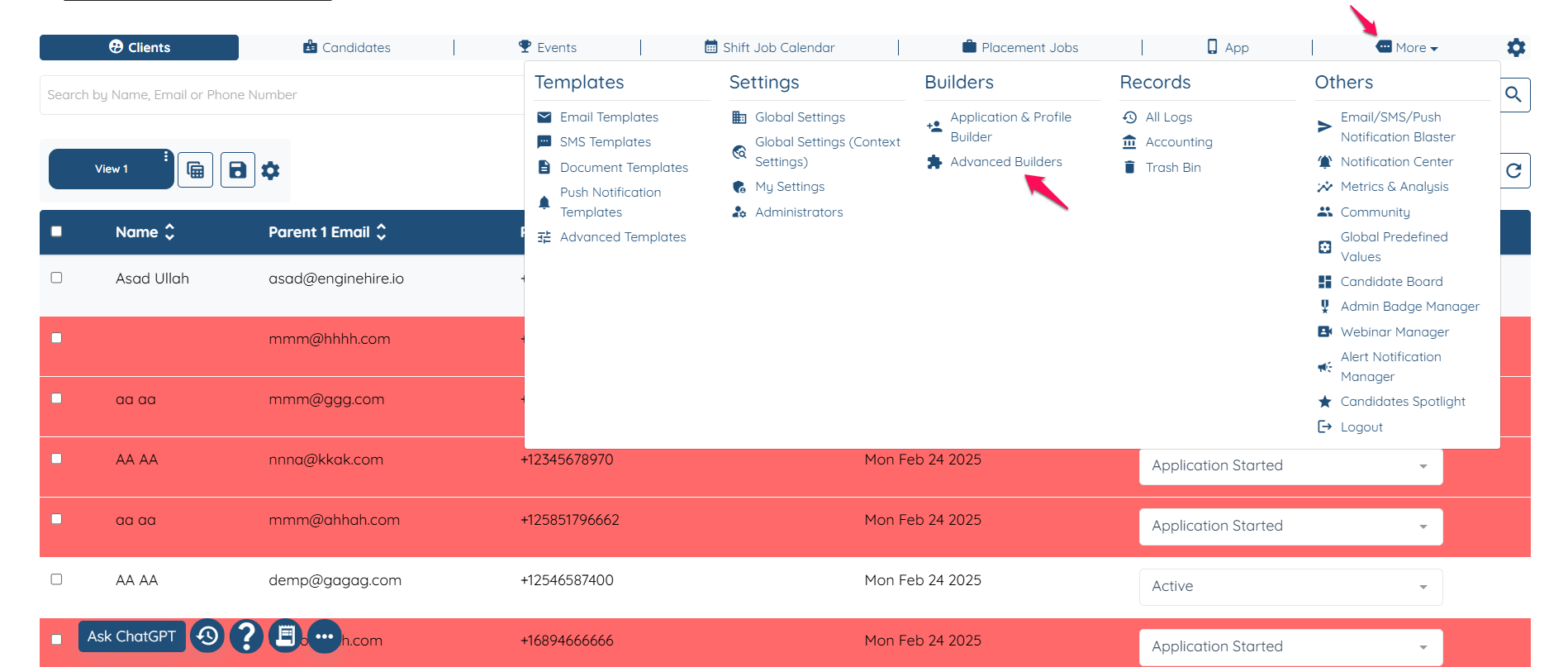
Go to More and Advance Builder.
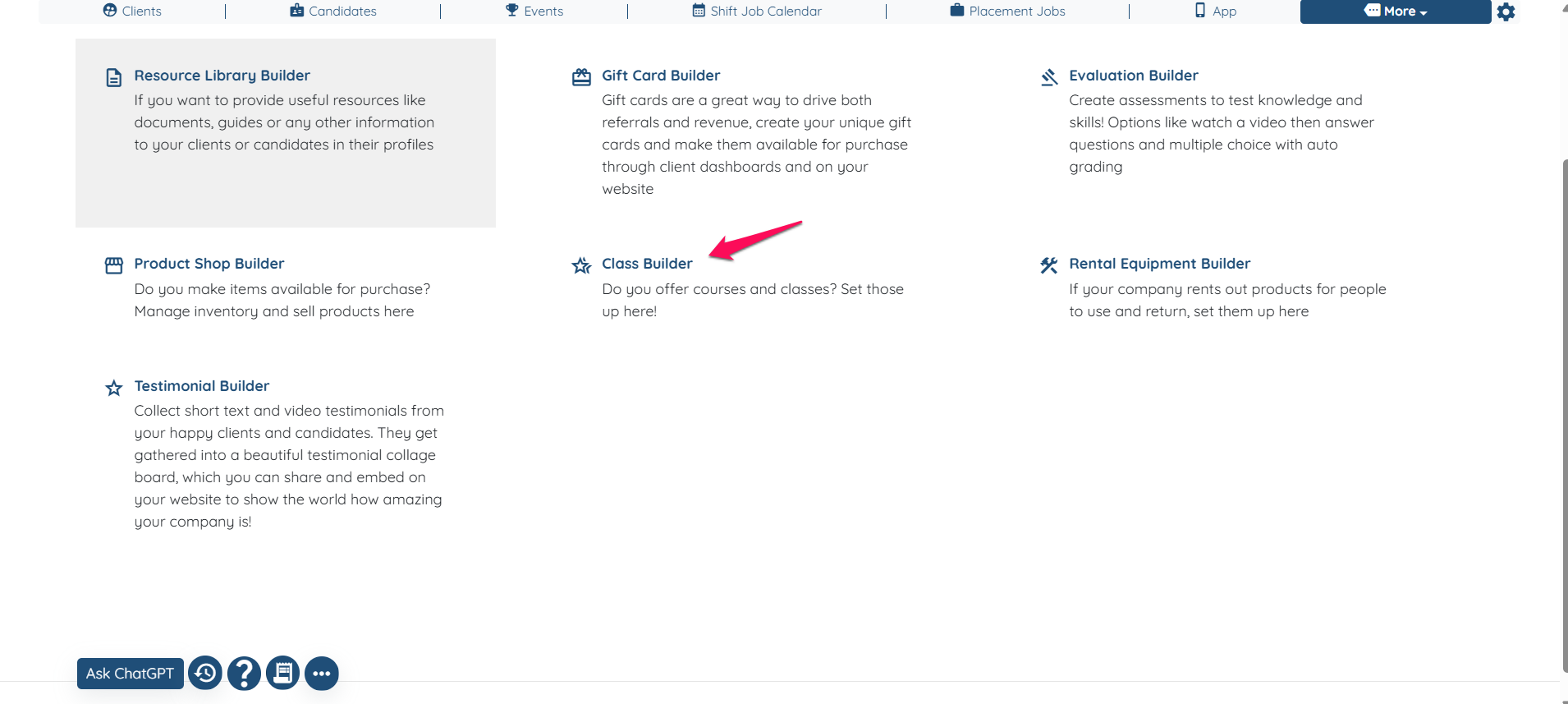
Click on Class Builder.
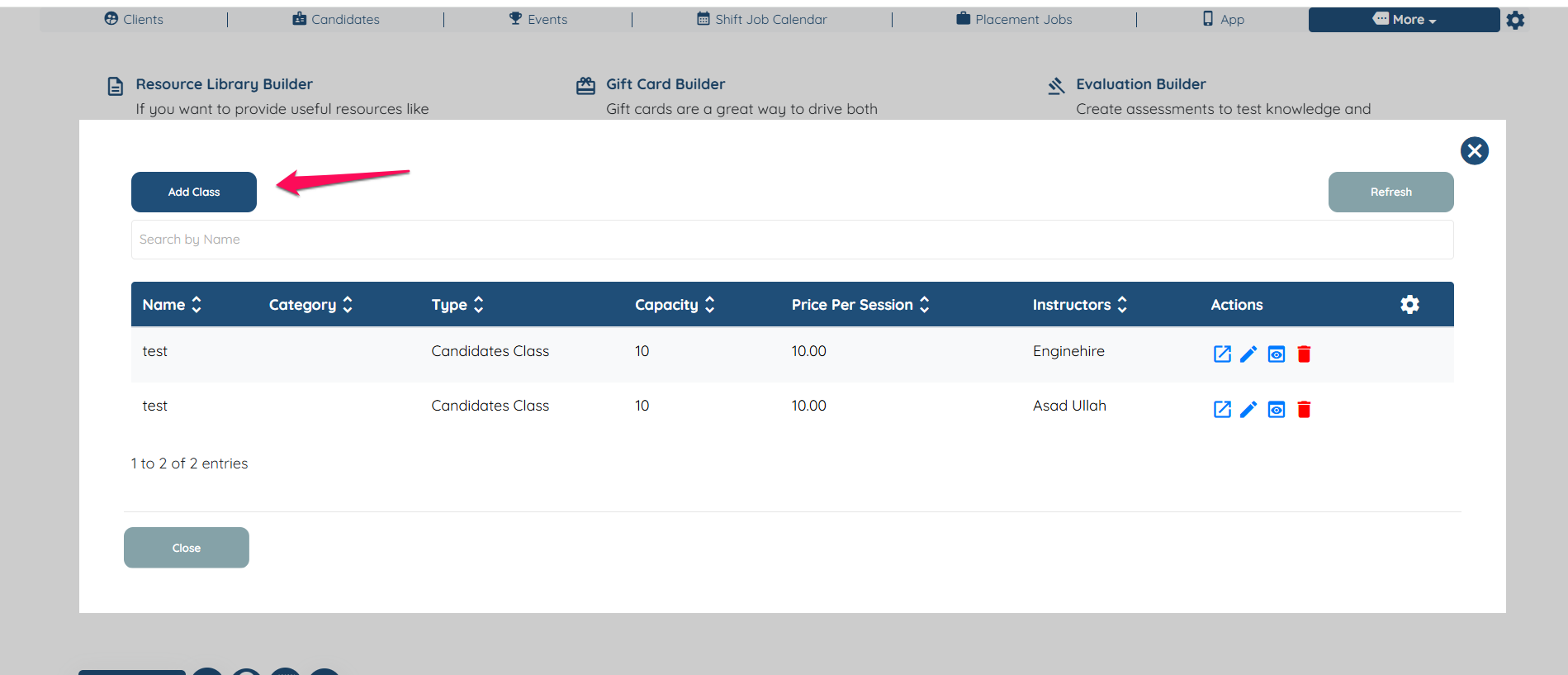
Click on Add Class.
Fill out the information about your class.
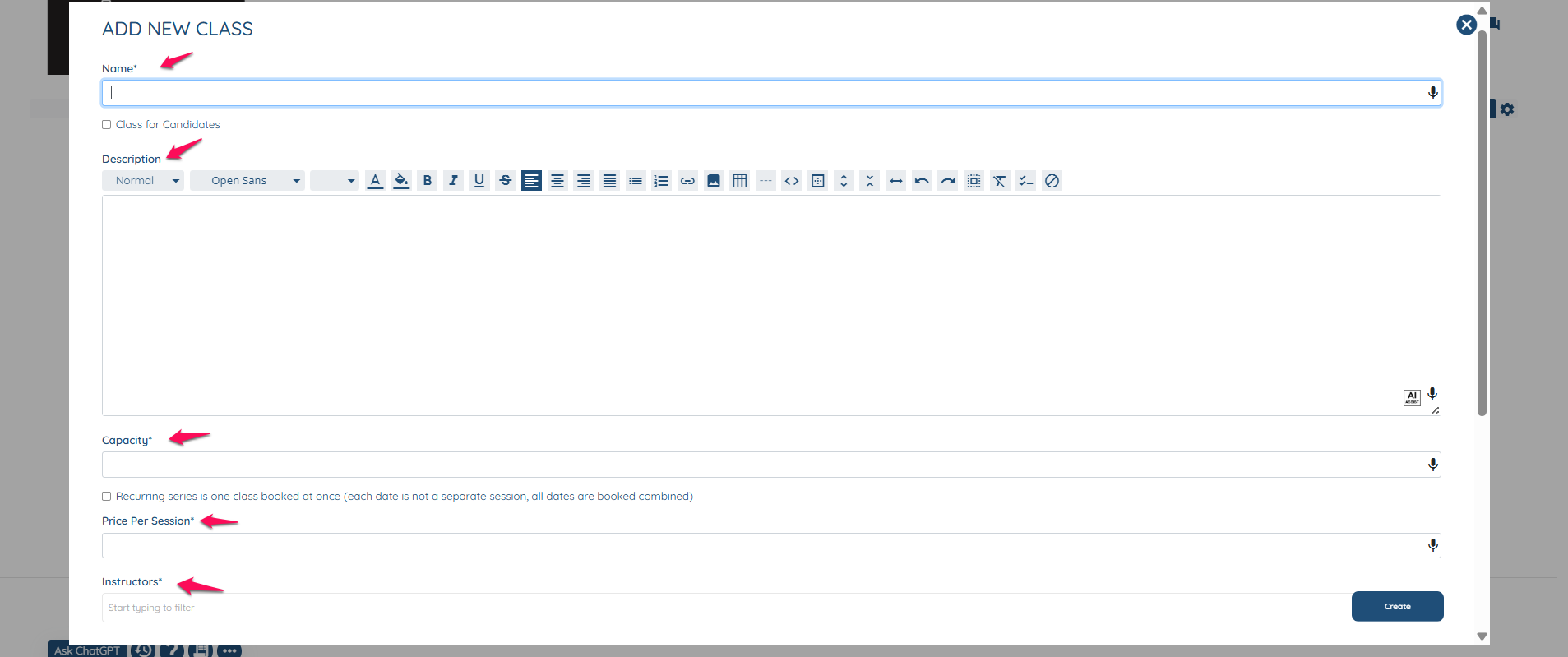
Select Update to create your class and save your work.
Go to your Application Builder and select Profile Builder.
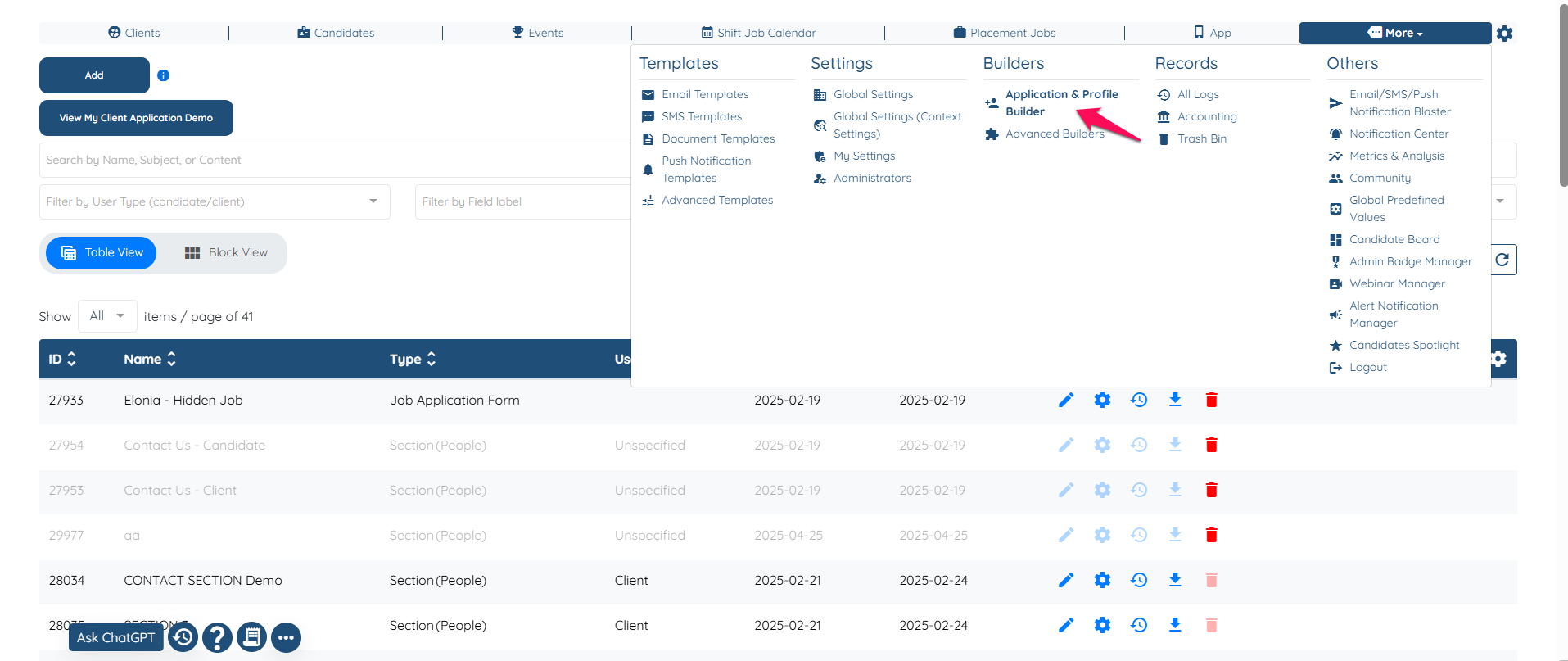
Select the Client Profile you'd like to add your class available and click the Pencil Icon.

Create a Field. IMPORTANT: For Field Type select Preset Section
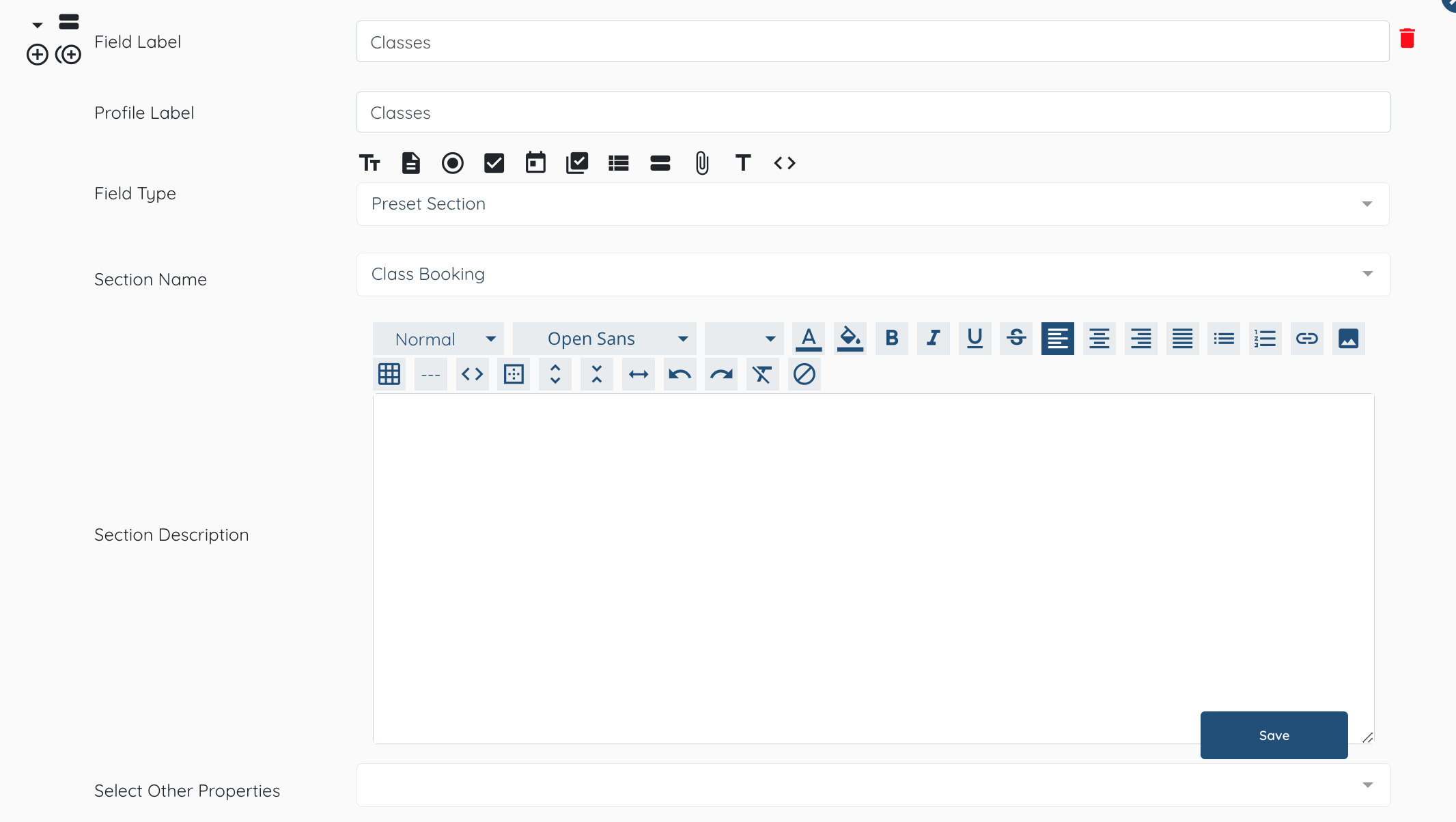
Click Update and it will appear in the profile of clients of that type.
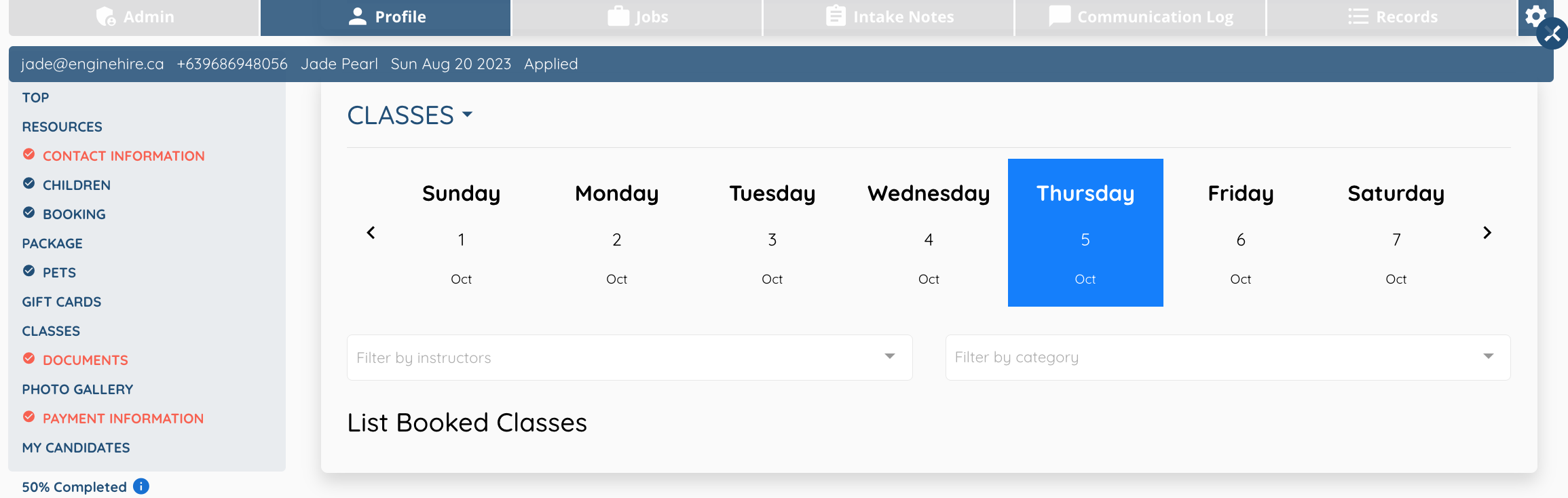
Check your work by viewing a profile.
Classes should now be added.
If this article doesn't answer your questions you can always contact us by clicking here