
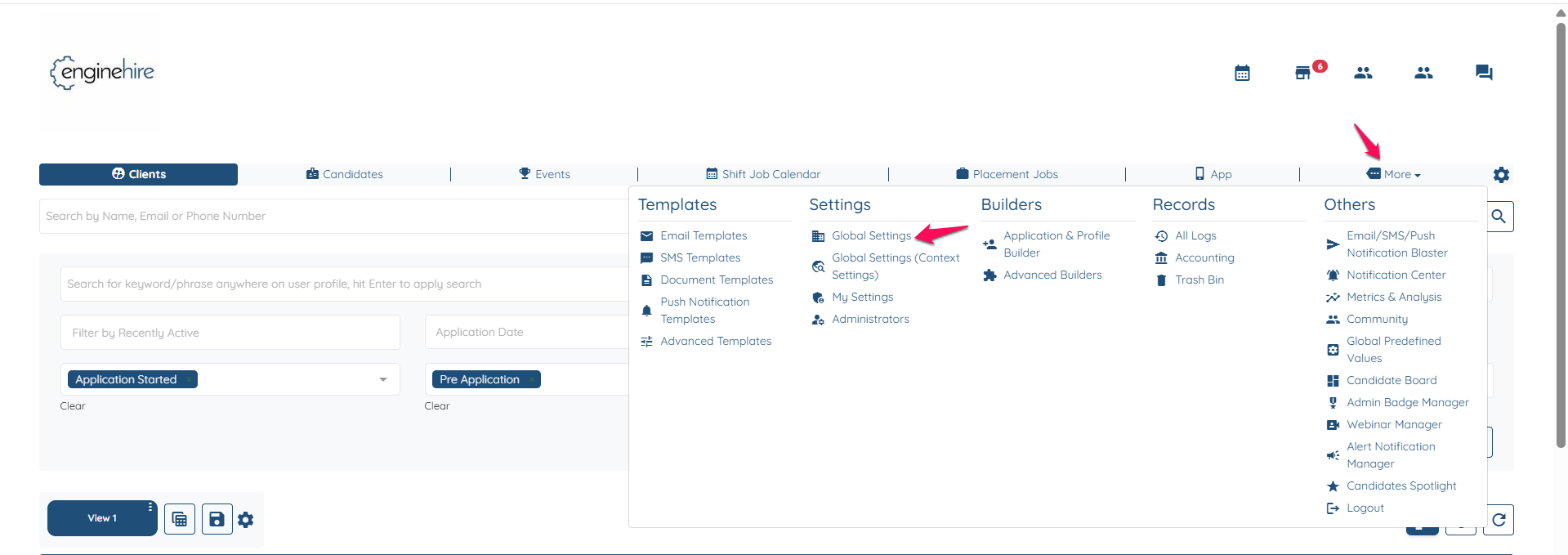
Go to More-->Global Settings.
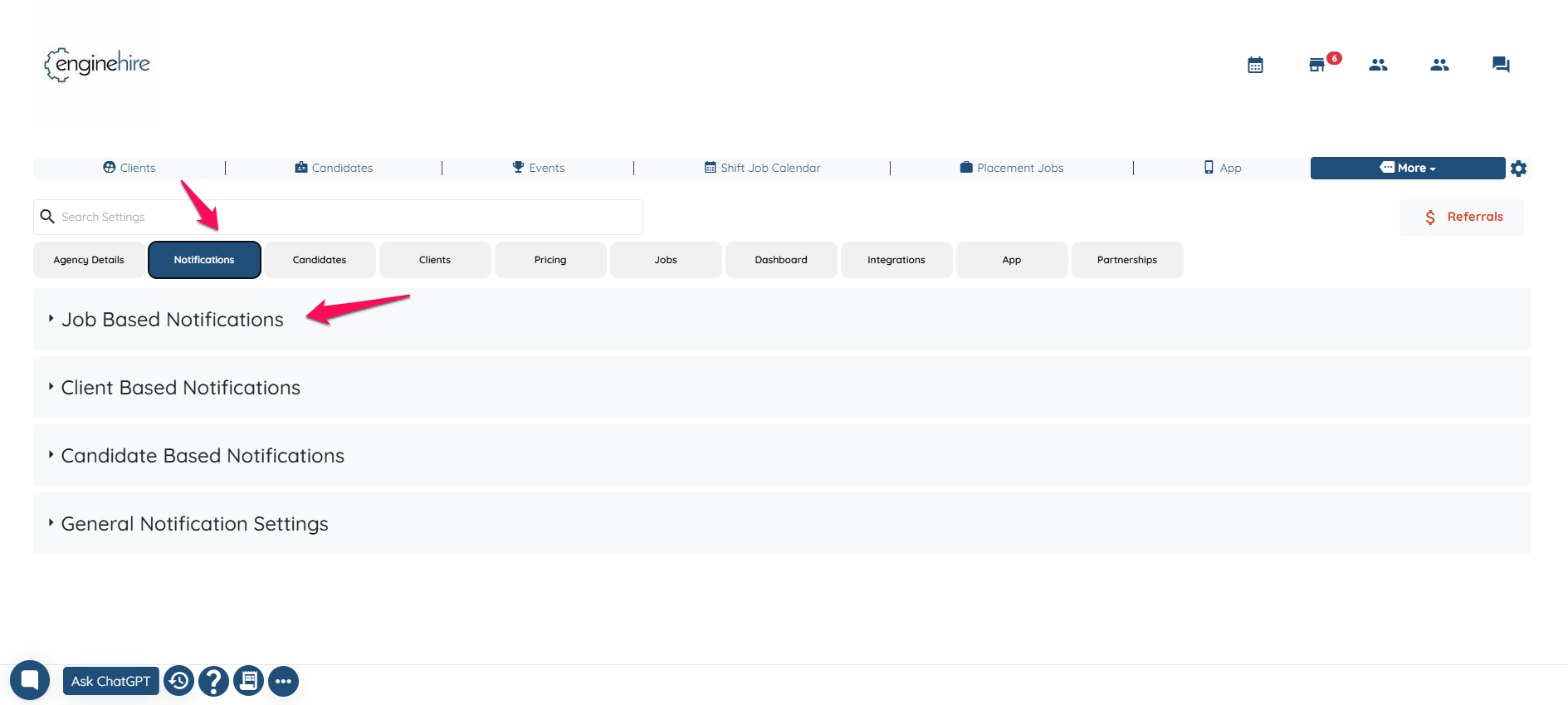
Notifications-->Job Based Notification.
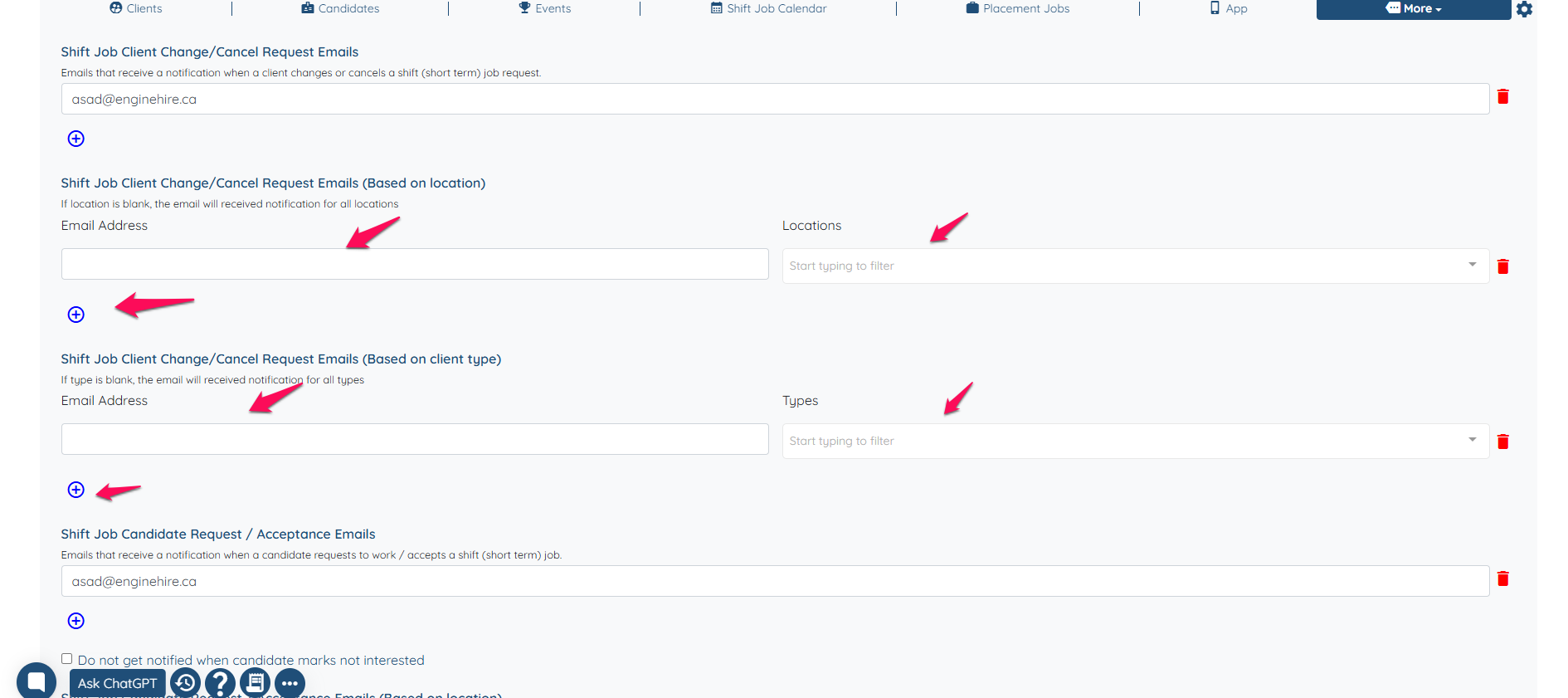
Scroll down, then click the “+” icon to add a location or type and enter the email address. You can customize who should receive notifications based on location or type.
If this video doesn't answer your questions you can always contact us by clicking here