
Let’s get started 🚀
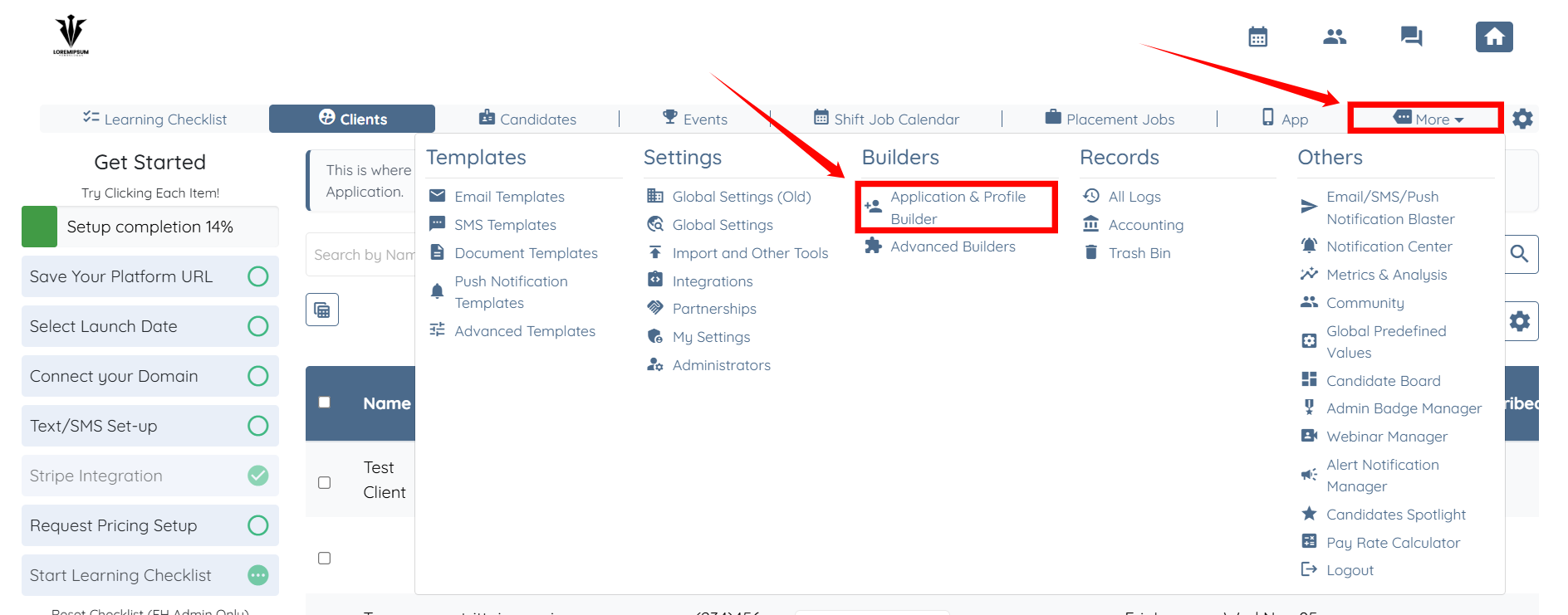
Step 1: Log in to your agent dashboard, then click More > Application & Profile Builder, as shown in the screenshot below.
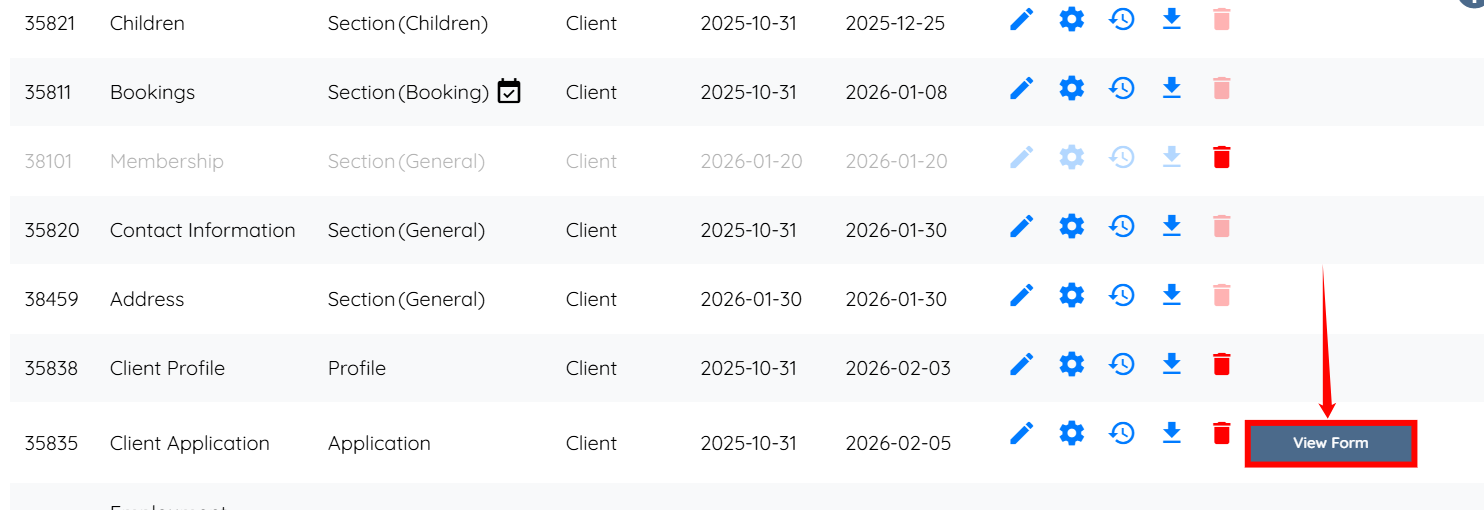
Step 2: Scroll down the page and click the View Form button for the application you want to test.

To add a new user, either a candidate or a client, please refer to the Add Users: Manually Add a Candidate or Client into Enginehire article.
If you have not created your first application yet, please refer to the Profile Builder Basics article to learn how to create your first application.
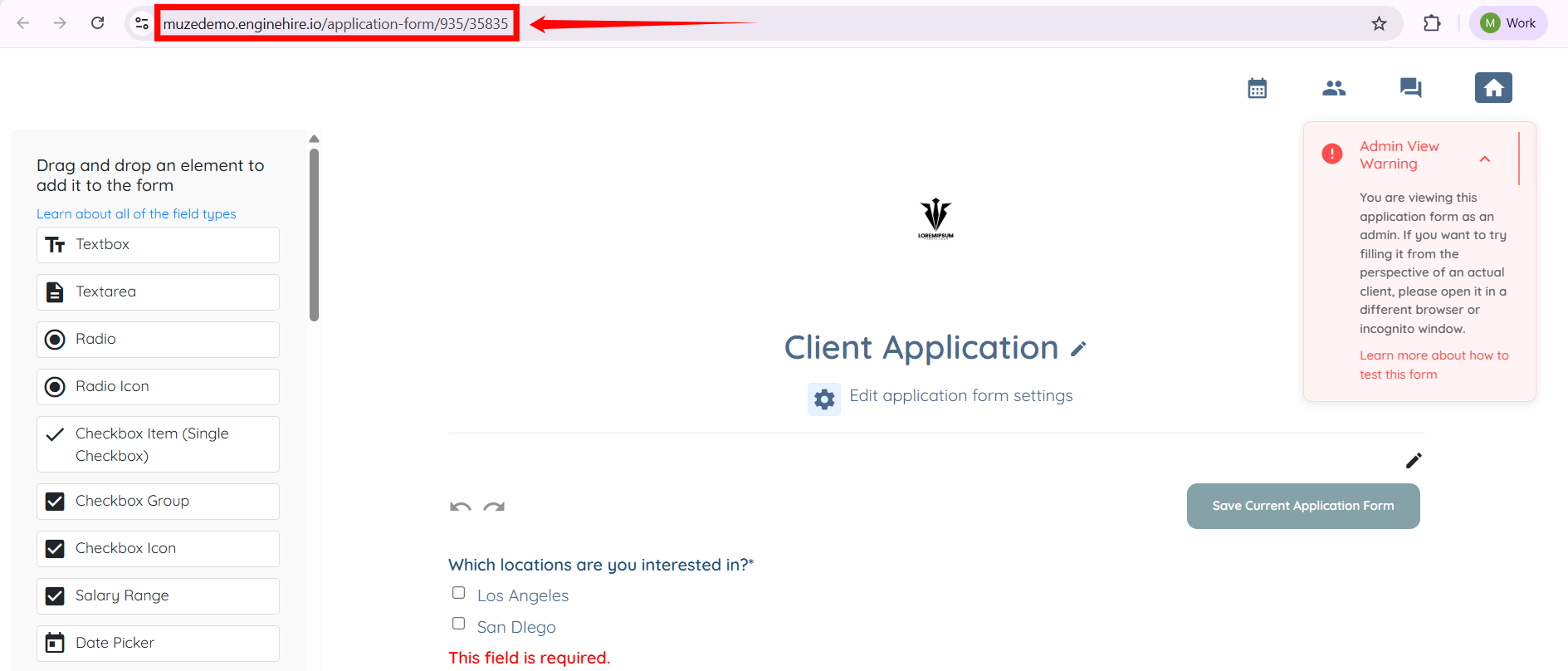
Step 3: You will initially see this as an Admin. To test it as a client or candidate, copy the URL of the application.
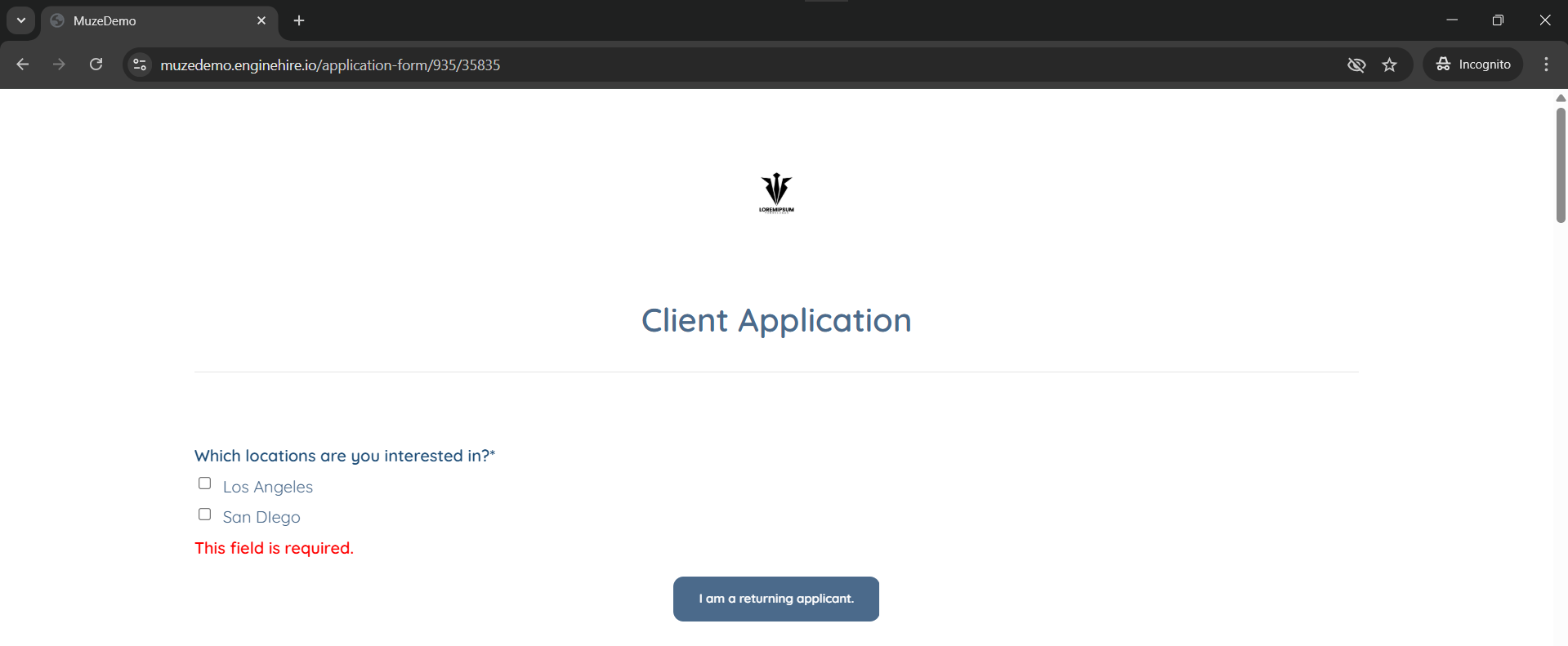
Step 4: Open a private browser window and paste the URL into it. Then, select every checkbox and fill in all required details, including a real address.
This process ensures that your system functions correctly when using this as a functional test account.
If this doesn't answer your questions you can always contact us by clicking here