
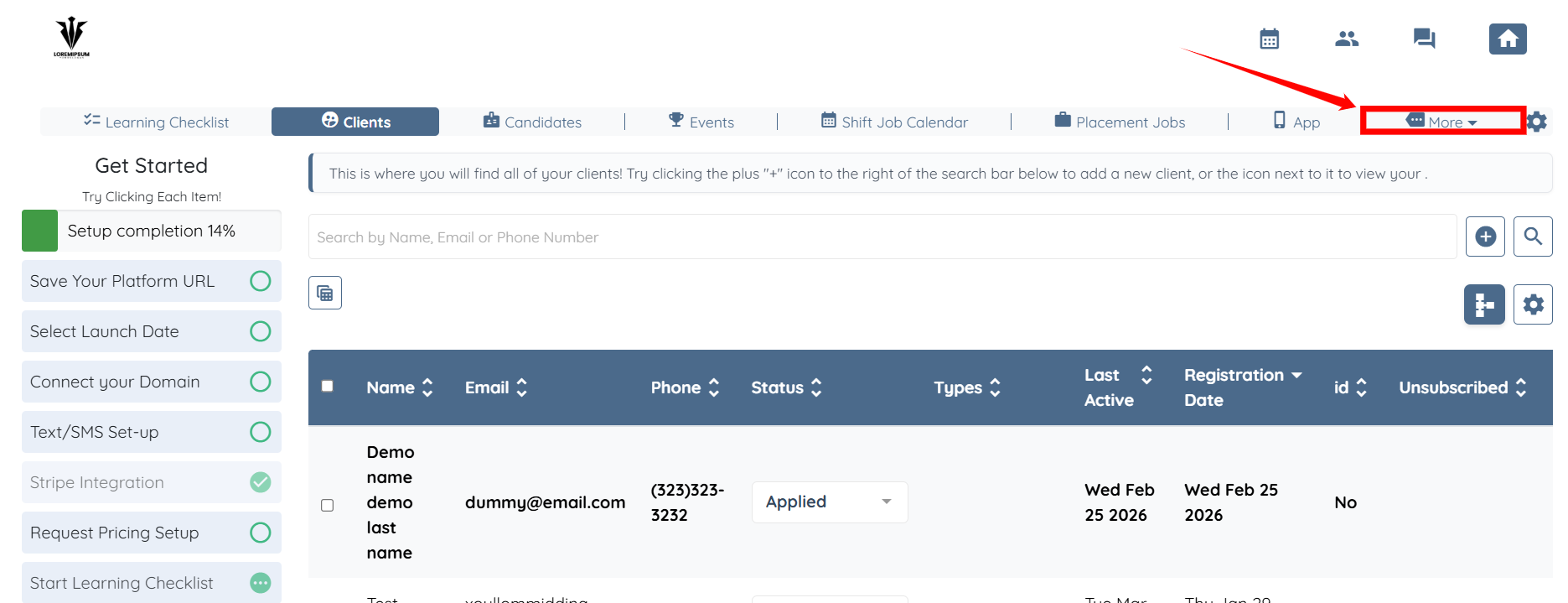
1. On your agent dashboard, click More.
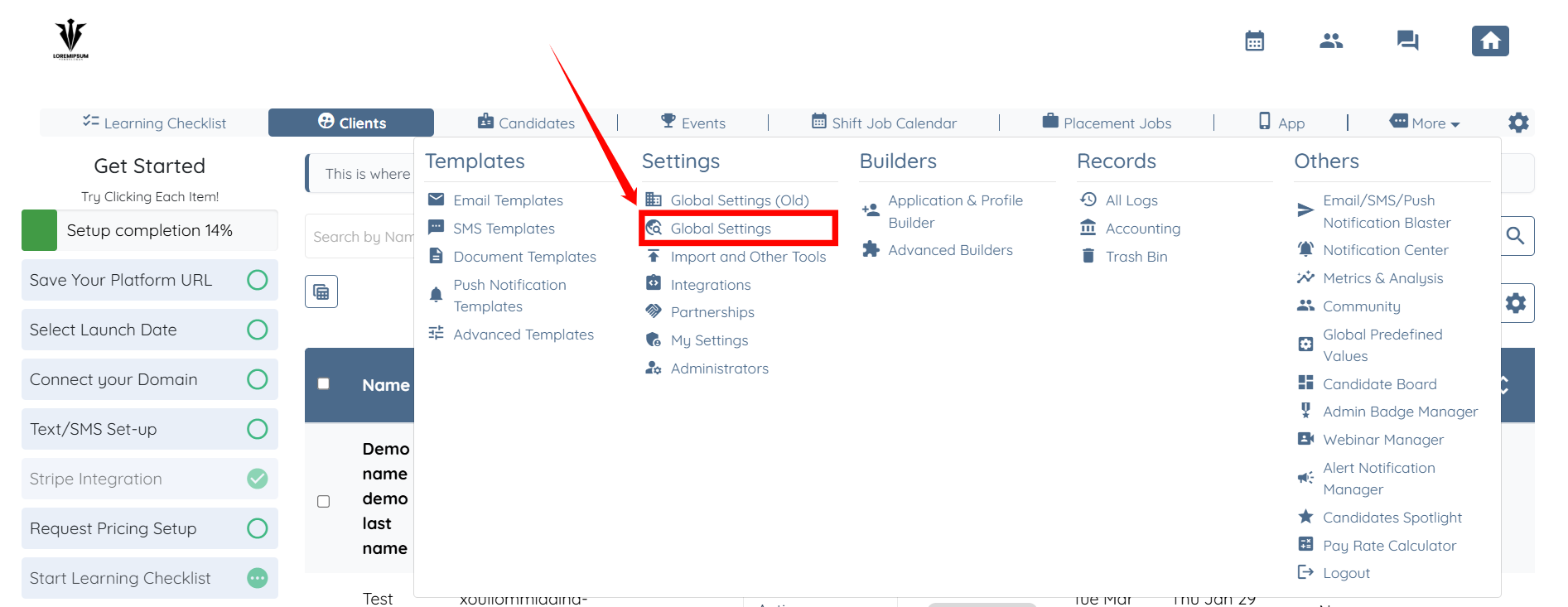
2. Select Global Settings.
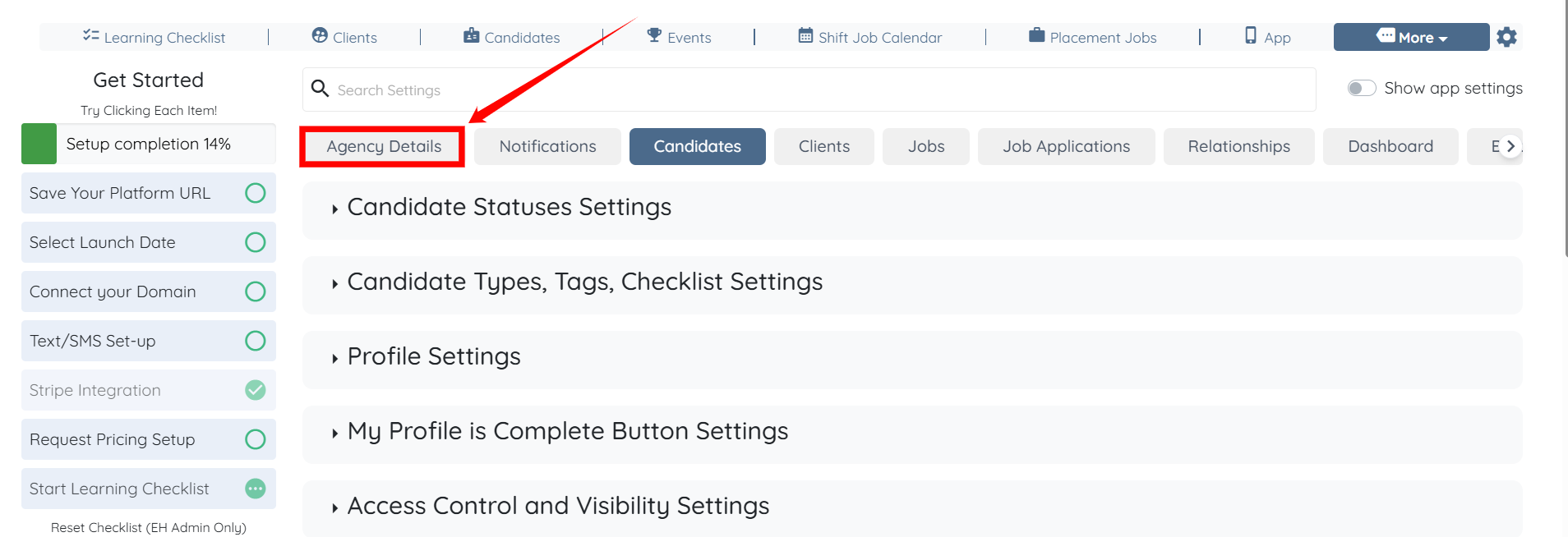
3. Click Agency Details tab.
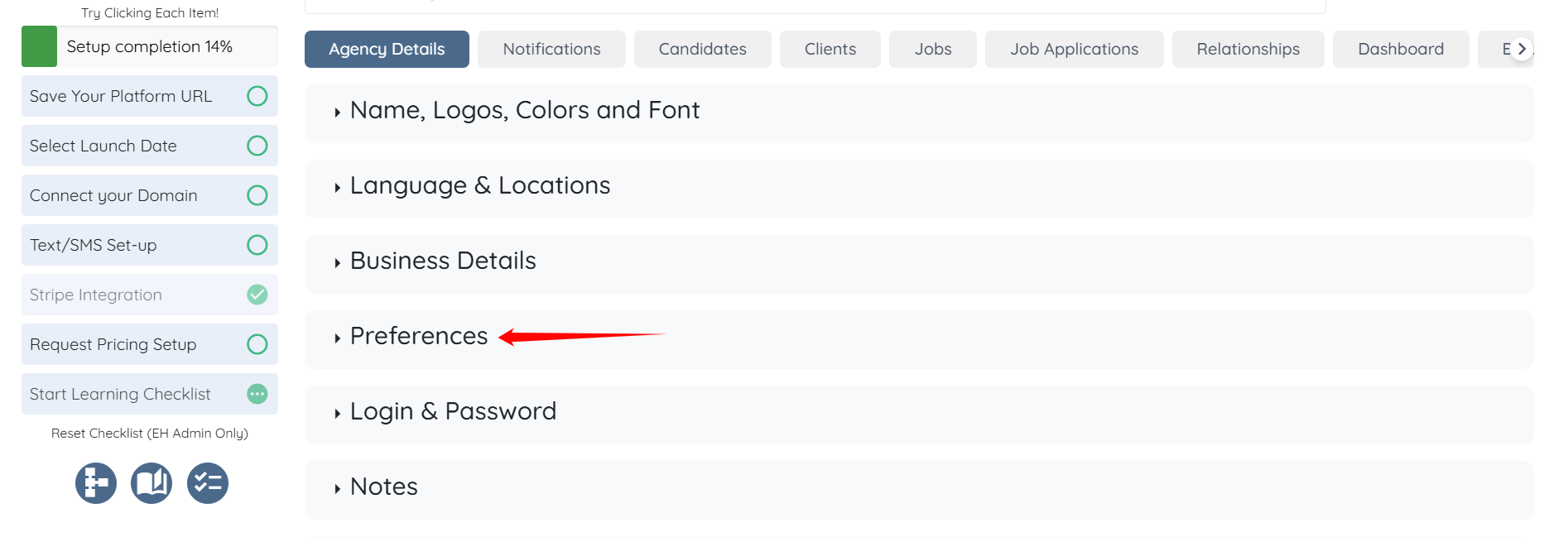
4. Select Preferences option.
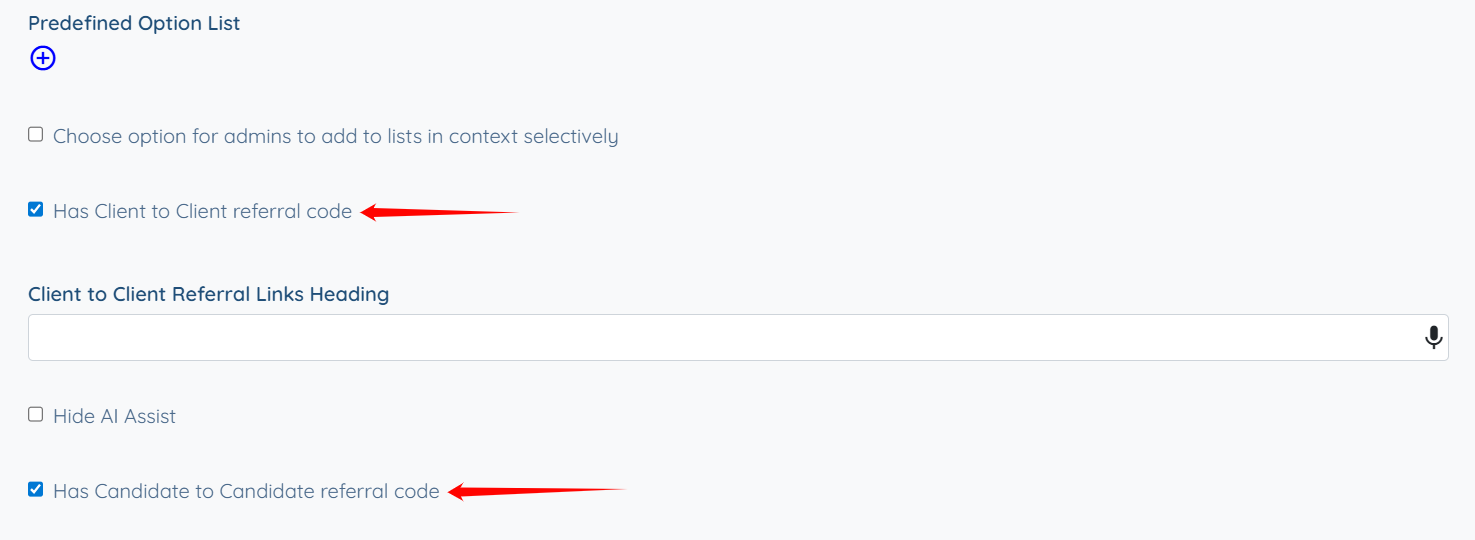
4. Select Has Client to Client Referral Code or Has Candidate to Candidate Referral Code or both.
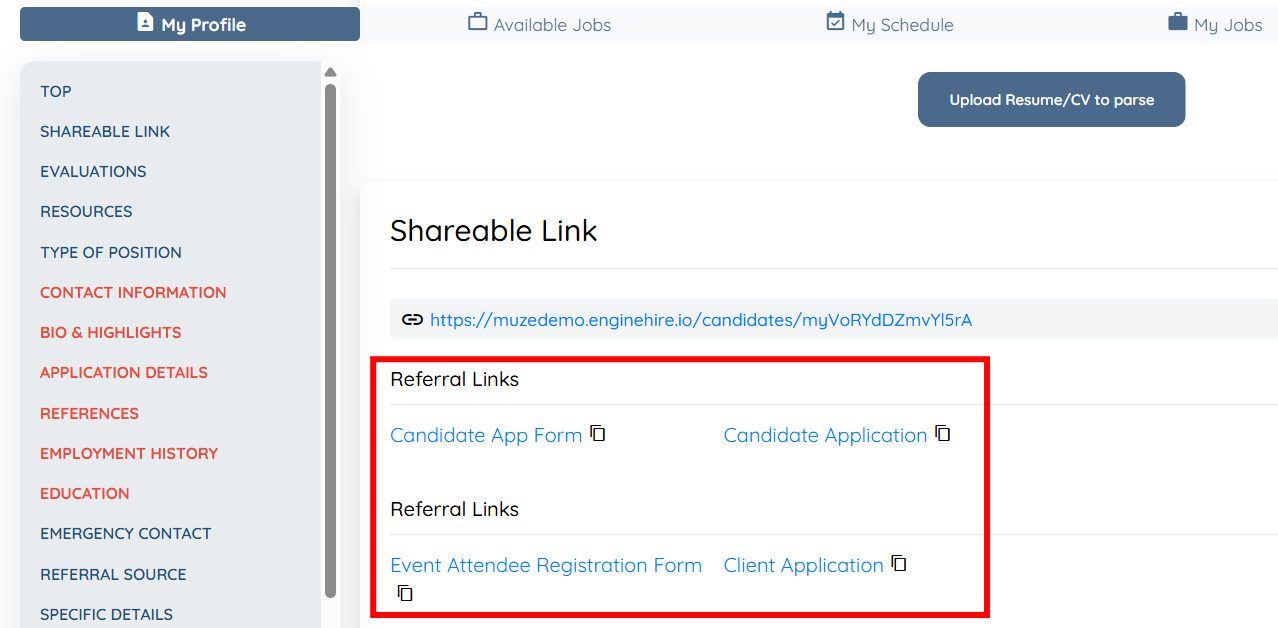
5. View the Referral Link beneath the candidate or client profile link.
There, the profile owner can select to copy and share it with others.
If this doesn't answer your questions you can always contact us by clicking here