Let’s get started 🚀
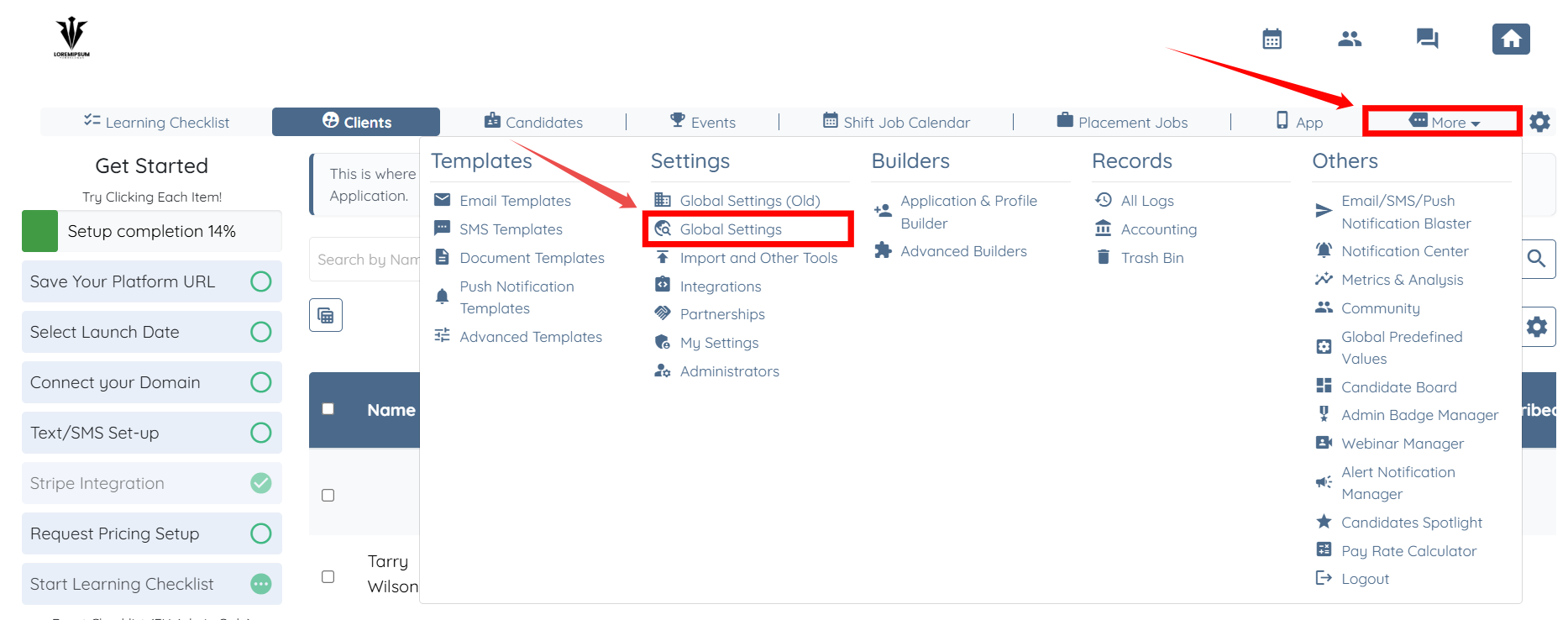
Step 1: Log in to your agent dashboard, and then navigate to More > Global Settings, as shown in the screenshot below.
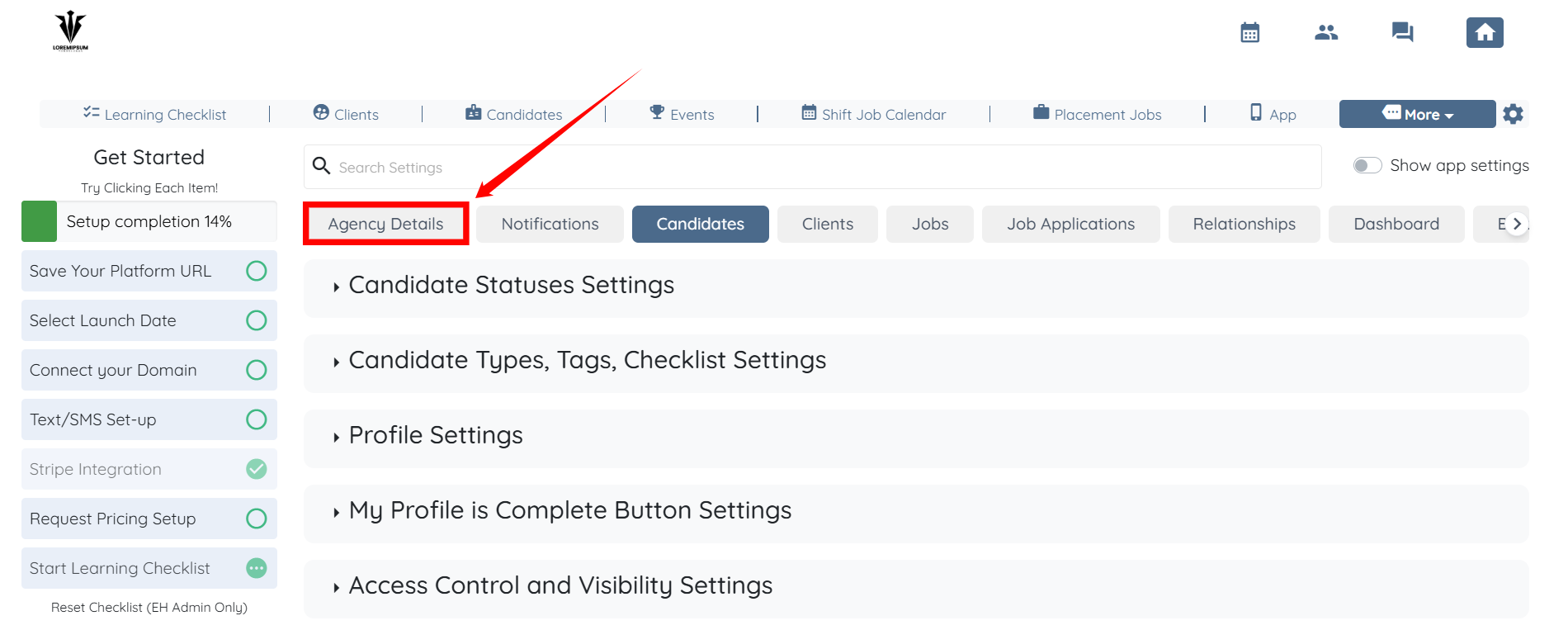
Step 2: Click the Agency Details tab from the list of available tabs.
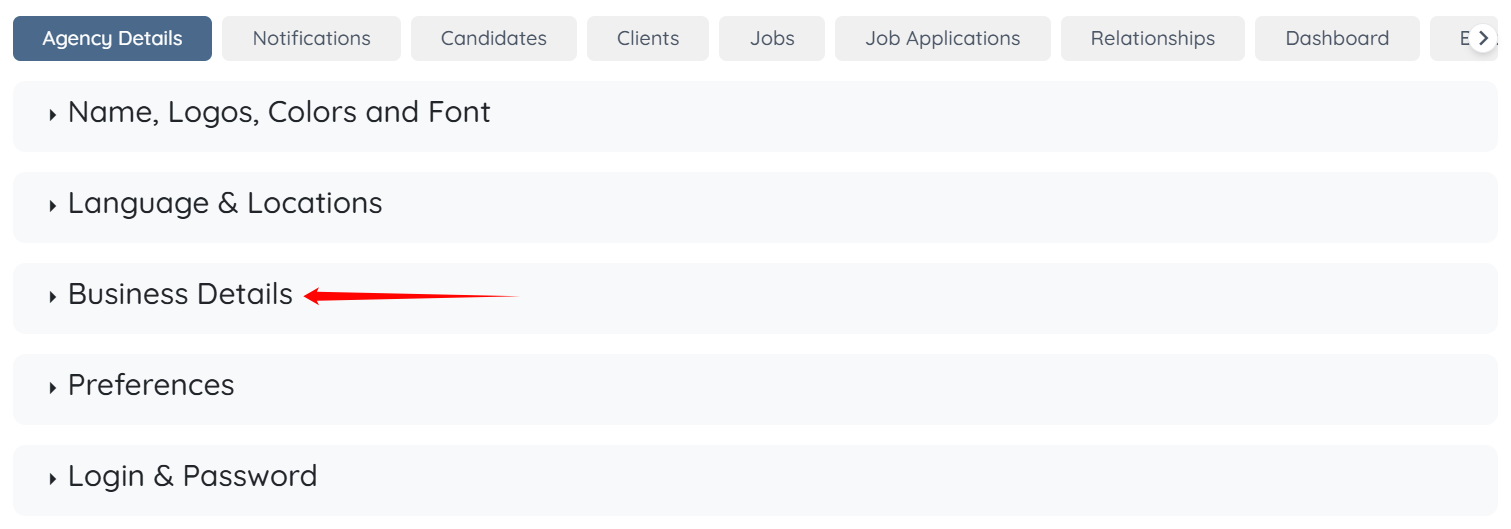
Step 3: Click the Business Details option to expand it and view the associated details.
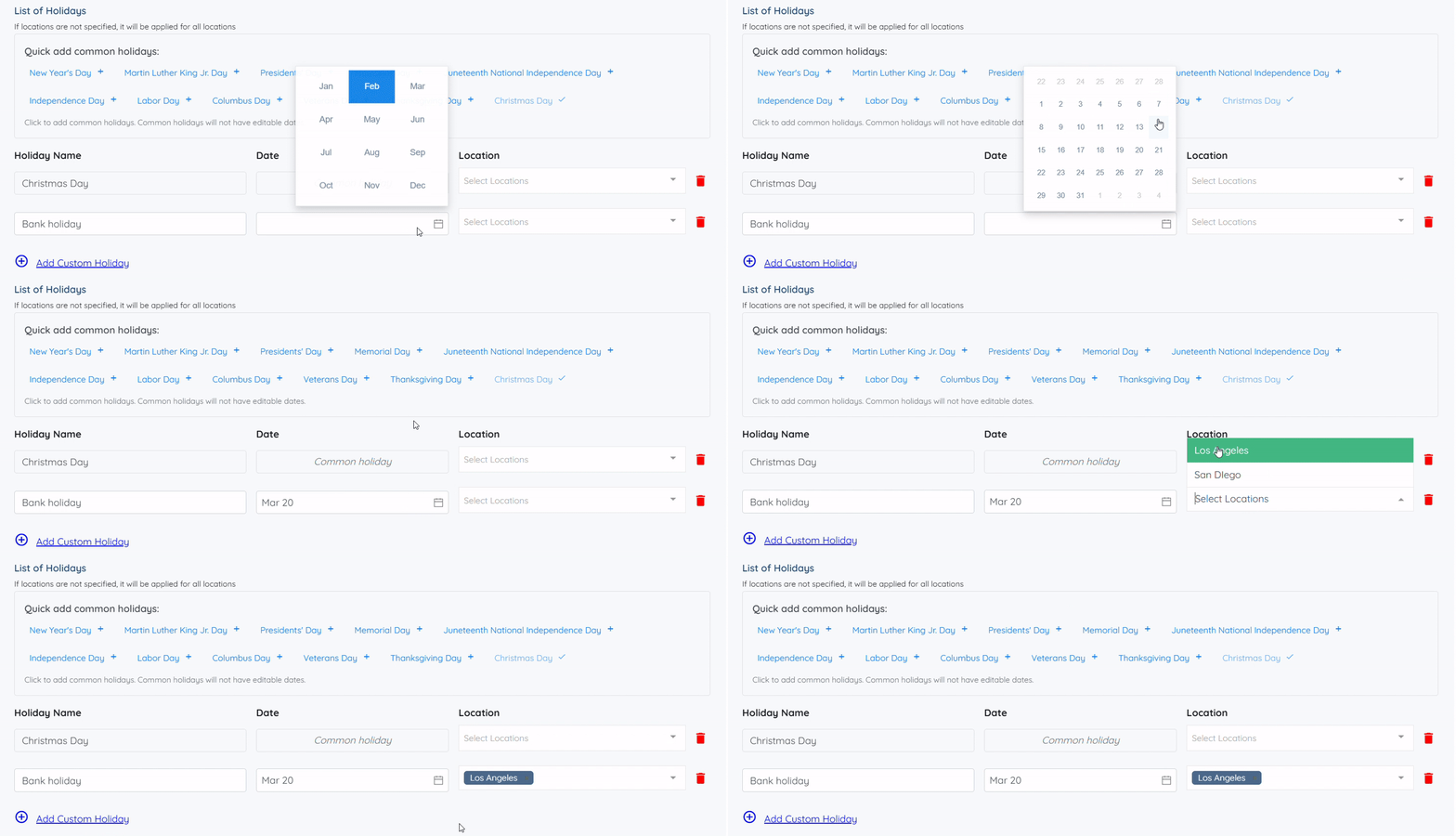
Step 4: Click Add Custom Holiday to add a holiday manually.
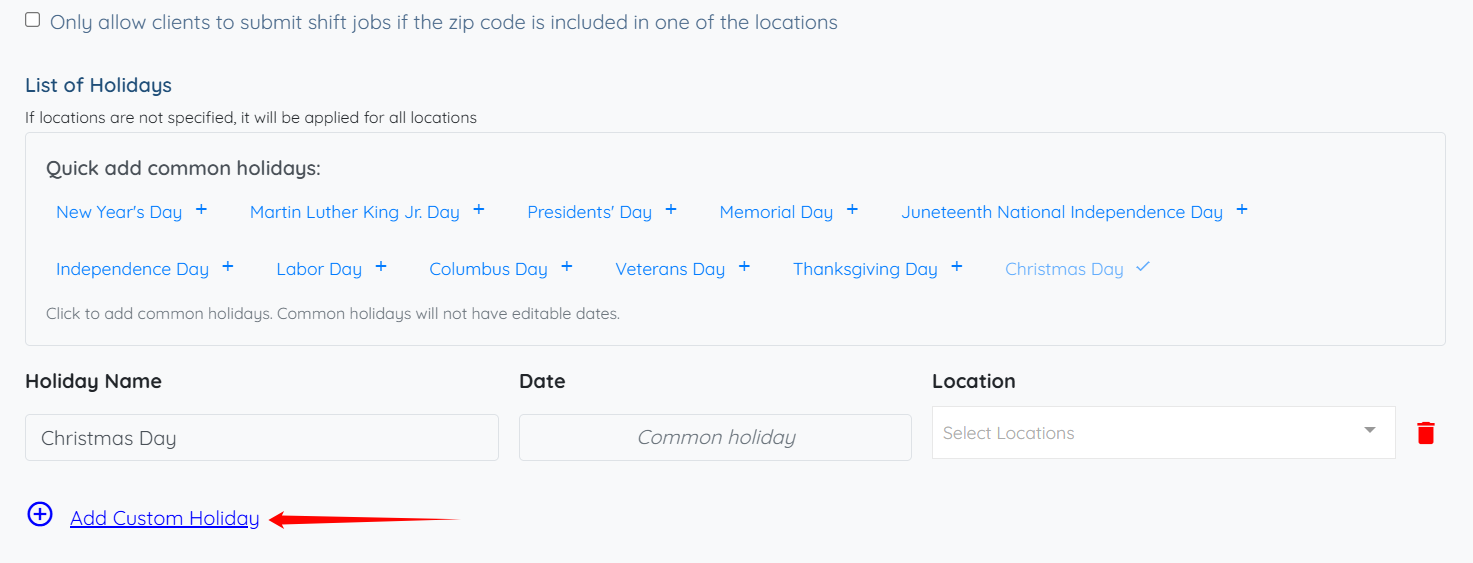
Step 5: Enter the holiday name, date, and location for the holiday. The system automatically saves the holiday once you add it.

If this doesn't answer your questions you can always contact us by clicking here
Set Holiday Hourly Rates for Shift Jobs
How to set different minimum hours in shift job for weekday, weekend or holiday
