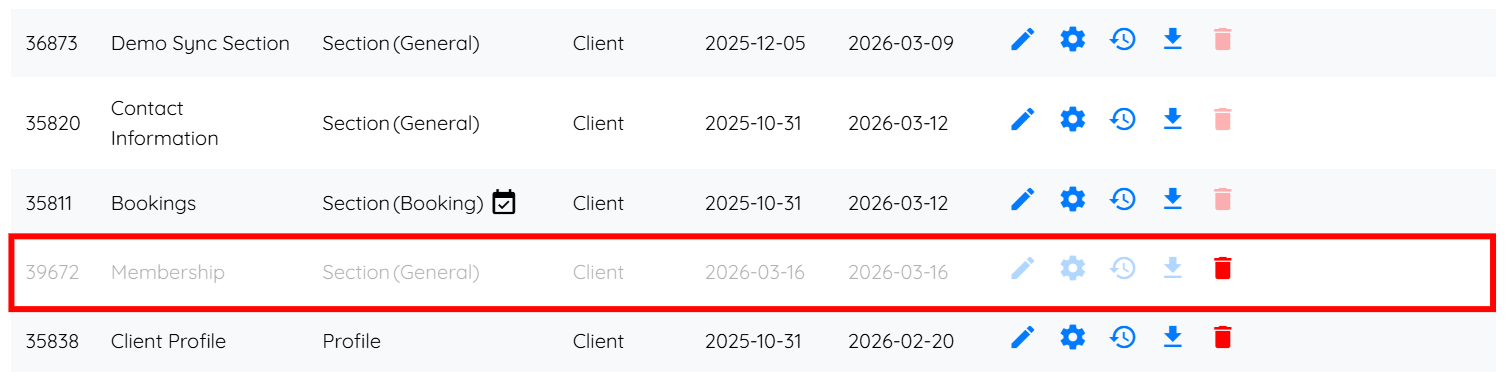
Let’s get started 🚀
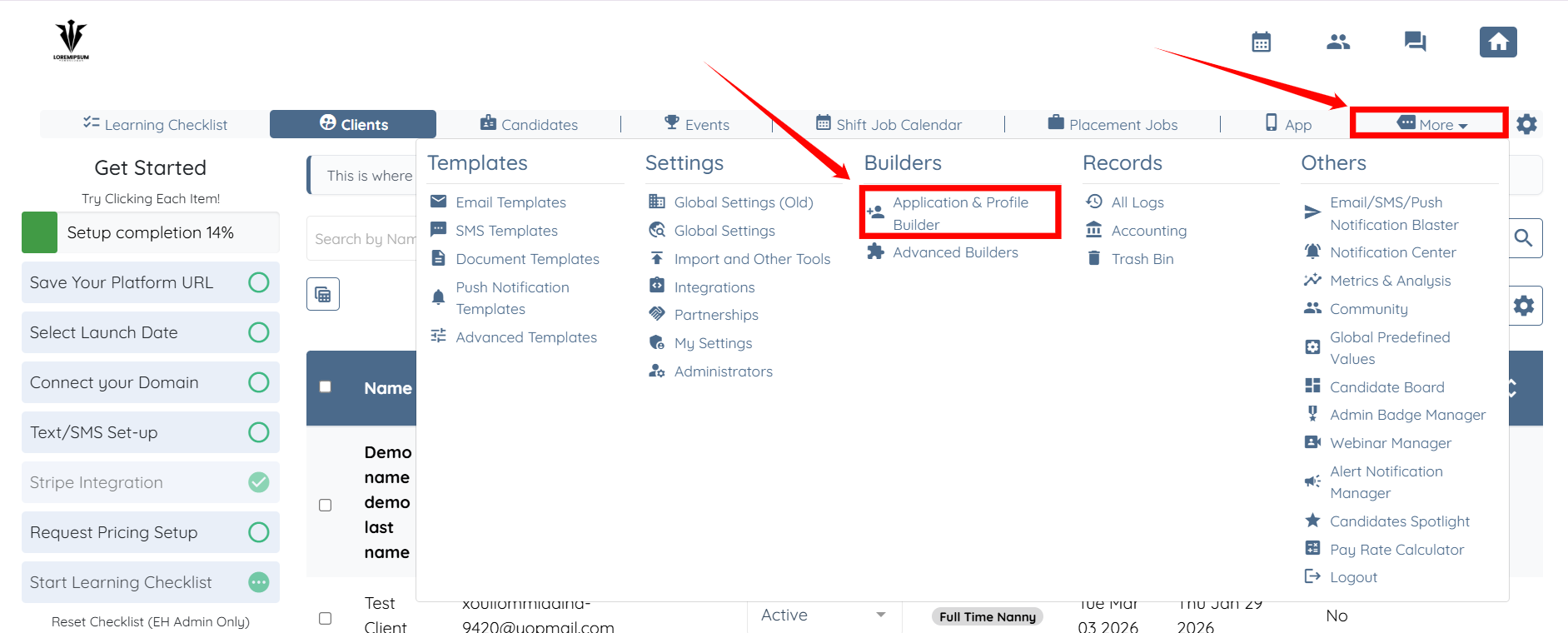
Step 1: Log in to your agent dashboard and click on More > Application & Profile Builder as shown in the screenshot below.
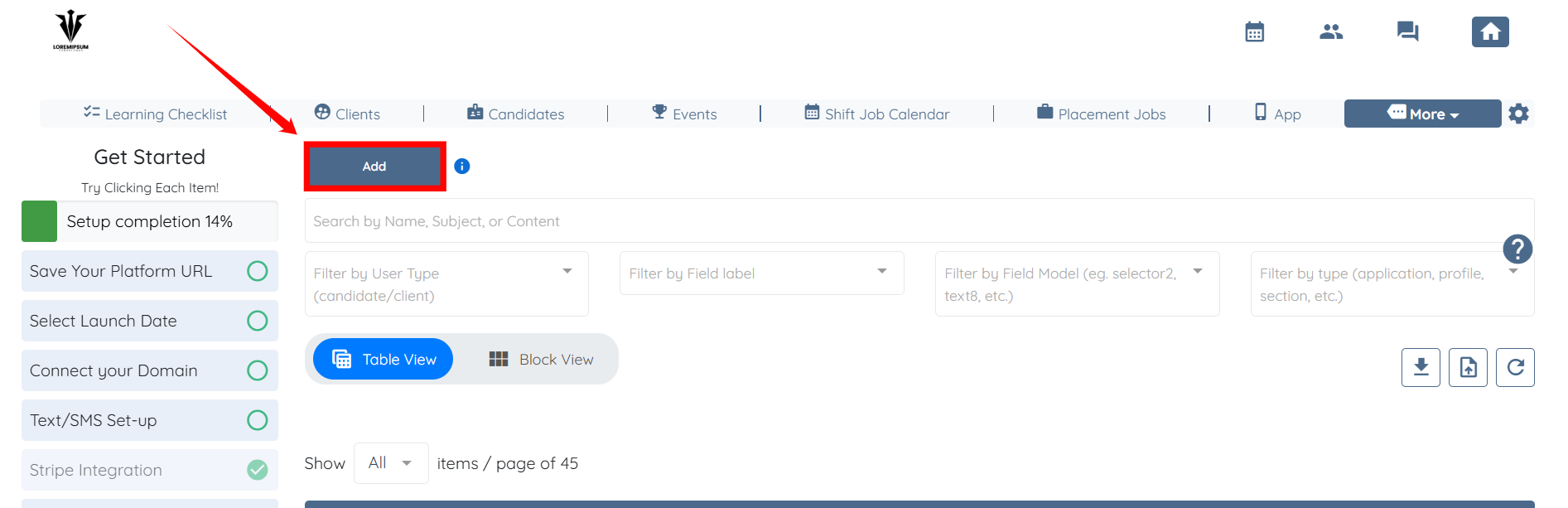
Step 2: Click the Add button to create a new section for memberships.
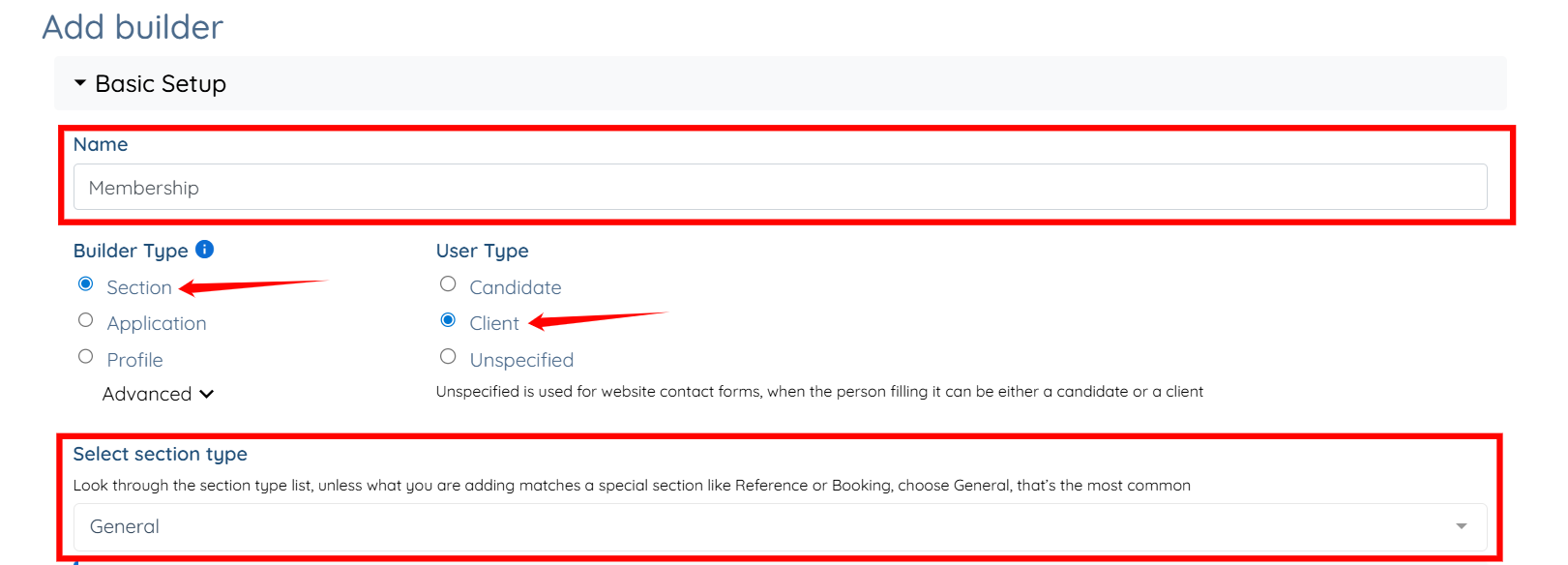
Step 3: Enter a name for the section, select Section as the Builder Type, Client as the User Type, and General as the Section Type.

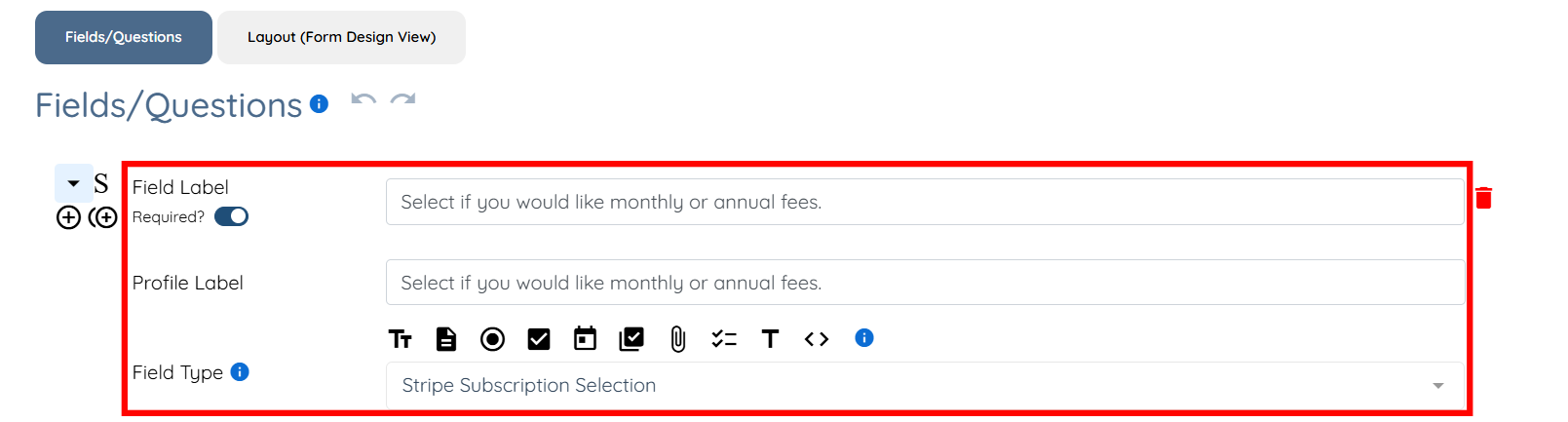
Step 4: Enter the Field Label and Profile Label, then select Stripe Subscription Selection as the Field Type.
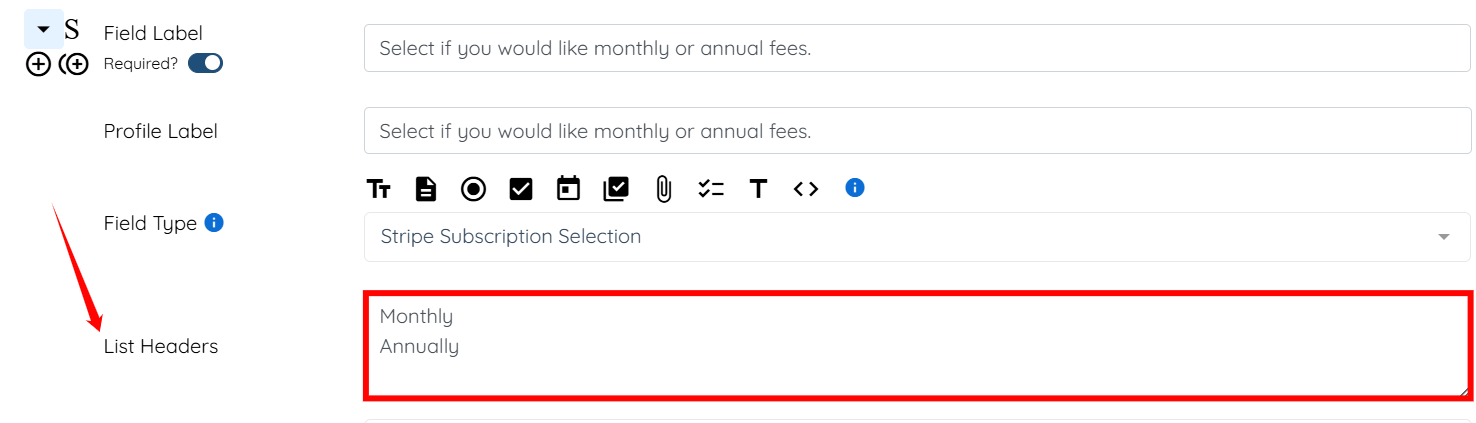
Step 5: In the List Headers field, enter the options you want clients to choose from for recurring charges.
For example: Monthly and Annually.
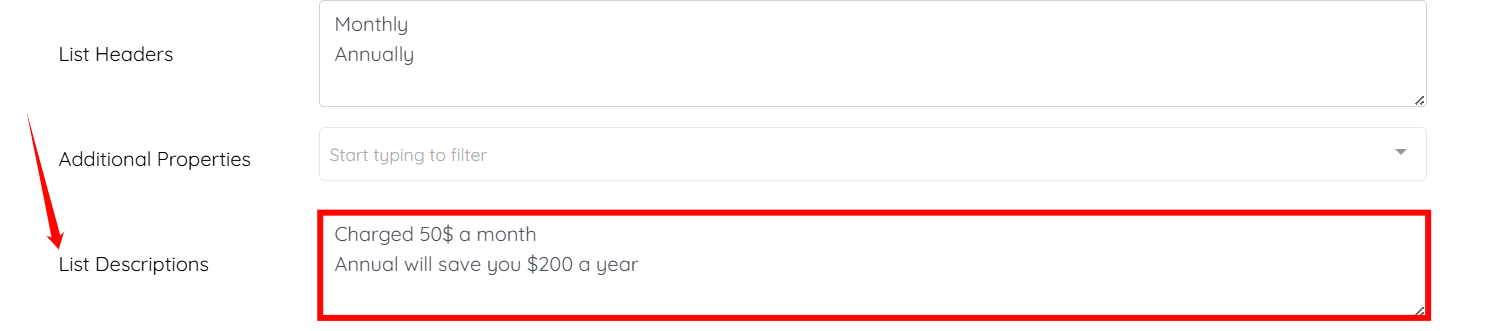
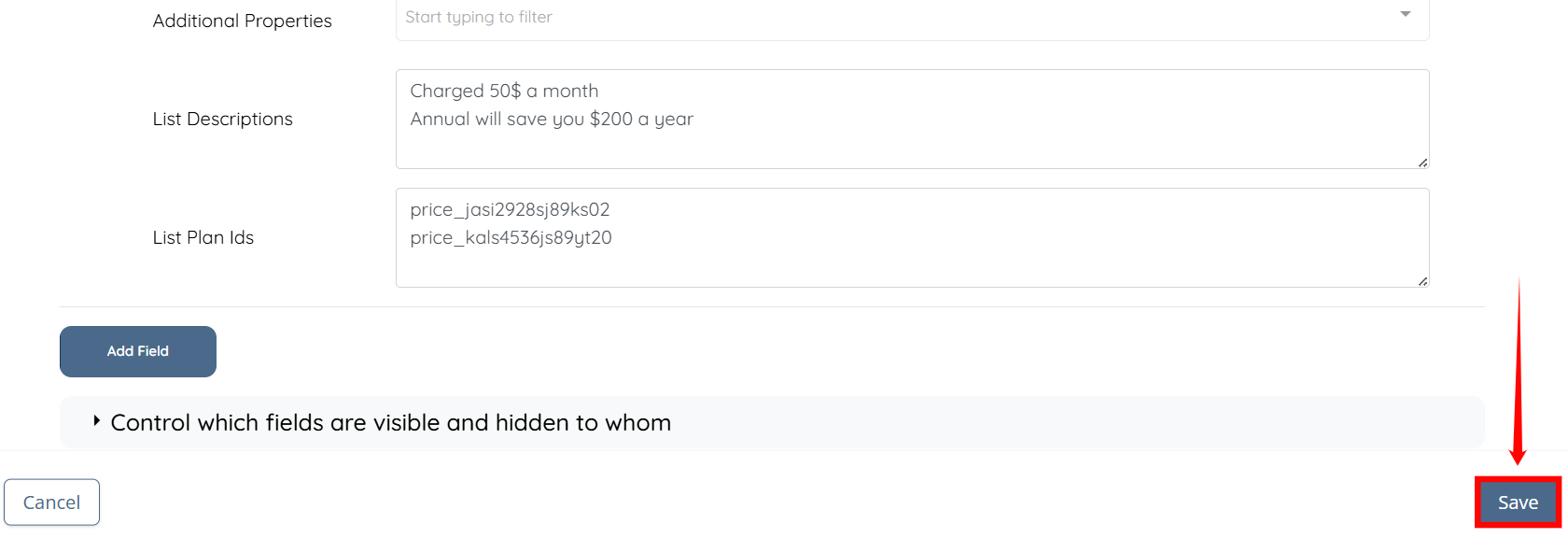
Step 6: In the List Descriptions field, enter the description for each option added in the previous step.
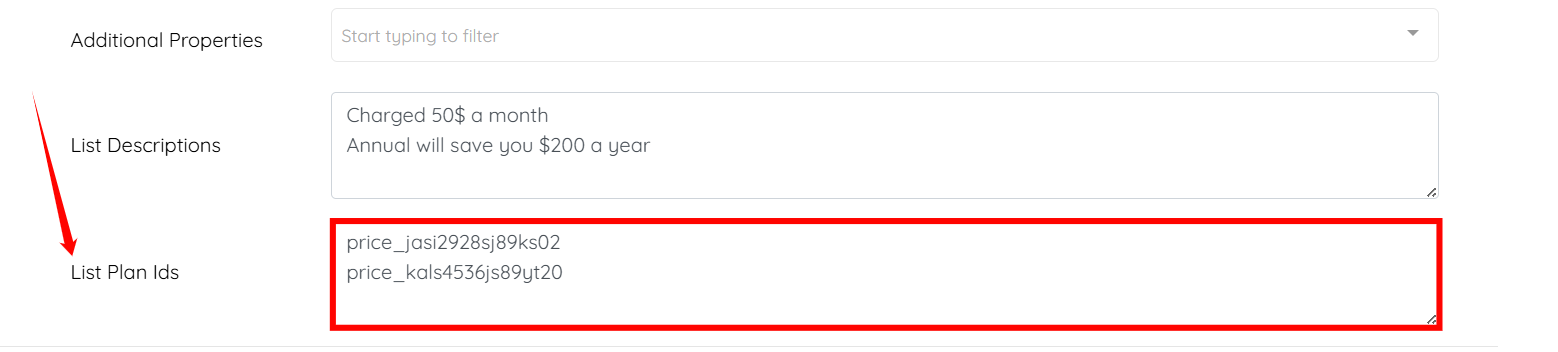
Step 7: Enter the Plan IDs for both options (for example, Monthly and Annually).
Step 8: Click Save button to apply the changes.
The membership section will be created successfully and clients will be able to select their preferred recurring payment option.