
Let’s get started 🚀
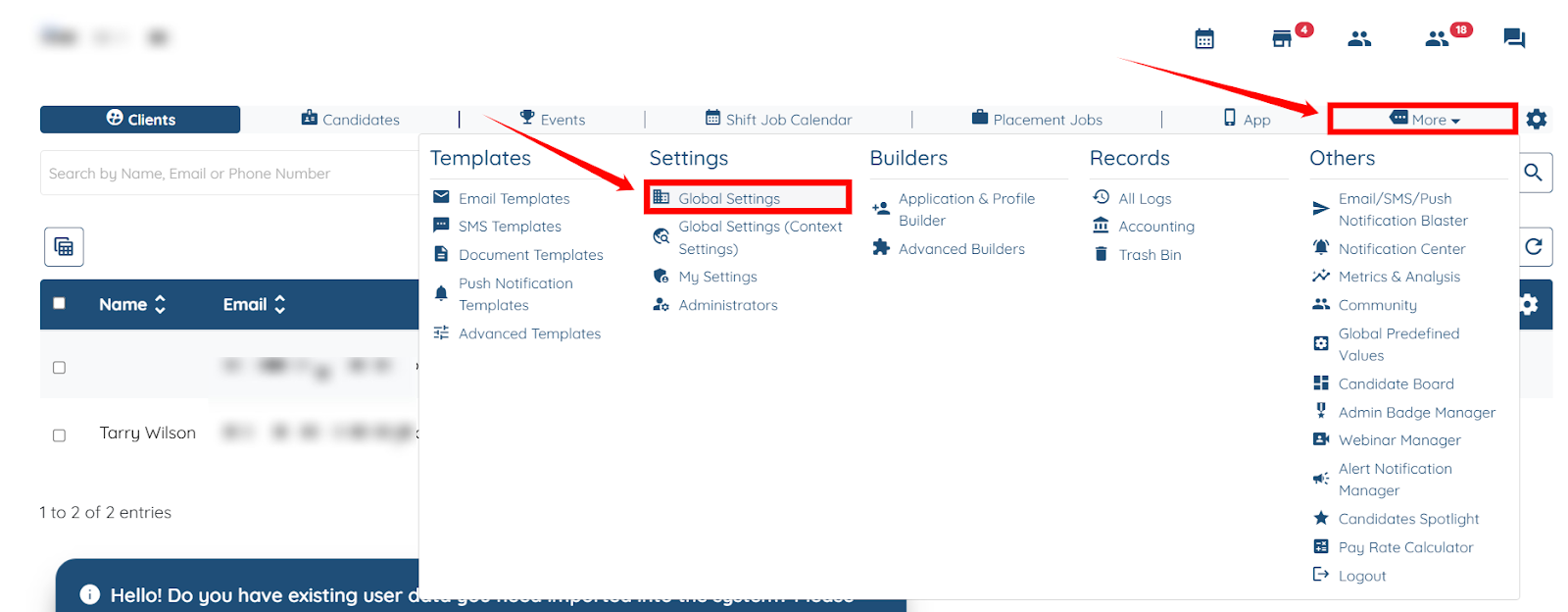
Step 1: Log in to your agent dashboard, then navigate to More > Global Settings, as shown in the screenshot below.
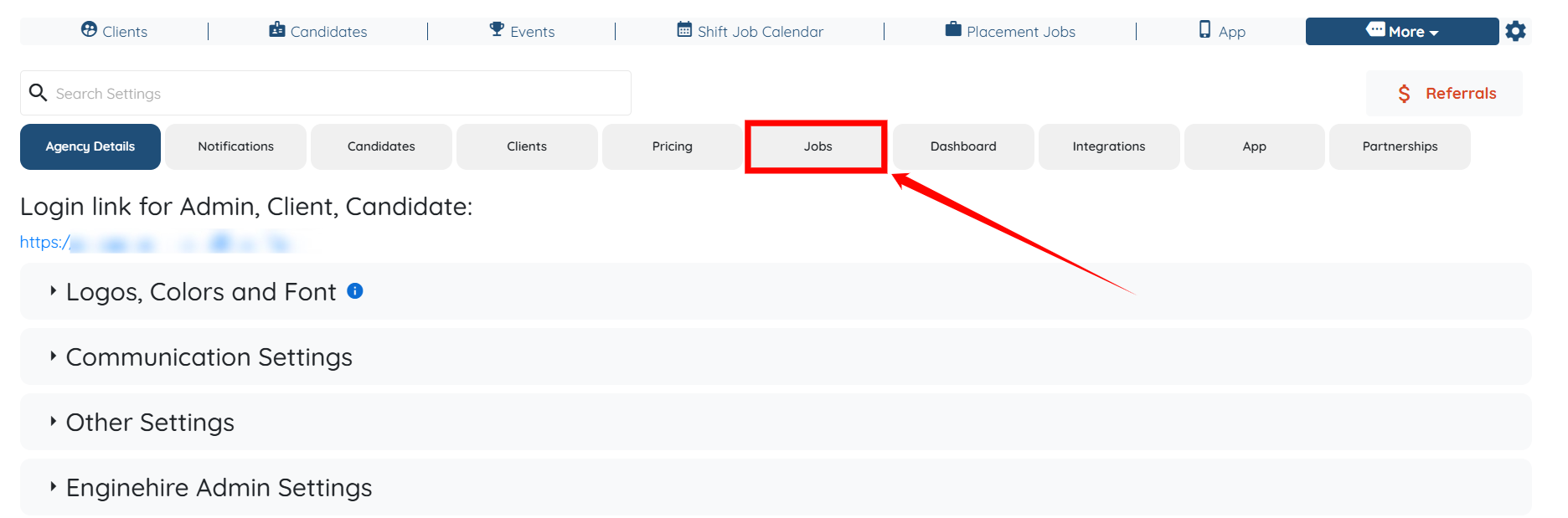
Step 2: Click the Jobs tab in the list of all available tabs.
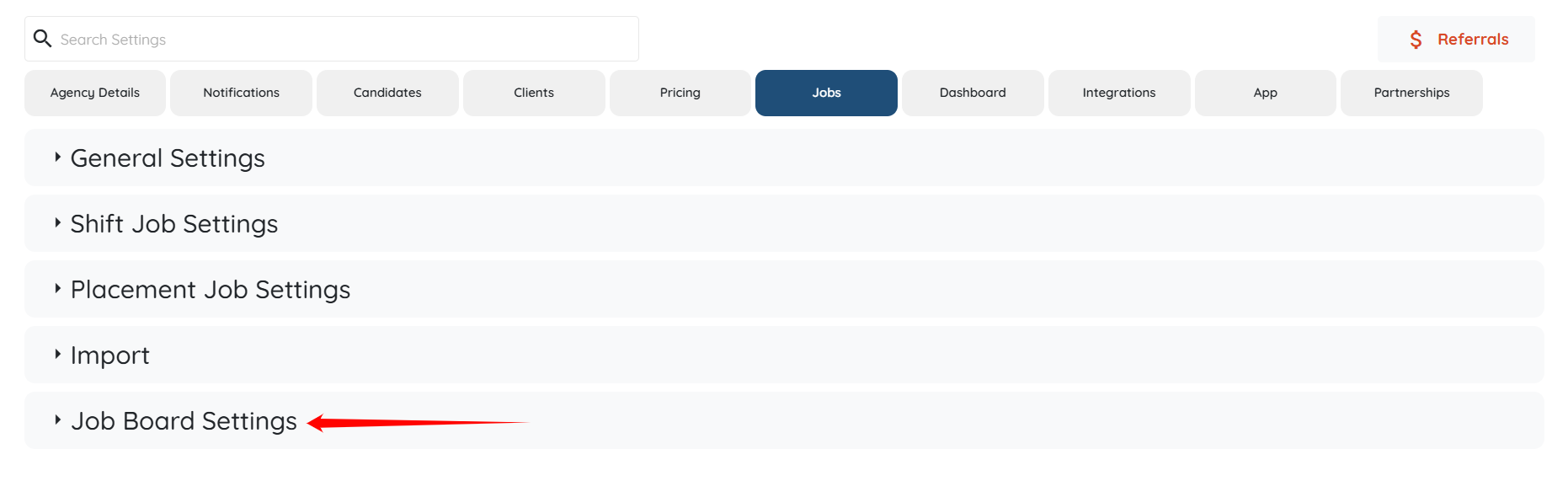
Step 3: Click the Job Board Settings option to expand its details.
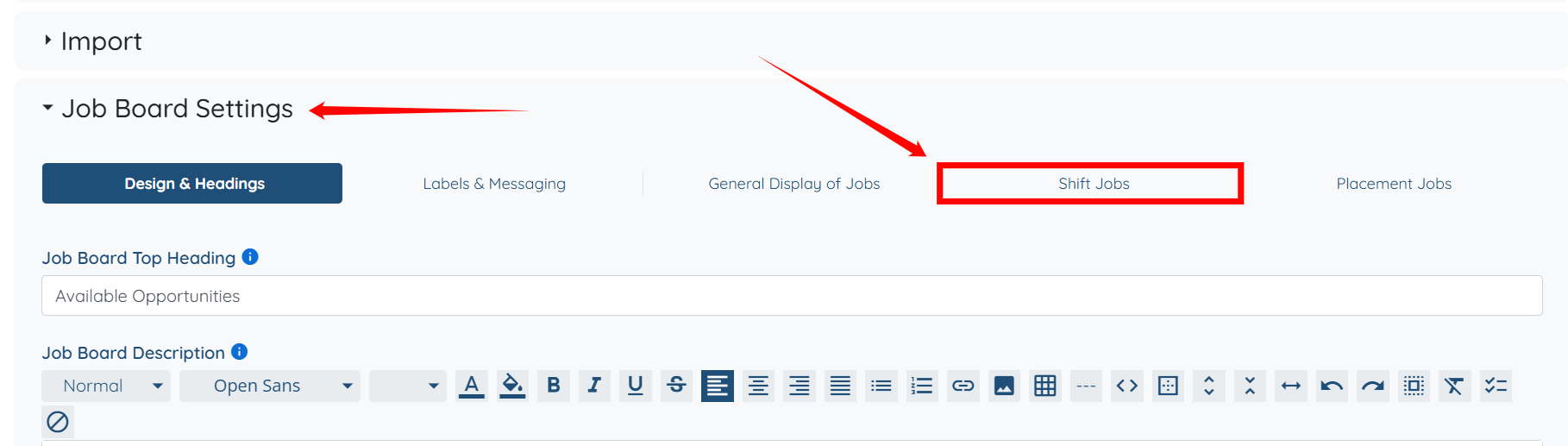
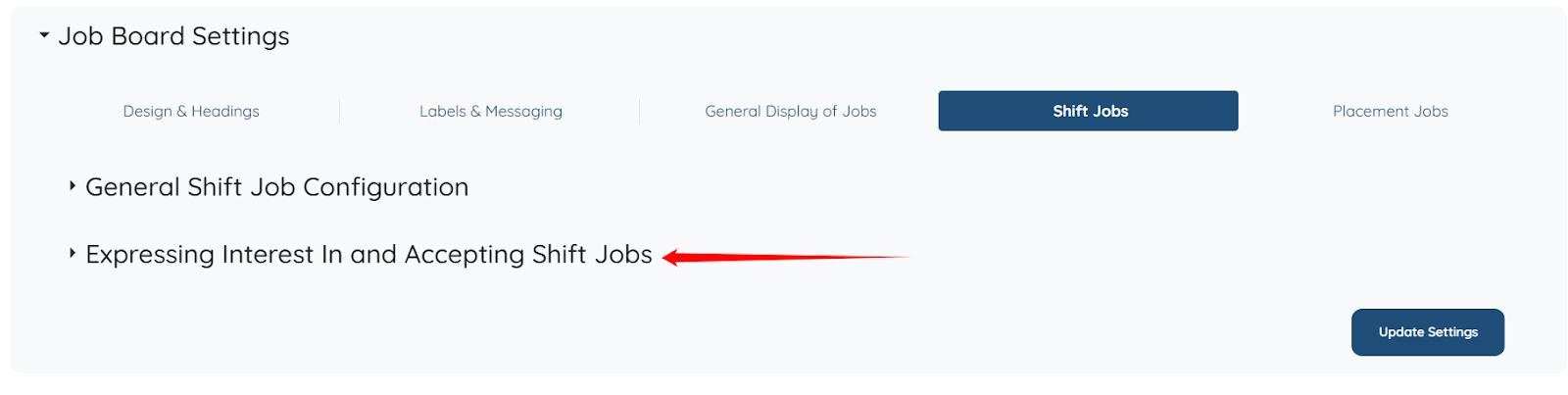
Step 4: Under the Job Board Settings, click the Shift Jobs option as shown in the screenshot.
Step 5: Click the Expressing Interest In and Accepting Shift Jobs option to expand its details.
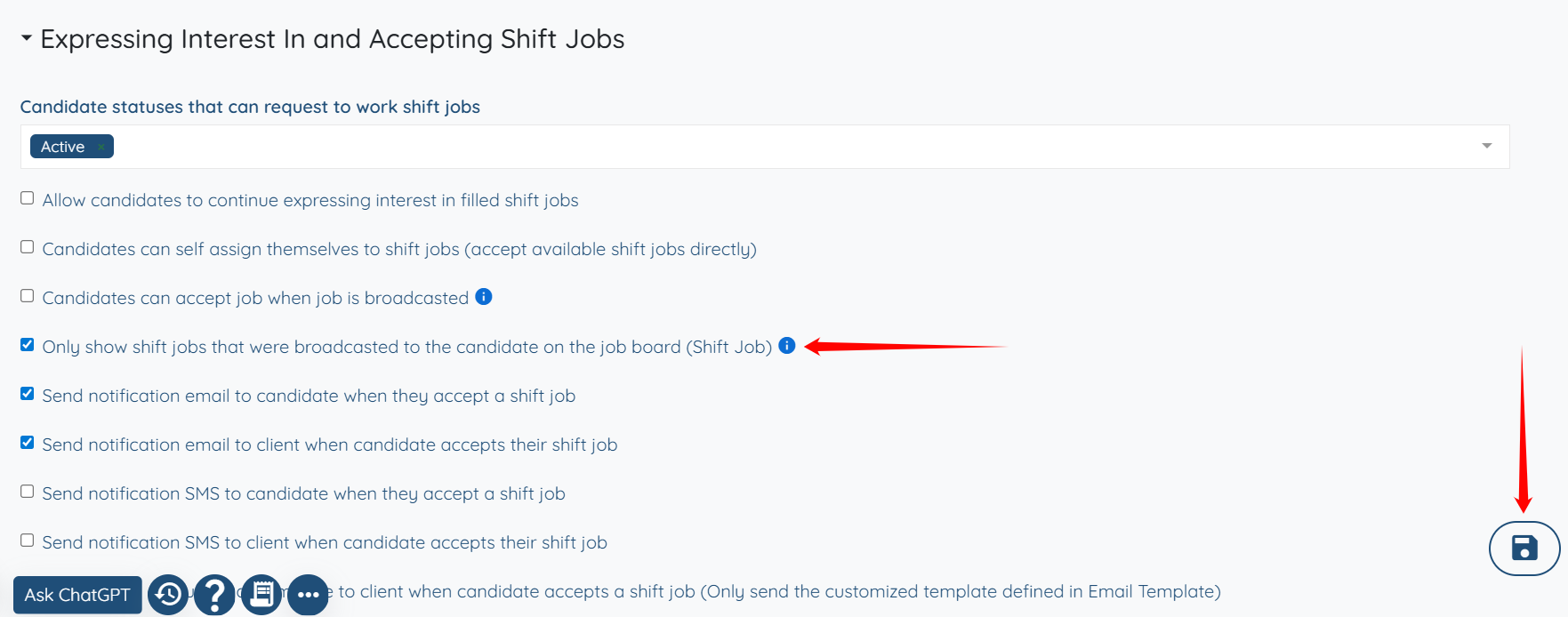
Step 6: Check the Only show shift jobs that were broadcasted to the candidate on the job board (Shift Job) checkbox, and then click the Save icon to proceed.
{% video_player "embed_player" overrideable=False, type='hsvideo2', hide_playlist=True, viral_sharing=False, embed_button=False, autoplay=False, hidden_controls=False, loop=False, muted=False, full_width=False, width='688', height='364', player_id='167747044508', style='' %}
If this doesn't answer your questions you can always contact us by clicking here