
Gift Card Purchase Email Template:
The email that goes to the person who purchased a gift card
Step 1:
Click More on the menu tab
Step 2:
Click on email templates
Step 3:
Click Add template
Step 4:
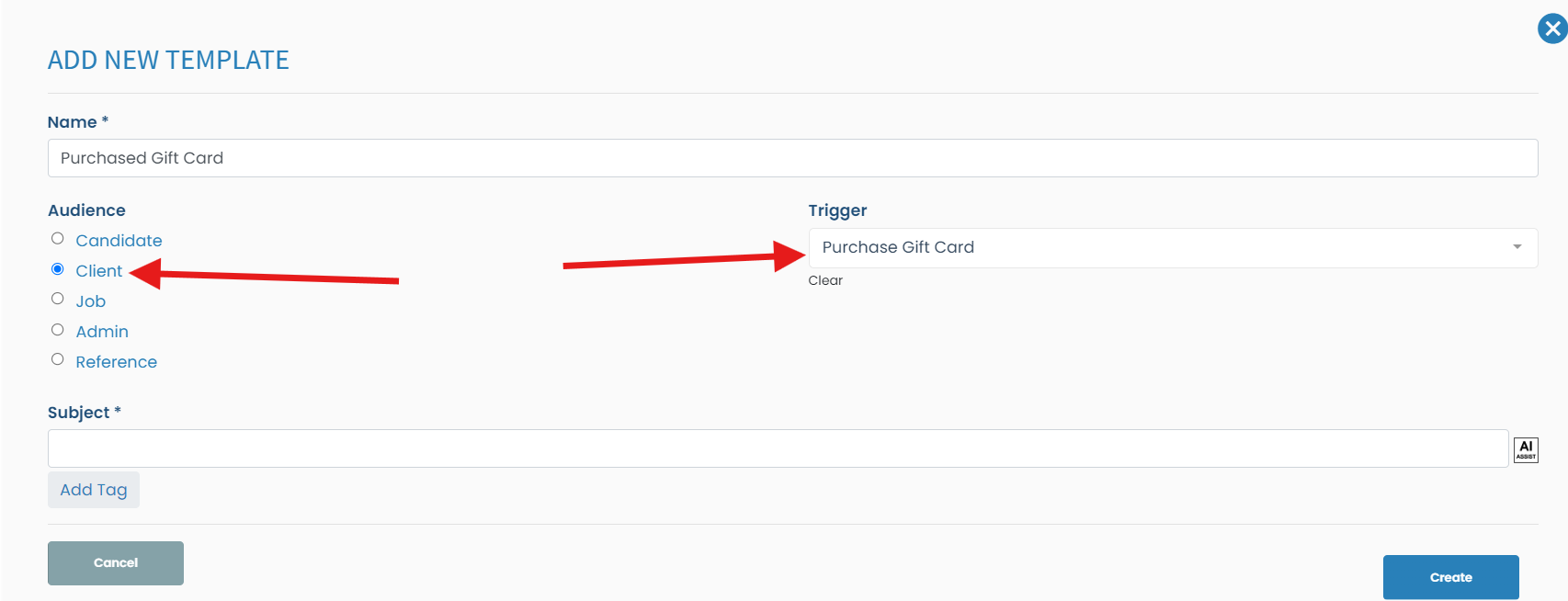
Create the template
Audience: Client
Trigger: Purchase Gift Card
Put the subject and body of the email
Click Create once done
Email Template to send the gift card code
The email that goes to the receipt to get the gift card code to be able to use the gift card
Step 1:
Click More on the menu tab
Step 2:
Click on email templates
Step 3:
Click Add template
Step 4:
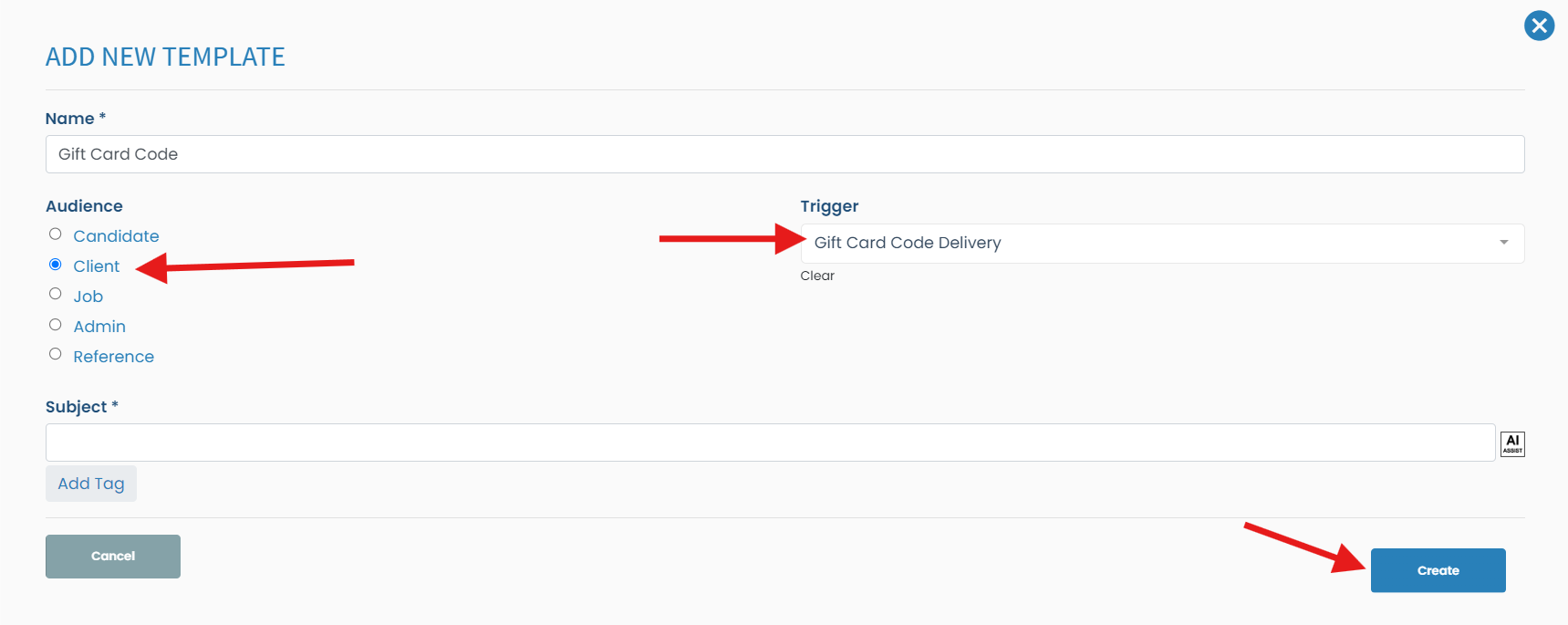
Create the template
Audience: Client
Trigger: Gift Card Code Delivery
Put the subject and body of the email
Click Create once done
If this doesn't answer your questions you can always contact us by clicking here