
Let’s get started 🚀
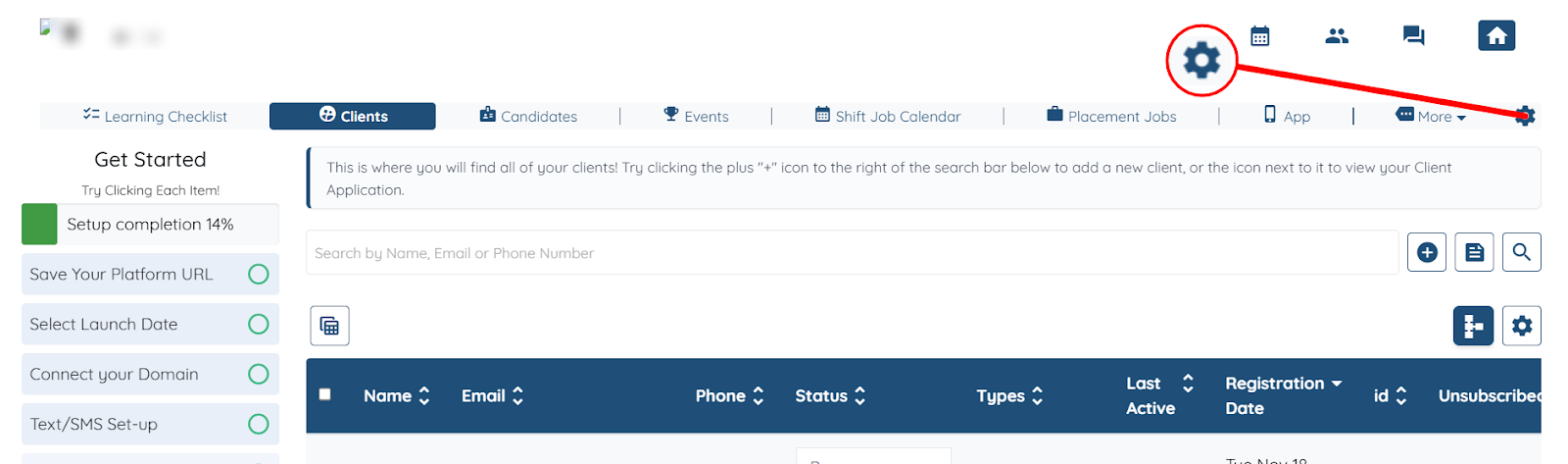
Step 1: Log in to your dashboard, and click the Gear icon as shown in the screenshot below.
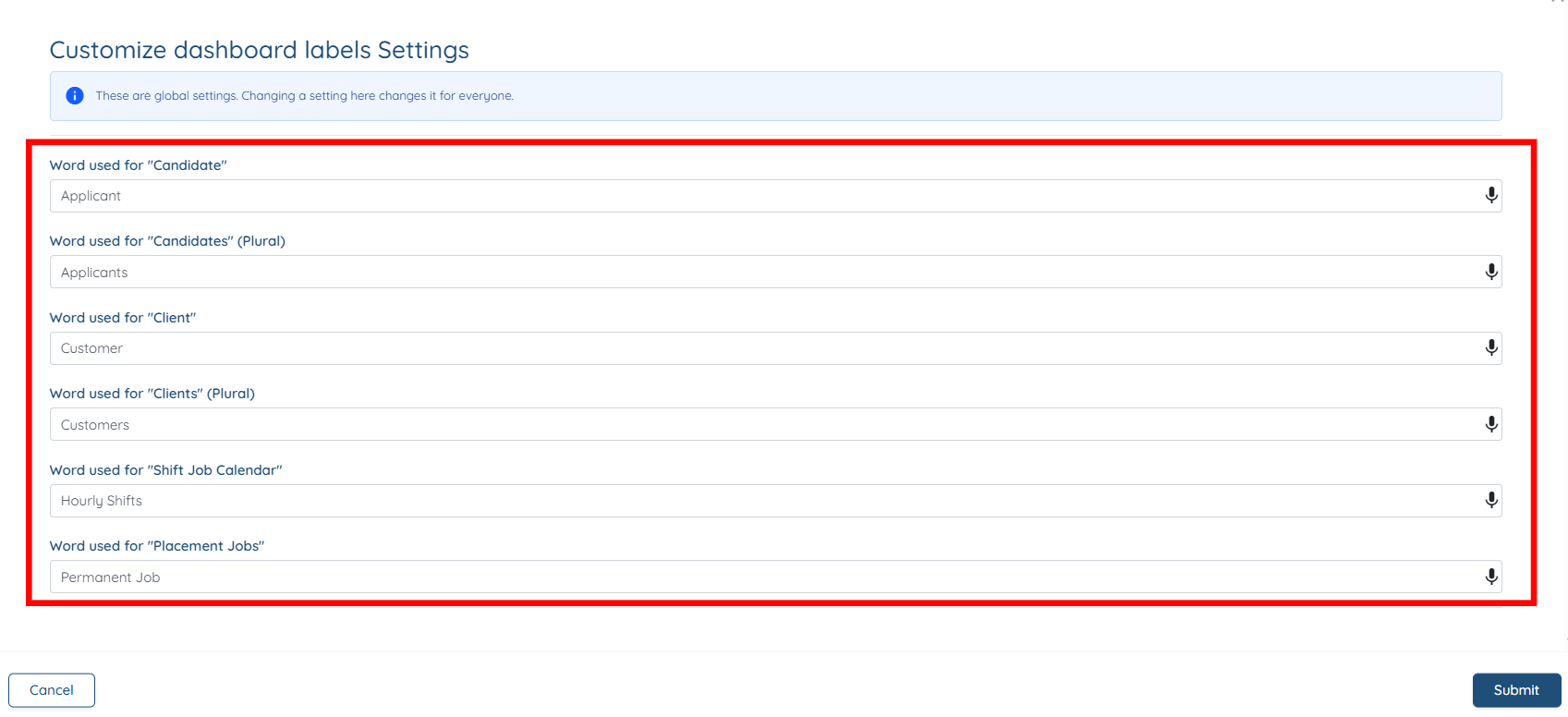
Step 2: You can customize the following terms to better match the language your agency uses:
Default Term | Description | How You Might Customize It |
Candidate | Refers to applicants or individuals looking for work. | Use terms like Applicant, Worker, Professional, or any label that fits your agency’s workflow. |
Client | Refers to people or organizations hiring candidates (your customers). | Replace with Family, Customer, Employer, Company, or any term you use internally. |
Shift Job Calendar | Represents short-term or temporary jobs you schedule. | Customize this to Temp Jobs, Short-Term Shifts, Hourly Shifts, or whatever term aligns with your services. |
Placement Job | Refers to long-term job postings or positions you fill. |
Step 3: Click the Submit button to save the changes.

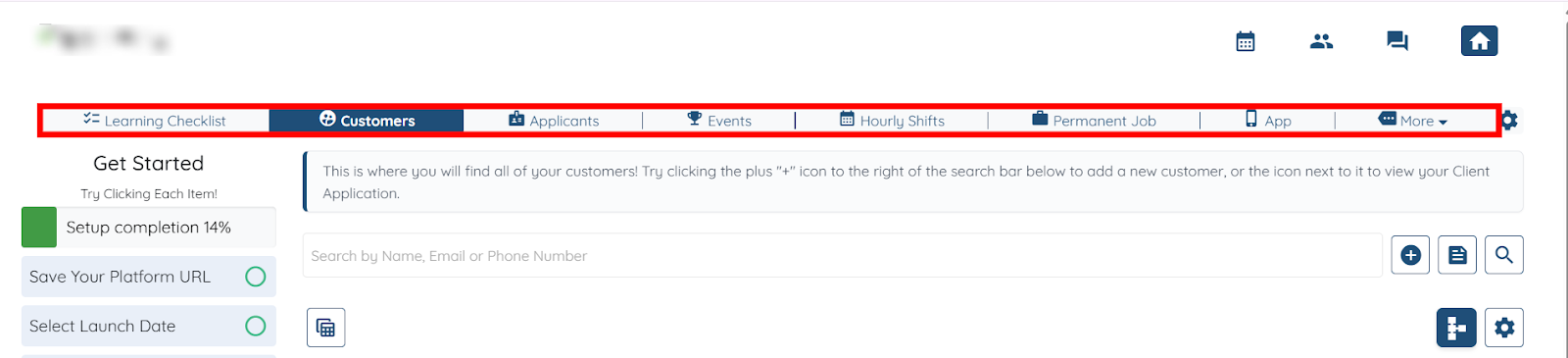
Your dashboard will successfully display the updated terminology.
If this doesn't answer your questions you can always contact us by clicking here