
Let’s get started 🚀
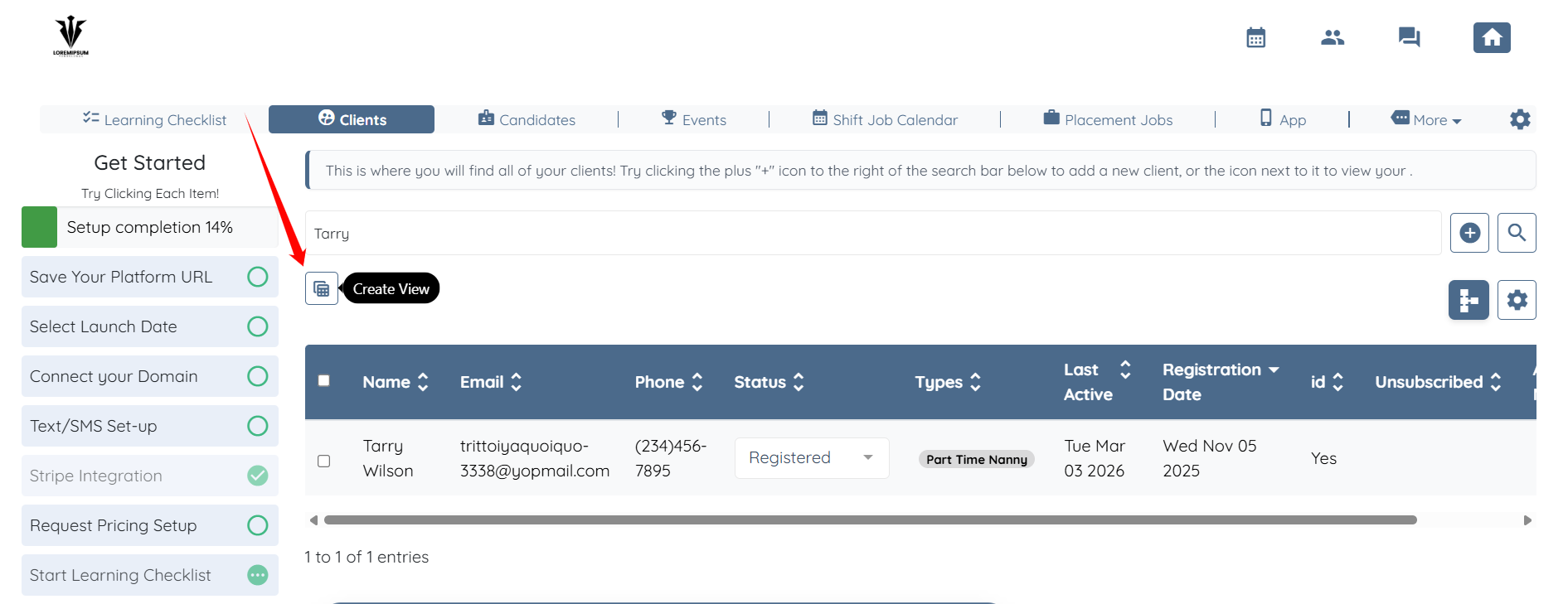
Step 1: Click the button shown in the screenshot below to create a new view.
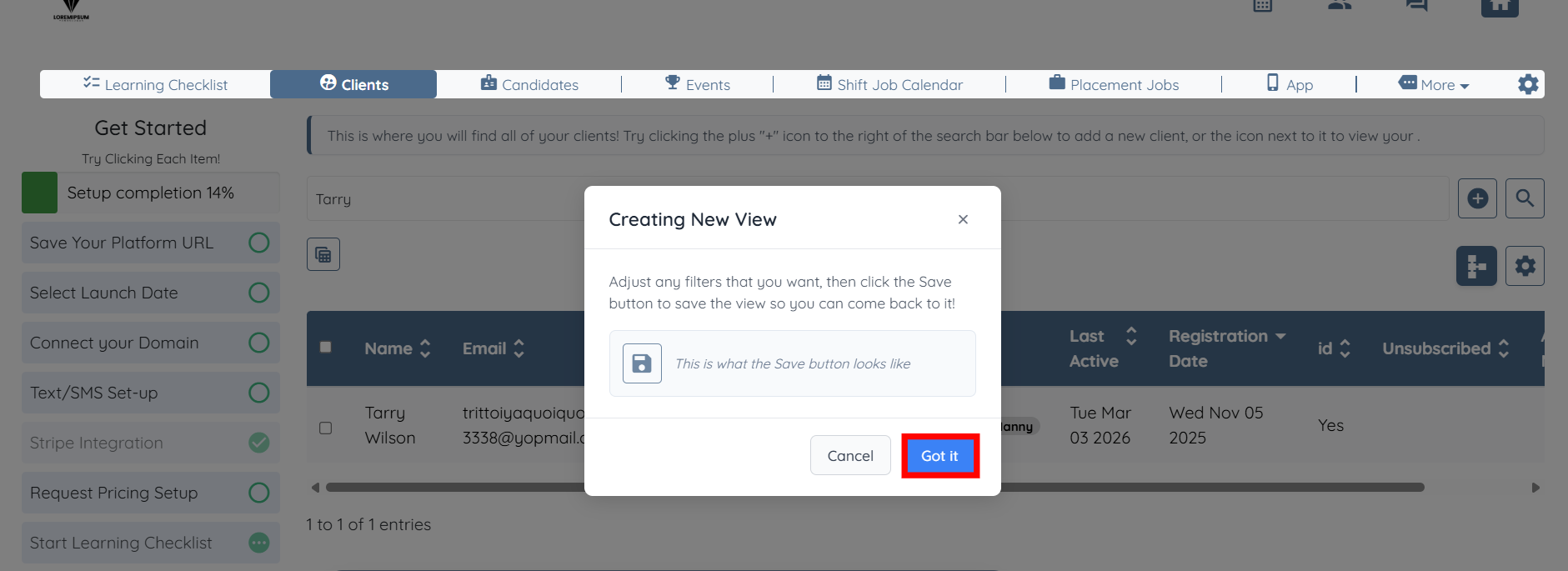
Step 2: Click the Got it button.
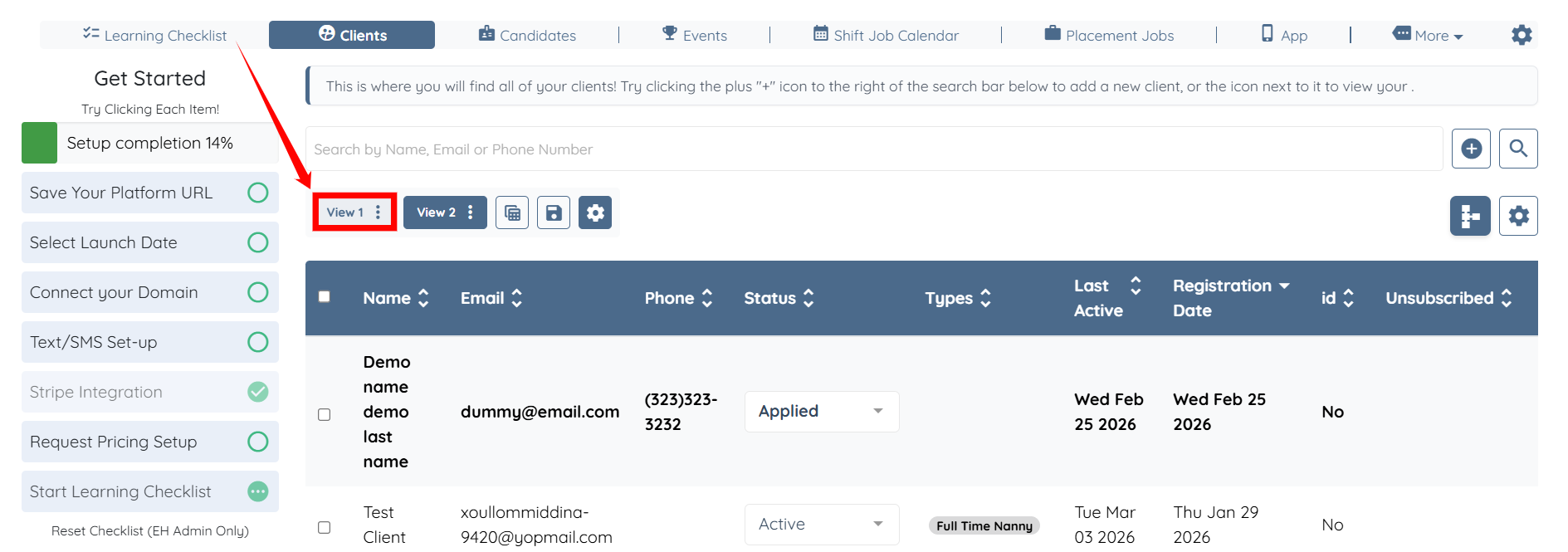
Step 3: Click the View 1 button to switch to that view.
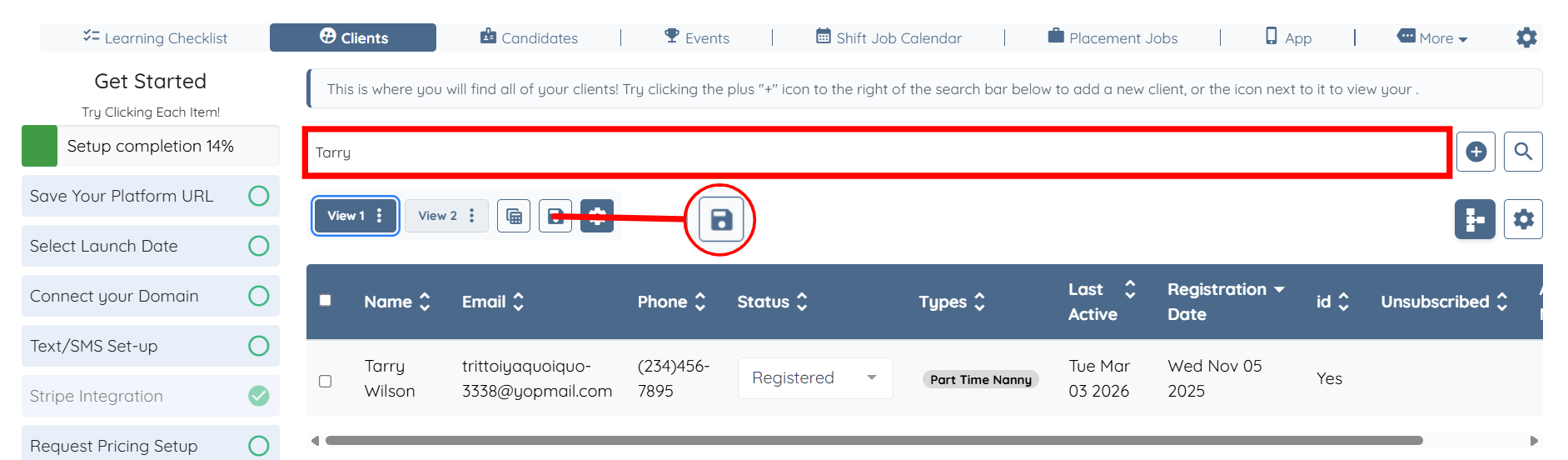
Step 4: Clear the search bar and then click the Save icon.
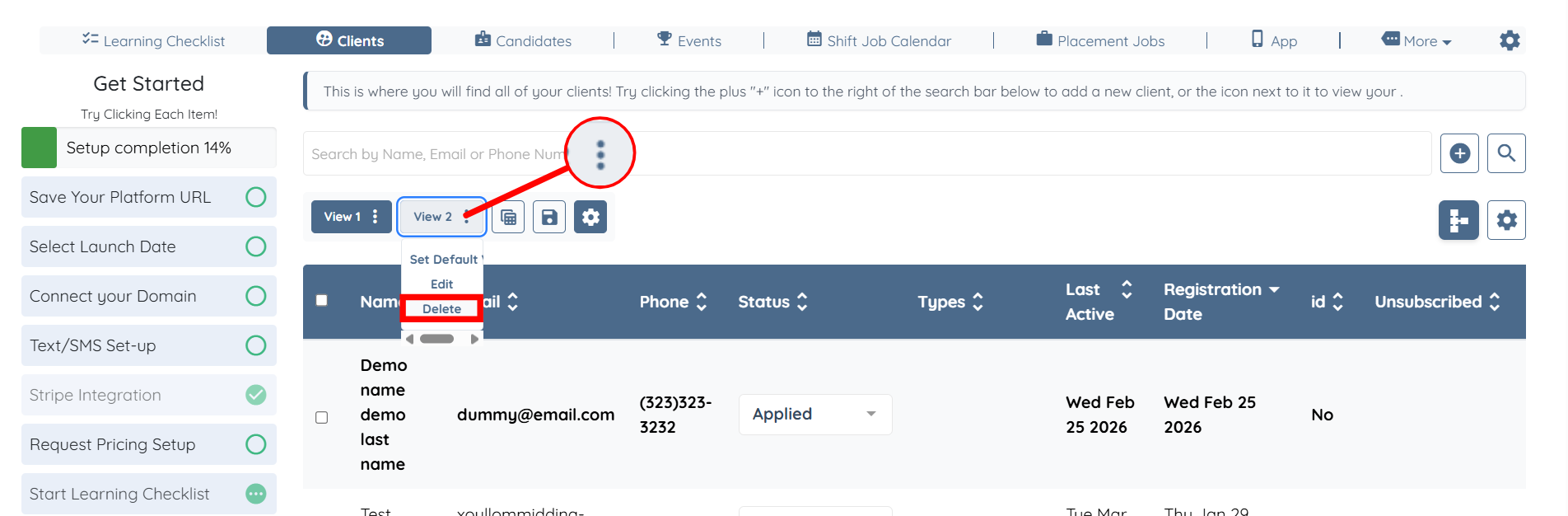
Step 5: Delete the newly created view by clicking the vertical ellipsis icon and clicking the Delete button.
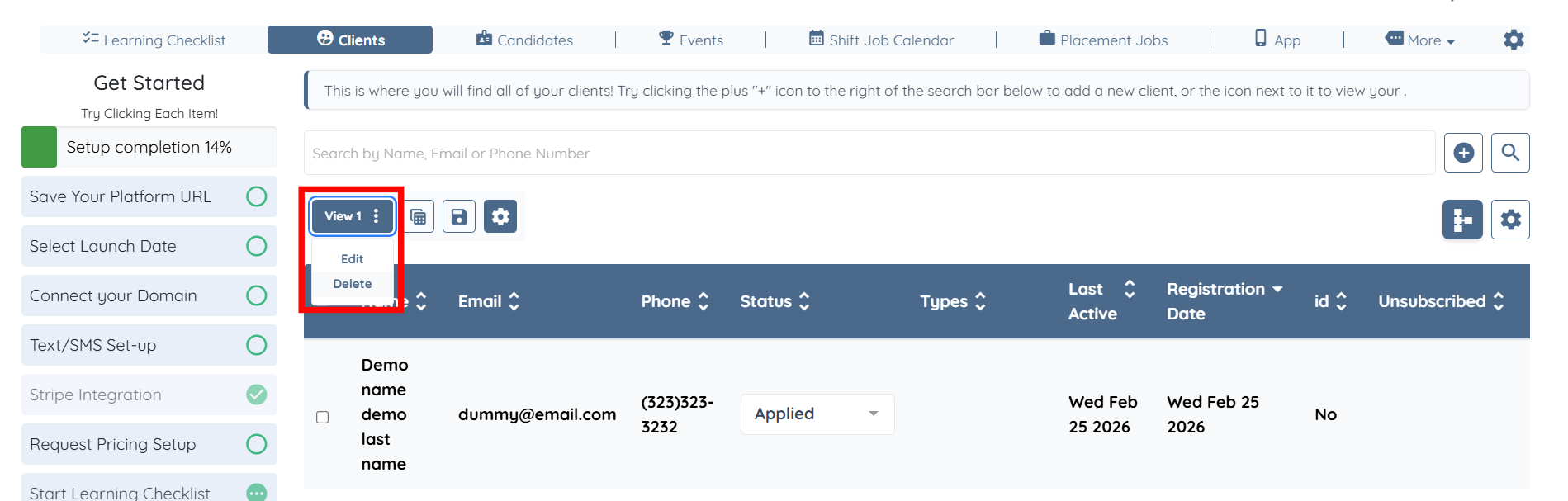
Step 6: Delete the remaining view in the same way.
If this doesn't answer your questions you can always contact us by clicking here