
On the Client/Candidate Table view click on the magnifying glass to display Search and Filter Tools
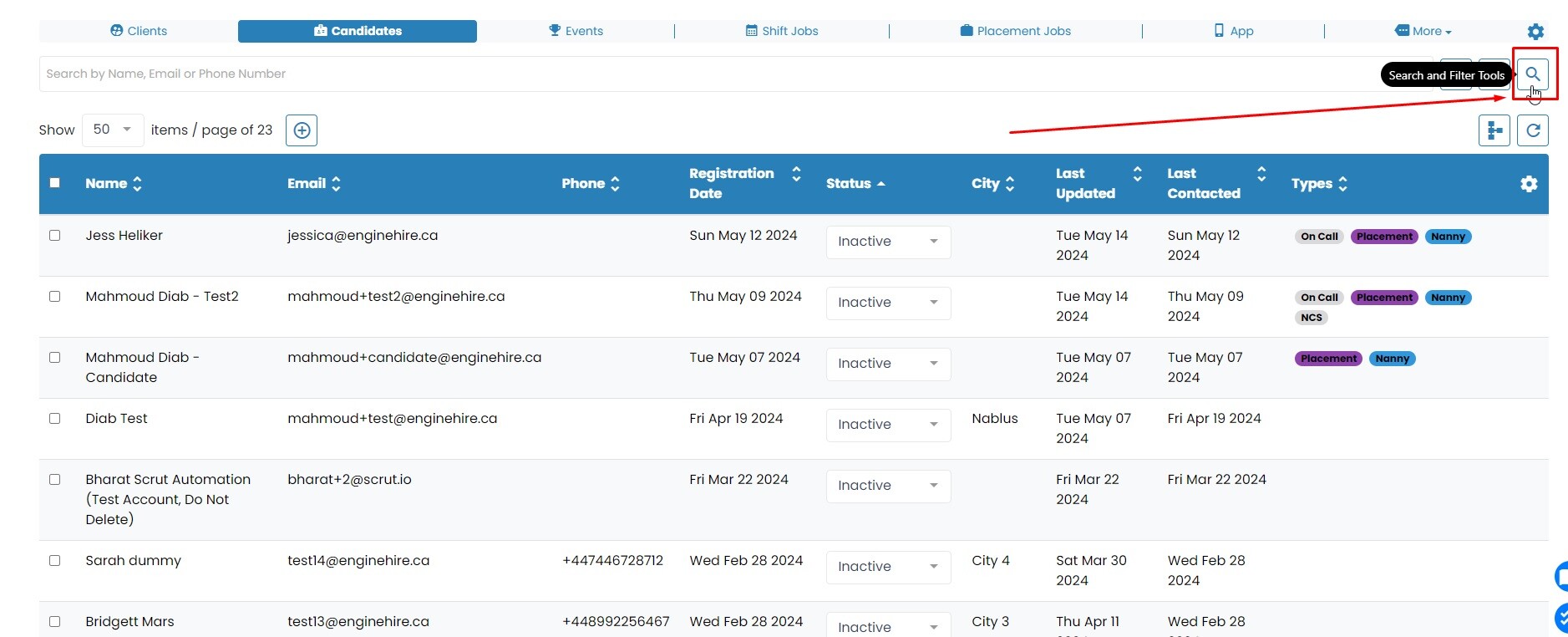
Click on Advance Search button
Click on the "Quick View" tab.
In the first field, search for "Types" and click on it.
In the next field, select "Doesn't Contain."
Finally, in the last field, choose the type you would like to exclude.
Now, simply hit the "Search" button to view a list of Clients/Candidates excluding a certain Type.
If this doesn't answer your questions you can always contact us by clicking here.