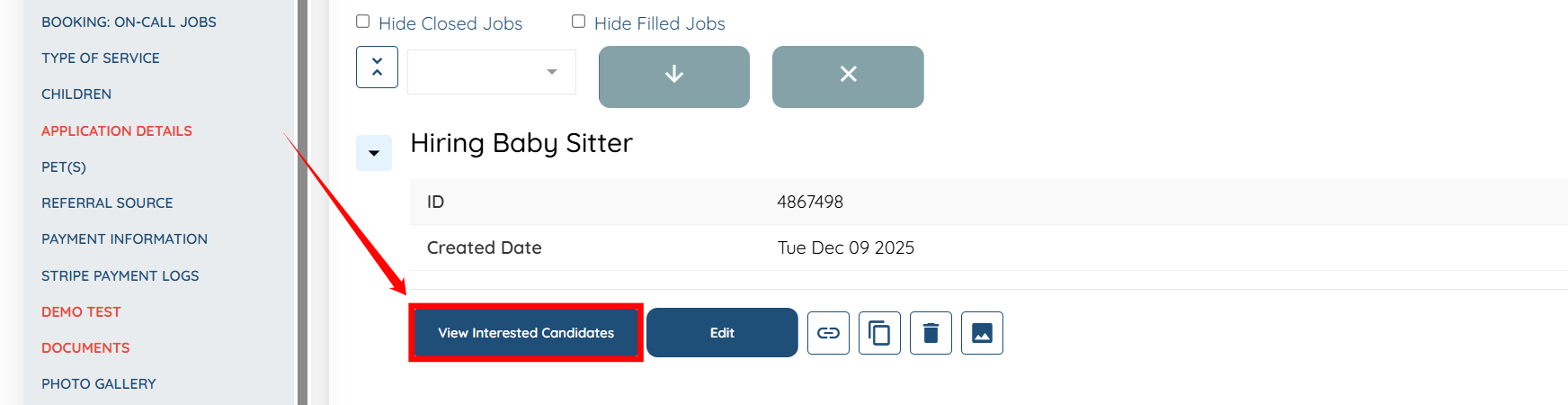
To let clients view interested applicants directly from their profile, the My Jobs section must be enabled on the client profile. For details on enabling this section, see Allow Clients to Post Placement Jobs by Adding the My Jobs Section to Profiles document.
Let’s get started 🚀
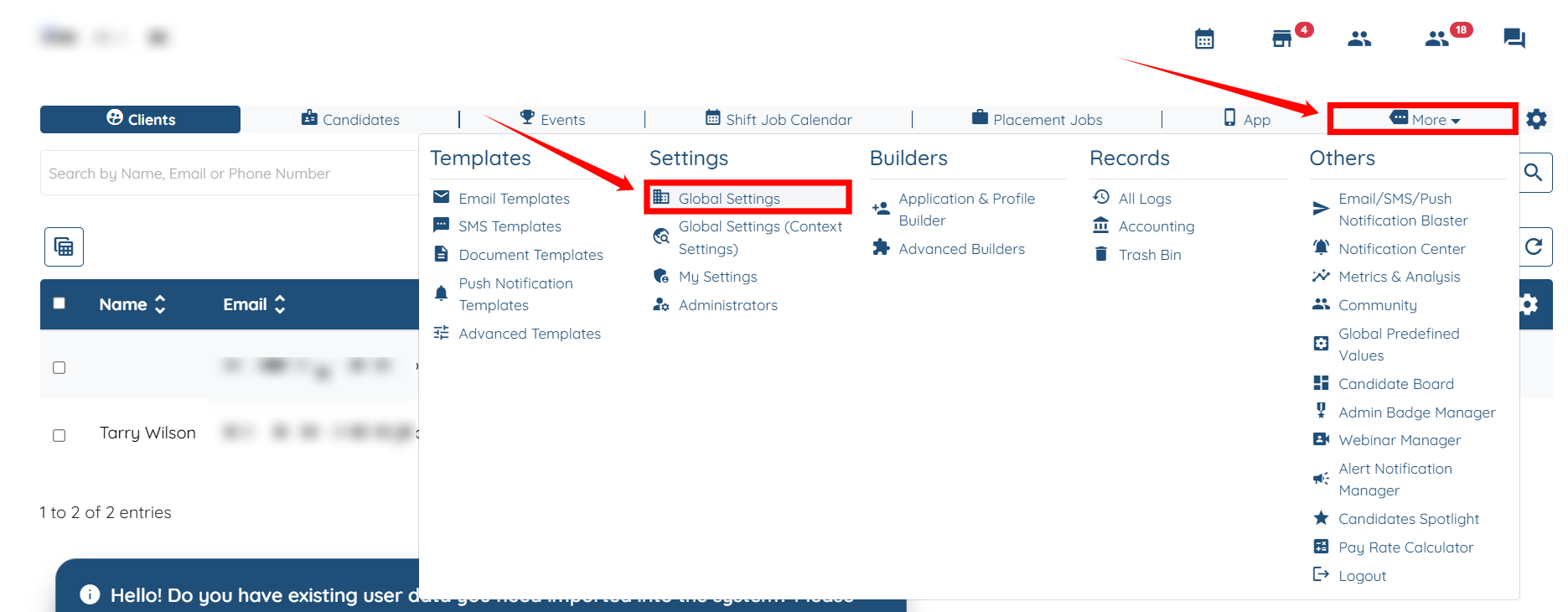
Step 1: Log in to your agent dashboard, then navigate to More > Global Settings, as shown in the screenshot below.
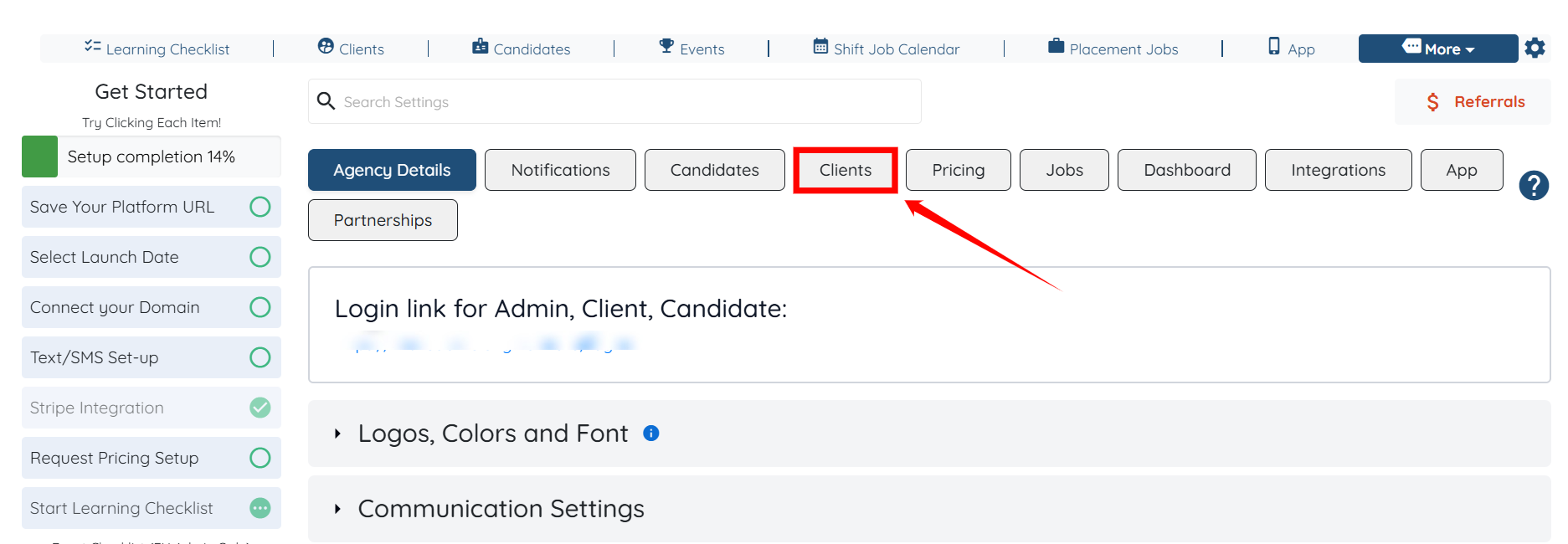
Step 2: Click the Clients tab in the list of all available tabs.
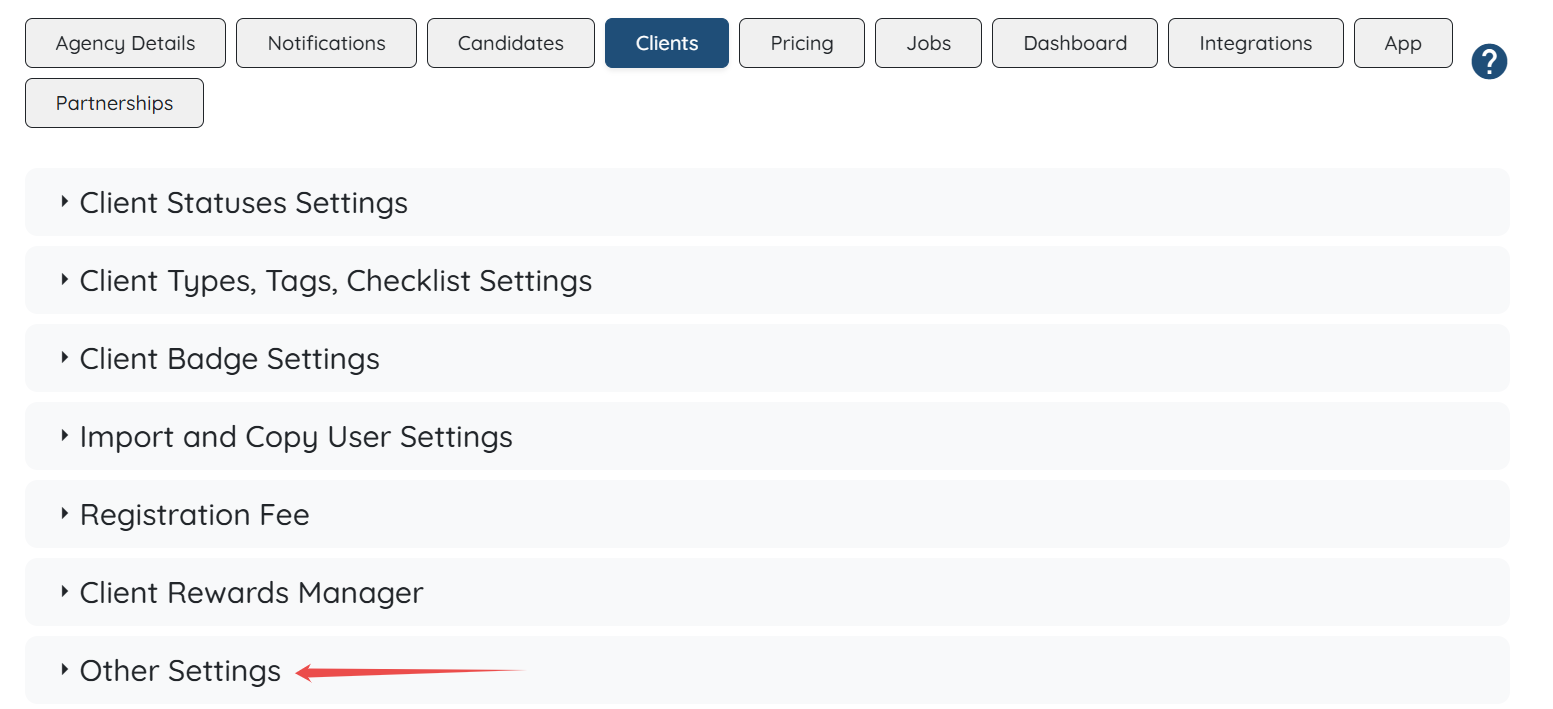
Step 3: Click the Other Settings option to expand its details.
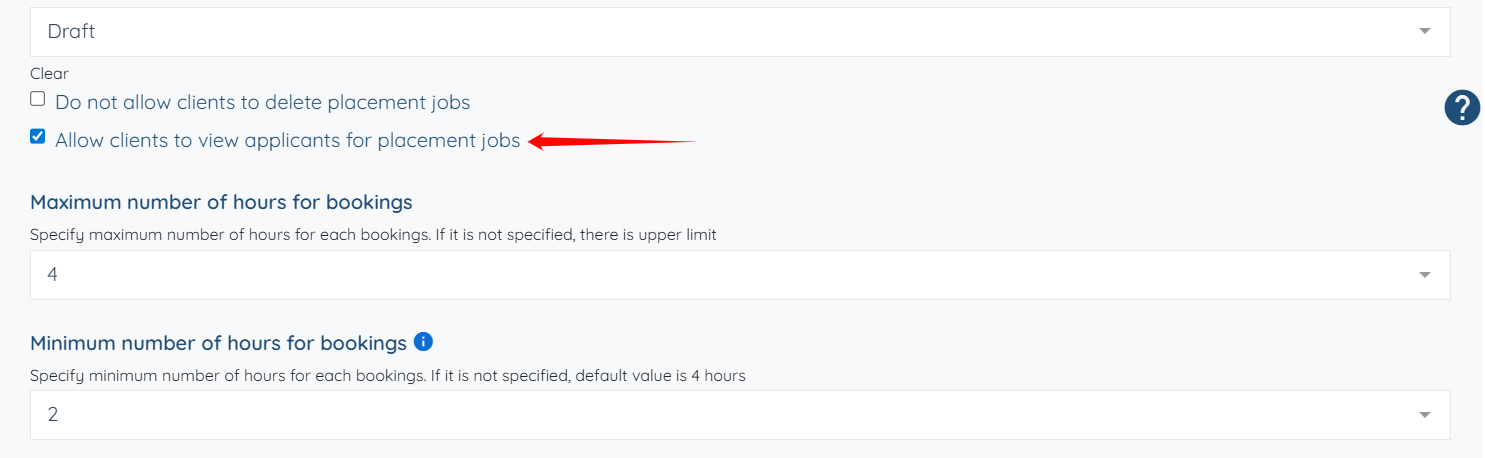
Step 4: Scroll down and check the Allow clients to view applicants for placement jobs checkbox.
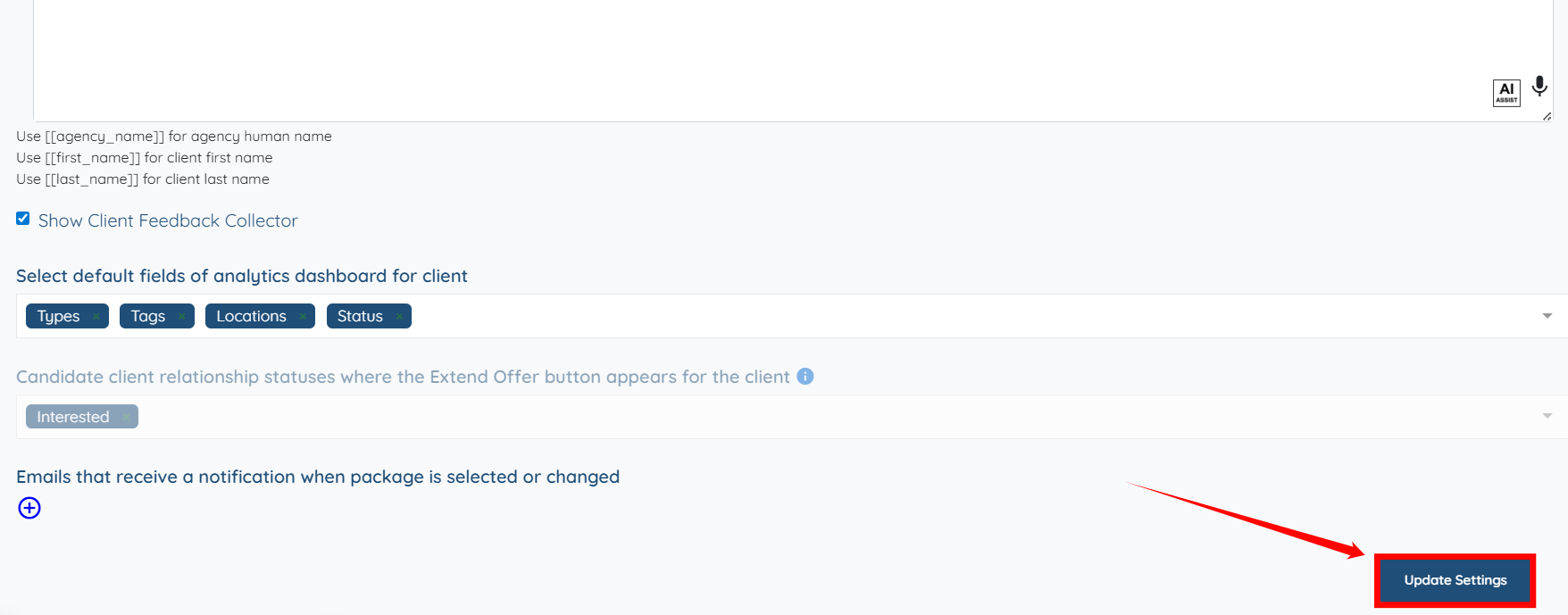
Step 5: Click the Update Settings button to save the changes.
The client can view the interested applicants by clicking on the View Interested Candidates button for any placement job.