

Auto broadcast events that occur outside of business hours are queued and sent during the next business hours.
Let’s get started 🚀
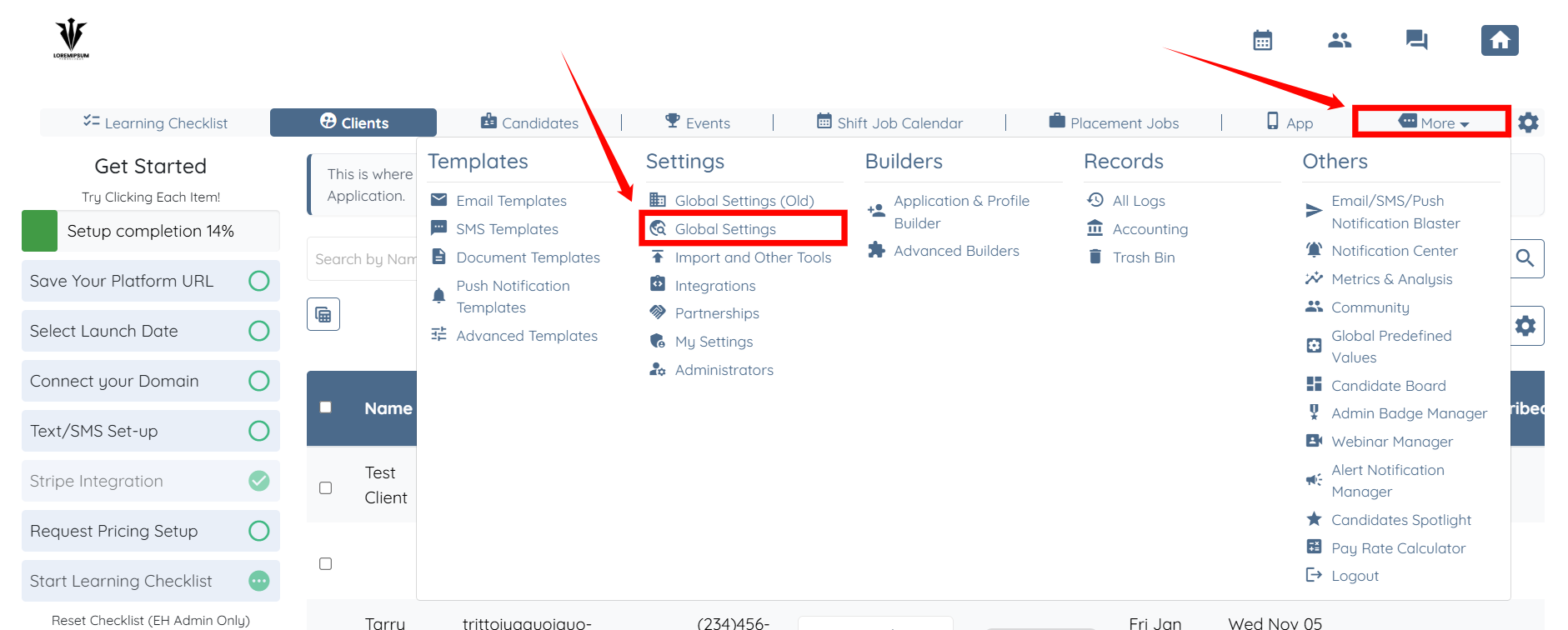
Step 1: Log in to your agent dashboard, click More > Global Settings as shown in the screenshot below.
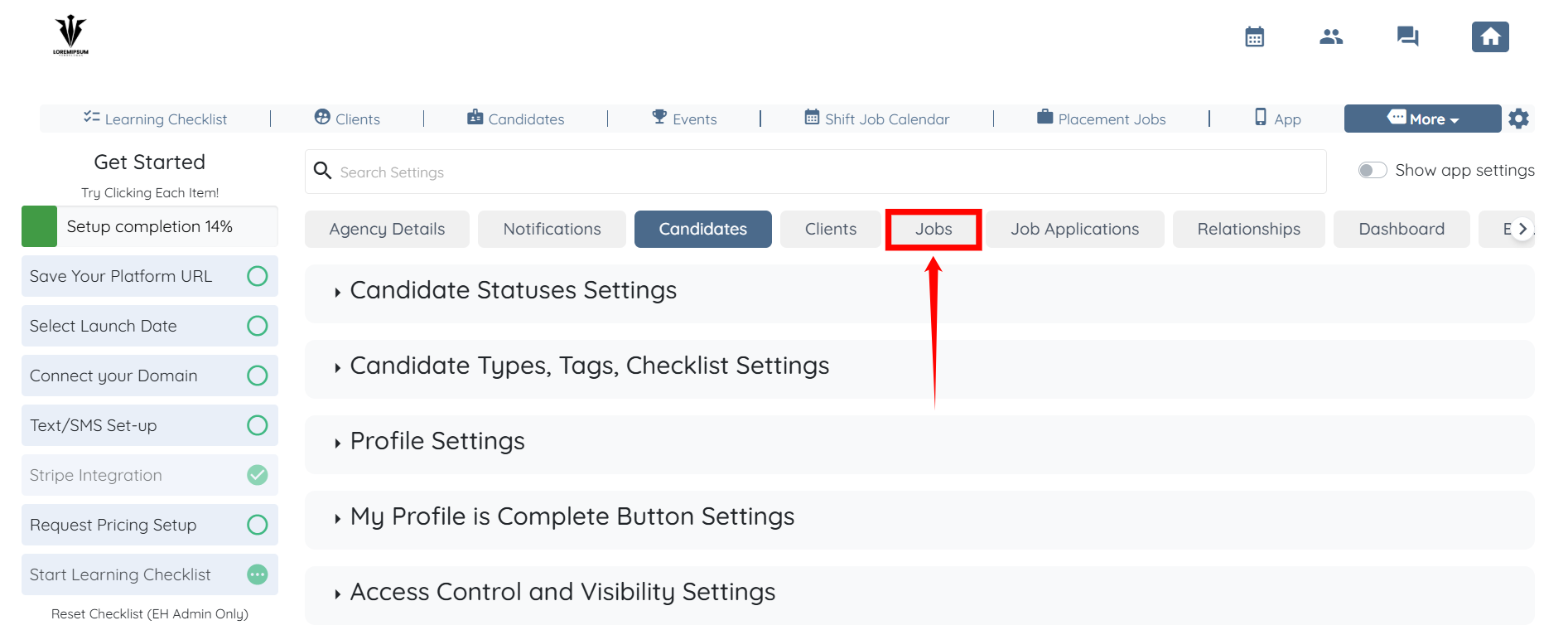
Step 2: Click the Jobs tab from the list of all the available tabs.
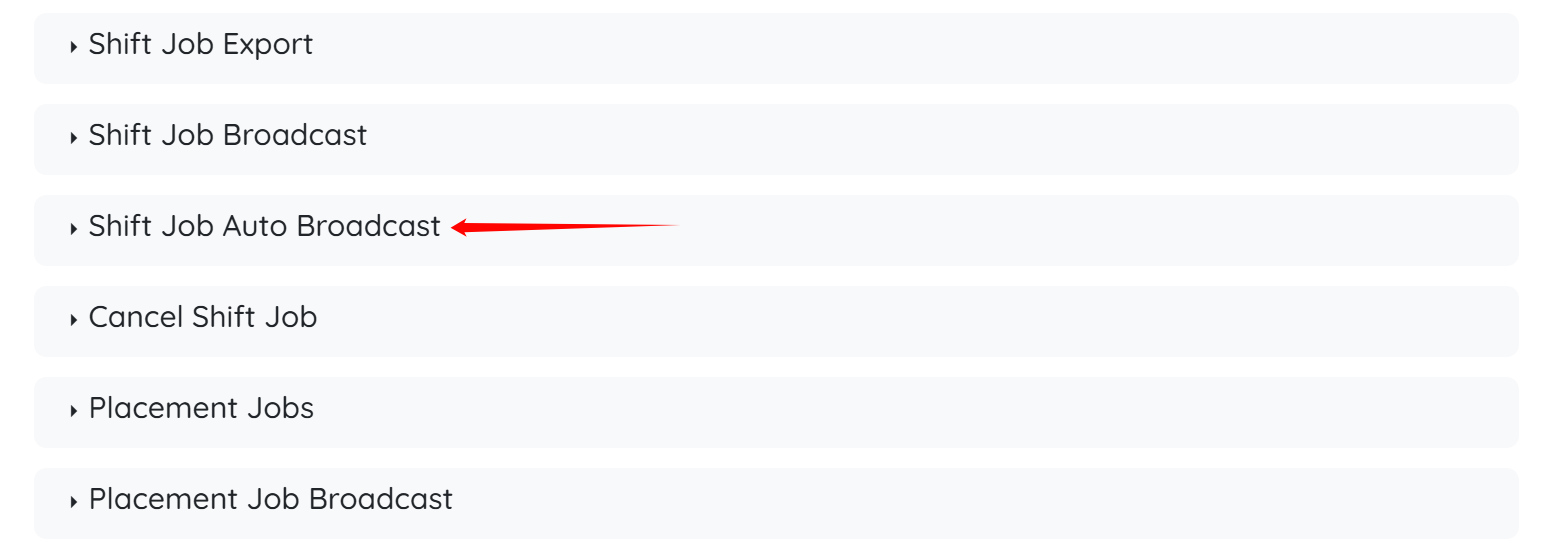
Step 3: Click the Shift Job Auto Broadcast option to expand its details.
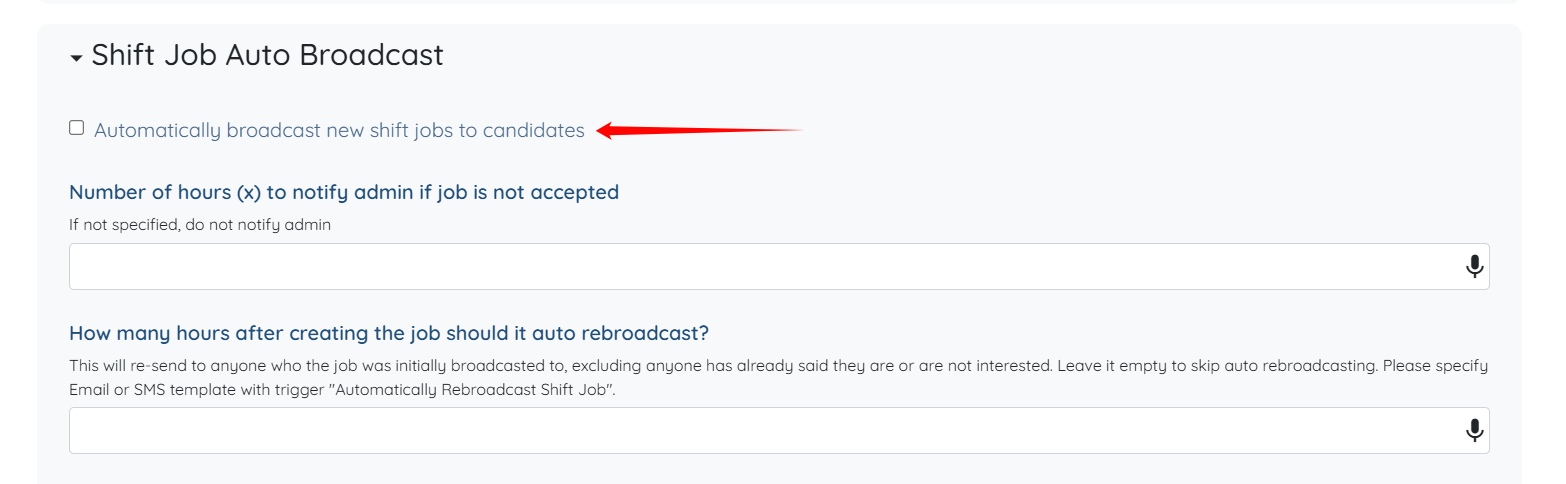
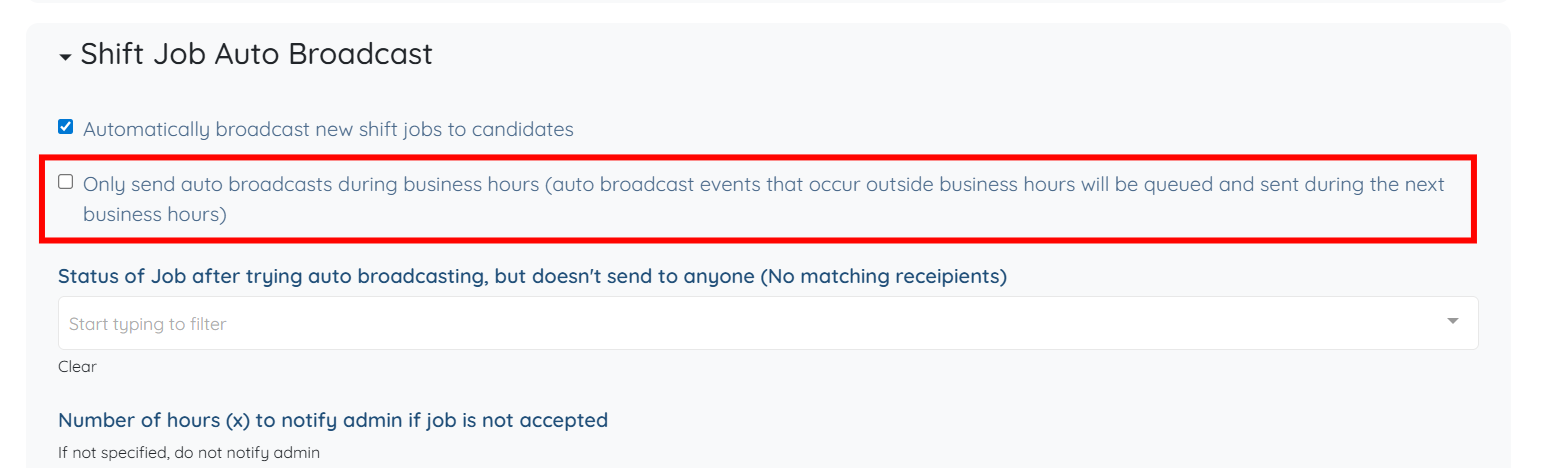
Step 4: Check the Automatically broadcast new shift jobs to candidates checkbox.
Step 5: Check the Only send auto broadcasts during business hours (auto broadcast events that occur outside business hours will be queued and sent during the next business hours) checkbox.
The system saves the settings automatically.
To ensure auto broadcasts are sent only during working hours, make sure your business hours are configured. See Set Business Hours article.